Document Overview
Document Overview This article is based on the official user manual for the Zephyr V3 Air Inflator, published by ETENWOLF (document filename: V3_manual_EN_20260124.pdf, version V1.0, dated January 24, 2026). The manual covers all aspects of product setup, operation, safety, maintenance, and troubleshooting for end users.…
- Document type
- User Manual
- Prepared by
- Daniel Wright
- Published
- Last reviewed
- Topics
- User Manual
Document Overview
This article is based on the official user manual for the Zephyr V3 Air Inflator, published by ETENWOLF (document filename: V3_manual_EN_20260124.pdf, version V1.0, dated January 24, 2026). The manual covers all aspects of product setup, operation, safety, maintenance, and troubleshooting for end users. It is intended for consumers and retailers who need a comprehensive reference for the Zephyr V3 portable electric air inflator.
Product Information
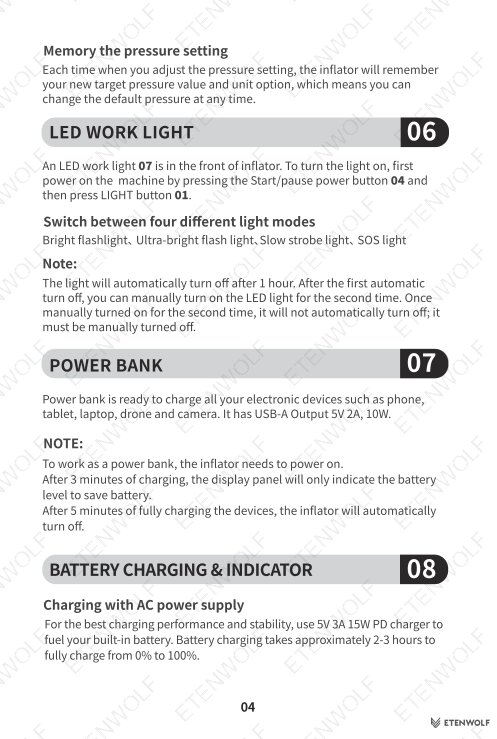
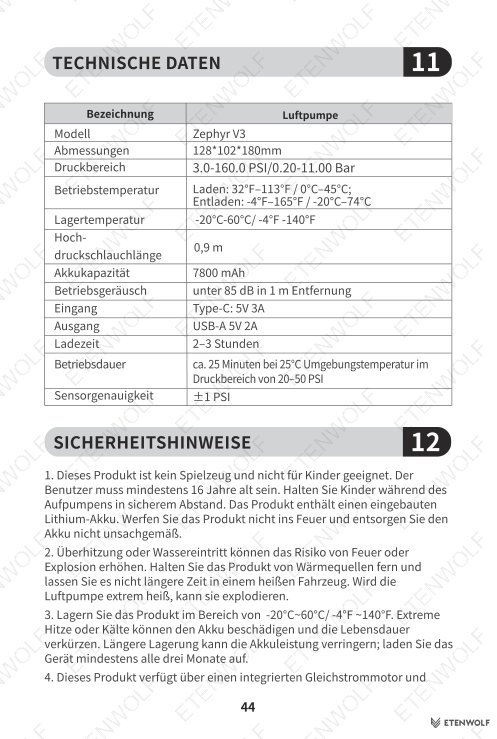
The Zephyr V3 Air Inflator is a compact, rechargeable portable tire and sports inflator manufactured under the ETENWOLF brand. Key product details are listed below.
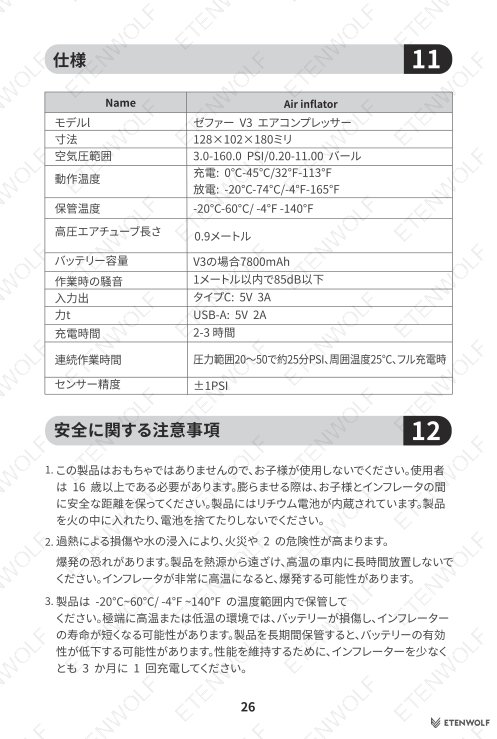
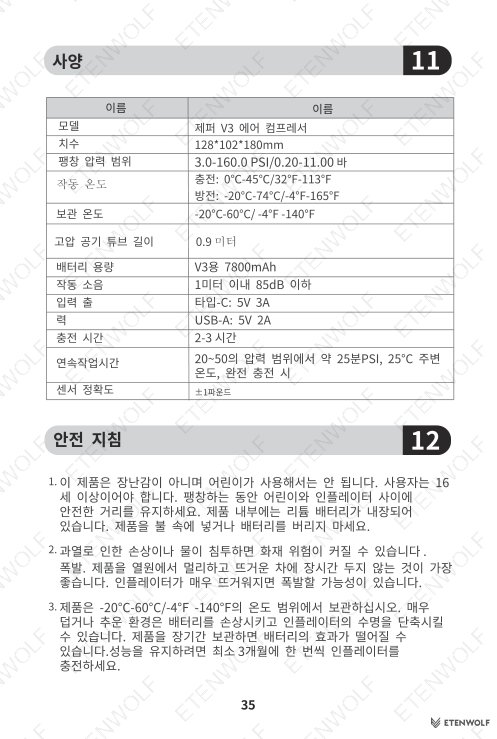
| Attribute | Detail |
|---|---|
| Product Model | Zephyr V3 |
| Document Version | V1.0 |
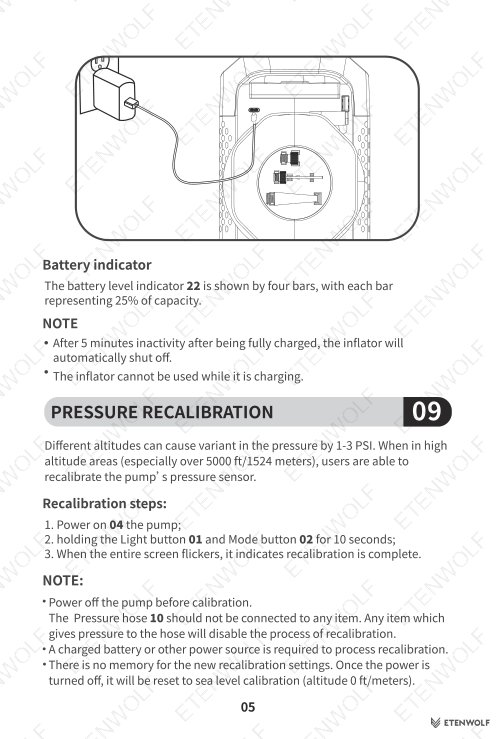
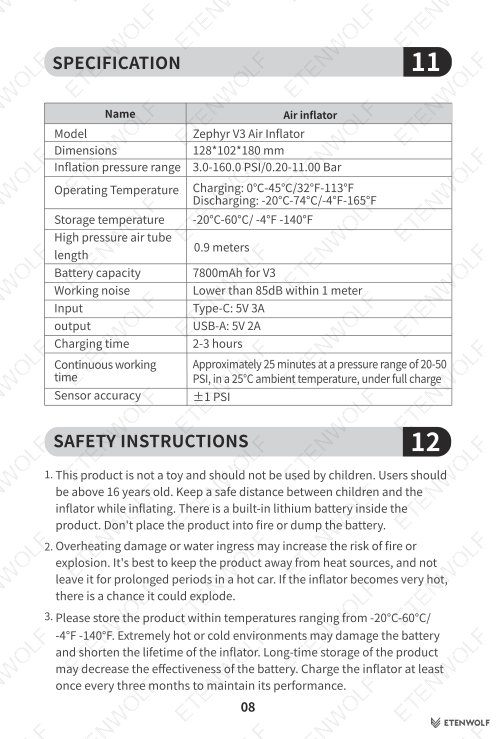
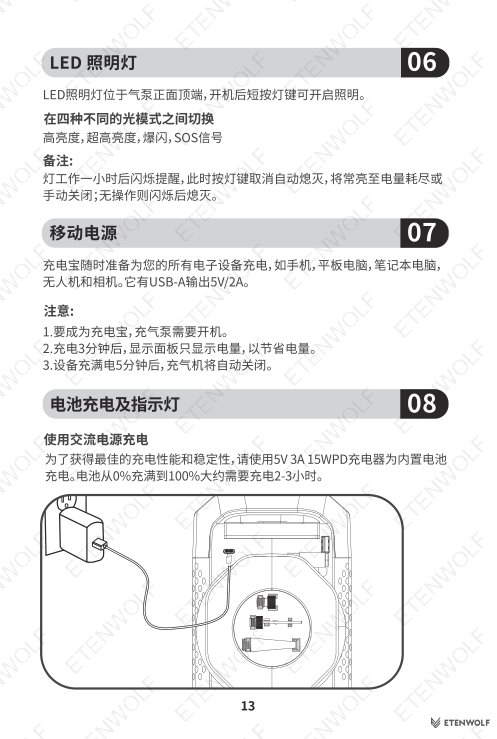
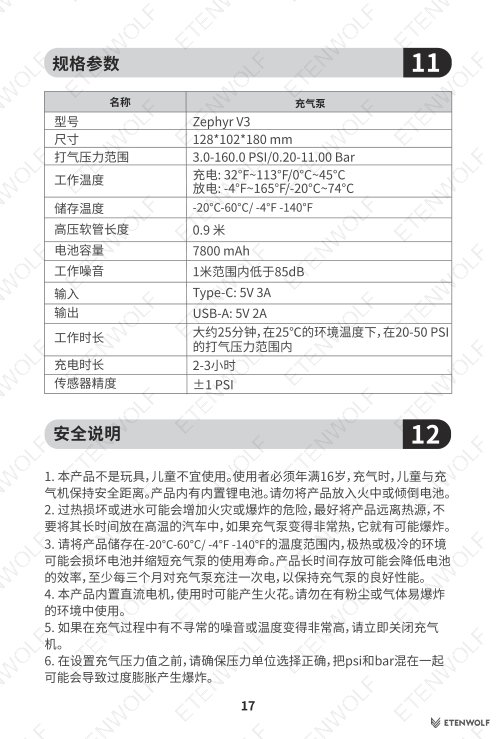
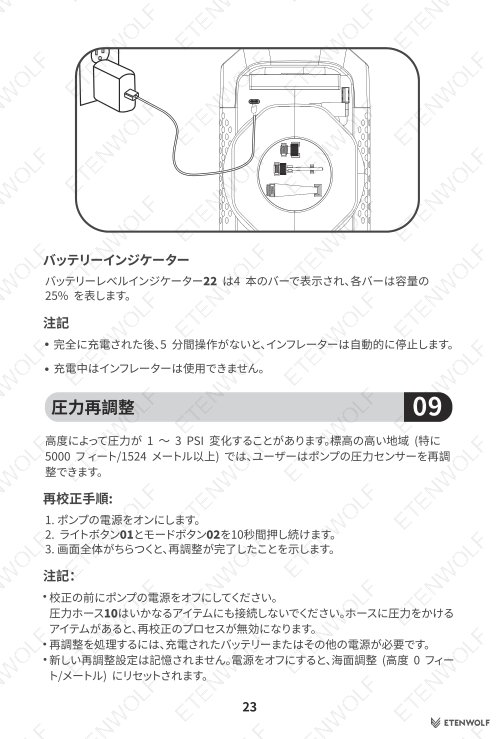
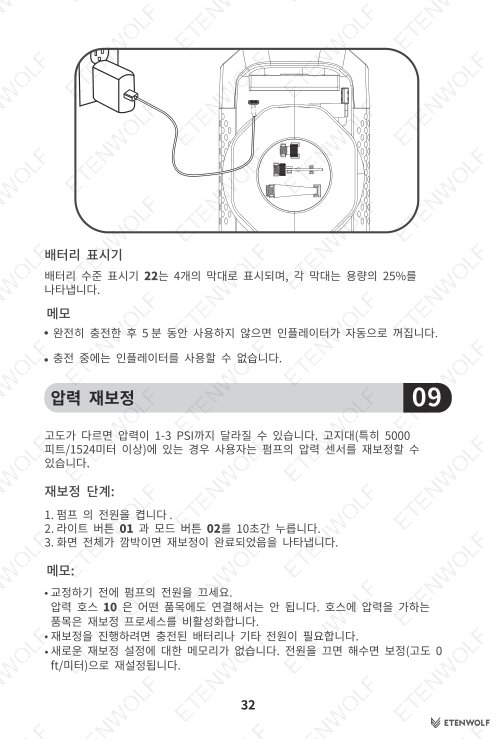
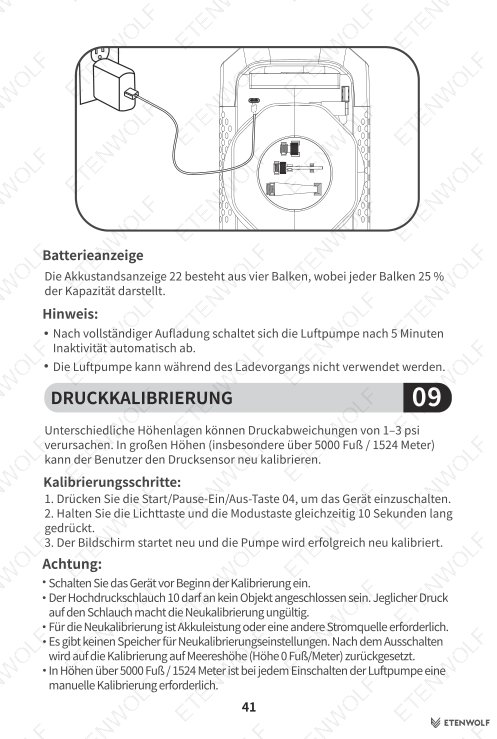
| Charging Input | Type-C port, 5V 3A 15W PD recommended |
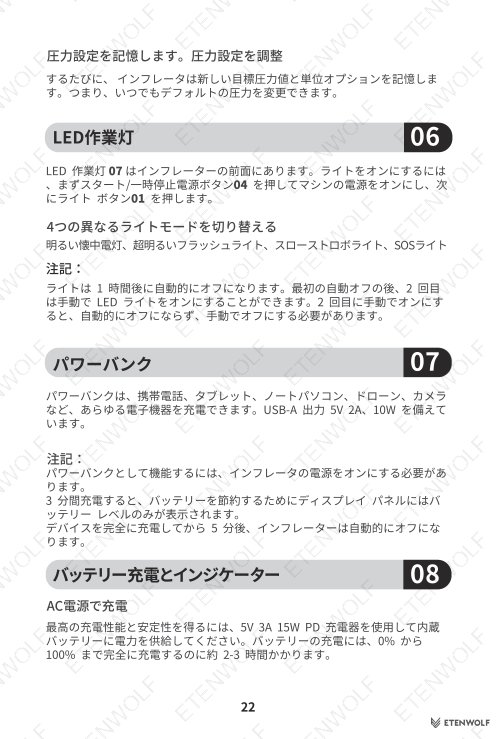
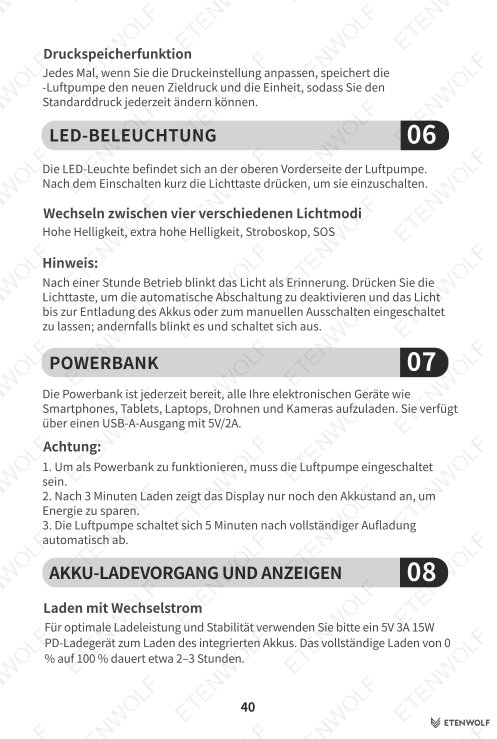
| Power Bank Output | USB-A port, 5V 2A, 10W |
| Charge Time (0–100%) | Approximately 2–3 hours |
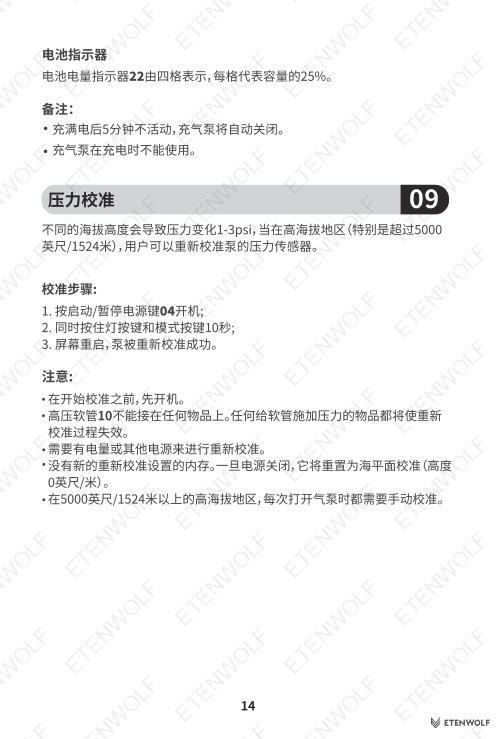
| Battery Indicator | 4-bar display, each bar = 25% capacity |
| Pressure Units | PSI, KPa, Bar |
| LED Work Light Modes | Bright flashlight, Ultra-bright flashlight, Slow strobe, SOS |
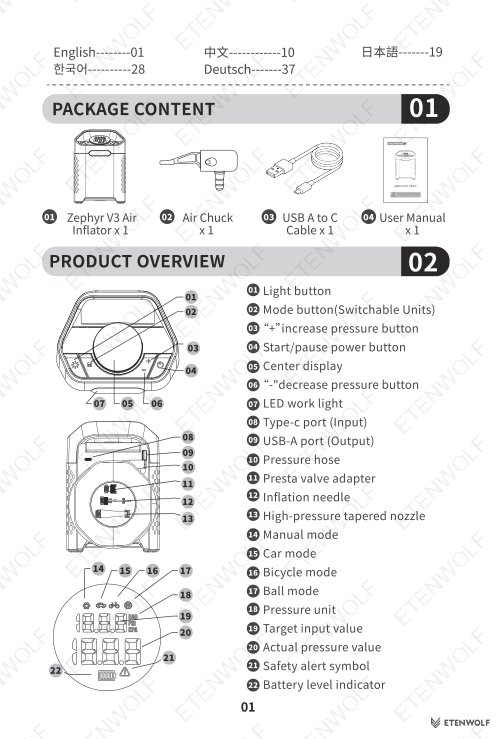
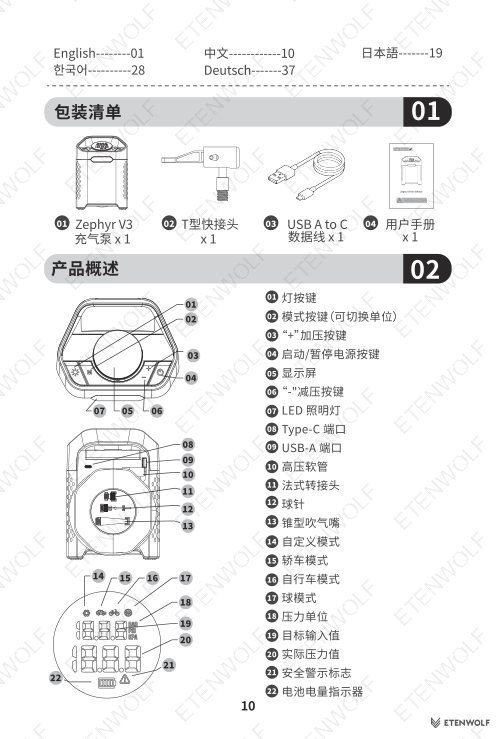
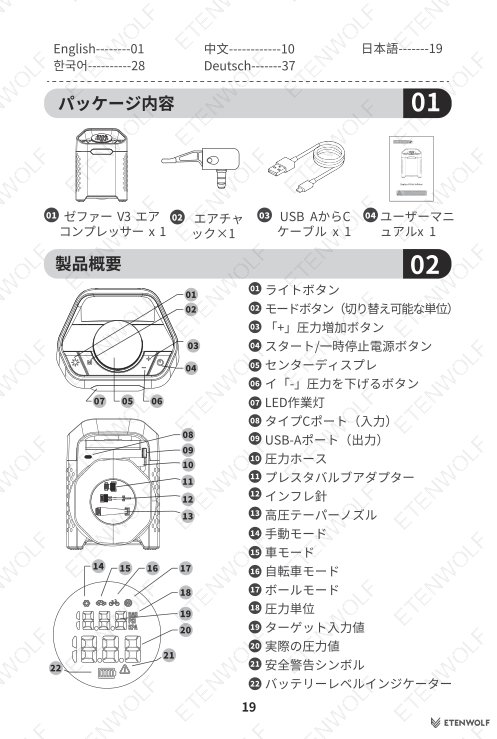
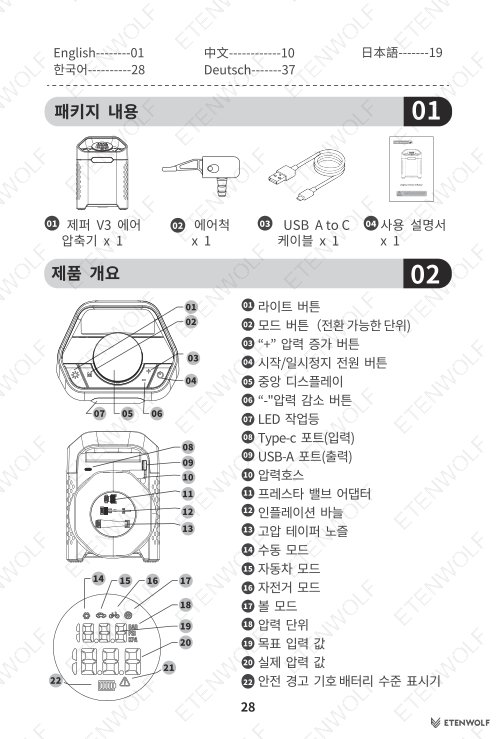
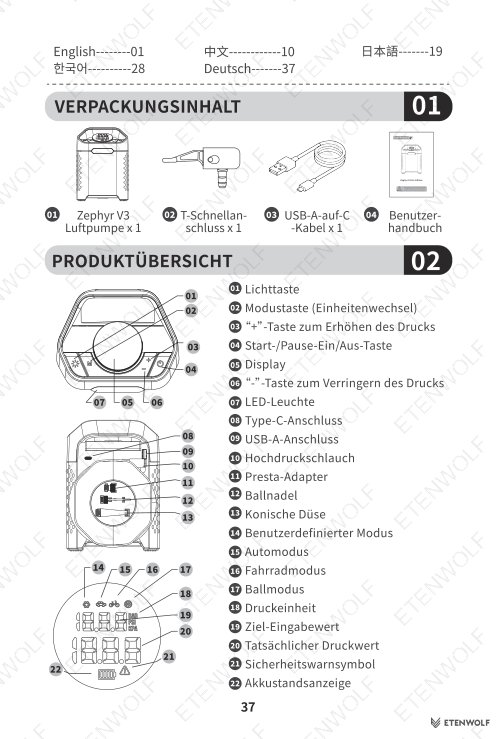
Package contents include: Zephyr V3 Air Inflator x1, Air Chuck x1, USB-A to C Cable x1, User Manual x1. Accessories stored on the rear panel include a Presta valve adapter, inflation needle, and high-pressure tapered nozzle.
Key Details
Inflation Modes and Pressure Ranges
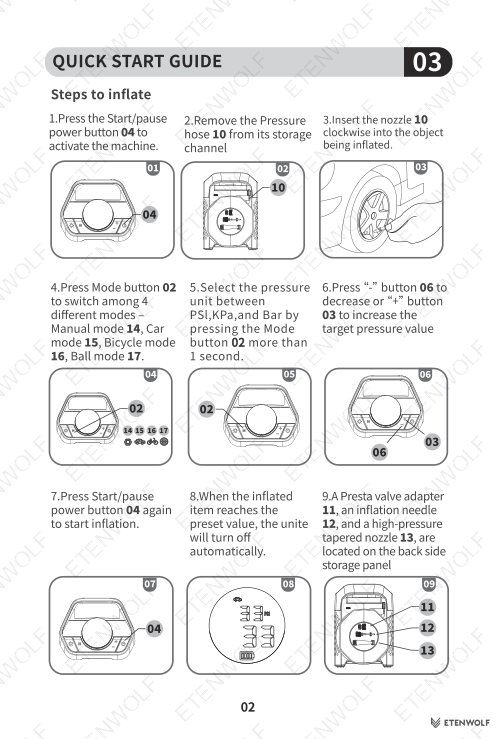
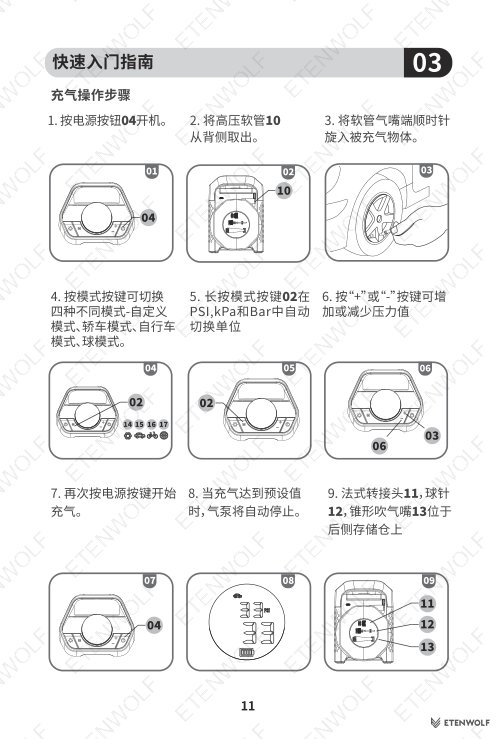
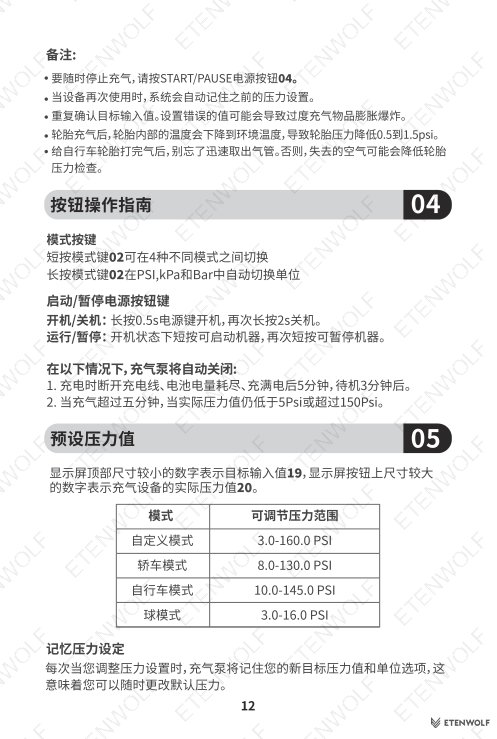
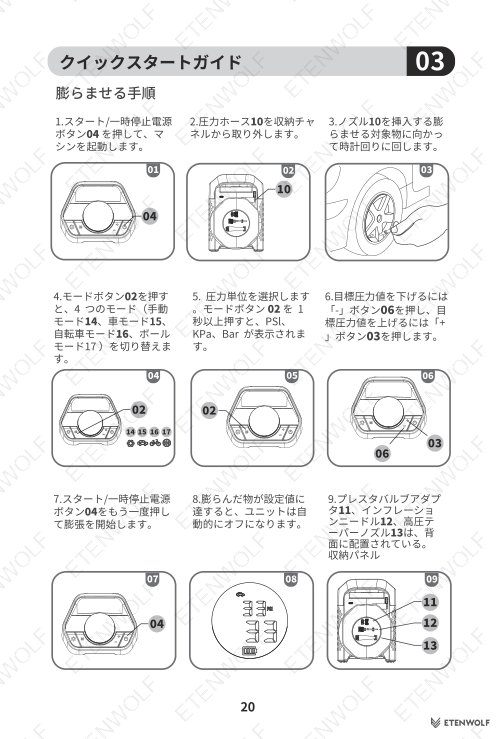
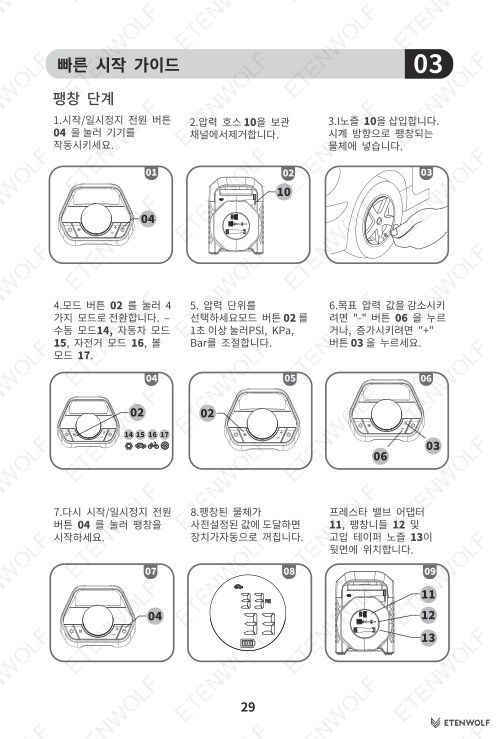
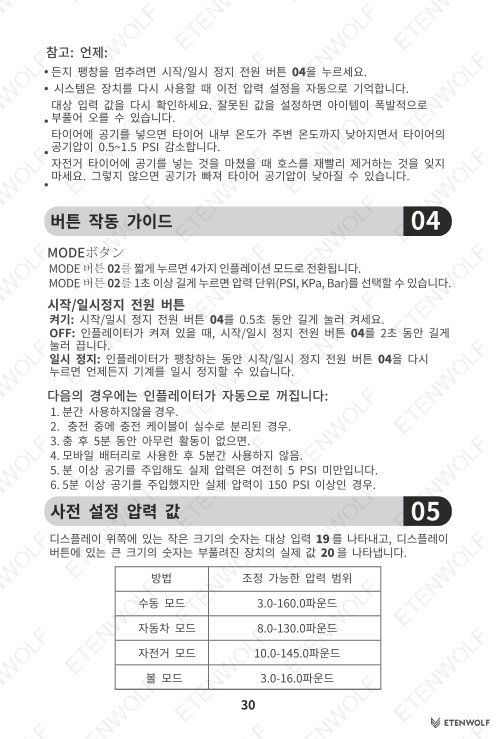
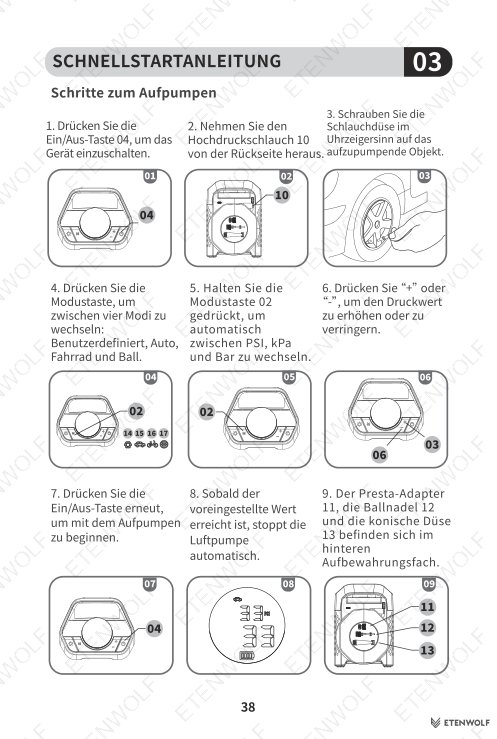
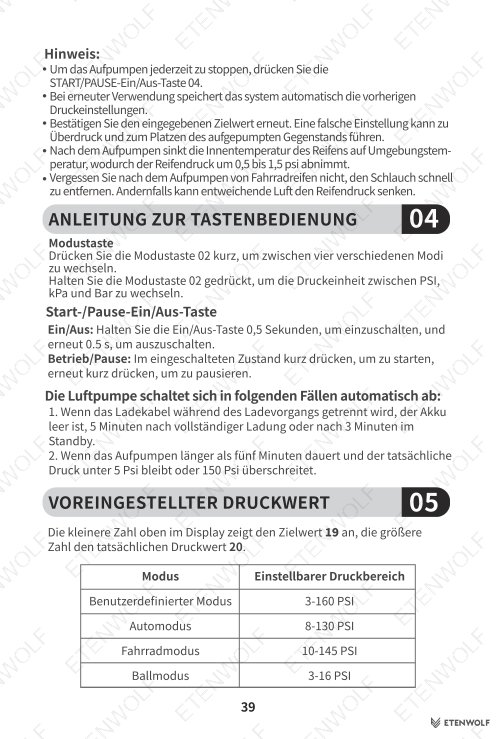
The Zephyr V3 offers four selectable inflation modes. Press the Mode button to cycle through them, or hold the Mode button for more than 1 second to change the pressure unit.
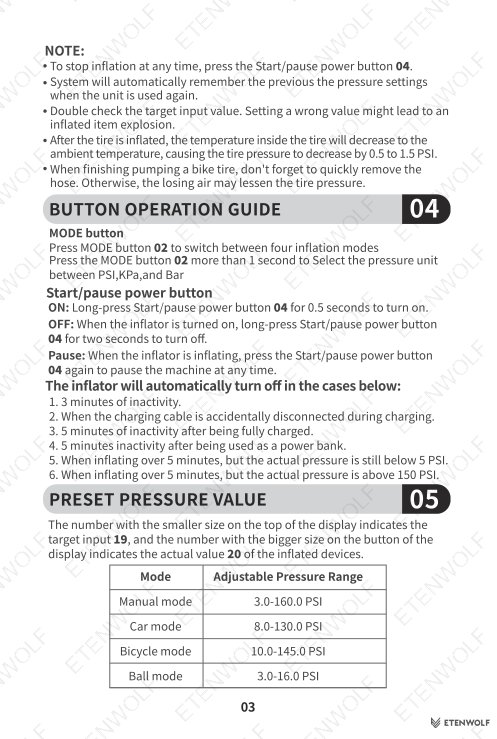
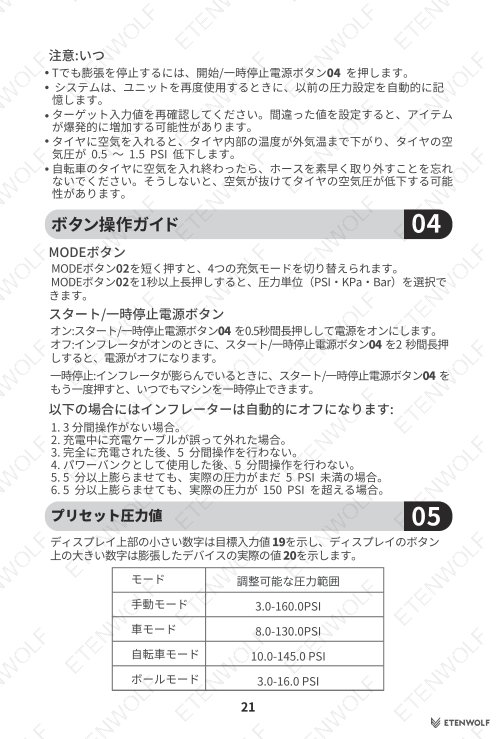
| Mode | Adjustable Pressure Range |
|---|---|
| Manual Mode | 3.0 – 160.0 PSI |
| Car Mode | 8.0 – 130.0 PSI |
| Bicycle Mode | 10.0 – 145.0 PSI |
| Ball Mode | 3.0 – 16.0 PSI |
Button Operation Summary
- Power On: Long-press the Start/Pause button for 0.5 seconds.
- Power Off: Long-press the Start/Pause button for 2 seconds while the unit is on.
- Pause Inflation: Press the Start/Pause button once during inflation.
- Light Toggle: Power on the unit first, then press the Light button to cycle through LED modes.
- Change Pressure Unit: Hold the Mode button for more than 1 second.
Auto Shutoff Conditions
The unit will automatically power off under the following conditions:
- 3 minutes of inactivity.
- Charging cable accidentally disconnected during charging.
- 5 minutes of inactivity after being fully charged.
- 5 minutes of inactivity after being used as a power bank.
- Inflating over 5 minutes with actual pressure still below 5 PSI.
- Inflating over 5 minutes with actual pressure above 150 PSI.
LED Work Light
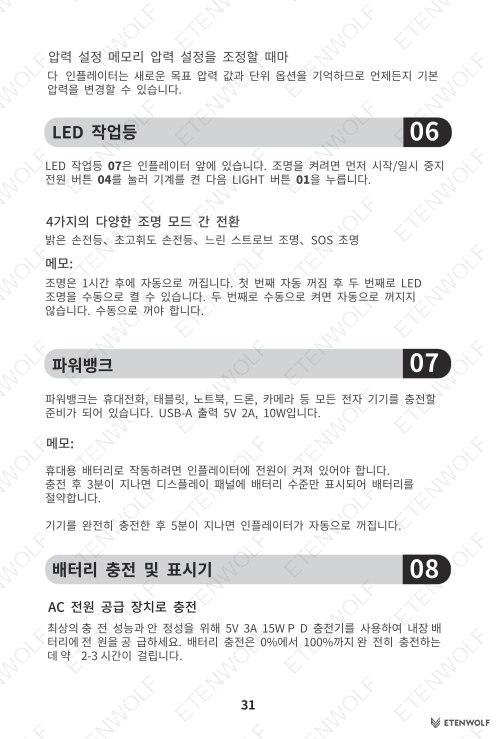
The LED work light is located on the front of the inflator. It cycles through four modes: Bright flashlight, Ultra-bright flashlight, Slow strobe, and SOS. The light automatically turns off after 1 hour on its first activation. If manually re-enabled a second time, it will not auto-shutoff and must be turned off manually.
Pressure Recalibration
At altitudes above 5,000 ft (1,524 m), pressure readings may vary by 1–3 PSI. To recalibrate: power on the unit, then hold the Light button and Mode button simultaneously for 10 seconds until the full screen flickers. Note that recalibration resets to sea-level calibration (0 ft) each time the unit is powered off — there is no persistent memory for recalibration settings. The pressure hose must not be connected to any object during recalibration.
Troubleshooting Reference
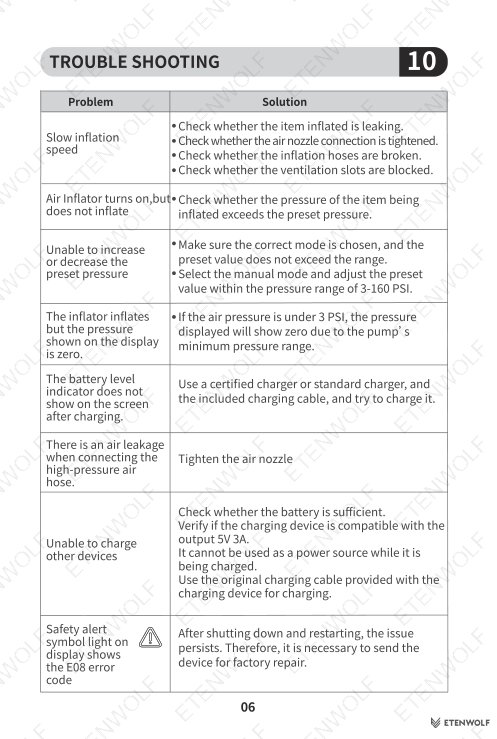
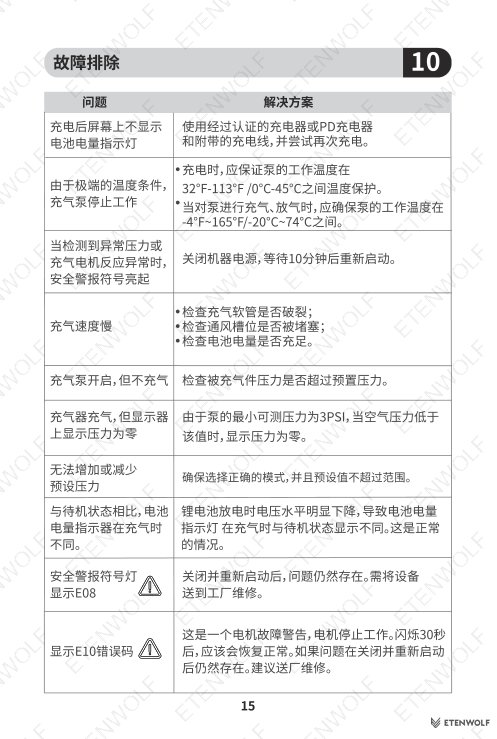
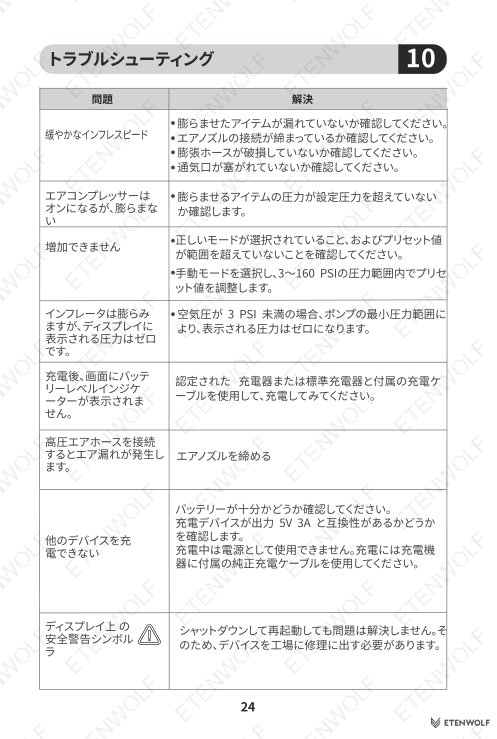
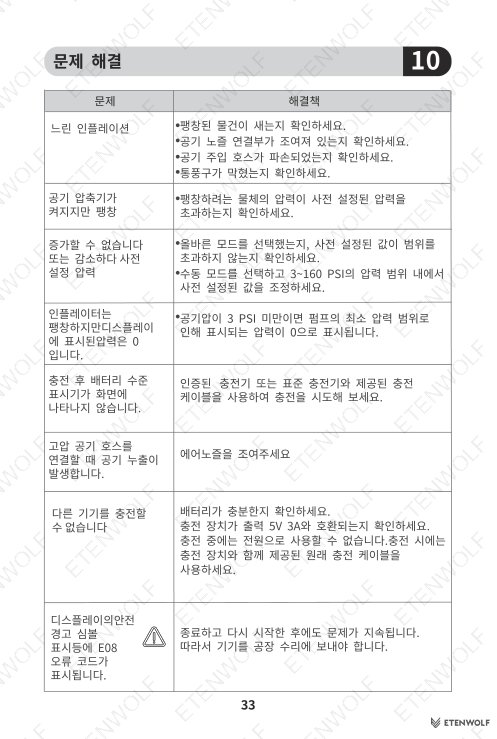
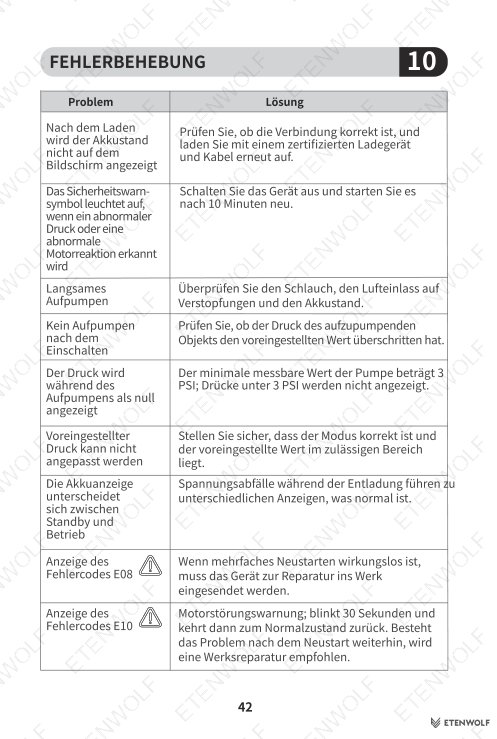
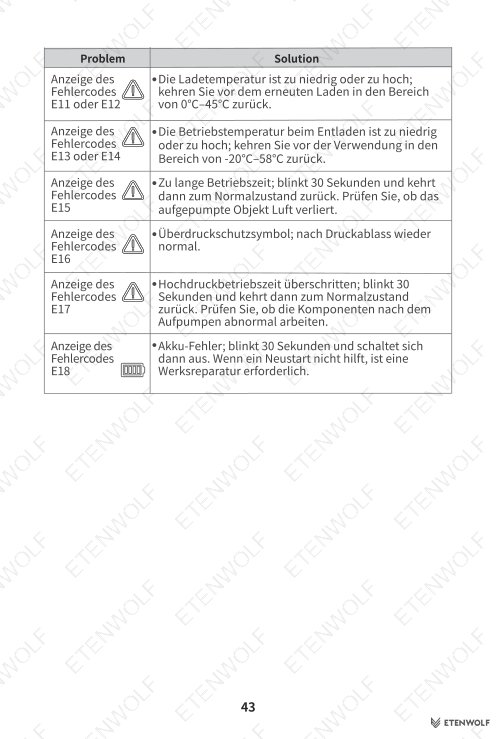
| Problem | Solution |
|---|---|
| Slow inflation speed | Check for leaks in the inflated item, verify nozzle connection is tight, inspect hoses for damage, clear ventilation slots. |
| Inflator turns on but does not inflate | Check whether the pressure of the item exceeds the preset value. |
| Cannot increase or decrease preset pressure | Confirm the correct mode is selected and the value is within range. Use Manual mode (3–160 PSI) if needed. |
| Display shows zero pressure during inflation | If air pressure is below 3 PSI, the display shows zero — this is the pump’s minimum measurable range. |
| Battery indicator not showing after charging | Use a certified charger and the included cable; retry charging. |
| Air leakage at hose connection | Tighten the air nozzle securely. |
| Cannot charge other devices via USB-A | Ensure sufficient battery, verify compatibility with 5V 2A output, confirm unit is powered on, and do not use while the unit itself is charging. |
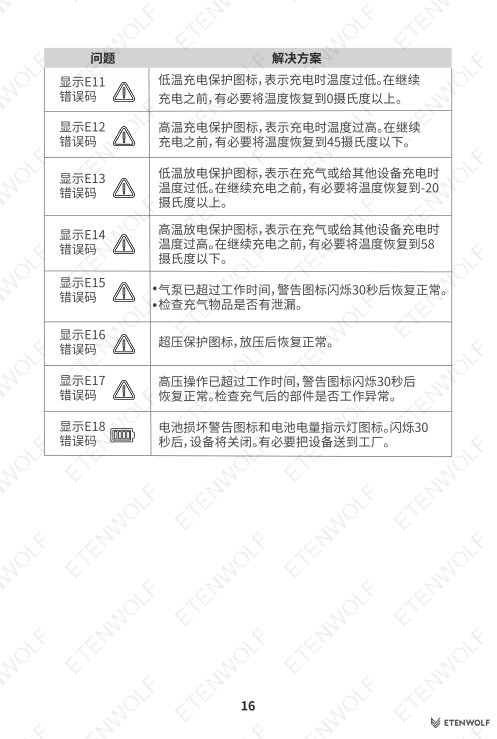
| Error code E08 | Shut down and restart; if the issue persists, send the device for factory repair. |
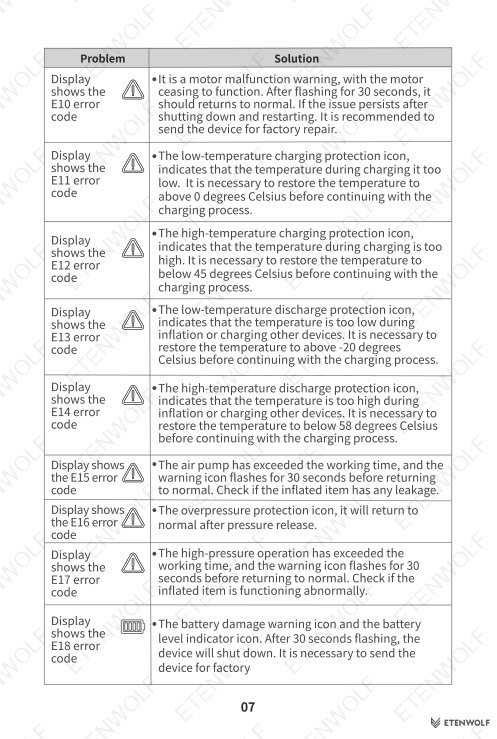
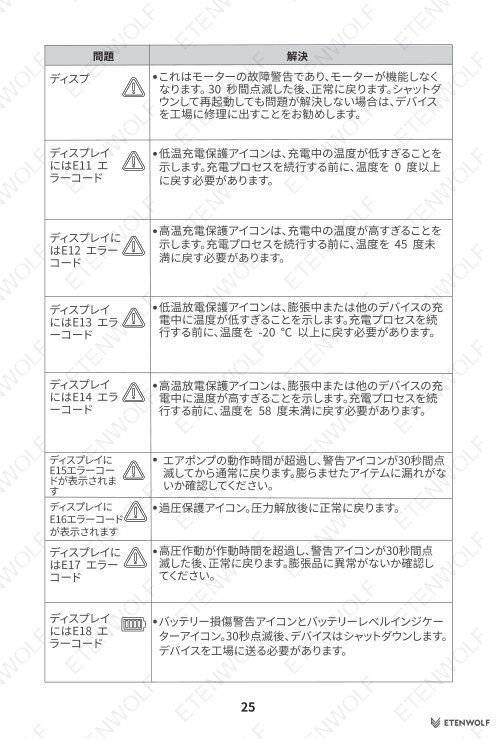
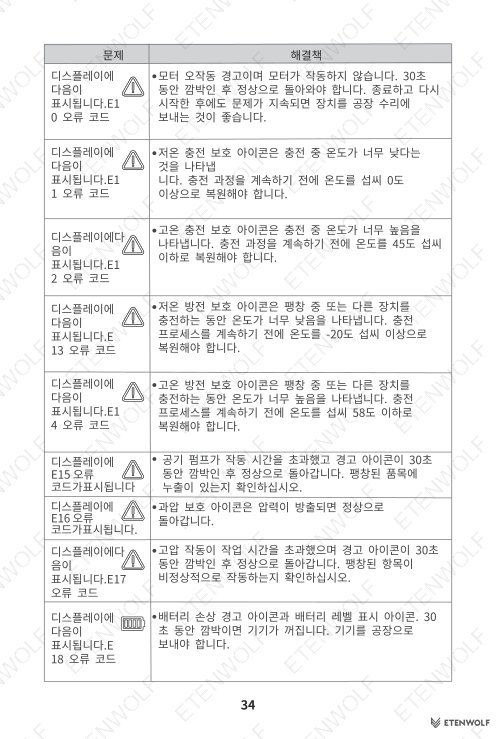
| Error code E10 (display shows Z1) | Motor malfunction warning — motor stops functioning. After flashing for 30 seconds, the unit requires factory service. |
Standards & Compliance
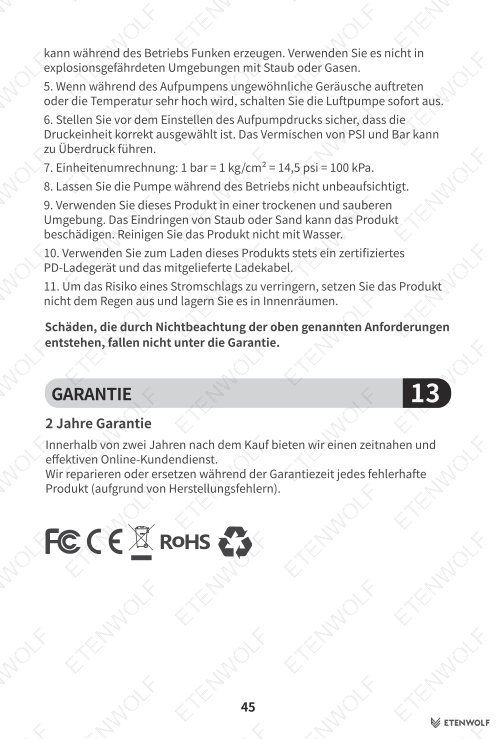
The Zephyr V3 Air Inflator user manual does not specify individual certification report numbers within the extracted content; however, as an ETENWOLF product sold in global markets, it is designed and tested to align with applicable international safety and quality standards. Relevant standards frameworks that typically apply to this class of portable rechargeable inflator include:
- IEC safety standards for portable electrical equipment and lithium-ion battery-powered devices.
- ISO quality management frameworks applicable to consumer tools.
- CE Marking requirements for the European market, covering electromagnetic compatibility and low-voltage directives.
- FCC regulations applicable to electronic devices sold in the United States.
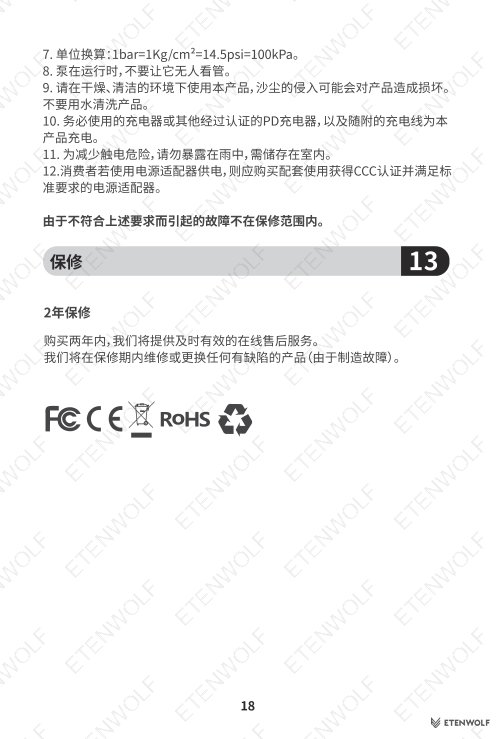
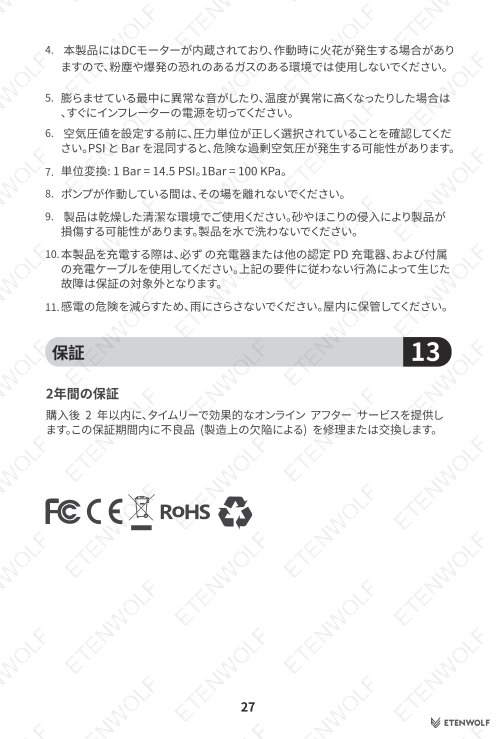
- RoHS compliance for restriction of hazardous substances in electrical and electronic equipment.
- UN 38.3 transport testing standard for lithium-ion batteries.
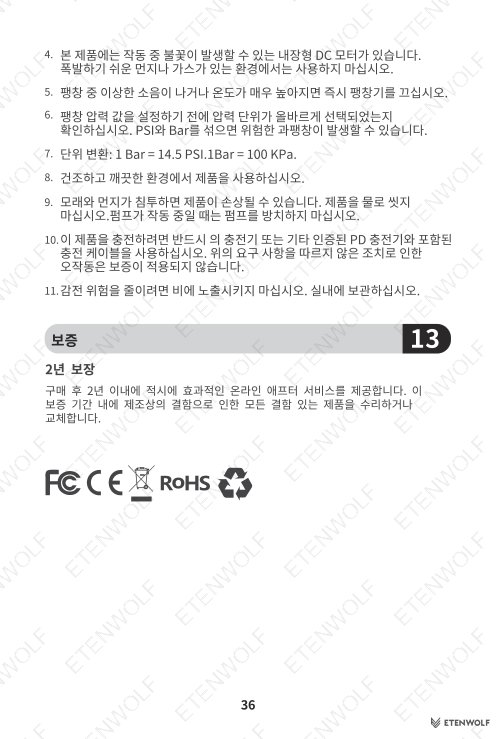
For specific certification documentation, contact ETENWOLF directly at etenwolfgroup.com.
Validity & Certification Body
This user manual (V1.0) was released on January 24, 2026, and applies to all Zephyr V3 units shipped with this documentation revision. The manual is issued directly by ETENWOLF as the product manufacturer and brand owner.
- Document File: V3_manual_EN_20260124.pdf
- Version: V1.0
- Effective Date: January 24, 2026
- Issuing Entity: ETENWOLF (etenwolfgroup.com)
- Validity: Applicable to Zephyr V3 units at time of publication; superseded by any later manual revision for the same model.
ETENWOLF reserves the right to update product specifications and documentation. Always refer to the latest manual version available on the official ETENWOLF website.
Frequently Asked Questions
- Can the Zephyr V3 be used while it is charging?
- No. The Zephyr V3 cannot be used as an inflator or power bank while it is connected to a charging source. Disconnect the charging cable before operating the unit.
- How do I switch the pressure unit between PSI, KPa, and Bar?
- While the unit is powered on, hold the Mode button for more than 1 second. The display will cycle through the available pressure units: PSI, KPa, and Bar. Release the button when your preferred unit is shown.
- What should I do if the inflator shows error code E08?
- Power the unit off and restart it. If the E08 error code reappears after restarting, the device requires factory repair. Do not attempt to open or service the unit yourself — contact ETENWOLF support for assistance.
- Does the Zephyr V3 remember my last pressure setting?
- Yes. Every time you adjust the target pressure or change the pressure unit, the Zephyr V3 saves that setting automatically. The next time you power on the unit, it will default to your most recently used pressure value and unit selection.
Related Documents
The following certification and compliance document types are relevant for the Zephyr V3 Air Inflator and may be available upon request from ETENWOLF:
- CE Declaration of Conformity — confirms compliance with EU directives for electromagnetic compatibility and electrical safety.
- FCC ID Certification Report — required for sale and distribution in the United States market.
- UN 38.3 Battery Test Report — certifies safe transport of the built-in lithium-ion battery pack.
- RoHS Compliance Certificate — verifies restriction of hazardous substances including lead, mercury, and cadmium.
- REACH Declaration — confirms compliance with EU REACH regulation on chemical substance safety.
- KC Certification — required for the South Korean market, covering electrical safety and EMC.
- Product Safety Test Report (IEC basis) — covers electrical safety testing of the inflator and integrated charging circuit.
Document Pages