Document Overview
Document Overview This article is based on the official user manual for the ETENWOLF Vortex S6 air compressor, document version V3.0, filename S6_manual_EN_20251104.pdf, published November 4, 2025. The manual is issued by ETENWOLF, a global inflation tools and lighting gear brand, and is intended for…
- Document type
- User Manual
- Prepared by
- Daniel Wright
- Published
- Last reviewed
- Topics
- User Manual
Document Overview
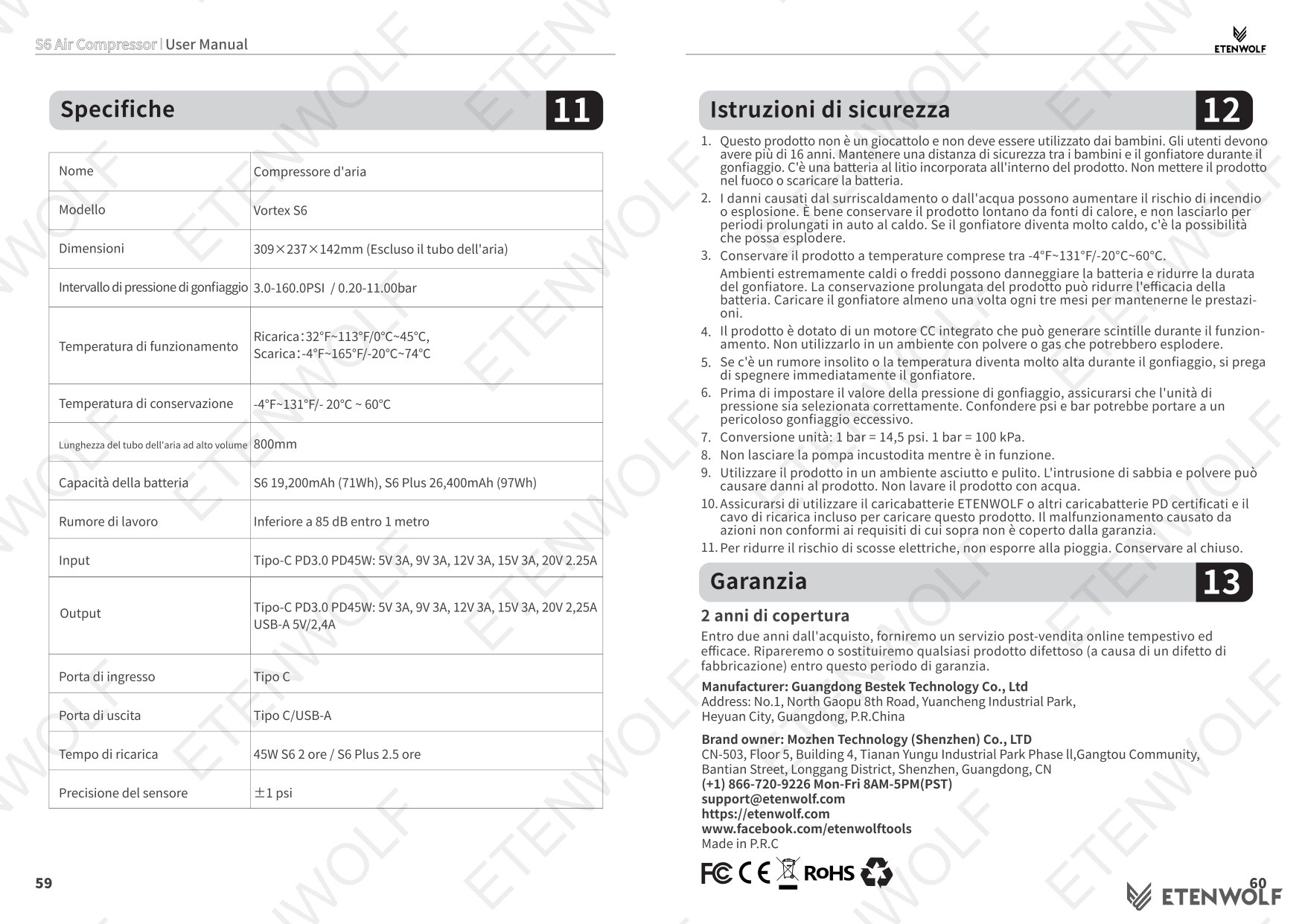
This article is based on the official user manual for the ETENWOLF Vortex S6 air compressor, document version V3.0, filename S6_manual_EN_20251104.pdf, published November 4, 2025. The manual is issued by ETENWOLF, a global inflation tools and lighting gear brand, and is intended for end users operating the Vortex S6 Series cordless inflator. It covers safe operation, inflation and deflation procedures, pressure mode configuration, LED worklight usage, battery charging, pressure recalibration, troubleshooting, and warranty information. Users are advised to read all safety warnings before use. For support, contact ETENWOLF at (+1) 866-720-9226, Monday through Friday 8AM–5PM PST, or by email at [email protected]. Product registration for a 1-year extended warranty is available at https://etenwolf.com.
Product Information
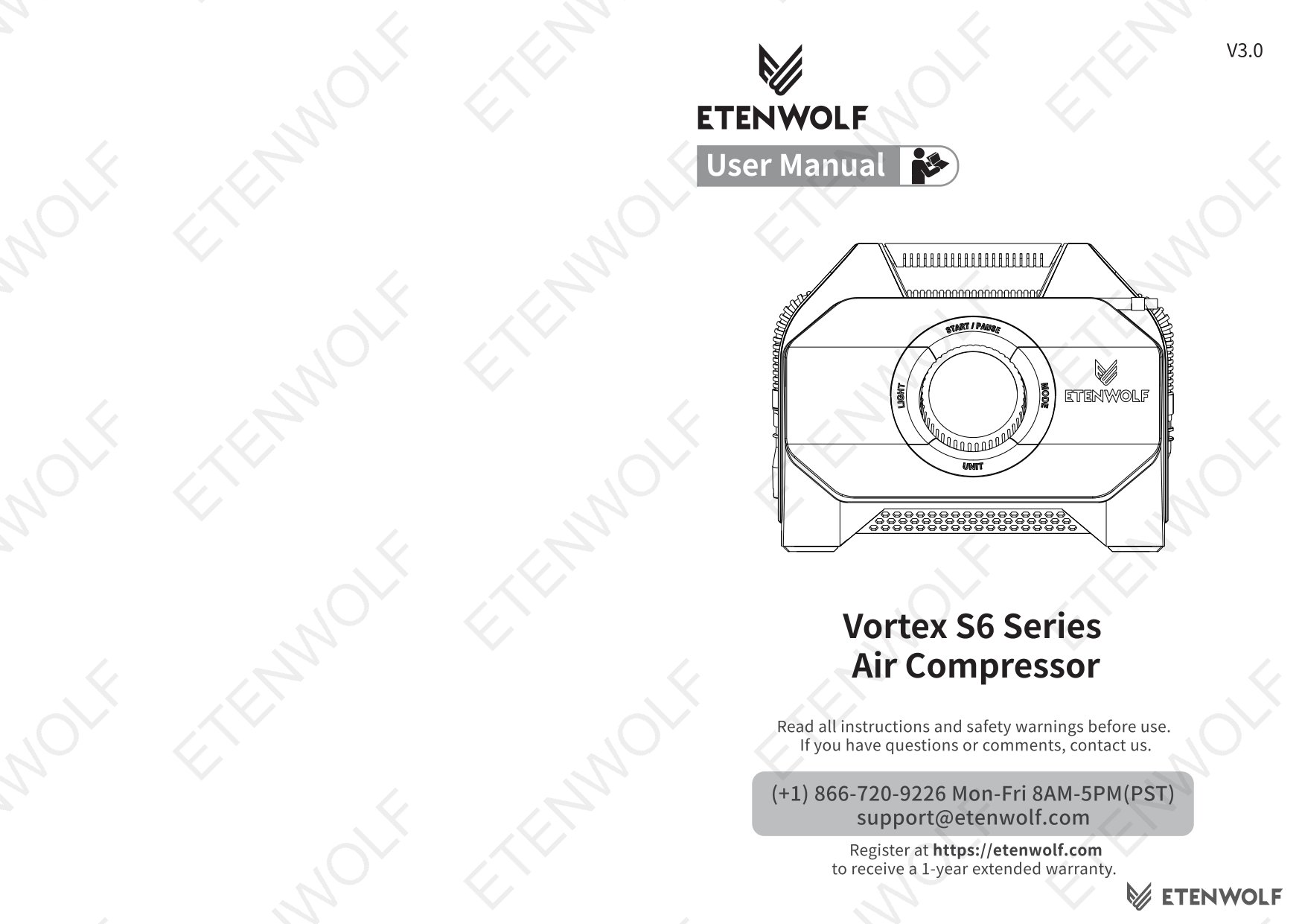
The ETENWOLF Vortex S6 is a heavy-duty cordless air compressor in the Vortex S6 Series. It is designed to inflate a wide variety of tires and inflatables, functioning as a compact power-station-style pump suited for travel, outdoor adventure, and heavy-duty field use.
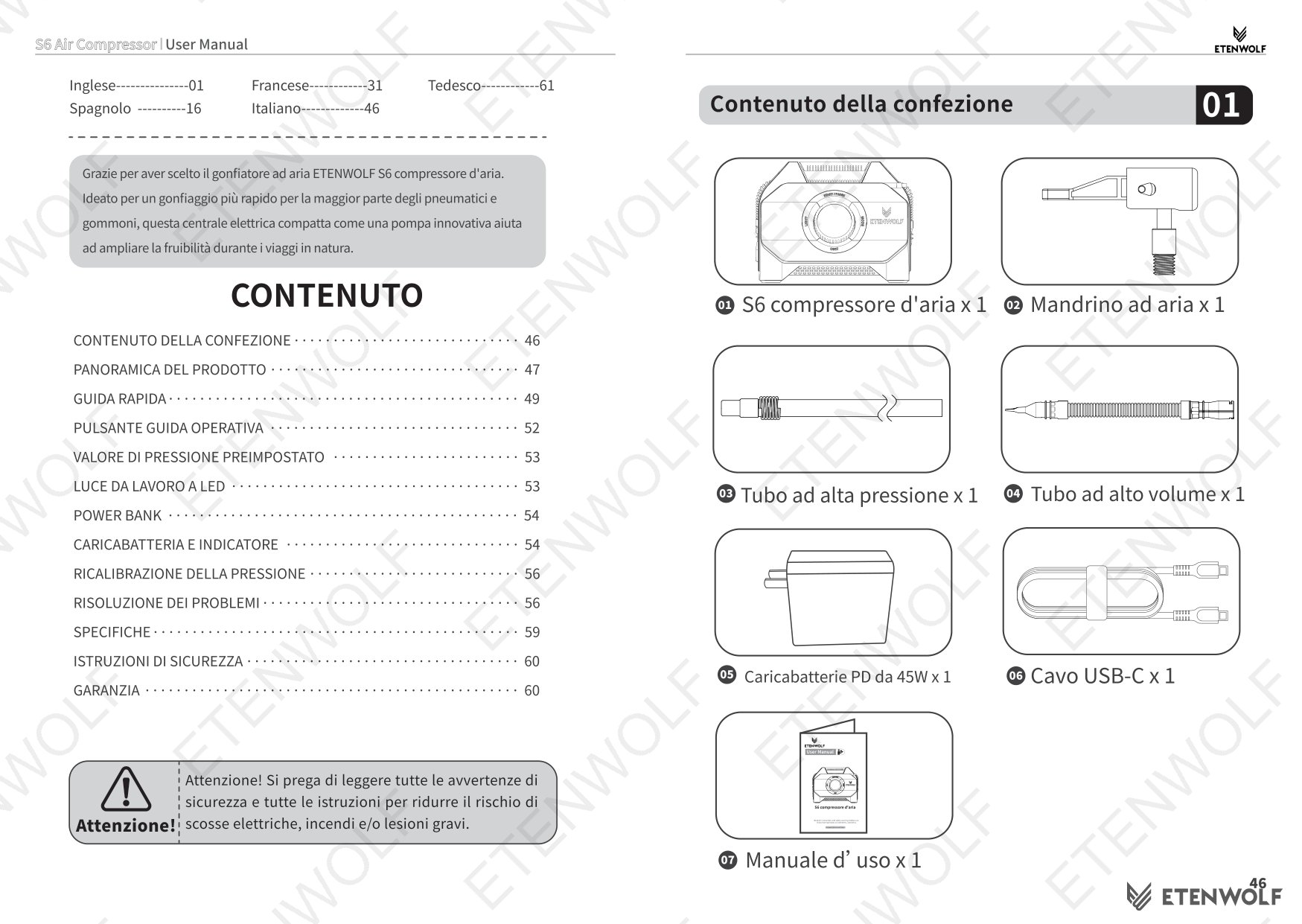
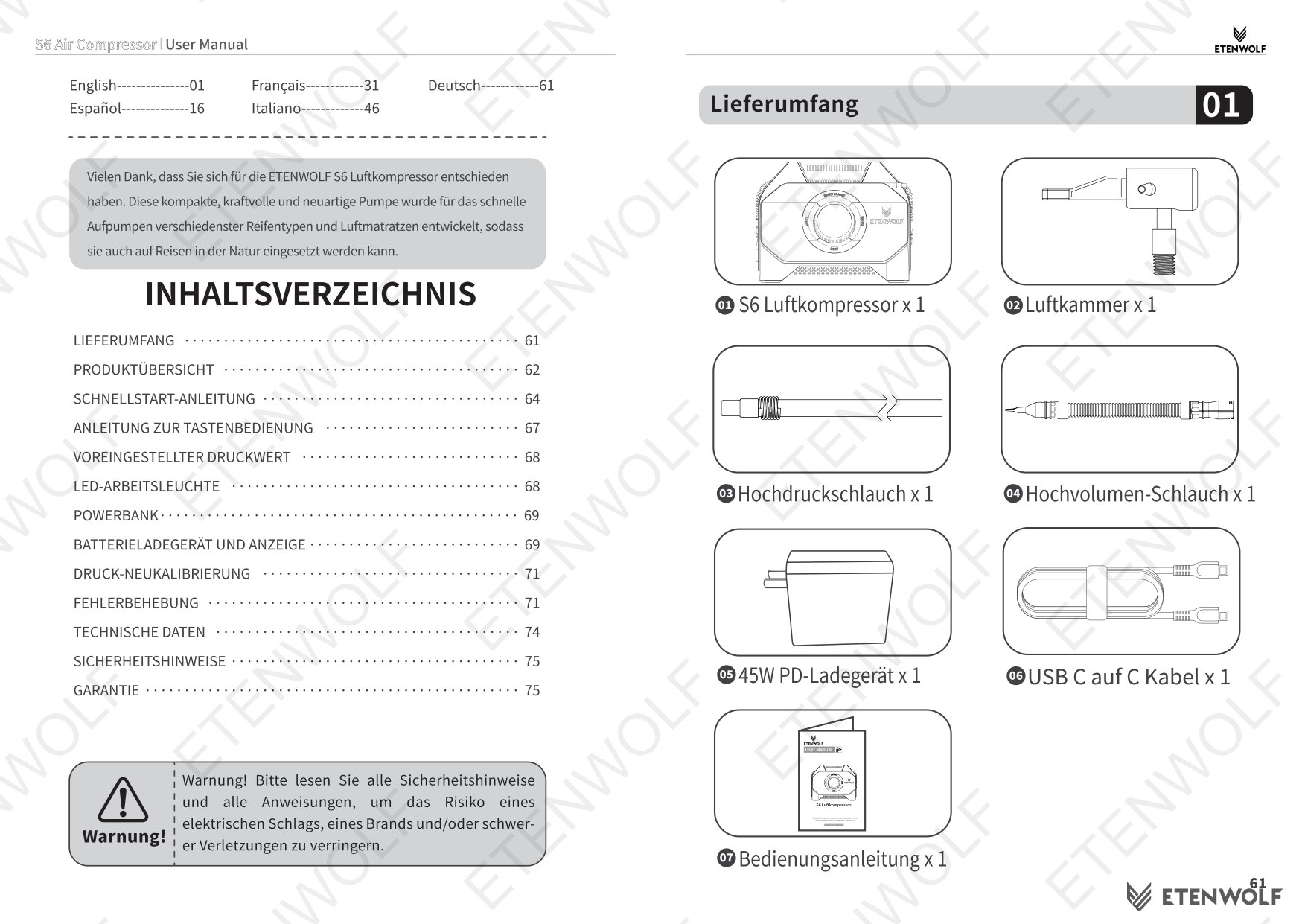
Package Contents
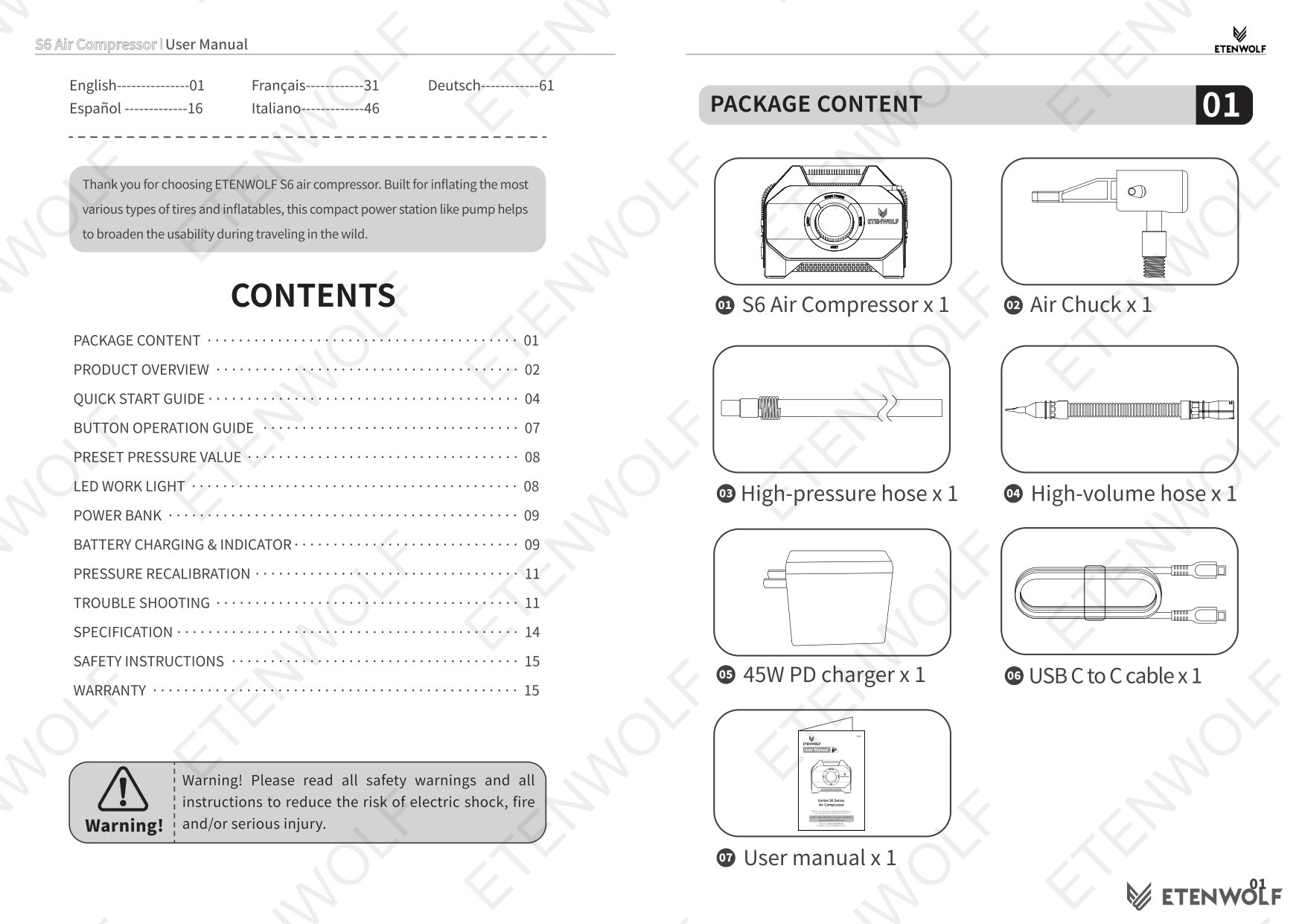
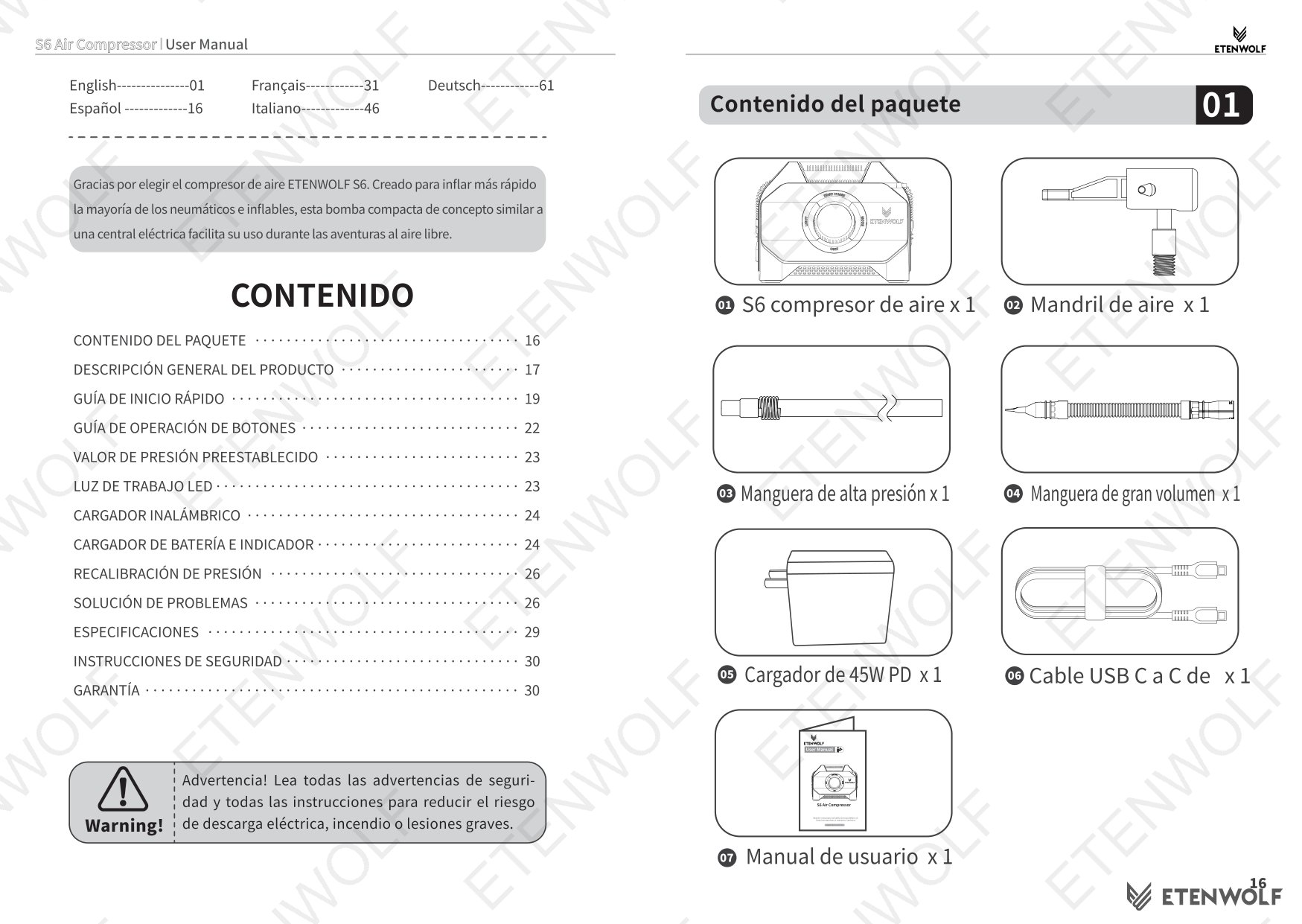
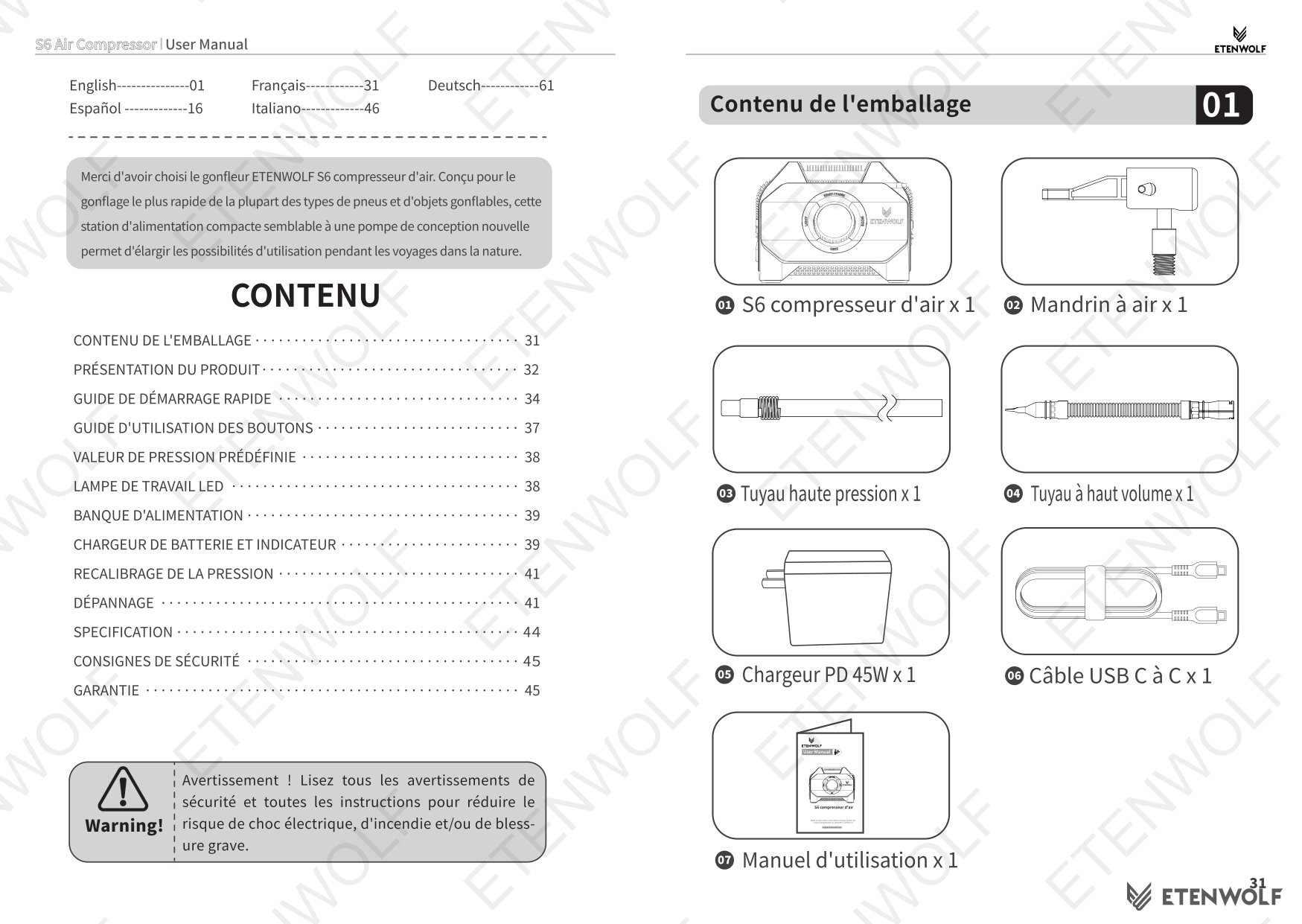
- S6 Air Compressor × 1
- Air Chuck × 1
- High-pressure hose × 1
- High-volume hose × 1
- 45W PD Charger × 1
- USB-C to C Cable × 1
- User Manual × 1
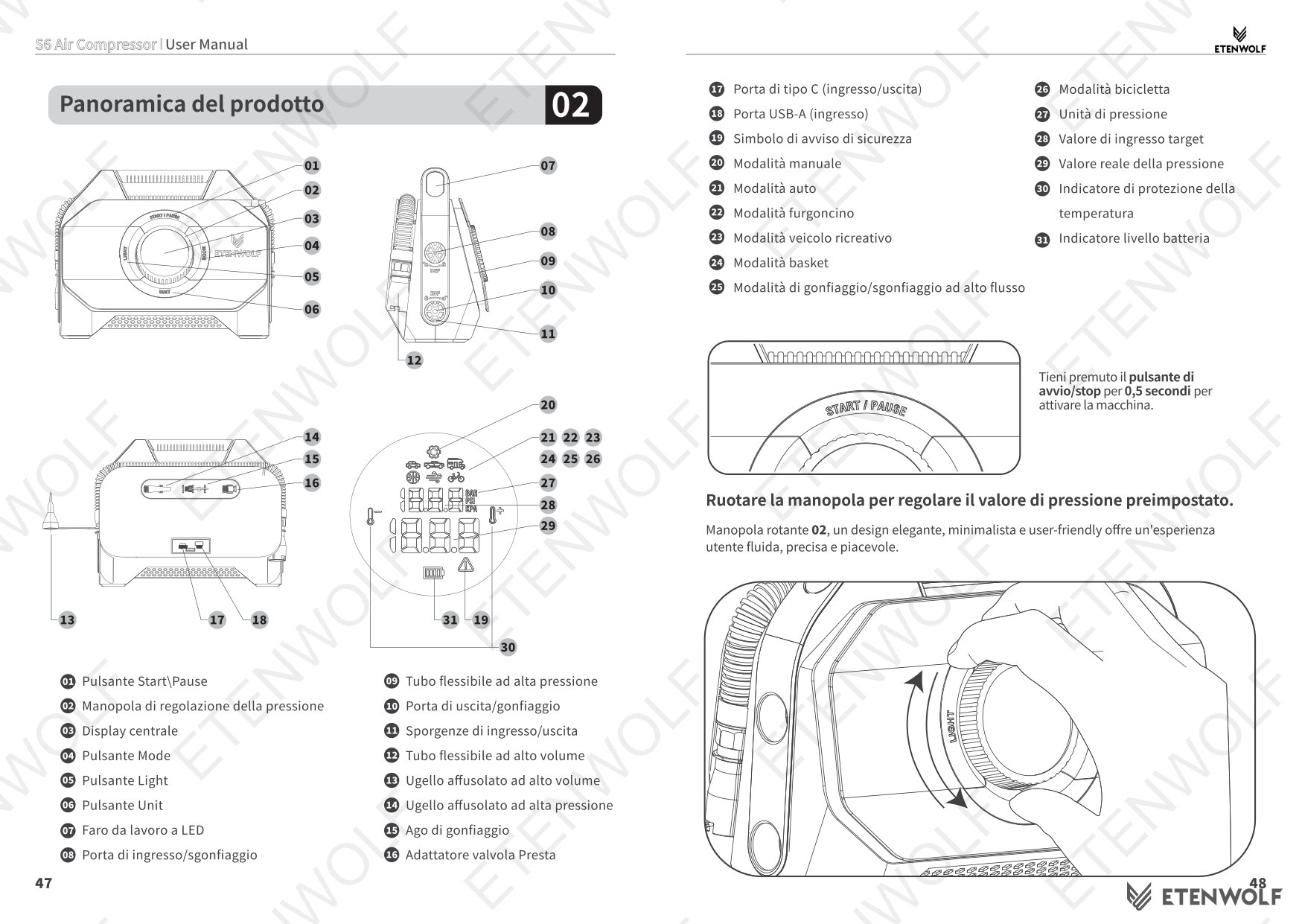
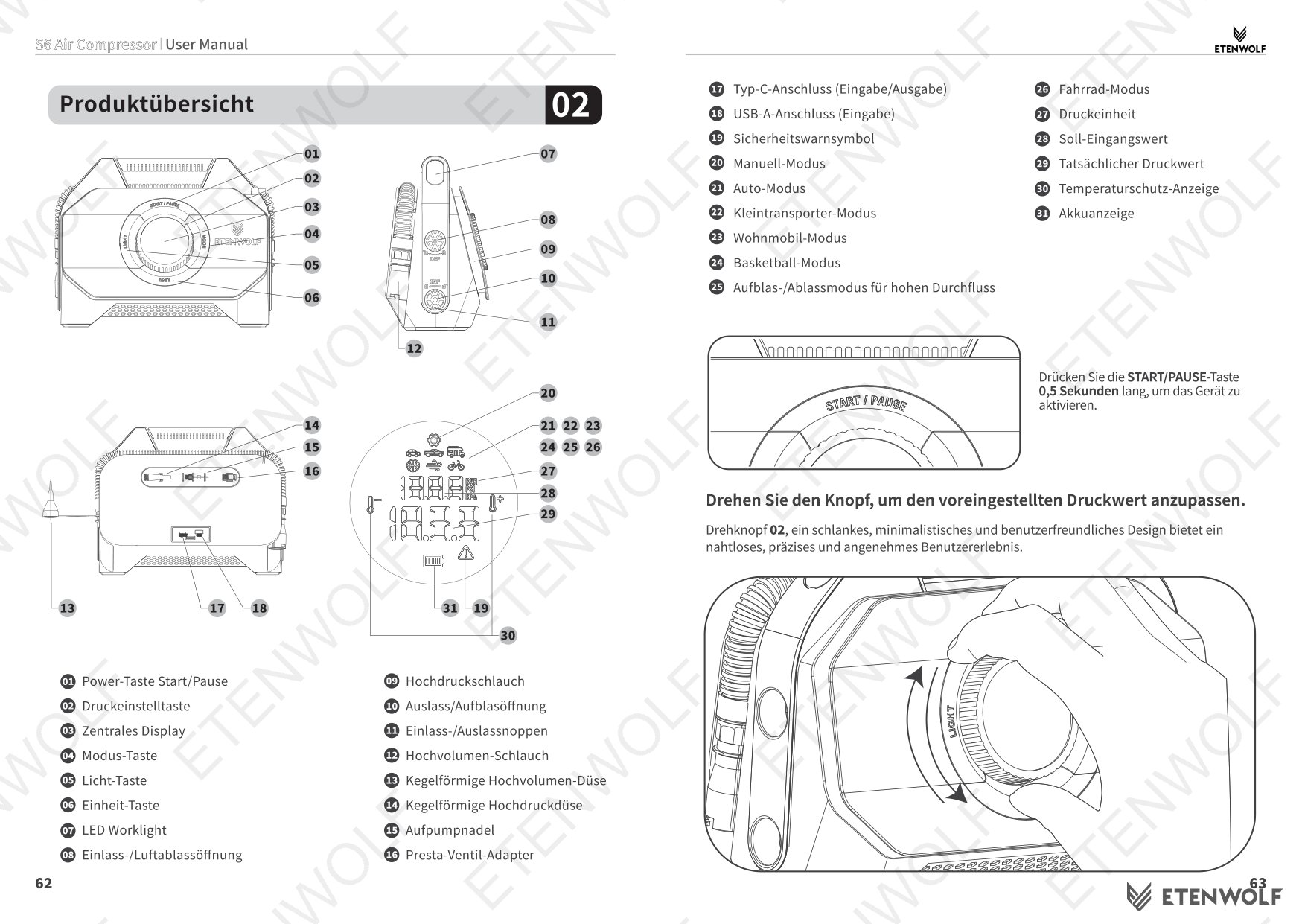
Key Components
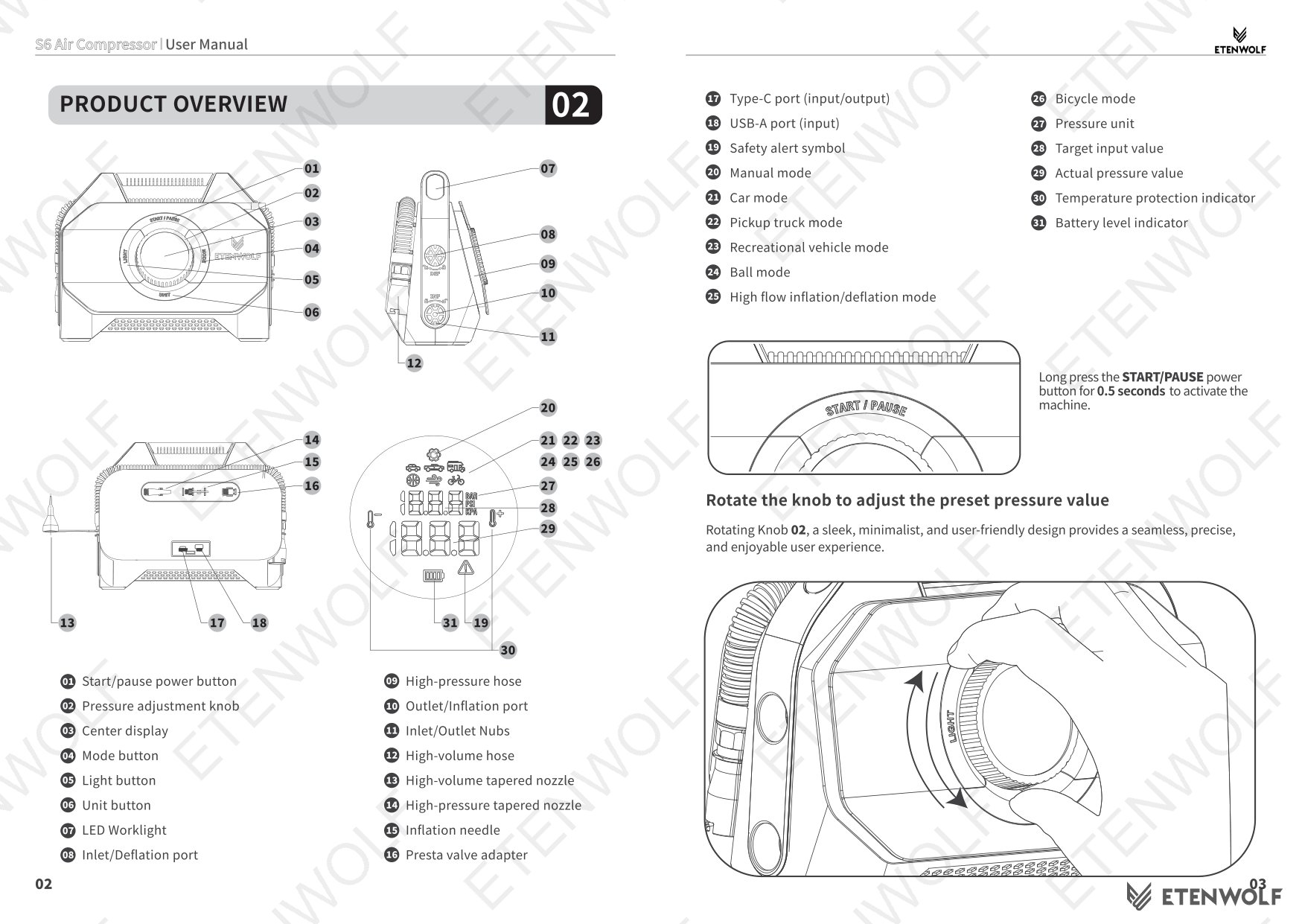
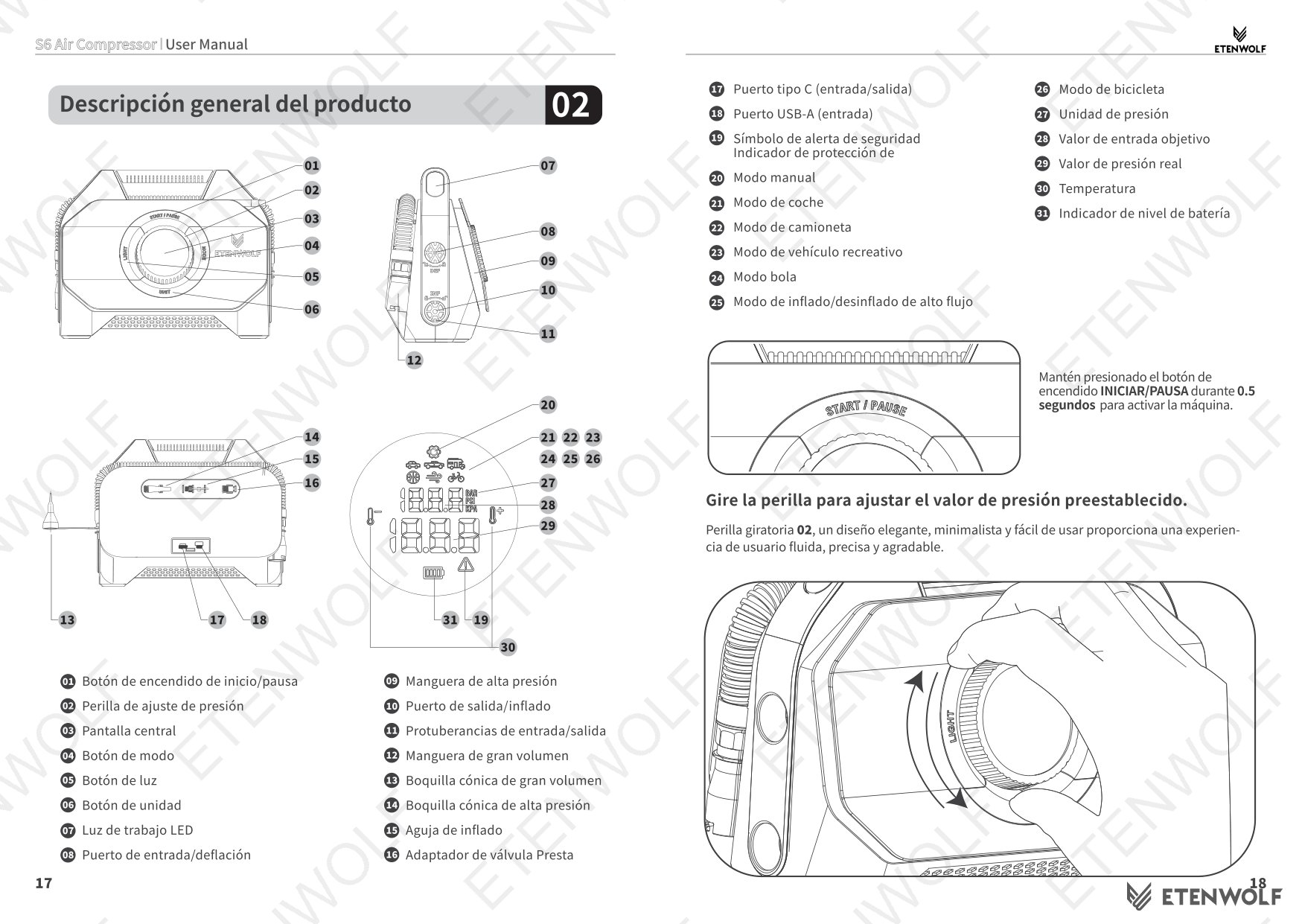
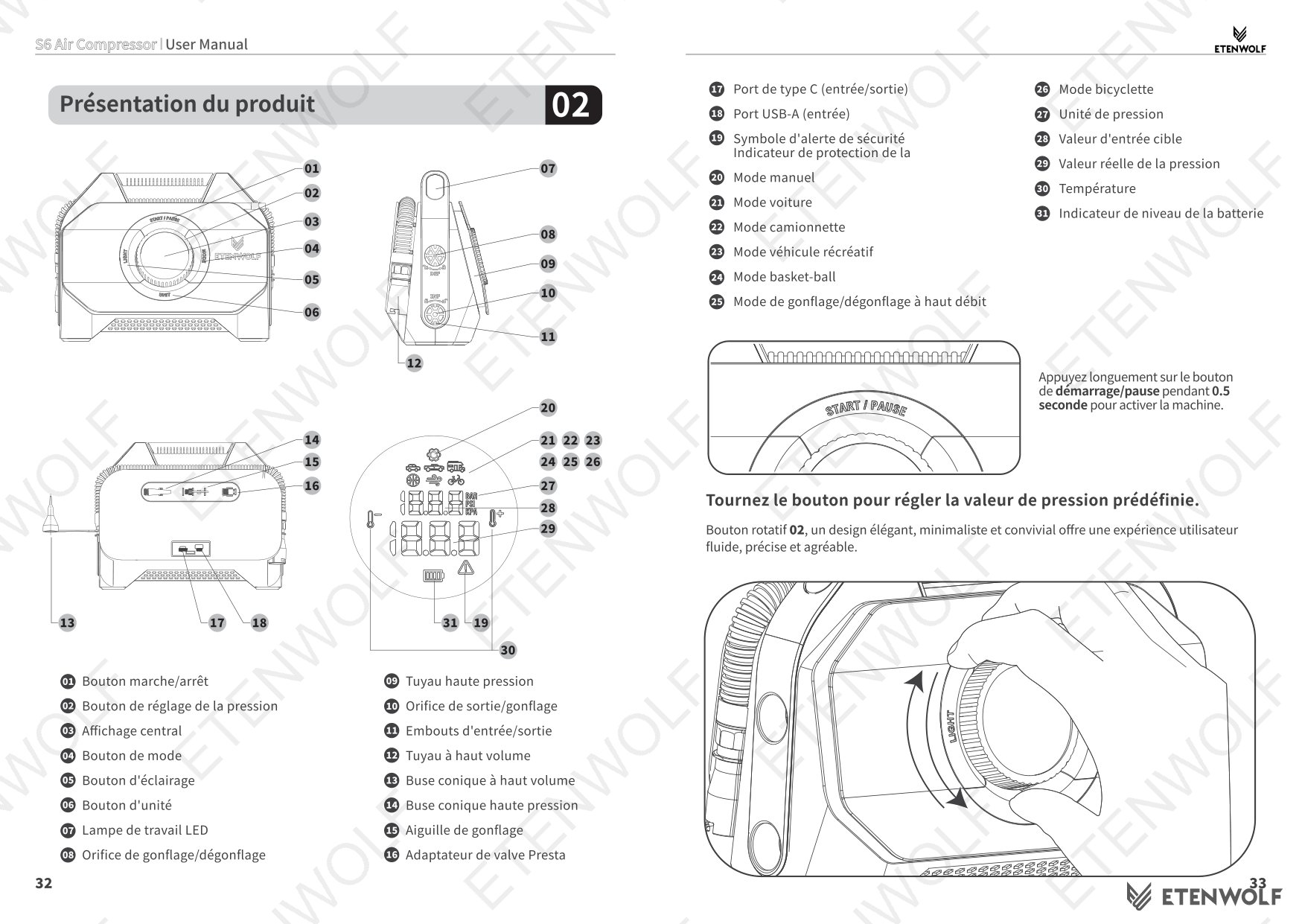
- Start/Pause power button
- Pressure adjustment knob (rotating, minimalist design)
- Center display (shows target and actual pressure values)
- Mode button
- Light button
- Unit button
- LED worklight (side-mounted on handle)
- Inlet/Deflation port
- High-pressure hose port
- Outlet/Inflation port
- Inlet/Outlet nubs
- High-volume hose
- High-volume tapered nozzle
- High-pressure tapered nozzle
- Inflation needle
- Presta valve adapter
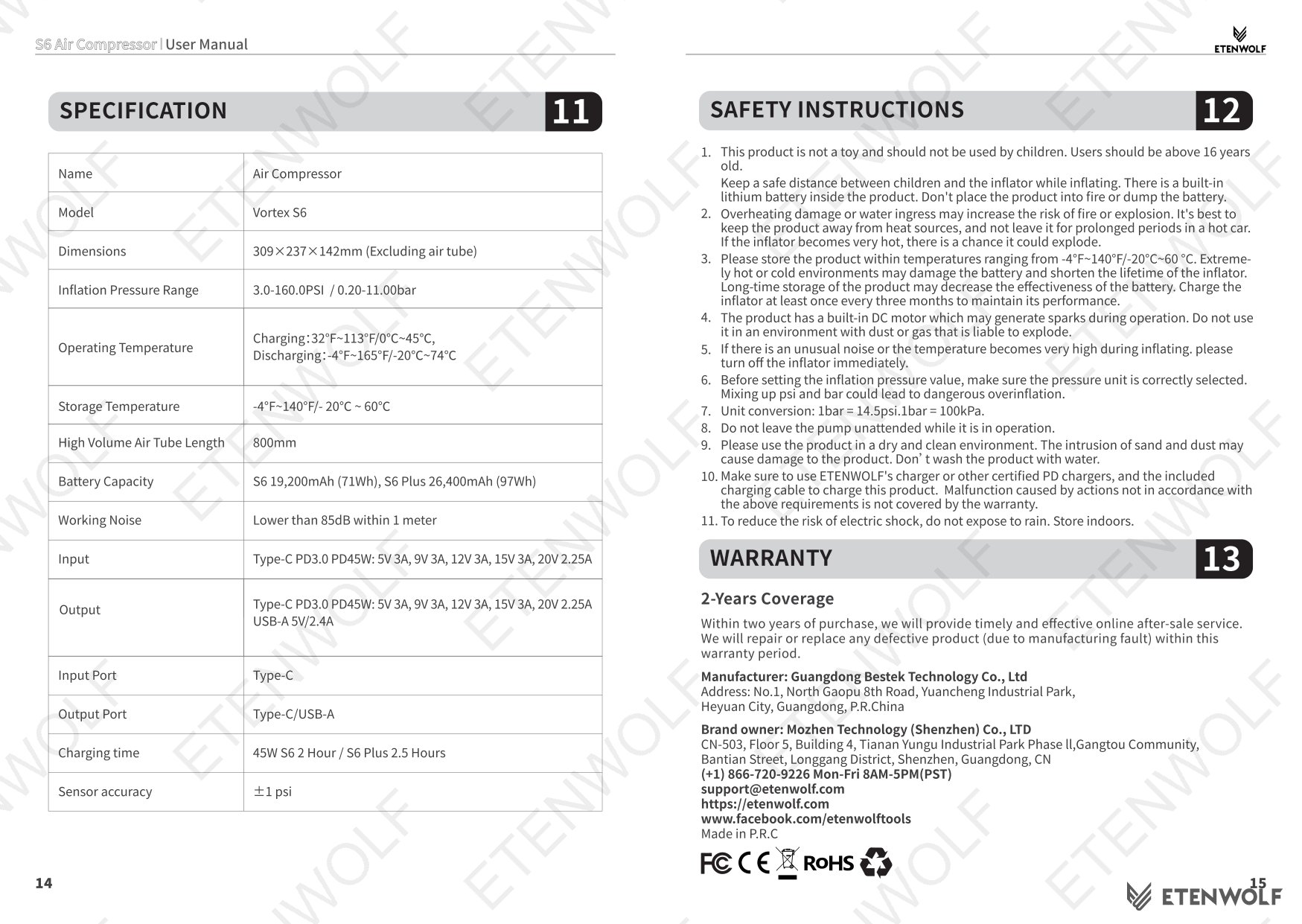
- Type-C port (input/output)
- USB-A port (input)
- Temperature protection indicator
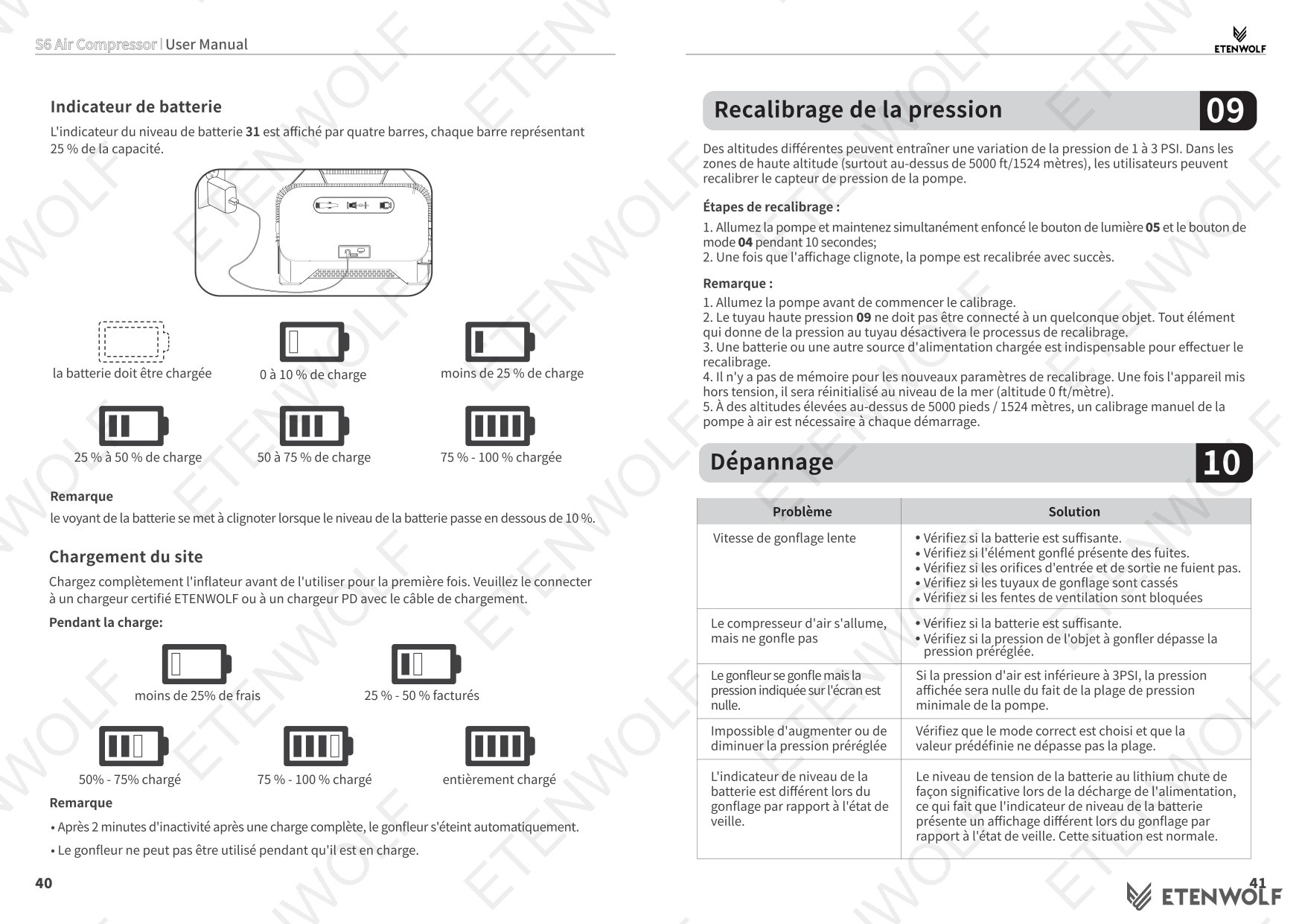
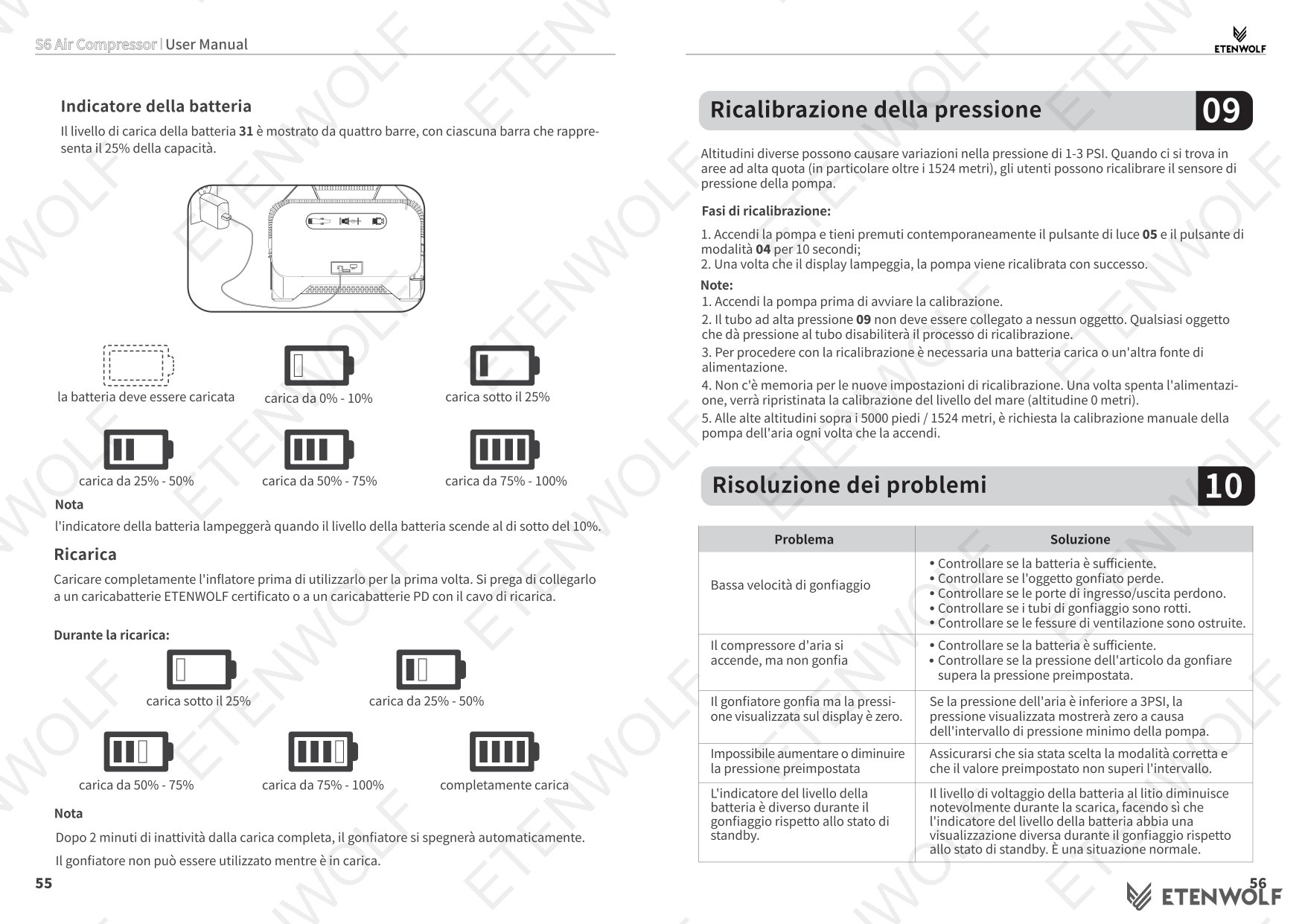
- Battery level indicator
Key Details
Inflation Modes and Preset Pressure Values
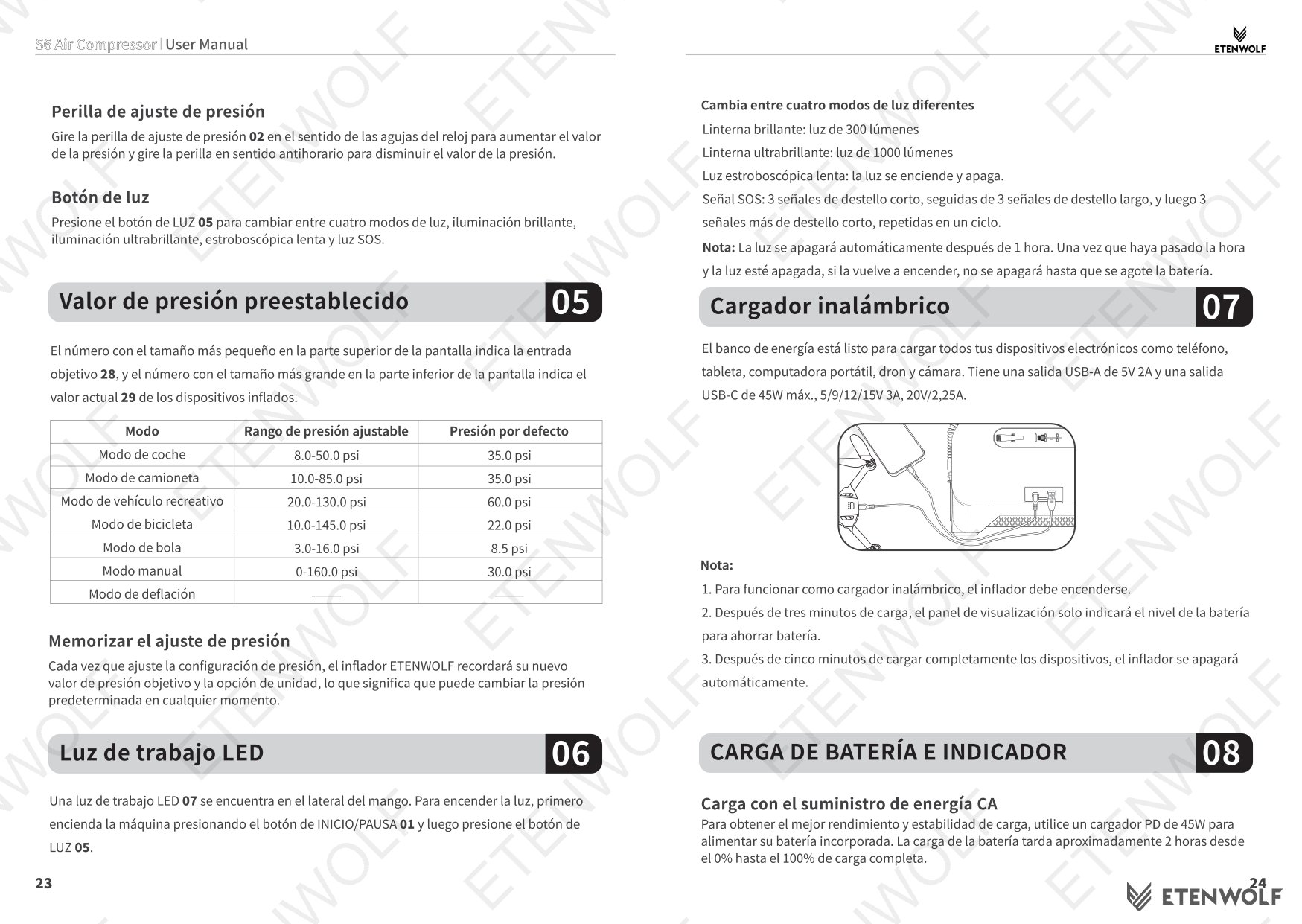
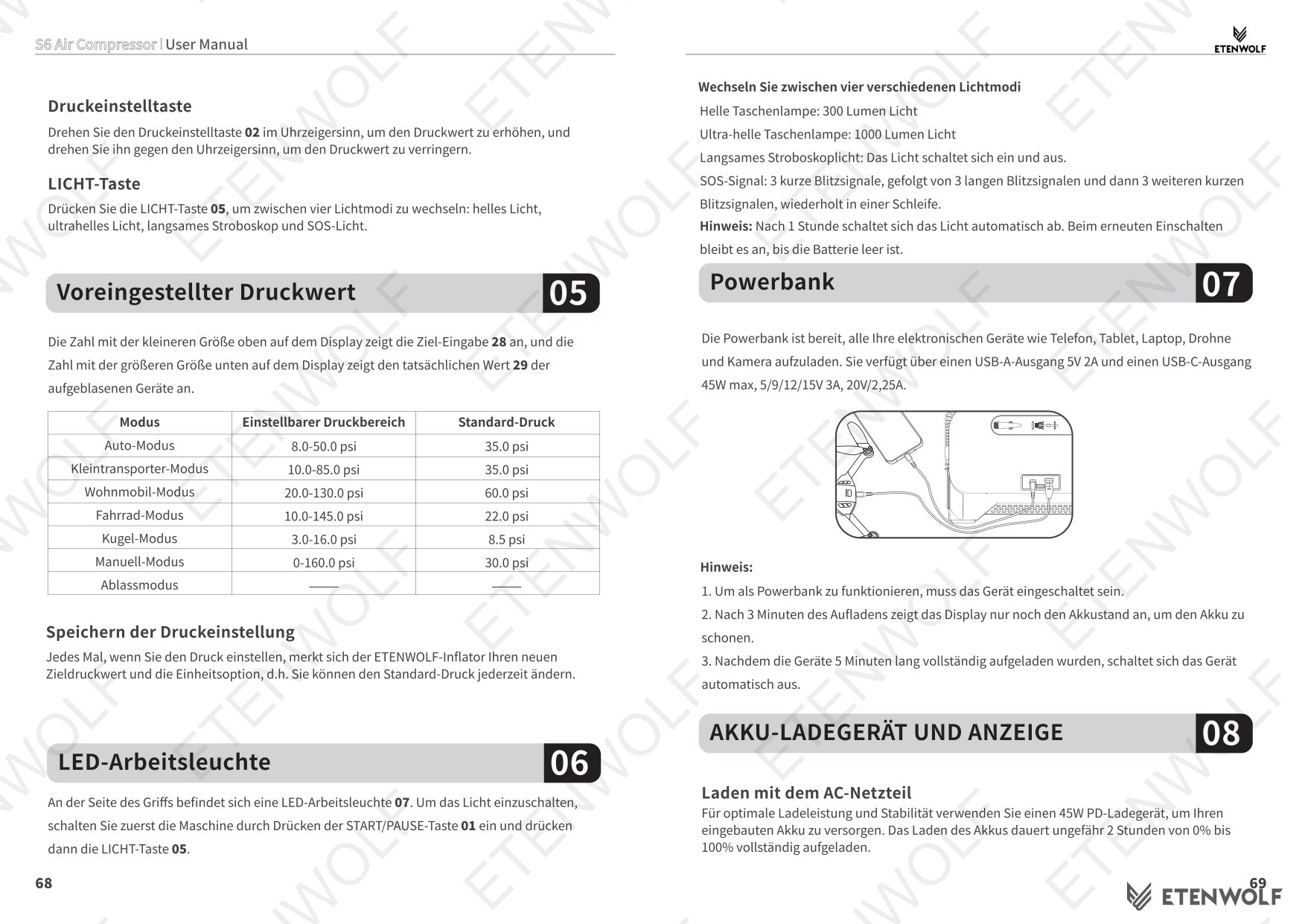
The Vortex S6 offers seven operating modes accessible via the Mode button. The unit remembers the last-used pressure setting and unit option each time it is powered on.
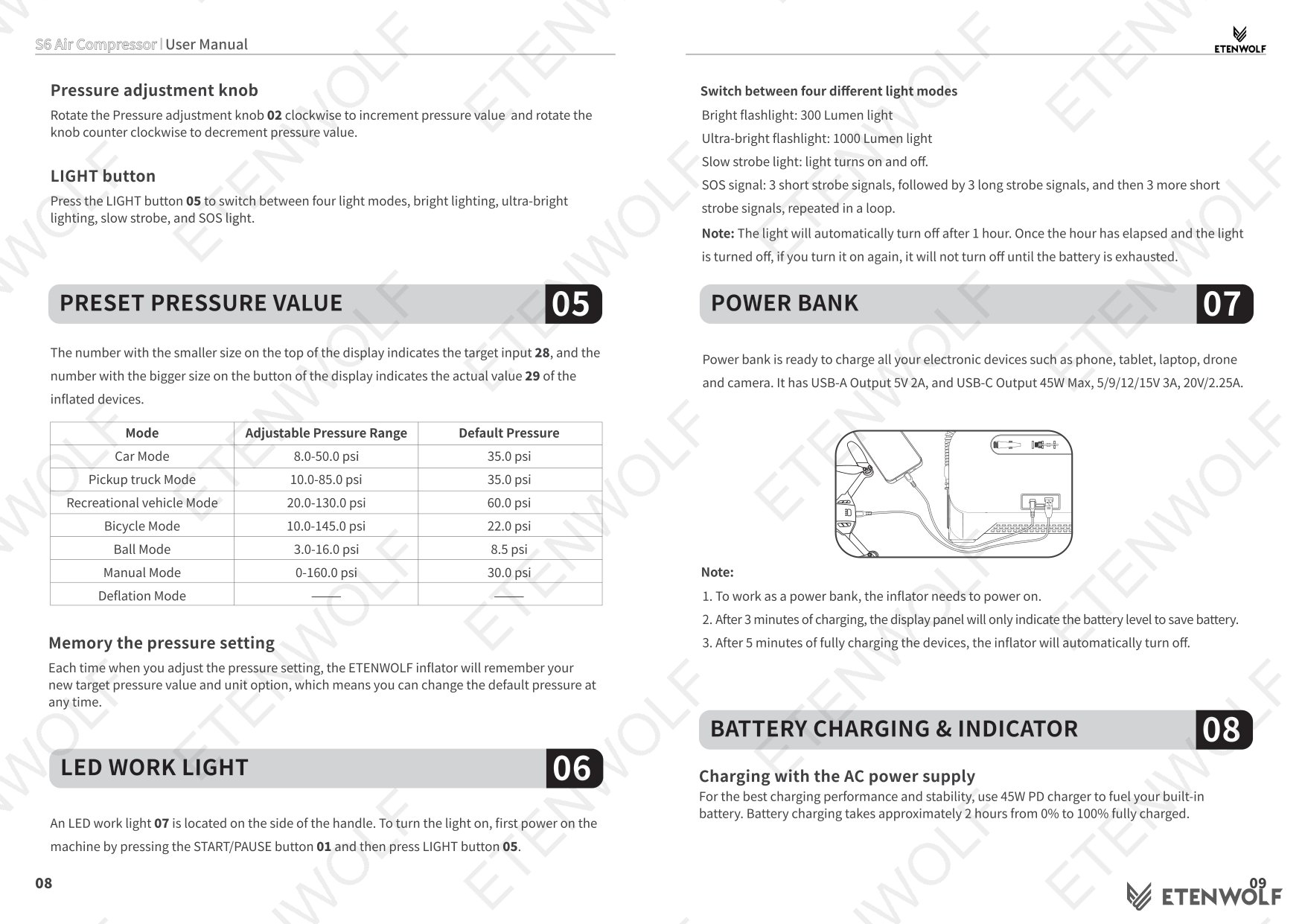
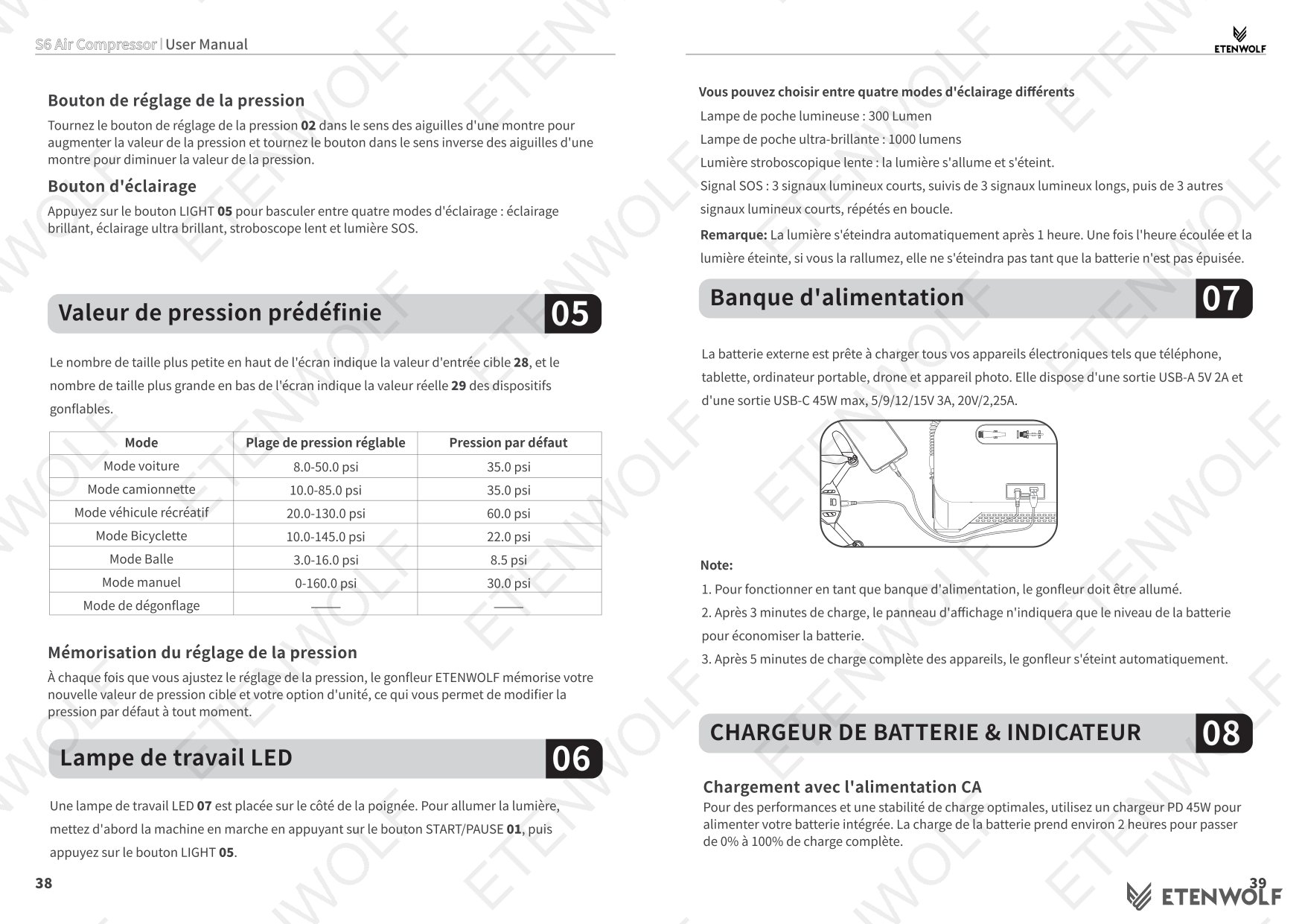
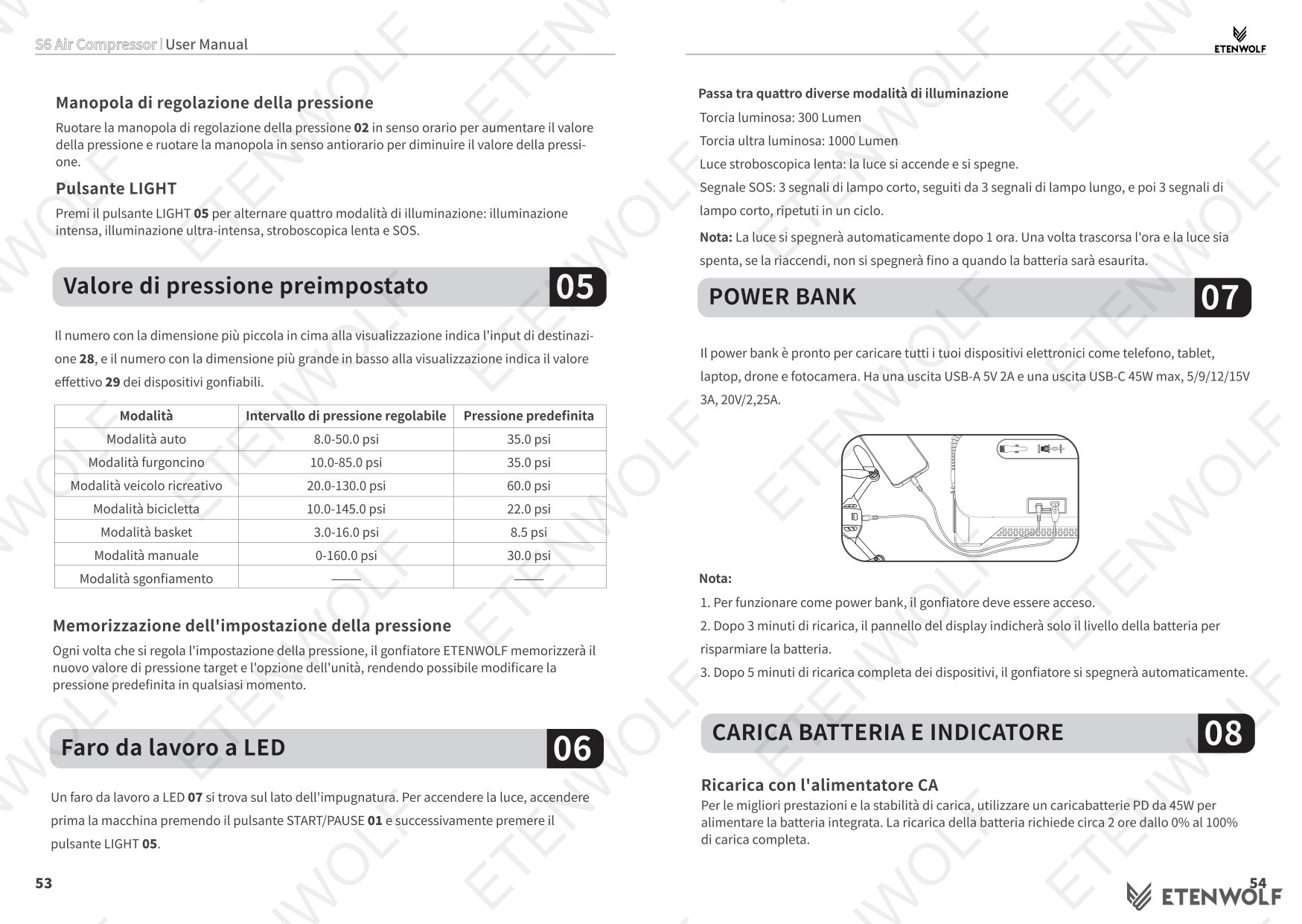
| Mode | Adjustable Pressure Range | Default Pressure |
|---|---|---|
| Car Mode | 8.0 – 50.0 psi | 35.0 psi |
| Pickup Truck Mode | 10.0 – 85.0 psi | 35.0 psi |
| Recreational Vehicle Mode | 20.0 – 130.0 psi | 60.0 psi |
| Bicycle Mode | 10.0 – 145.0 psi | 22.0 psi |
| Ball Mode | 3.0 – 16.0 psi | 8.5 psi |
| Manual Mode | 0 – 160.0 psi | 30.0 psi |
| High Flow Inflation/Deflation Mode | — | — |
Button Operation Guide
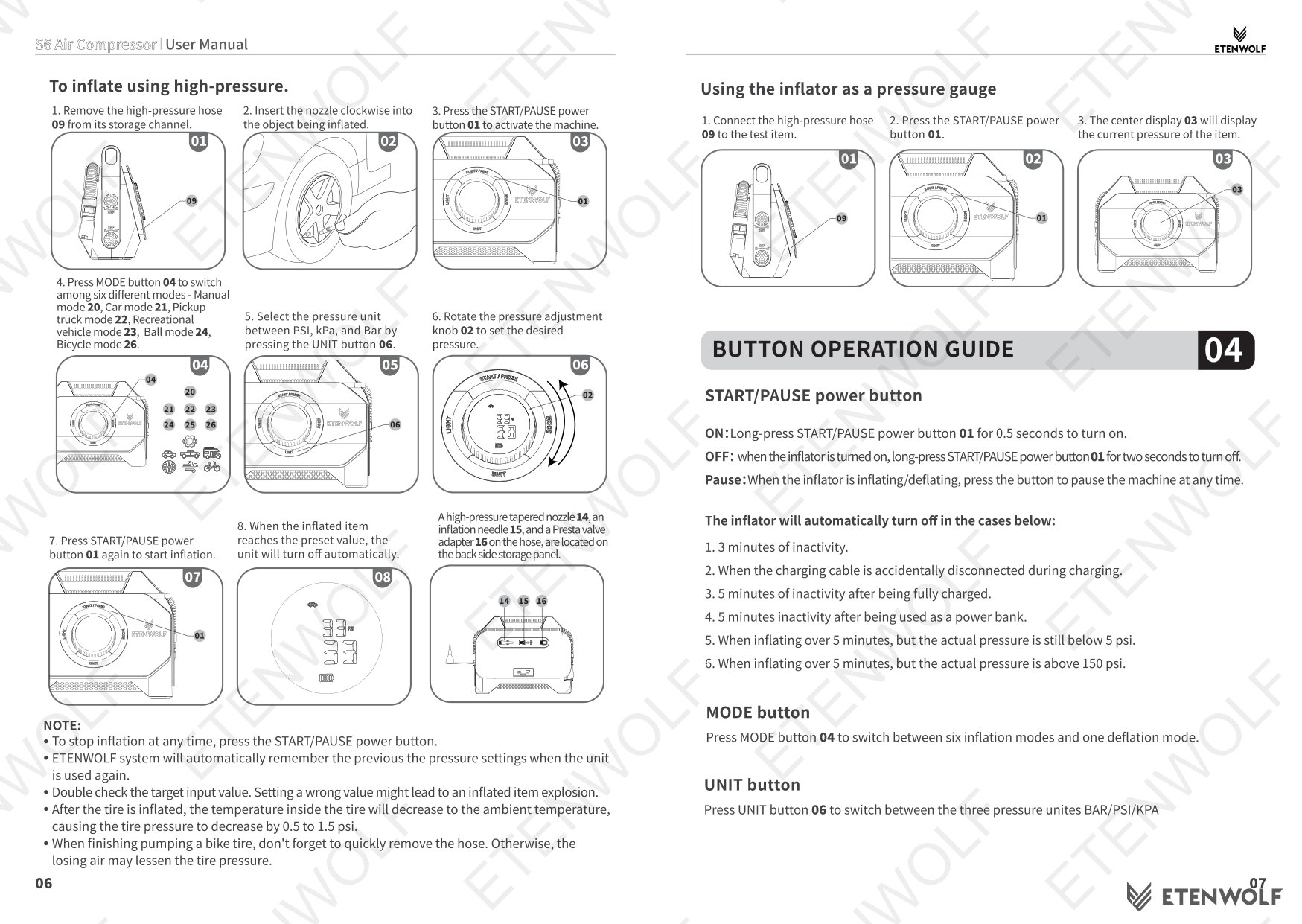
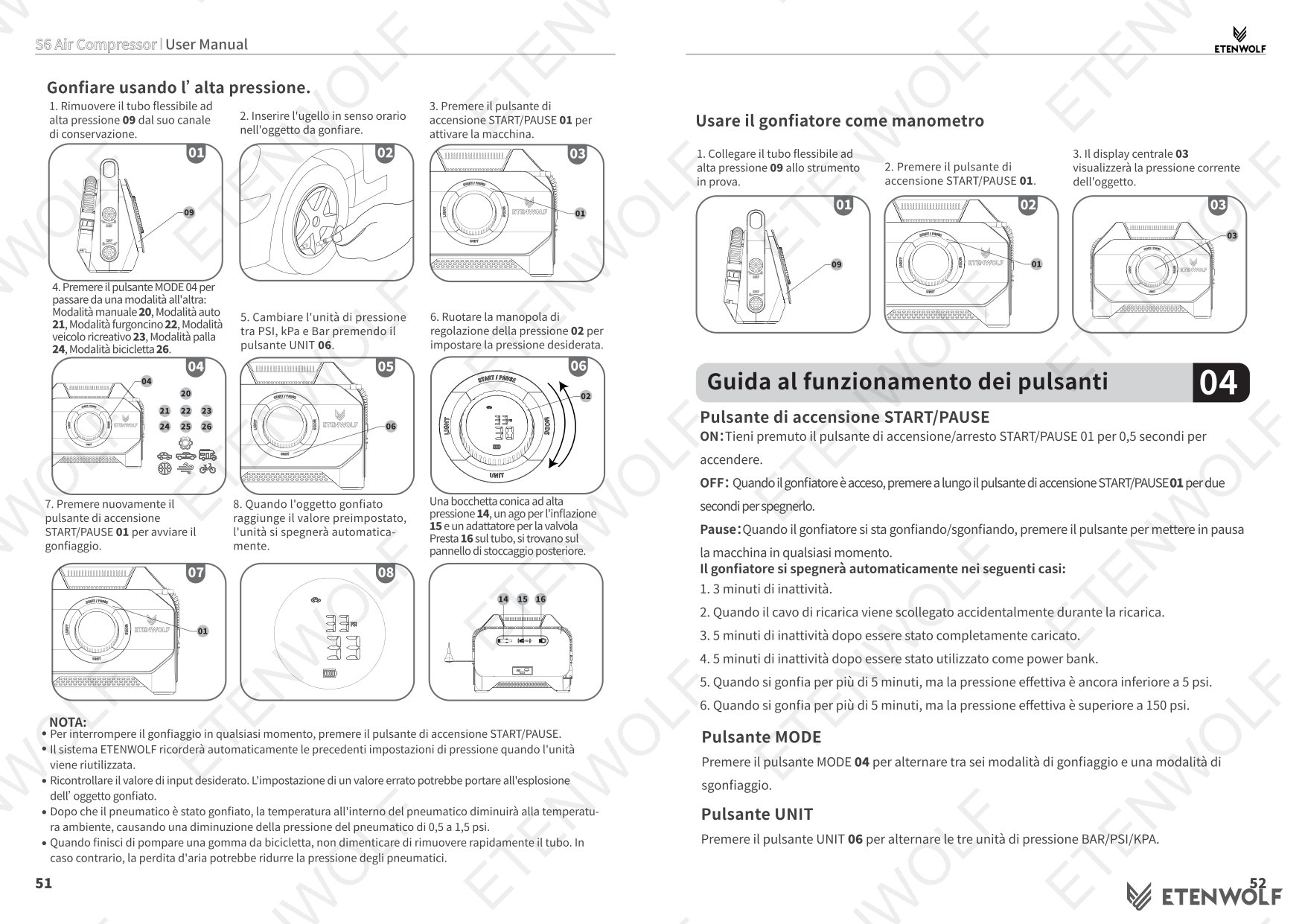
- Power ON: Long-press the Start/Pause button for 0.5 seconds.
- Power OFF: Long-press the Start/Pause button for 2 seconds while the unit is on.
- Pause: Press the Start/Pause button once during inflation or deflation.
- Mode button: Cycles through six inflation modes and one deflation mode.
- Unit button: Switches pressure units between PSI, kPa, and Bar.
- Pressure knob: Rotate clockwise to increase, counter-clockwise to decrease the target pressure.
- Light button: Cycles through four LED modes — bright flashlight (300 lm), ultra-bright, slow strobe, and SOS.
Automatic Shut-Off Conditions
The unit will turn off automatically under the following conditions:
- 3 minutes of inactivity.
- Charging cable is disconnected during charging.
- 5 minutes of inactivity after being fully charged.
- 5 minutes of inactivity while operating as a power bank.
- Inflating for over 5 minutes while actual pressure remains below 5 psi.
- Inflating for over 5 minutes while actual pressure is above 150 psi.
Using the Inflator as a Pressure Gauge
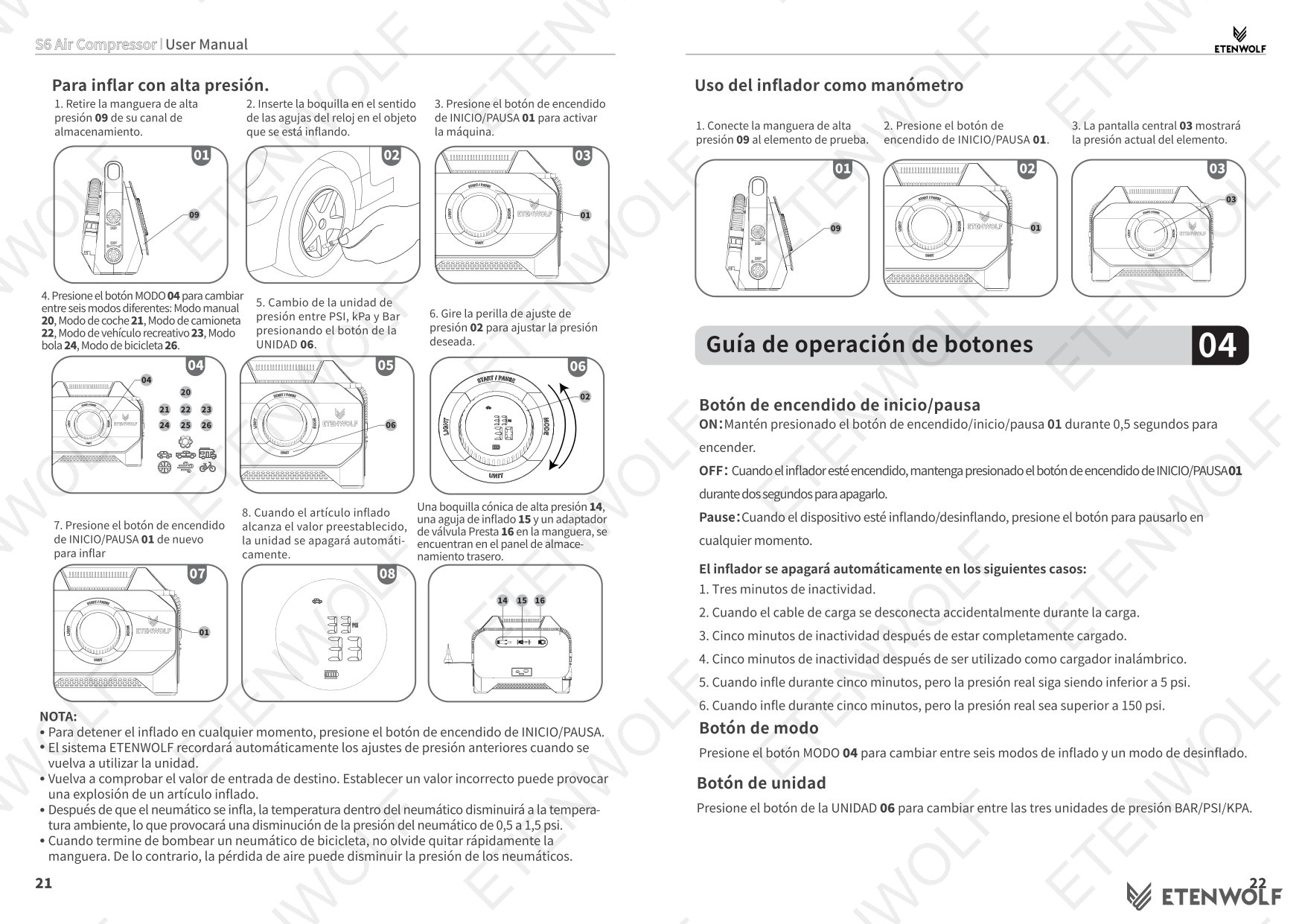
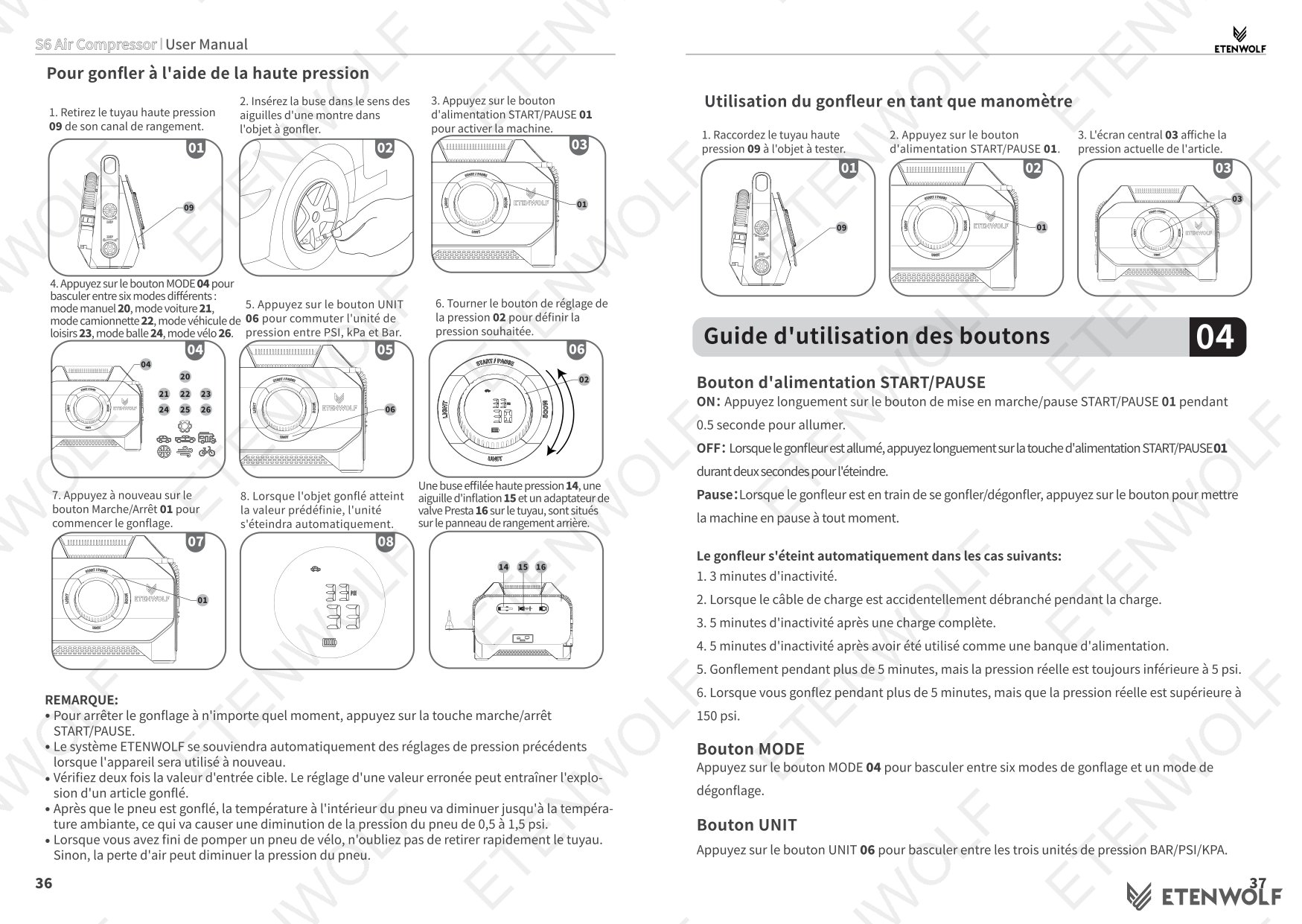
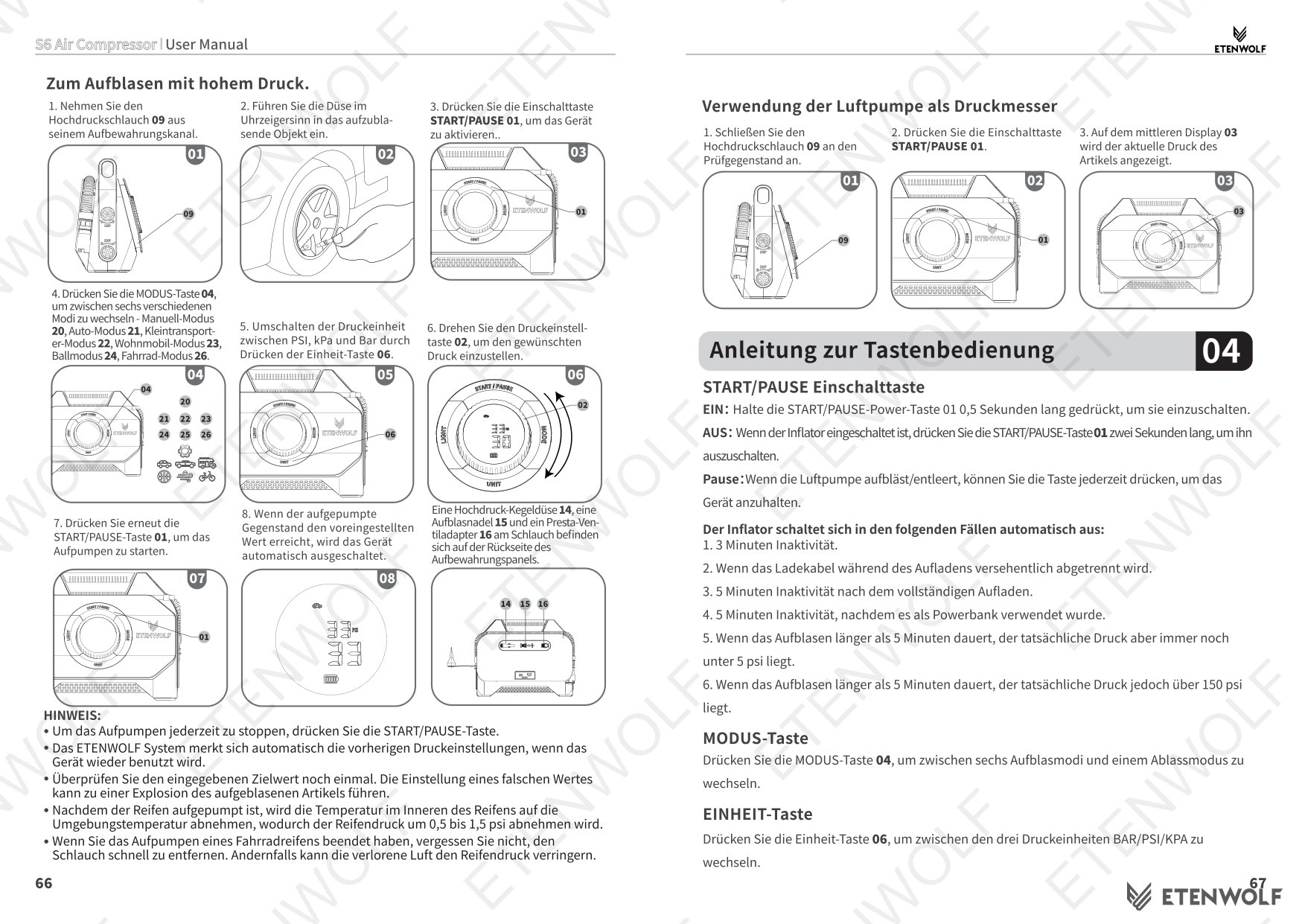
Connect the high-pressure hose to the test item, press the Start/Pause button, and the center display will show the current pressure of the item — without activating the pump.
High-Pressure Inflation Procedure
- Remove the high-pressure hose from its storage channel.
- Insert the appropriate nozzle clockwise into the valve of the item being inflated.
- Long-press Start/Pause to power on the unit.
- Press Mode to select the desired inflation mode.
- Press Unit to choose PSI, kPa, or Bar.
- Rotate the pressure knob to set the target pressure.
- Press Start/Pause to begin inflation. The unit stops automatically when the target pressure is reached.
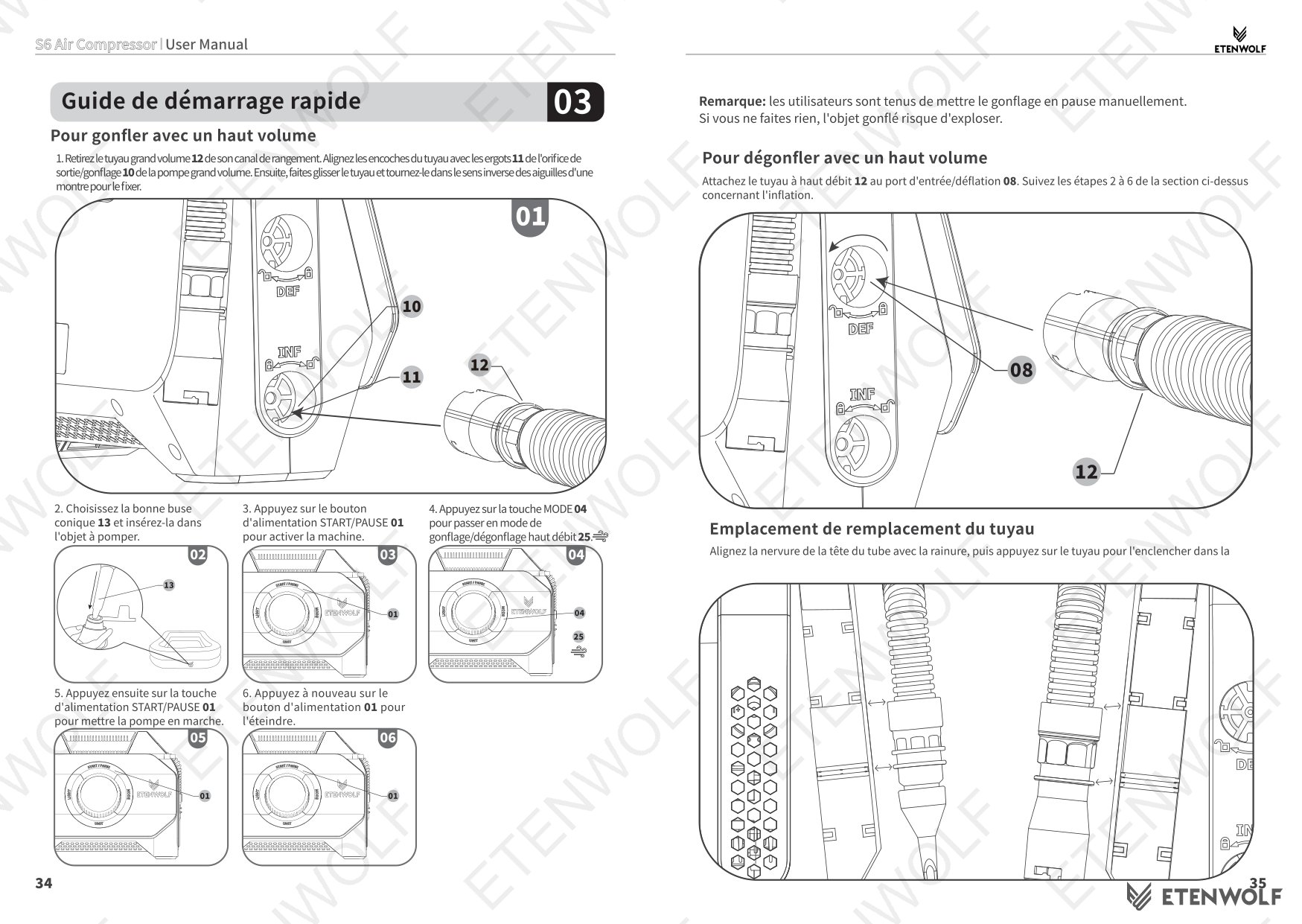
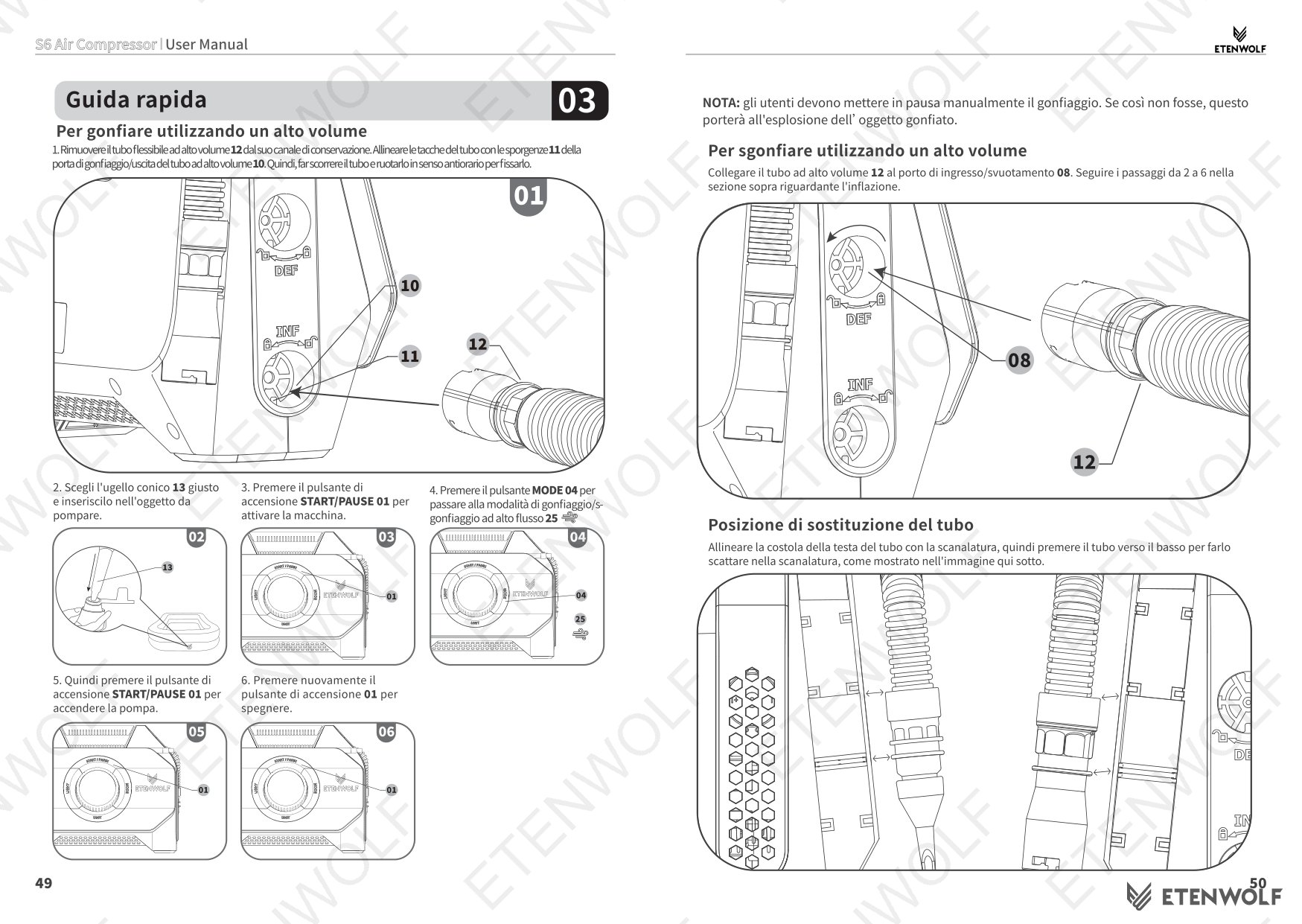
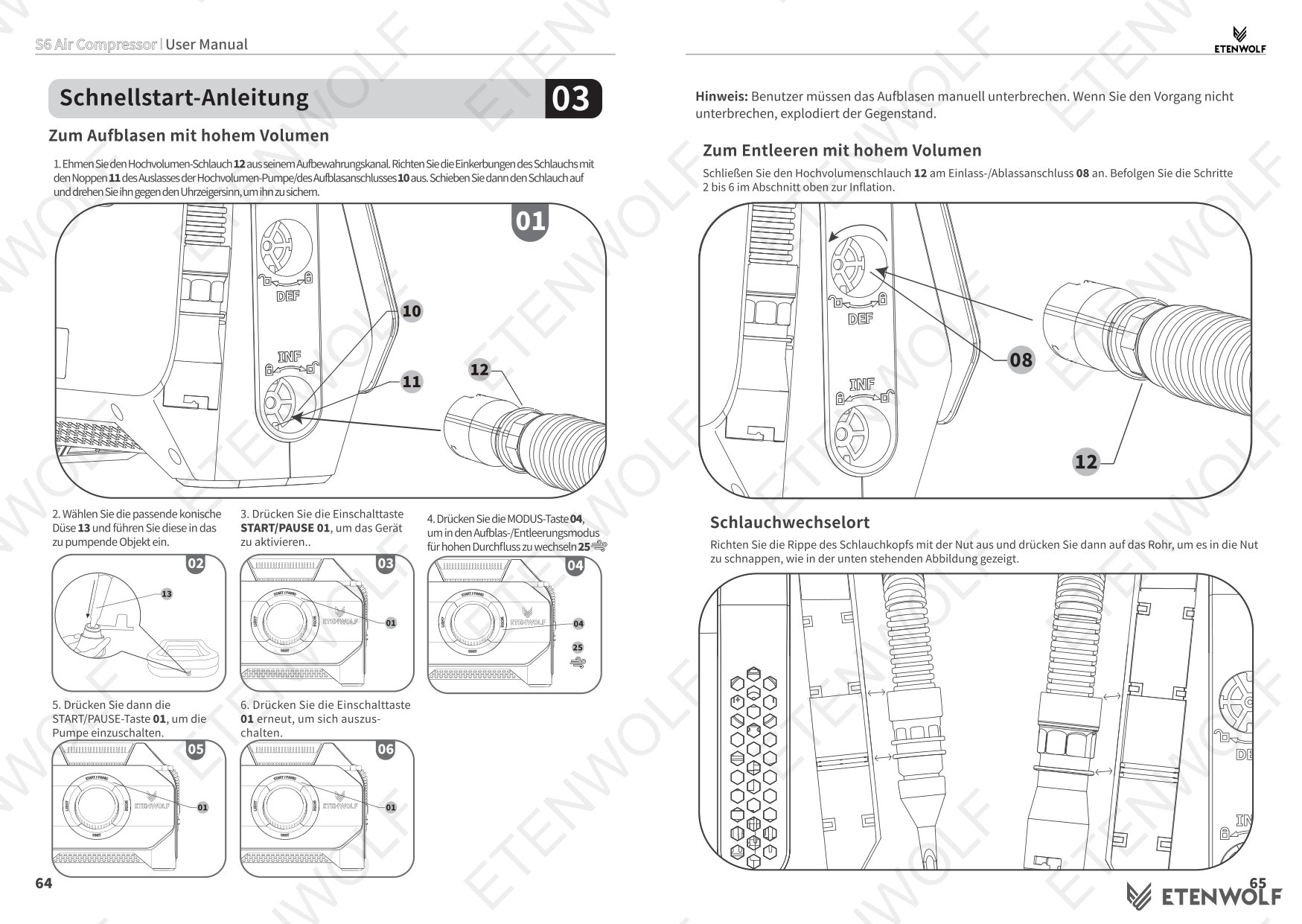
High-Volume Inflation Procedure
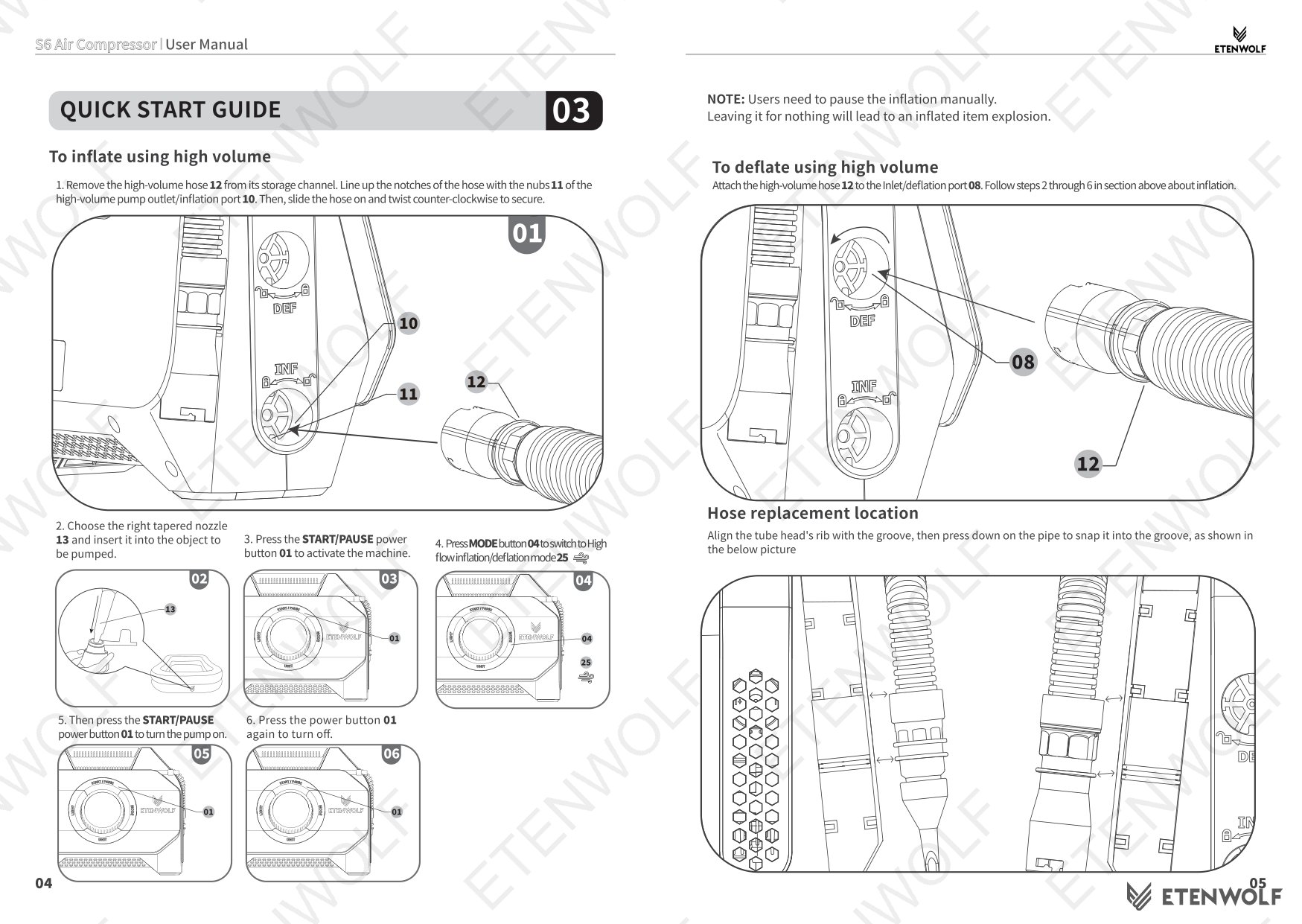
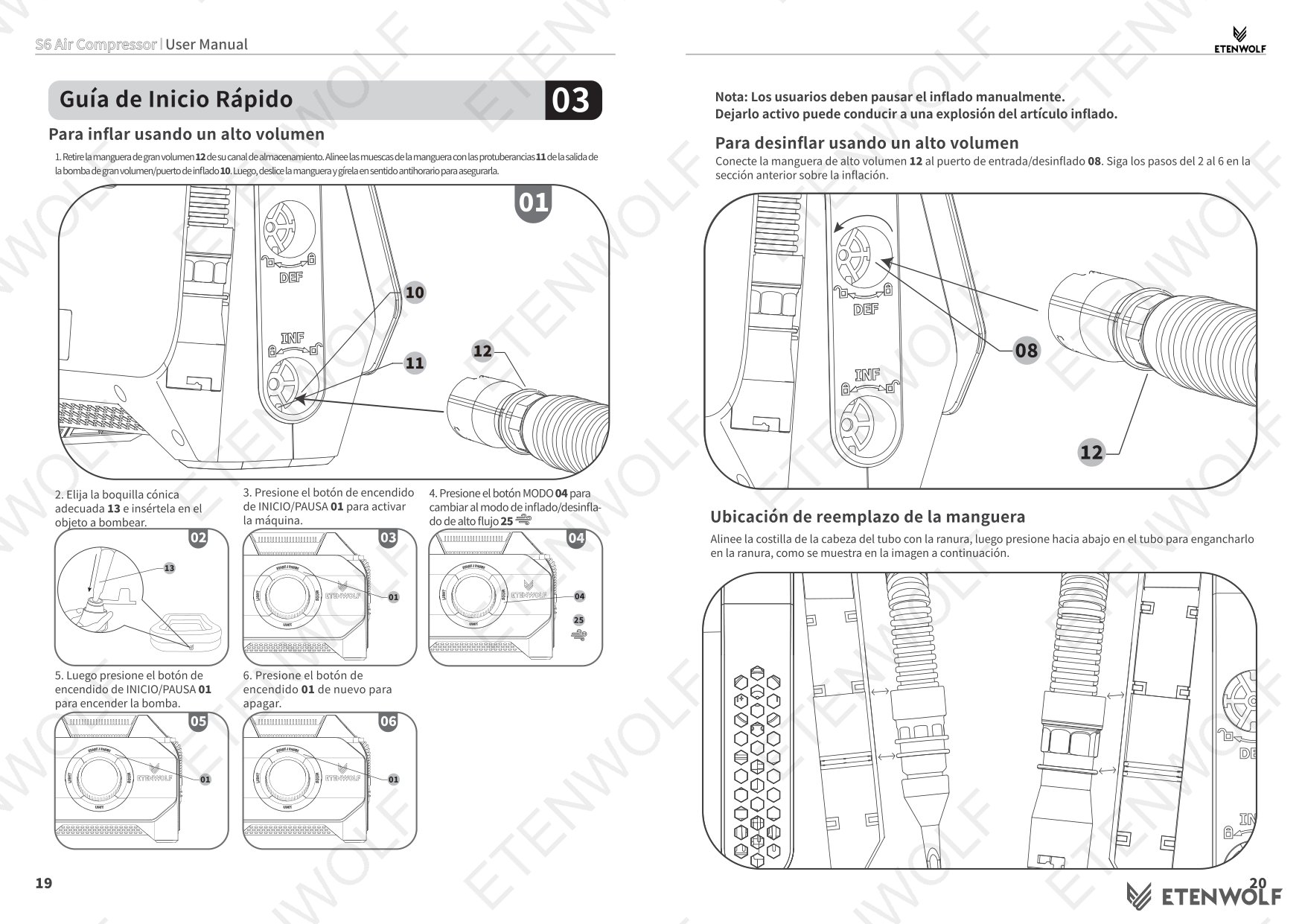
- Remove the high-volume hose from its storage channel, align the notches with the nubs on the outlet port, slide on, and twist counter-clockwise to secure.
- Attach the appropriate tapered nozzle and insert into the item.
- Power on the unit and press Mode to select High Flow Inflation/Deflation mode.
- Press Start/Pause to begin. Stop manually by pressing Start/Pause — the unit does not auto-stop in high-volume mode.
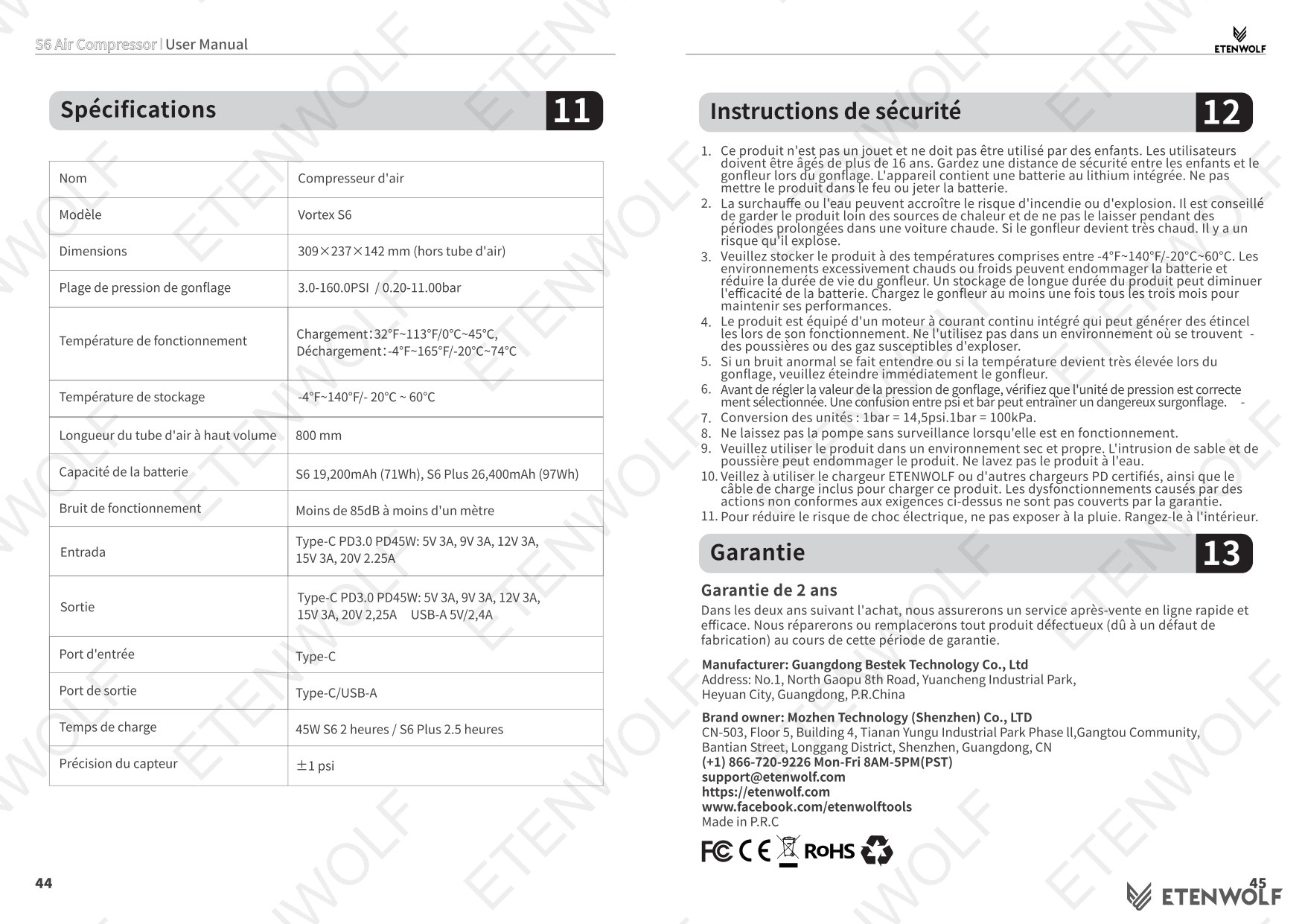
Warning: In high-volume mode, the unit does not auto-stop at a target pressure. Leaving it unattended may cause the inflated item to burst.
Standards & Compliance
The ETENWOLF Vortex S6 is a consumer cordless inflator with an integrated lithium-ion battery and a 45W PD charging system. As a cordless power tool sold in global markets, it is subject to applicable safety and compliance frameworks. Relevant standards and regulatory programs that apply to this product category include:
- IEC standards for portable electric tools and battery-powered devices.
- FCC regulations for electromagnetic compatibility in the United States market.
- CE Marking requirements for product safety in the European Economic Area.
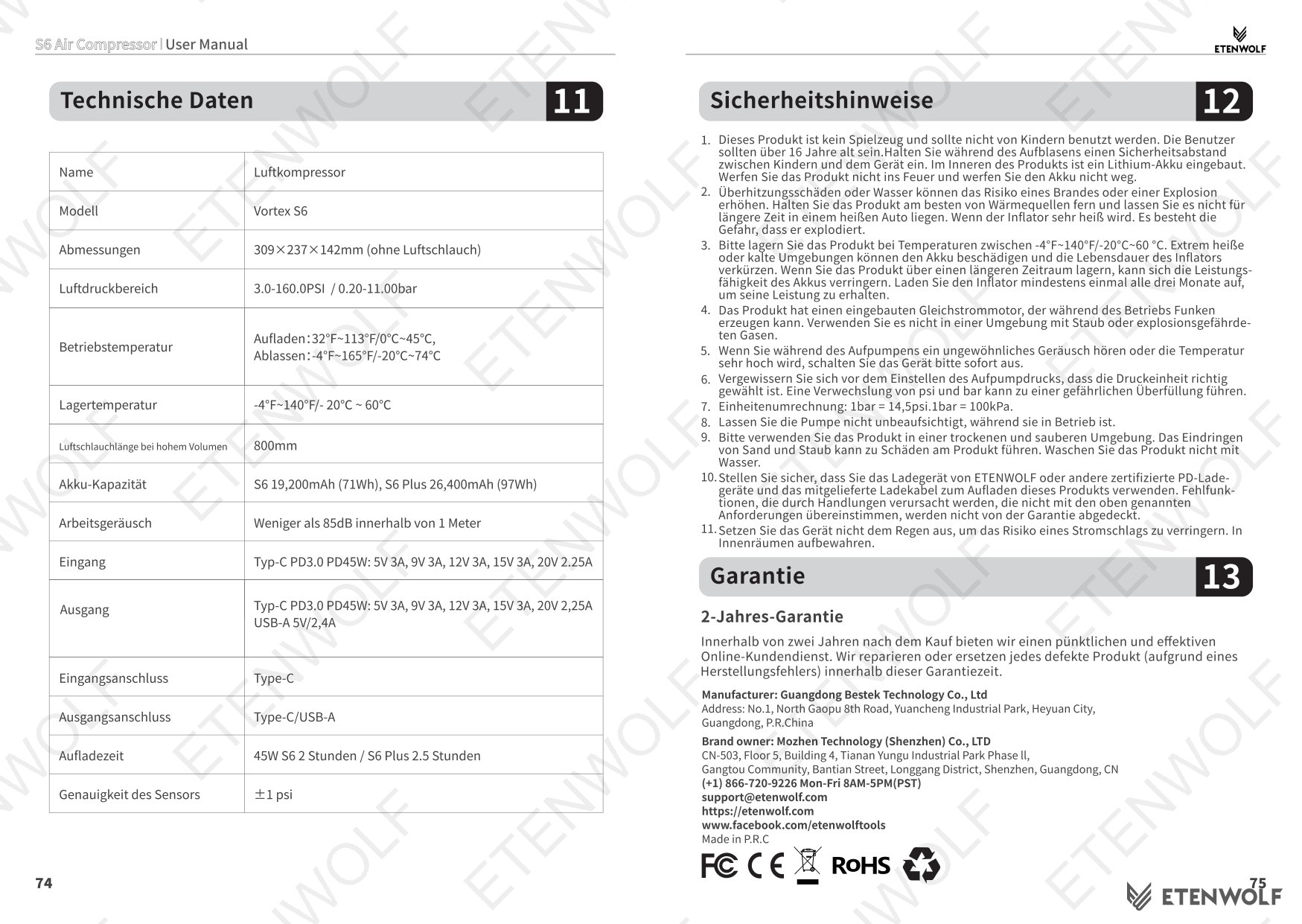
- UN 38.3 transport testing requirements for lithium-ion battery cells used in the device.
- RoHS Directive restrictions on hazardous substances in electrical and electronic equipment.
- REACH regulation for chemical substance safety in materials used in the product.
The manual includes a safety alert symbol on the device and instructs users to read all warnings before operation, consistent with industry-standard risk-reduction practices for electrically powered inflation tools.
Validity & Certification Body
This user manual, version V3.0, is the current official document issued by ETENWOLF for the Vortex S6 Series and carries an effective date of November 4, 2025 (as indicated by the filename S6_manual_EN_20251104.pdf). The document is authored and published directly by ETENWOLF.
ETENWOLF provides a standard limited warranty for the Vortex S6. Users who register their product at https://etenwolf.com receive a 1-year extended warranty in addition to the standard coverage. For warranty claims or support, customers may contact ETENWOLF directly:
- Phone: (+1) 866-720-9226, Monday–Friday, 8AM–5PM PST
- Email: [email protected]
- Web: https://etenwolf.com
This manual supersedes any prior version for the S6 Series. Users should confirm they are referencing the V3.0 document when troubleshooting or seeking support.
Frequently Asked Questions
- Does the ETENWOLF Vortex S6 automatically stop when the tire reaches the target pressure?
- Yes, when using the high-pressure hose in any of the six standard inflation modes (Car, Pickup Truck, Recreational Vehicle, Bicycle, Ball, Manual), the unit will shut off automatically once the actual pressure reaches the preset target value. However, when using the high-volume hose in High Flow mode, there is no automatic shutoff — the user must stop the pump manually by pressing the Start/Pause button.
- How do I switch pressure units on the Vortex S6?
- Press the Unit button to cycle through the three available pressure units: PSI, kPa, and Bar. The selected unit applies to both the target input display and the actual pressure reading on the center display.
- Will the Vortex S6 remember my pressure settings after I turn it off?
- Yes. Each time you adjust the target pressure or change the pressure unit, the unit stores those settings in memory. The next time you power on the inflator, it will recall the last-used pressure value and unit, so you do not need to reconfigure from scratch.
- What should I do if my tire pressure reads lower than expected after inflation?
- This is normal. After inflation, the temperature inside a tire gradually decreases to ambient temperature, which causes the pressure to drop by approximately 0.5 to 1.5 psi. Re-inflate to slightly above the target to compensate, or check pressure again once the tire has cooled. For bicycle tires, remove the hose quickly after stopping inflation to prevent air from escaping through the valve.
Related Documents
The following document types are relevant to the ETENWOLF Vortex S6 and may be sought by buyers, compliance teams, or resellers:
- FCC Declaration of Conformity — Required for sale in the United States; confirms electromagnetic compatibility compliance for the cordless inflator and its battery system.
- CE Declaration of Conformity — Required for the European market; covers Low Voltage Directive and EMC Directive compliance.
- UN 38.3 Battery Test Report — Documents transport safety testing for the integrated lithium-ion battery pack.
- RoHS Compliance Certificate — Confirms the product and its components comply with restrictions on hazardous substances.
- REACH Substance Declaration — Identifies any substances of very high concern (SVHC) present in the product materials.
- Quick Start Guide — A condensed reference card for first-time setup, available alongside the full manual.
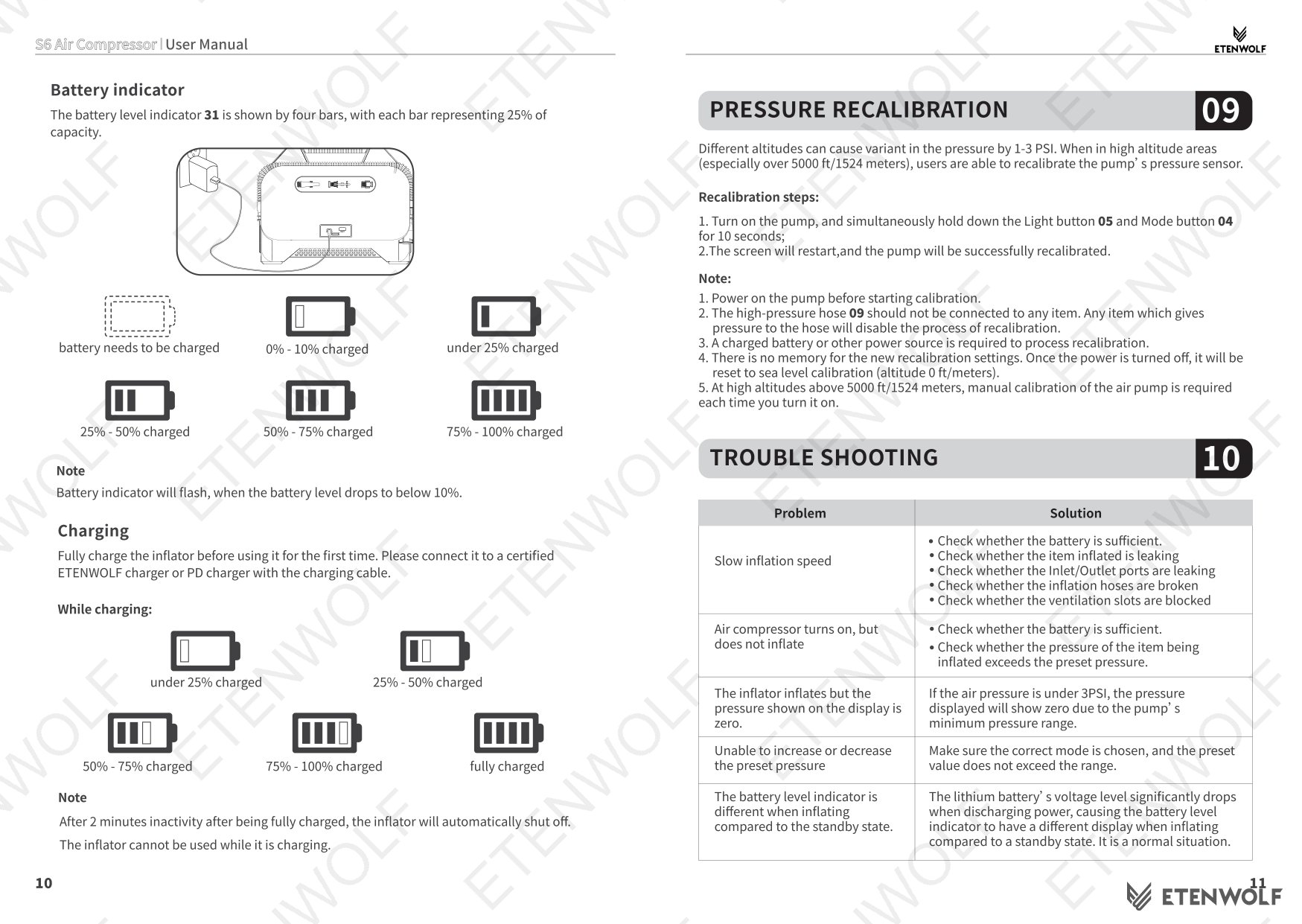
- Pressure Recalibration Procedure Sheet — Step-by-step guidance for recalibrating the pressure sensor if readings become inaccurate over time.
Document Pages