Document Overview
Document Overview This article is based on the official product user manual for the ETENWOLF Zephyr S5 / S5 Plus Air Compressor, issued by ETENWOLF — a global inflation tools and lighting gear brand. The manual covers safe operation, button controls, inflation modes, LED work…
- Document type
- User Manual
- Prepared by
- Daniel Wright
- Published
- Last reviewed
- Topics
- User Manual
Document Overview
This article is based on the official product user manual for the ETENWOLF Zephyr S5 / S5 Plus Air Compressor, issued by ETENWOLF — a global inflation tools and lighting gear brand. The manual covers safe operation, button controls, inflation modes, LED work light operation, power bank functionality, battery charging, pressure recalibration, troubleshooting, and product specifications. Users are advised to read all safety warnings and instructions before use to reduce the risk of electric shock, fire, or serious injury.
For technical support, contact ETENWOLF at (1) 877-838-0209, Monday through Friday, 8AM–5PM PST, or email [email protected]. Register your product at www.etenwolf.com to receive a 1-year extended warranty.
Product Information
The ETENWOLF Zephyr S5 / S5 Plus is a compact, portable air compressor designed to inflate a wide range of tires and inflatables, enhancing versatility for outdoor adventures. It features a built-in rechargeable battery, an LED work light with multiple modes, and a power bank output for charging electronic devices.
| Item | Detail |
|---|---|
| Brand | ETENWOLF |
| Model | Zephyr S5 / S5 Plus |
| Product Type | Portable Air Compressor / Tire Inflator |
| Display | Center display showing target pressure, actual pressure, battery level, progress bar, and safety alerts |
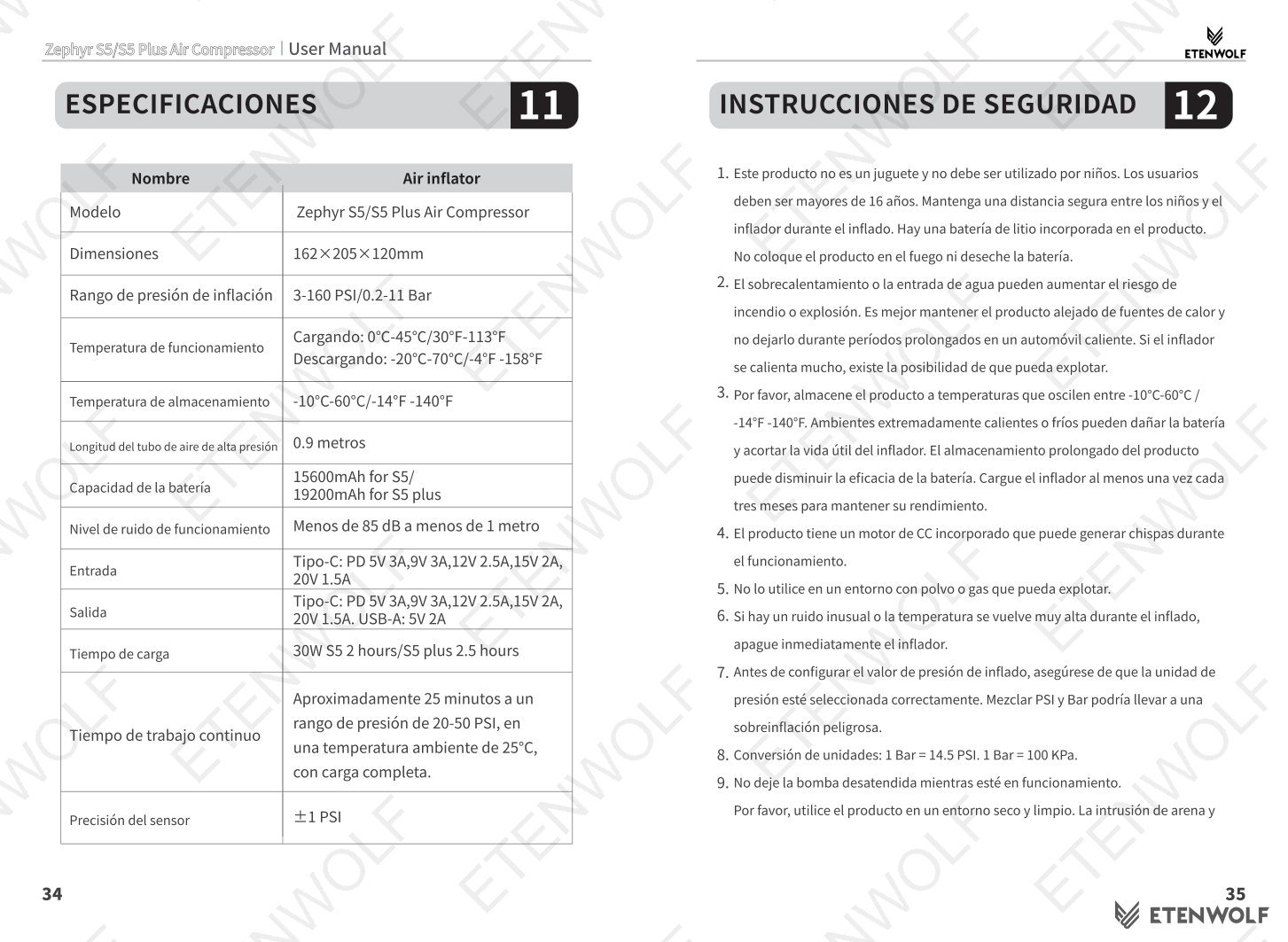
| Pressure Units | PSI, KPa, Bar |
| Charging Input Port | USB Type-C (Input) |
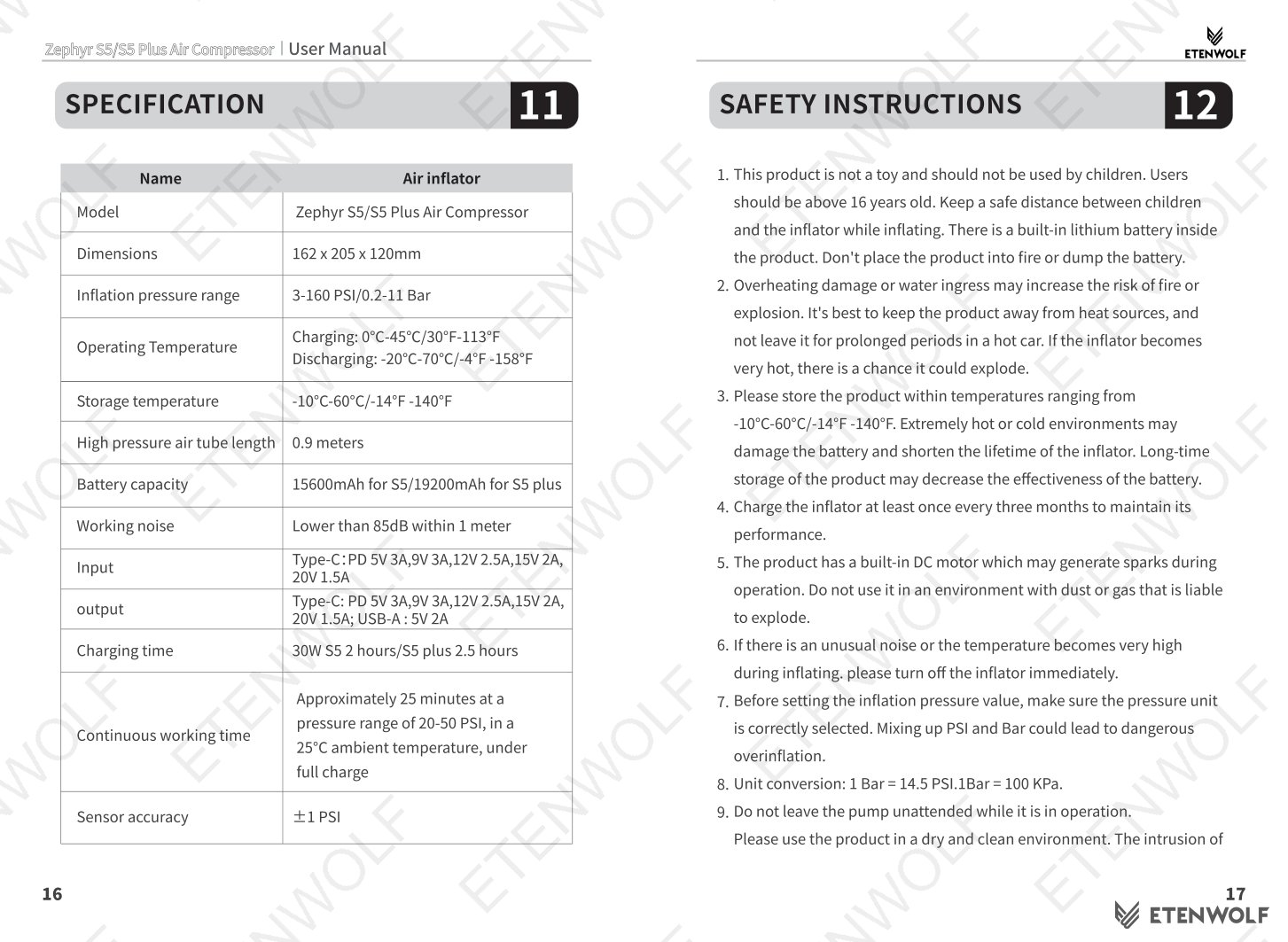
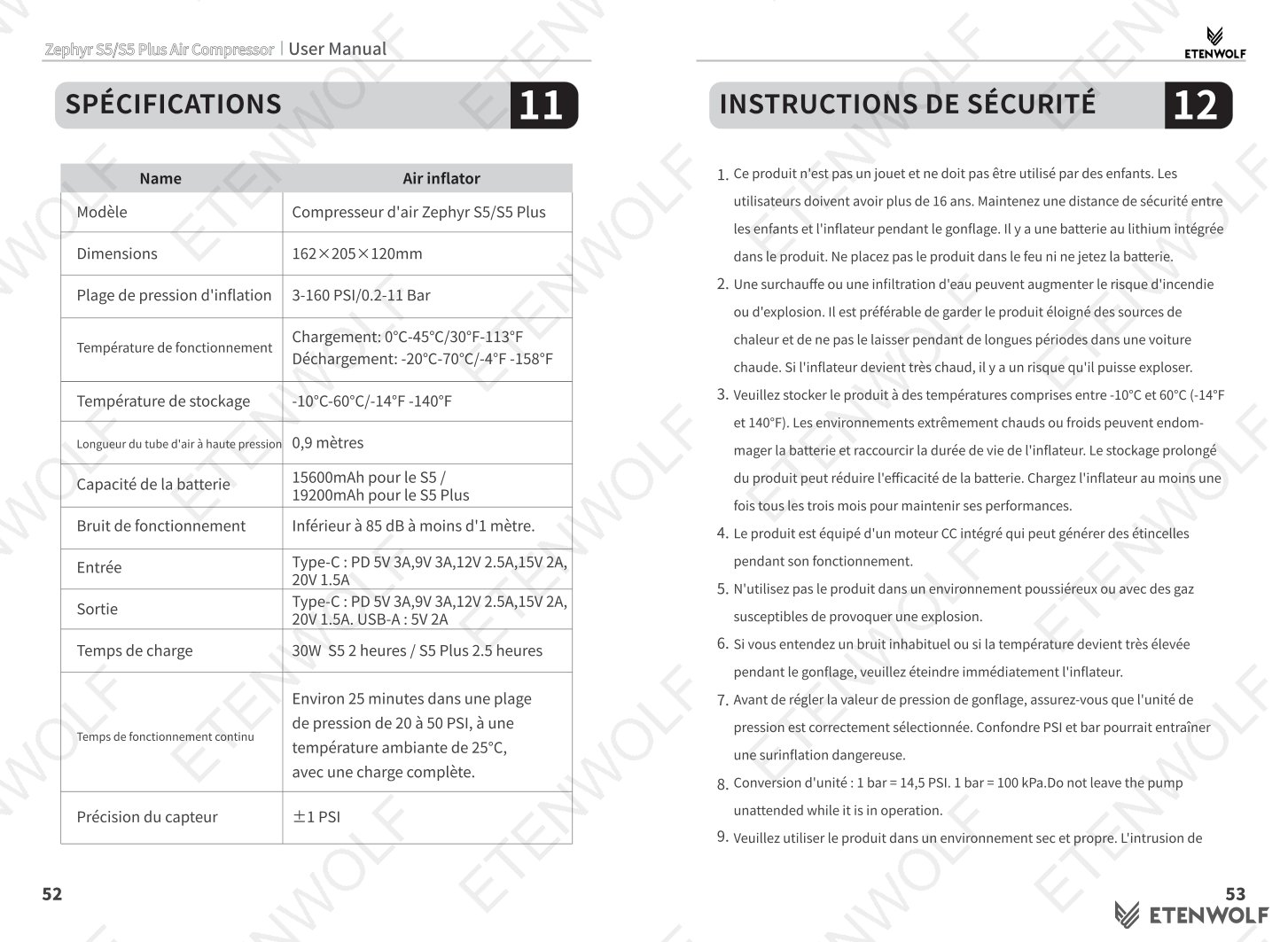
| Power Bank Output | USB-A: 5V 2A; USB-C: 30W Max (5/9V 3A, 12V 2.5A, 15V 2A, 20V 1.5A) |
| Charging Time | Approximately 2–2.5 hours (0% to 100%) using 30W PD charger |
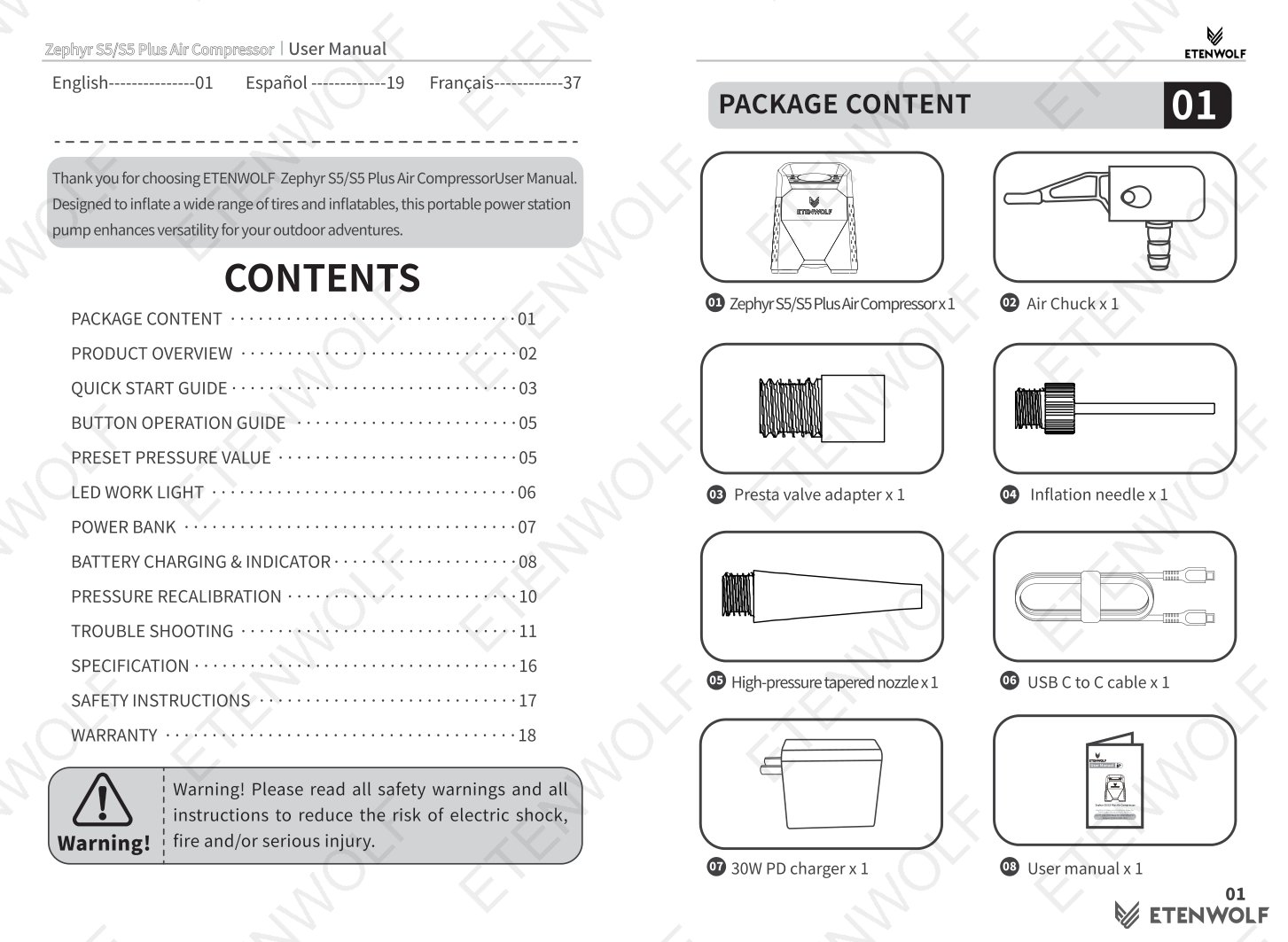
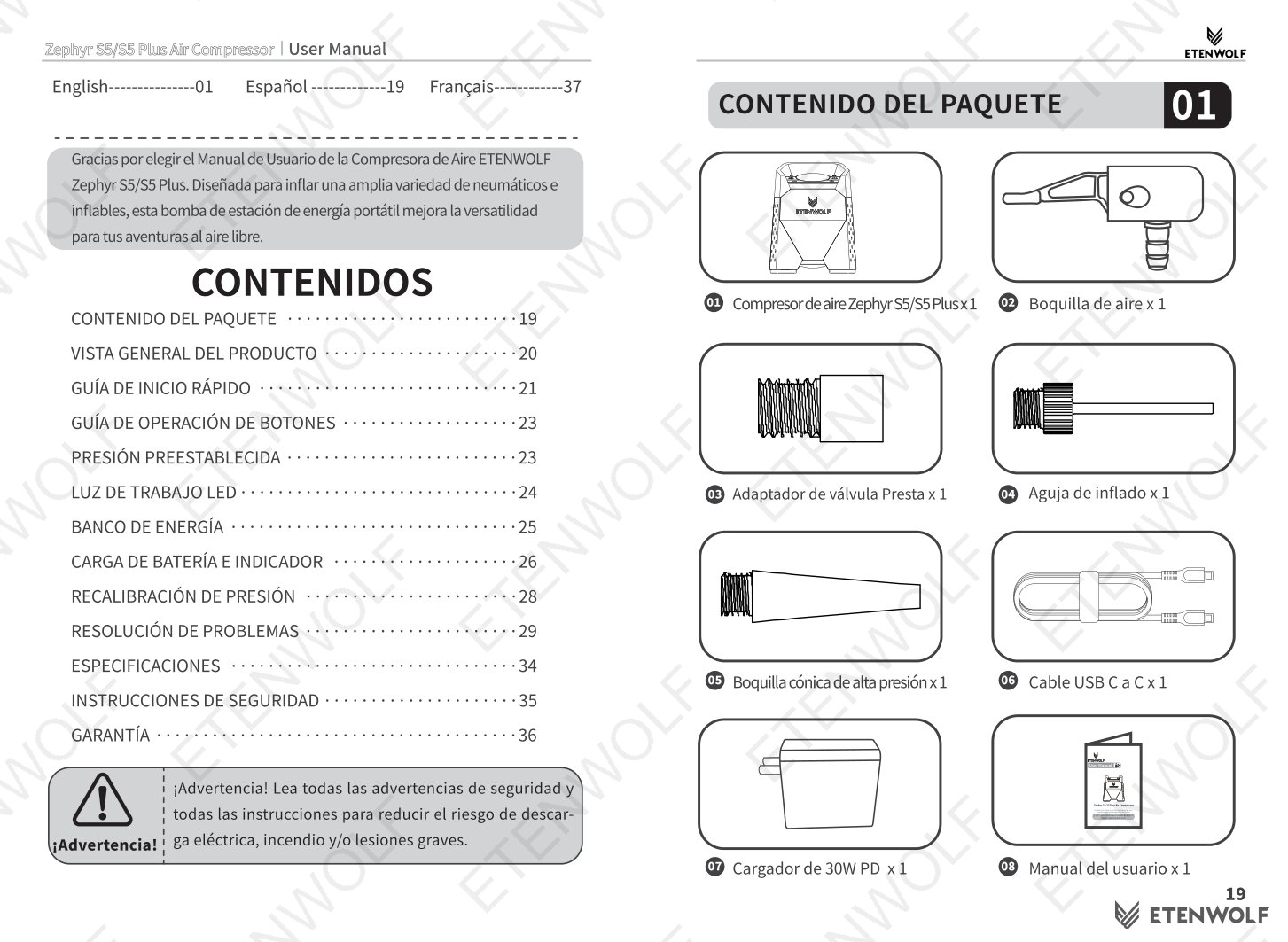
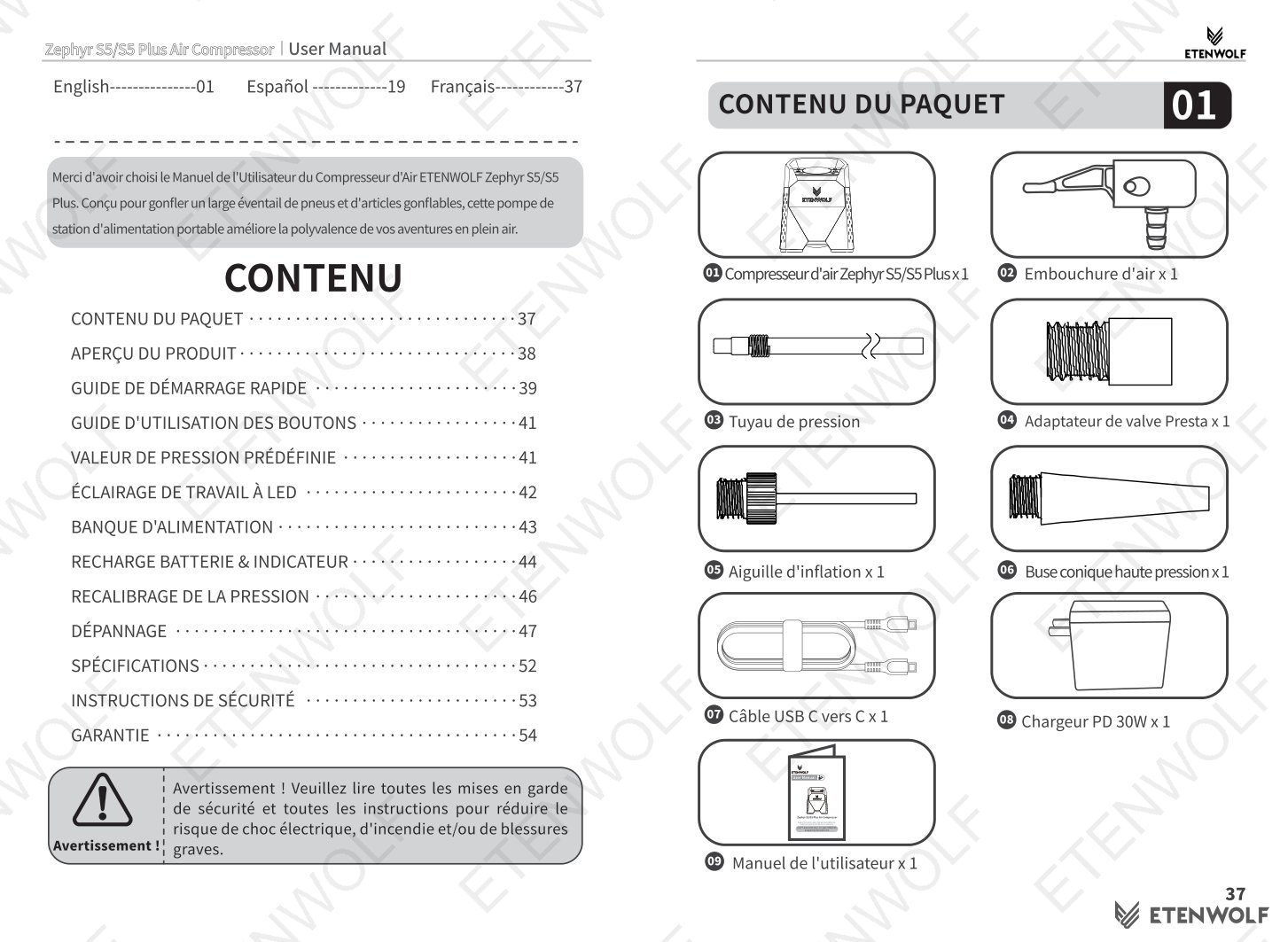
| Included Accessories | Air chuck x1, Presta valve adapter x1, Inflation needle x1, High-pressure tapered nozzle x1, 30W PD charger x1, User manual x1 |
Key Details
Inflation Modes & Preset Pressure Values
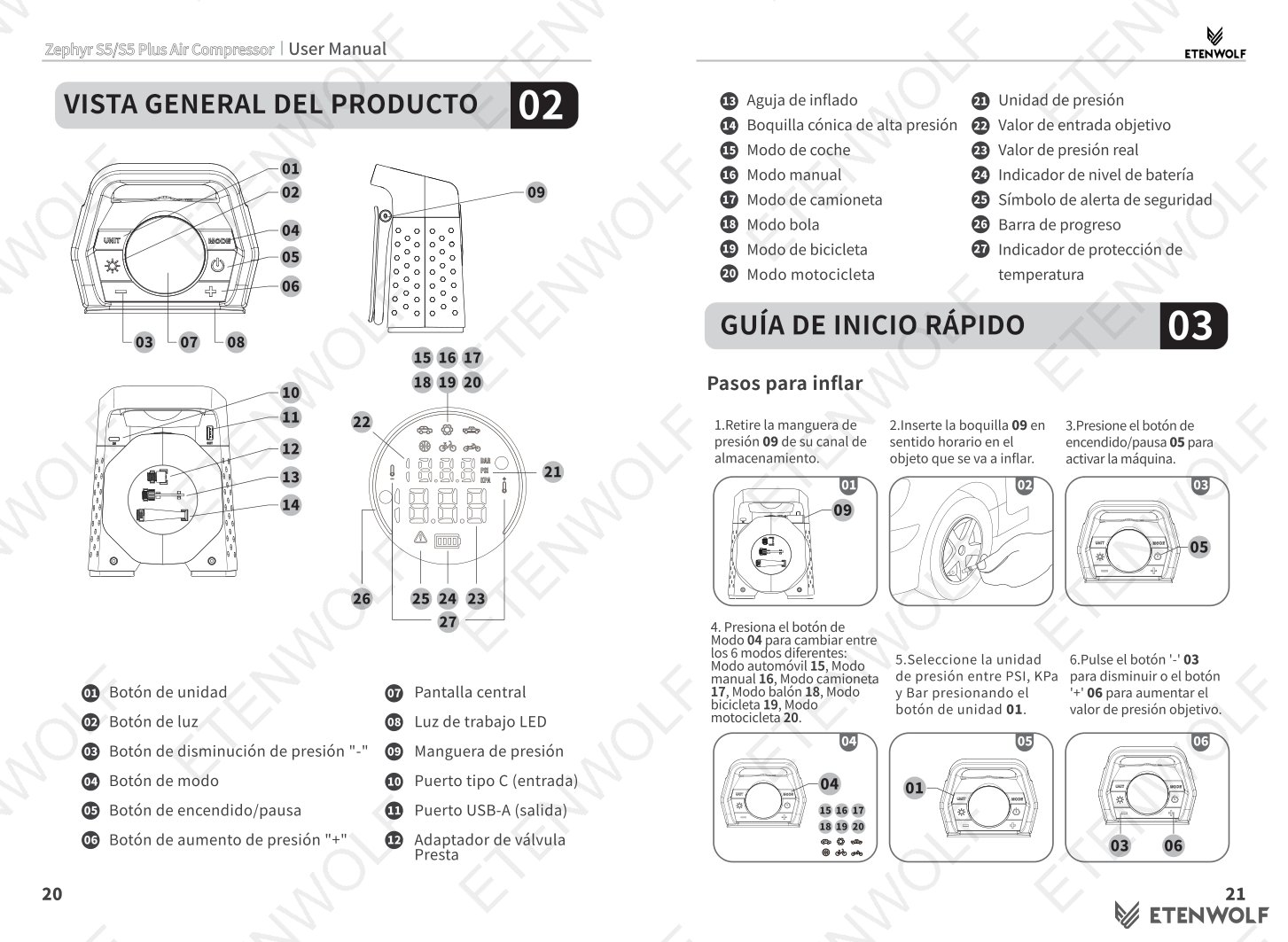
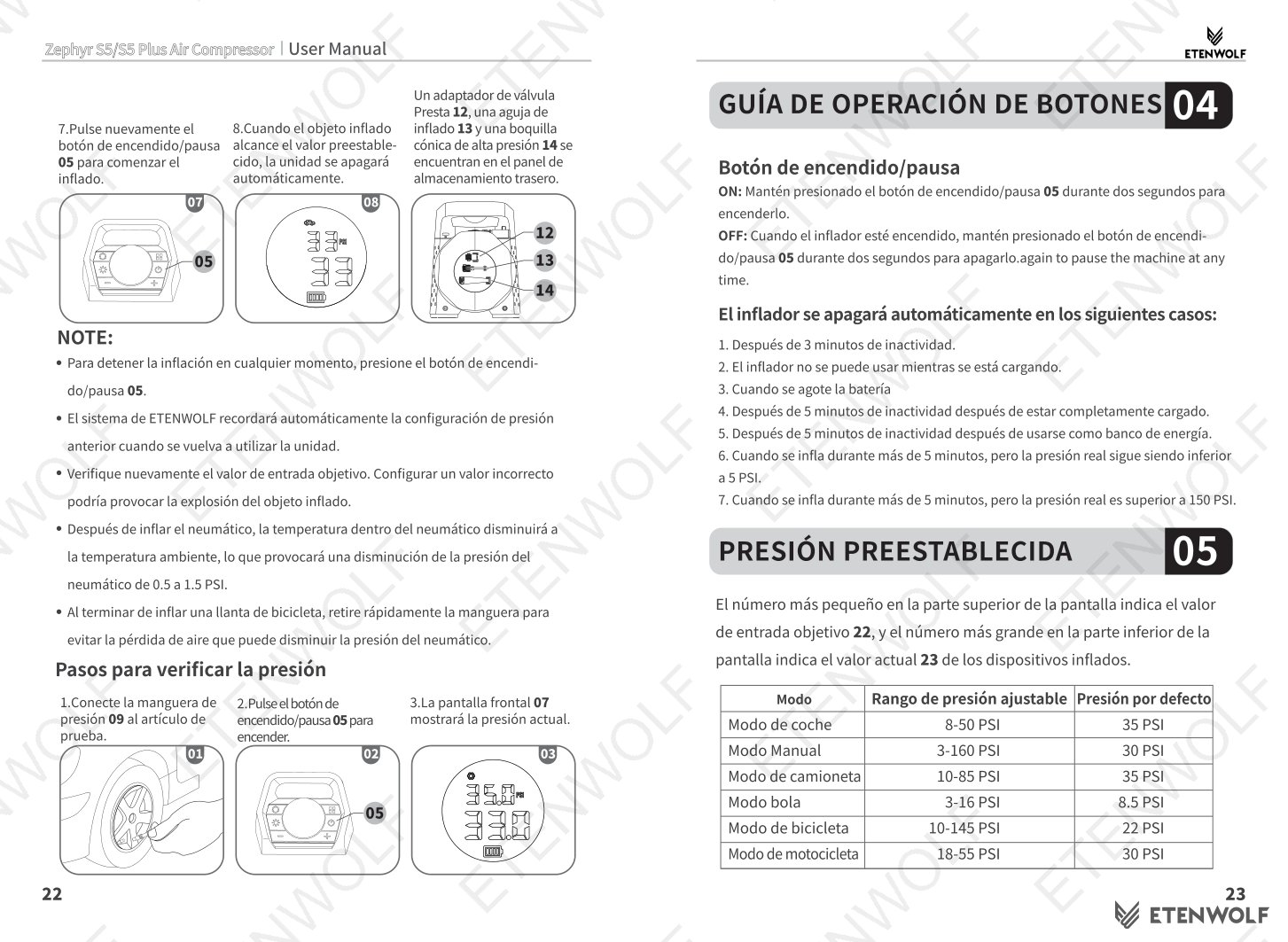
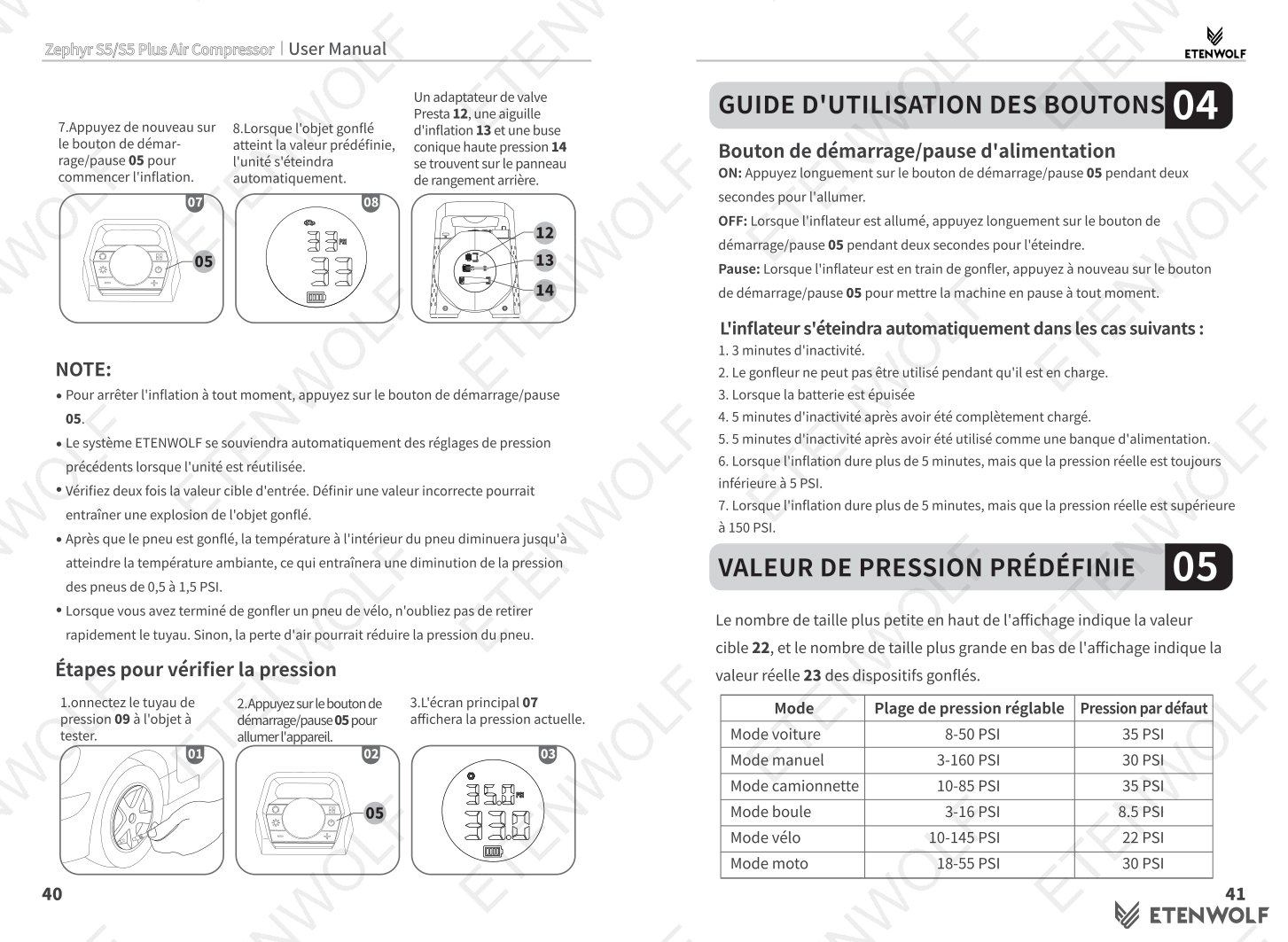
The Zephyr S5 offers six inflation modes accessible via the Mode button. Each mode has a dedicated adjustable pressure range and a factory default value:
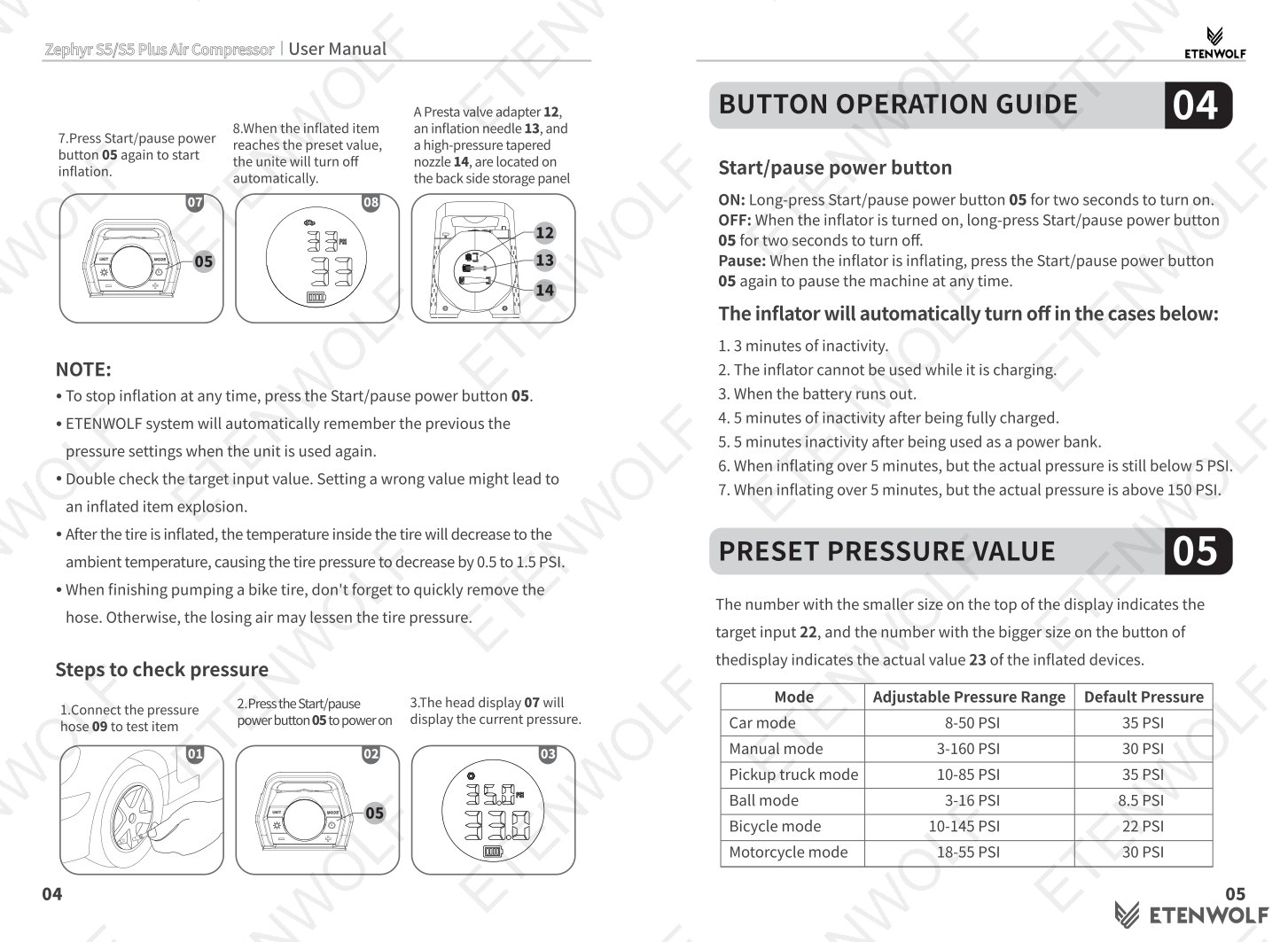
| Mode | Adjustable Pressure Range | Default Pressure |
|---|---|---|
| Car Mode | 8 – 50 PSI | 35 PSI |
| Manual Mode | 3 – 160 PSI | 30 PSI |
| Pickup Truck Mode | 10 – 85 PSI | 35 PSI |
| Ball Mode | 3 – 16 PSI | 8.5 PSI |
| Bicycle Mode | 10 – 145 PSI | 22 PSI |
| Motorcycle Mode | 18 – 55 PSI | 30 PSI |
The display shows the target input value (smaller, top) and the actual current pressure (larger, bottom). The unit automatically shuts off when the preset pressure is reached. The inflator remembers the last pressure setting and unit preference for the next use.
Quick Start Guide
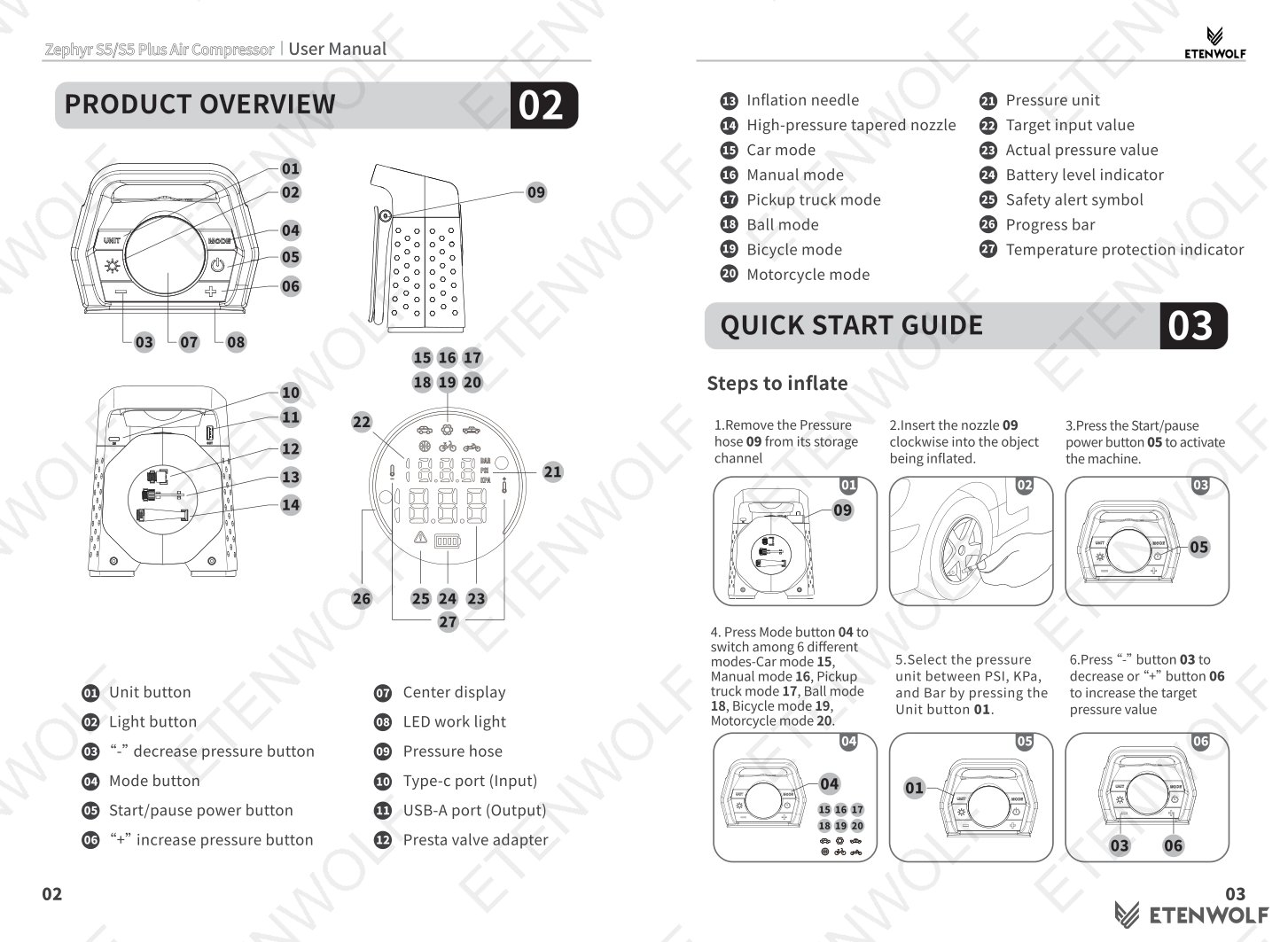
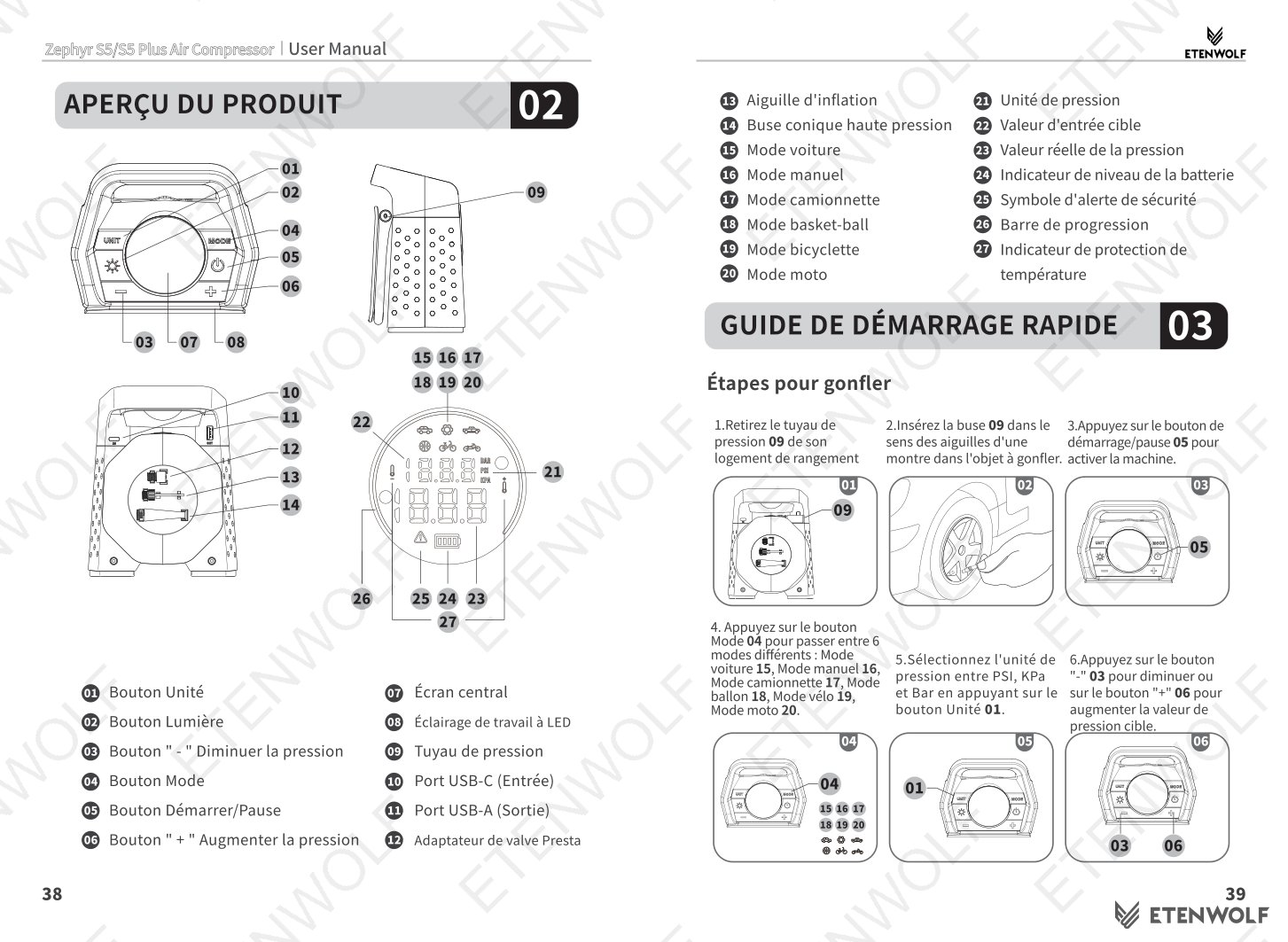
- Remove the pressure hose from its storage channel.
- Insert the nozzle clockwise into the valve of the object being inflated.
- Long-press the Start/Pause power button for two seconds to power on the unit.
- Press the Mode button to select the desired inflation mode (Car, Manual, Pickup Truck, Ball, Bicycle, or Motorcycle).
- Press the Unit button to toggle between PSI, KPa, and Bar.
- Press the "–" or "+" buttons to adjust the target pressure value.
- Press the Start/Pause button to begin inflation.
- The unit will automatically stop when the preset pressure is reached.
Note: The Presta valve adapter, inflation needle, and high-pressure tapered nozzle are stored on the back-side storage panel.
Automatic Shut-Off Conditions
- 3 minutes of inactivity while powered on.
- When the battery is fully depleted.
- 5 minutes of inactivity after being fully charged.
- 5 minutes of inactivity after being used as a power bank.
- When inflating for over 5 minutes but actual pressure remains below 5 PSI.
- When inflating for over 5 minutes but actual pressure exceeds 150 PSI.
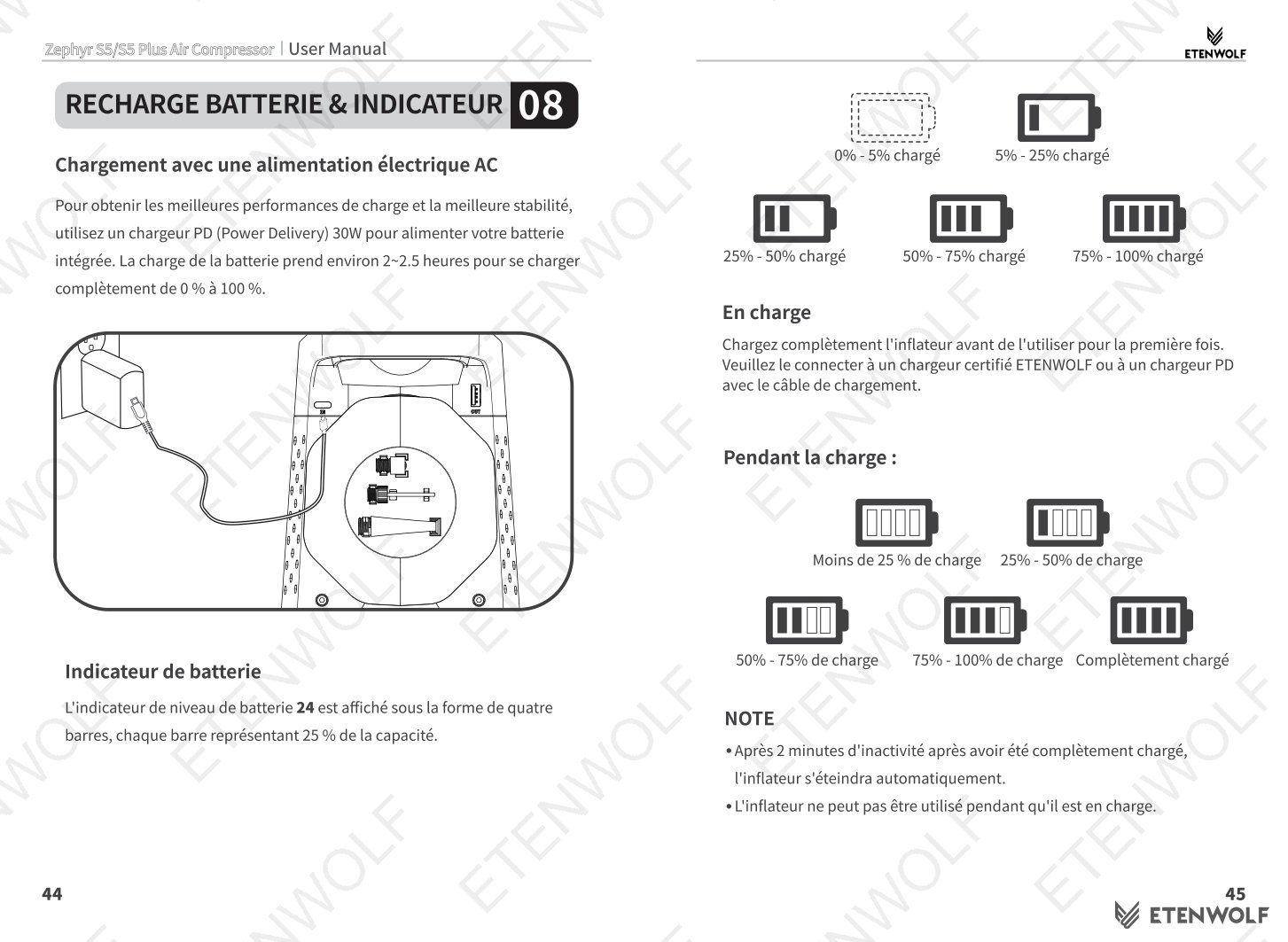
- The inflator cannot be used while it is charging.
LED Work Light
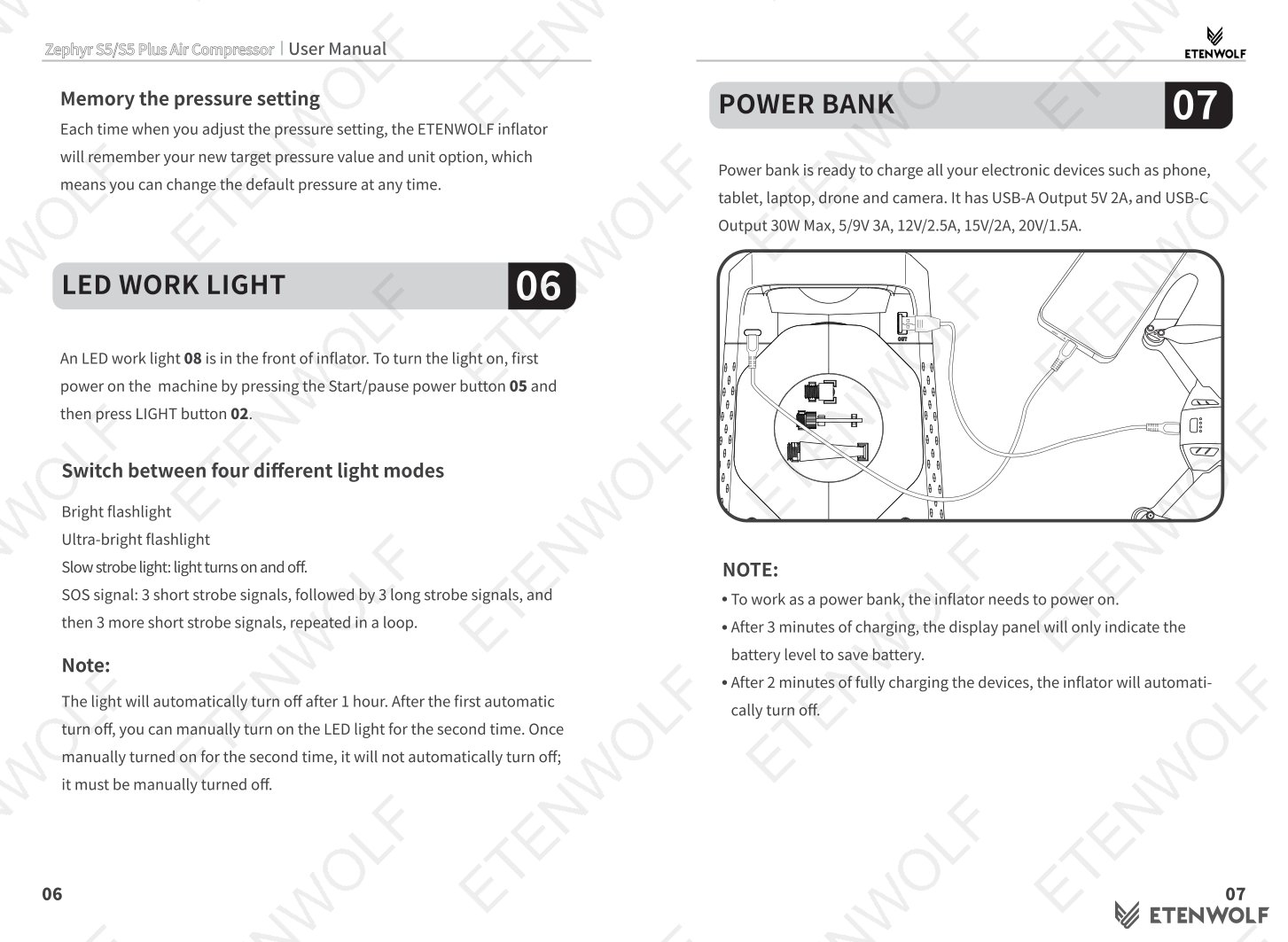
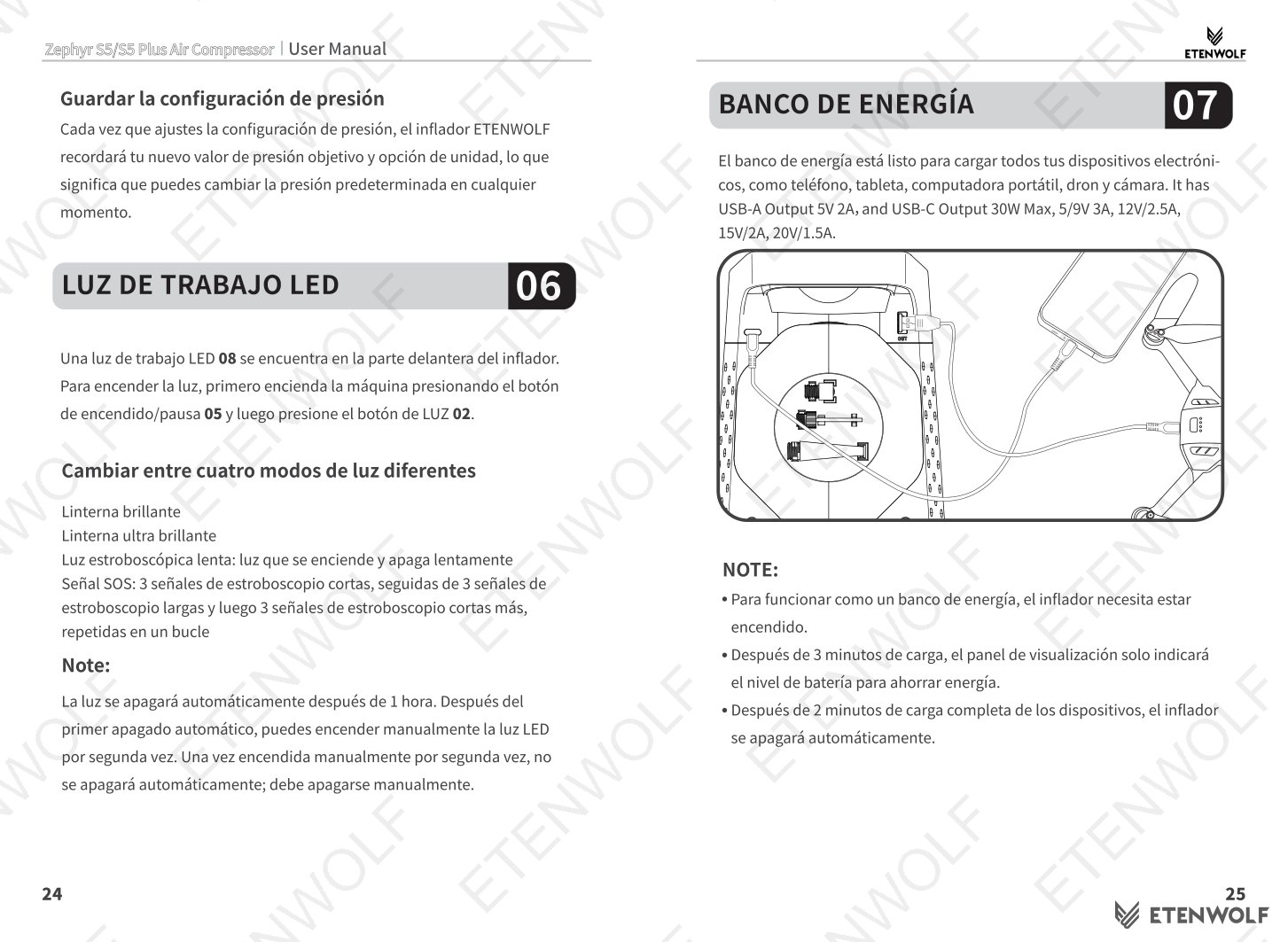
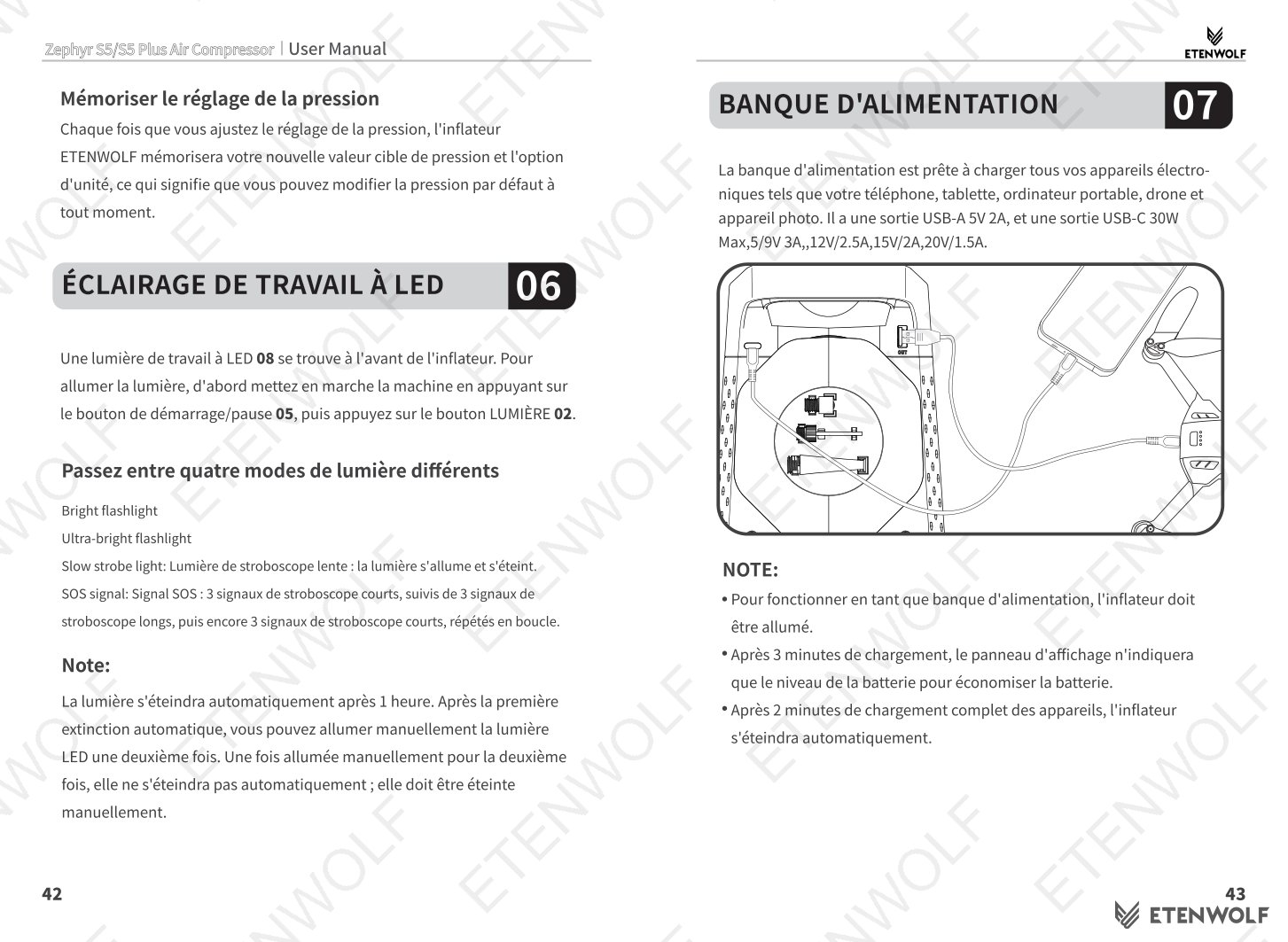
The front-mounted LED work light is activated by powering on the unit and pressing the Light button. Four modes are available:
- Bright flashlight
- Ultra-bright flashlight
- Slow strobe light — light cycles on and off continuously.
- SOS signal — 3 short flashes, 3 long flashes, 3 short flashes, repeated in a loop.
The light automatically turns off after 1 hour on the first activation. If manually turned on a second time, it will remain on until manually turned off.
Power Bank Function
The S5 can charge phones, tablets, laptops, drones, and cameras via its USB-A (5V 2A) and USB-C (30W Max) output ports. The unit must be powered on to function as a power bank. After 3 minutes of charging, the display will show only the battery level indicator to conserve power. The inflator will automatically turn off 2 minutes after the connected device is fully charged.
Battery Charging & Indicator
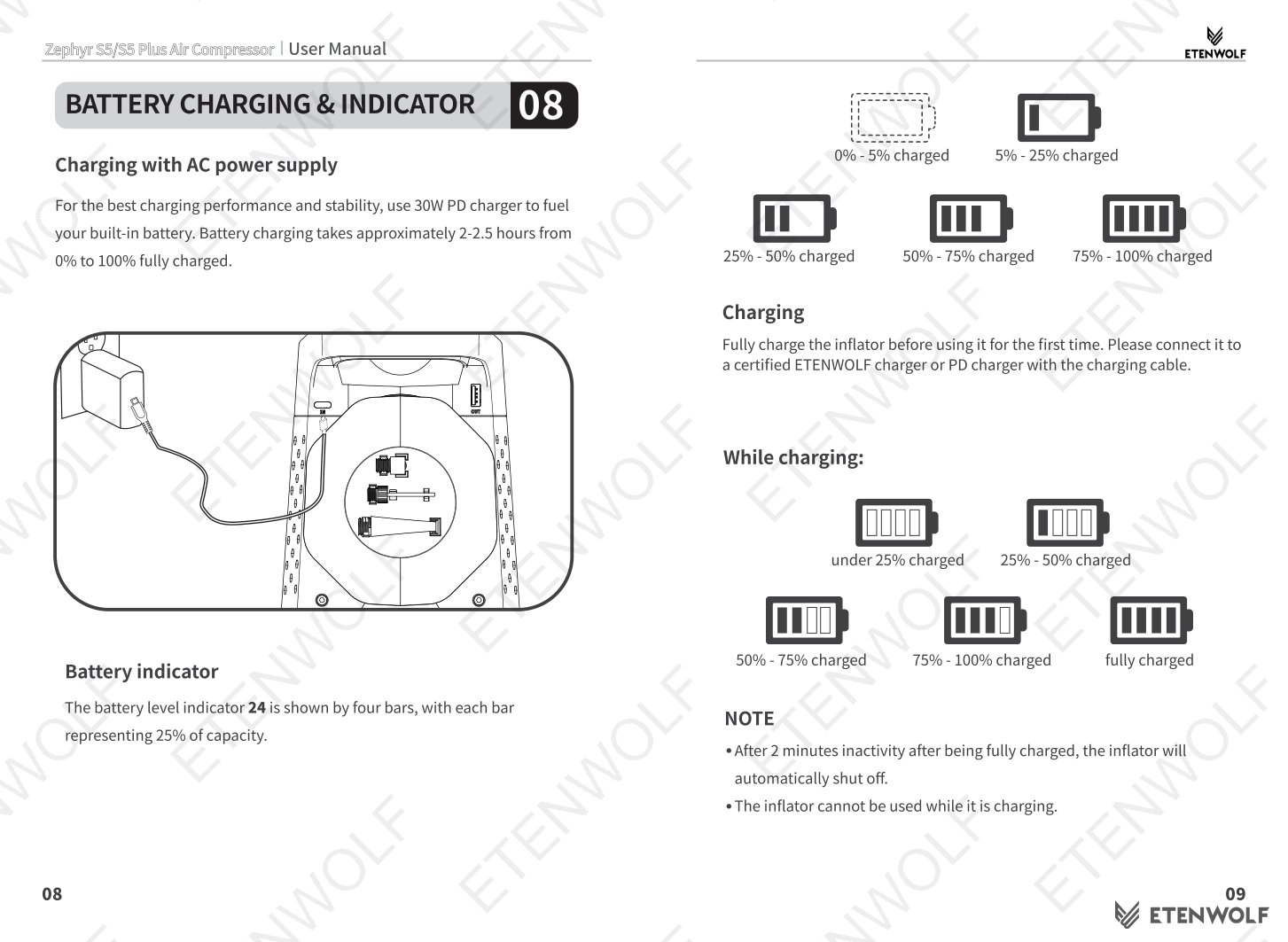
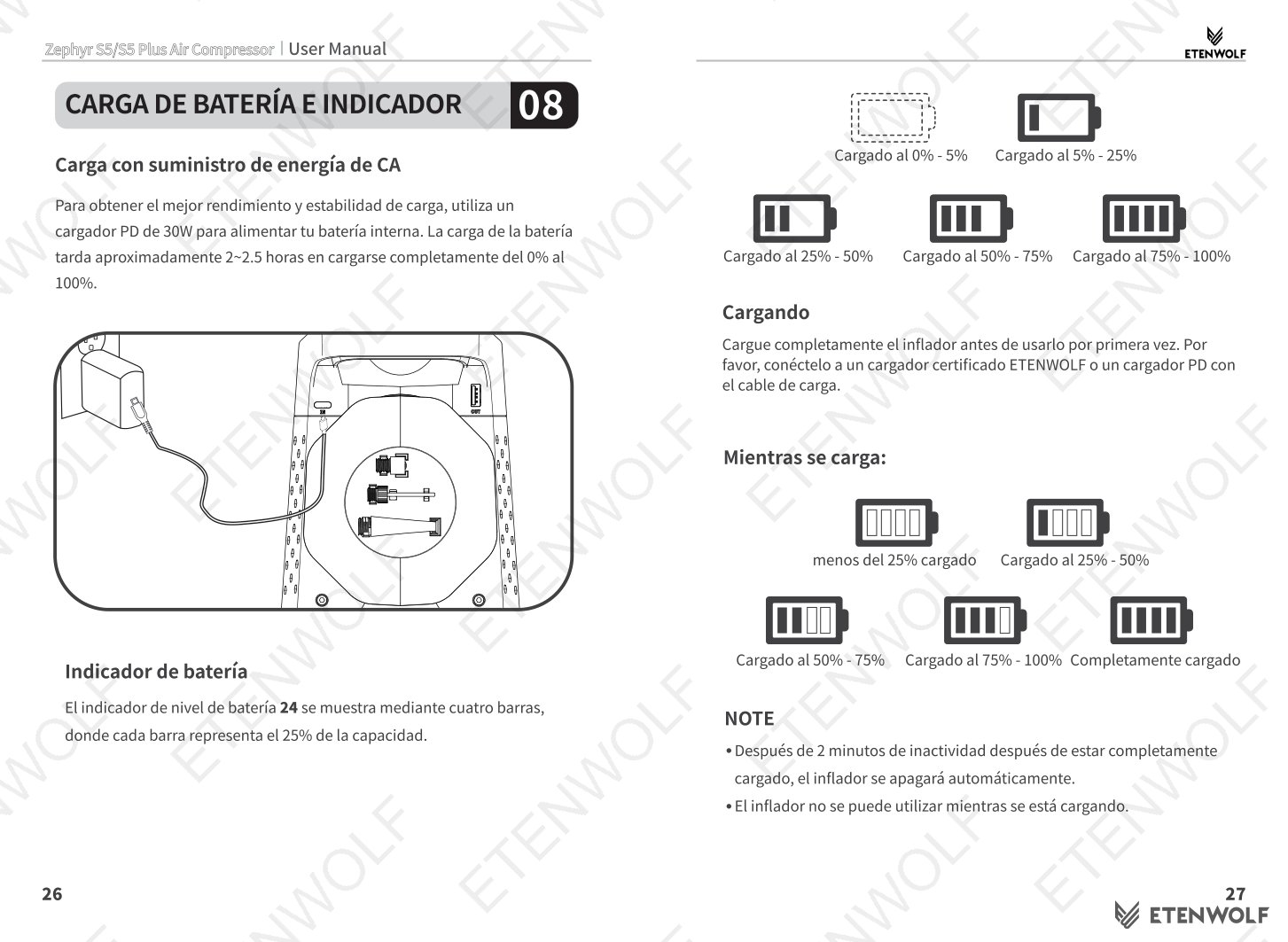
Use the included 30W PD charger for optimal performance. The battery indicator uses four bars, each representing 25% of total capacity:
| Indicator State | Charge Level |
|---|---|
| All bars off / blinking single bar | 0% – 5% |
| One bar | 5% – 25% |
| Two bars | 25% – 50% |
| Three bars | 50% – 75% |
| Four bars | 75% – 100% |
Fully charge the inflator before first use. The unit will automatically shut off 2 minutes after reaching full charge if left inactive.
Standards & Compliance
As a portable consumer electronic device with a built-in lithium battery and USB Power Delivery output, the ETENWOLF Zephyr S5 is designed and manufactured in accordance with applicable international safety and compliance standards. Users and distributors should note the following relevant regulatory frameworks:
- IEC standards for portable electrical appliances and battery safety.
- RoHS (Restriction of Hazardous Substances) compliance for electronic components.
- REACH regulation compliance for chemical substances in materials.
- UN38.3 transportation testing standard for lithium-ion battery cells used in the built-in battery pack.
- FCC regulations applicable to electronic devices sold in the United States market.
- CE Marking for products distributed in the European Economic Area.
The product manual includes explicit safety warnings to reduce the risk of electric shock, fire, and serious injury. Users are instructed to use only certified ETENWOLF or compatible PD chargers and to double-check target pressure values before inflation to prevent over-inflation hazards.
Validity & Certification Body
This document is the original product user manual issued by ETENWOLF for the Zephyr S5 / S5 Plus Air Compressor. As a user manual rather than a third-party certification report, it does not carry an independent laboratory report number or expiration date. It remains valid for the full product lifecycle of the Zephyr S5 and S5 Plus models.
| Field | Detail |
|---|---|
| Document Type | Product User Manual |
| Issuing Body | ETENWOLF |
| Applicable Models | Zephyr S5, Zephyr S5 Plus |
| Document Validity | Ongoing — applies to all units shipped with this manual revision |
| Warranty Registration | www.etenwolf.com — 1-year extended warranty upon registration |
| Customer Support | (1) 877-838-0209 | [email protected] | Mon–Fri 8AM–5PM PST |
Frequently Asked Questions
- Q: Can I use the ETENWOLF Zephyr S5 while it is charging?
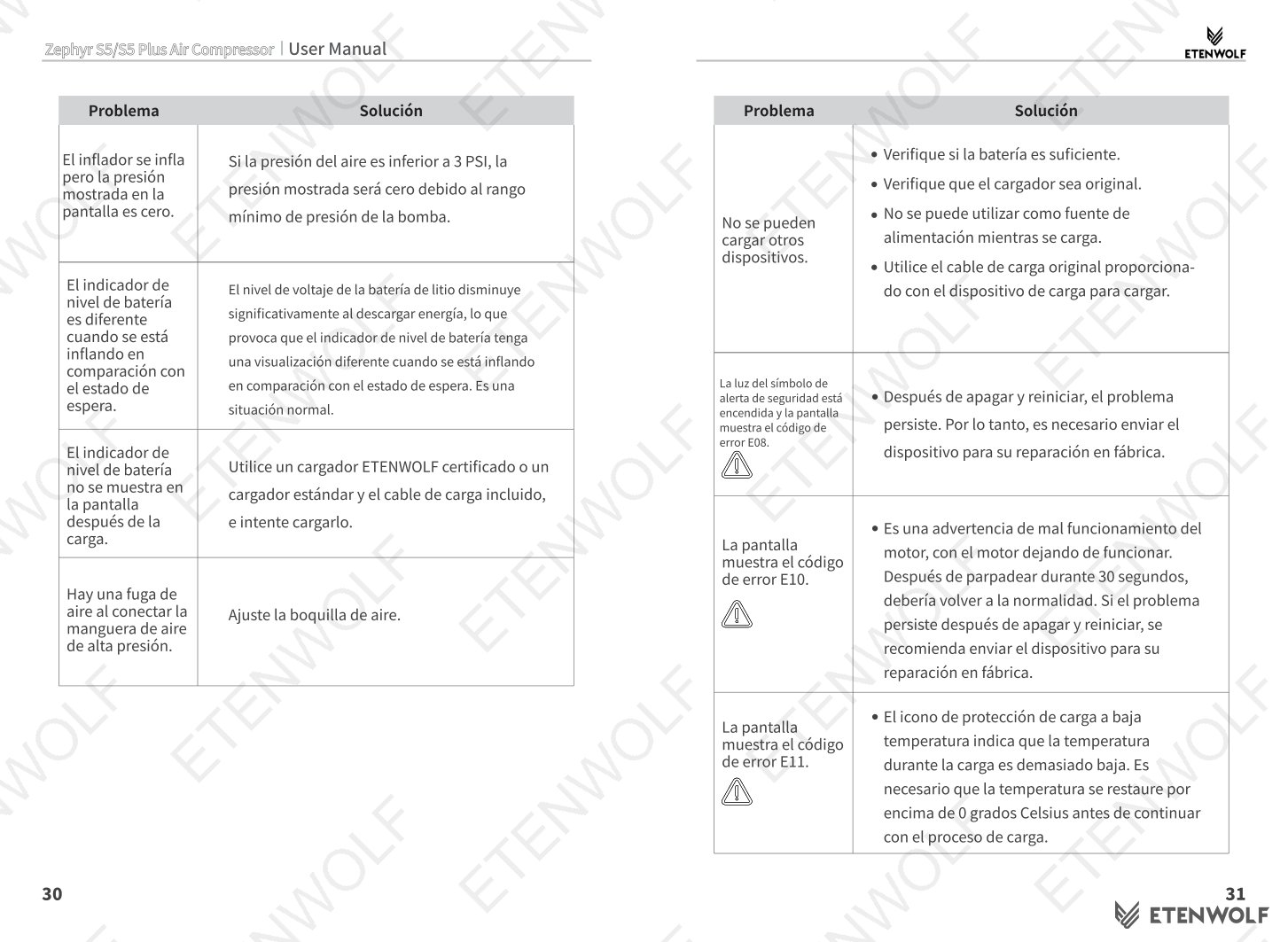
- No. The inflator cannot be operated during charging. Always disconnect the charger before inflating tires or using the power bank output. The unit will automatically shut off while connected to a charging source.
- Q: What should I do if the tire pressure reads lower after I finish inflating?
- This is normal. After inflation, the temperature inside the tire gradually decreases to ambient temperature, which causes tire pressure to drop by approximately 0.5 to 1.5 PSI. This is a standard physical effect and does not indicate a malfunction. Inflate to a value slightly above your target if needed to compensate.
- Q: How do I switch between PSI, KPa, and Bar on the Zephyr S5?
- Press the Unit button (Button 1 on the control panel) to cycle through the three available pressure units: PSI, KPa, and Bar. The selected unit will be shown on the center display.
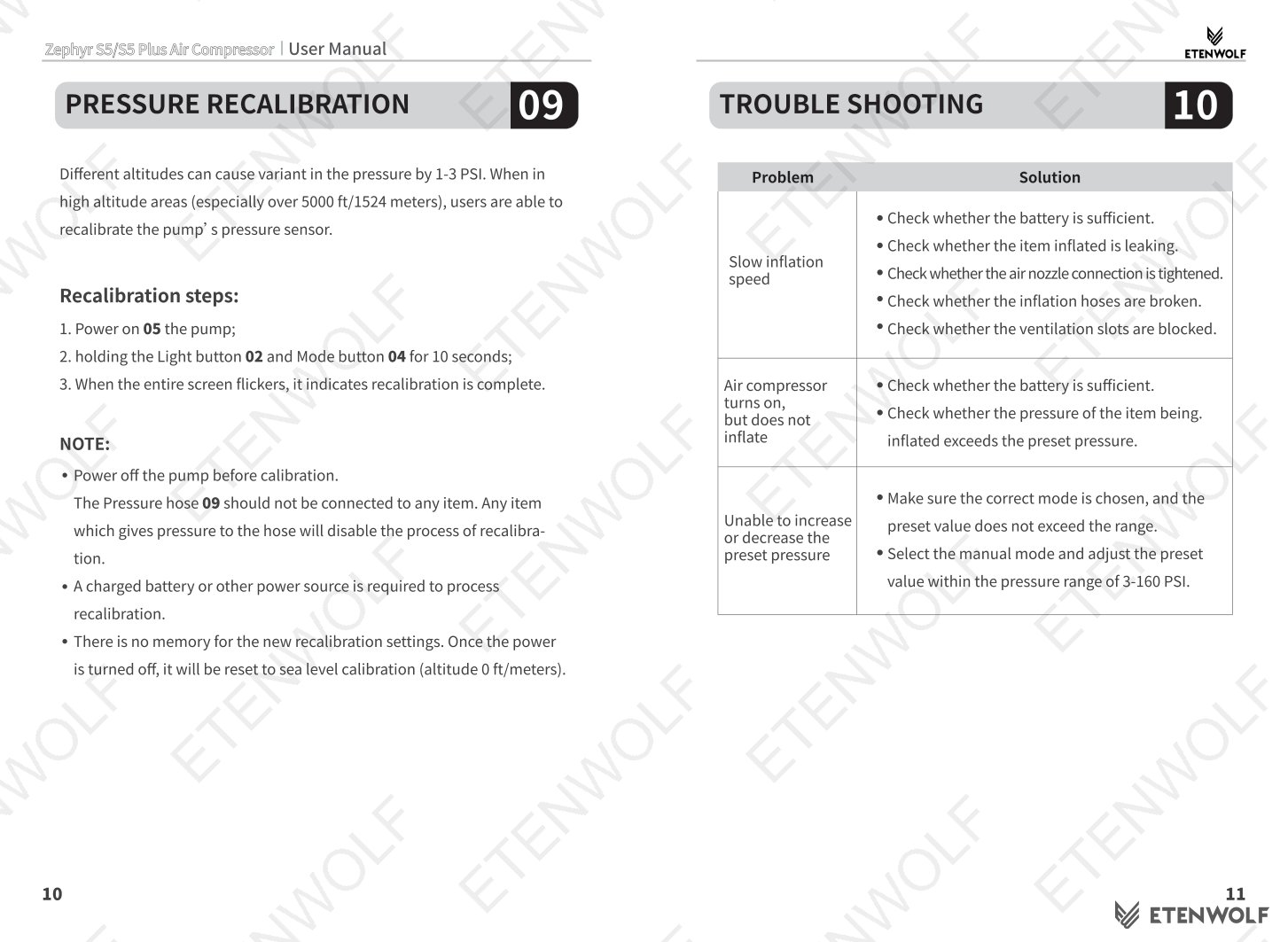
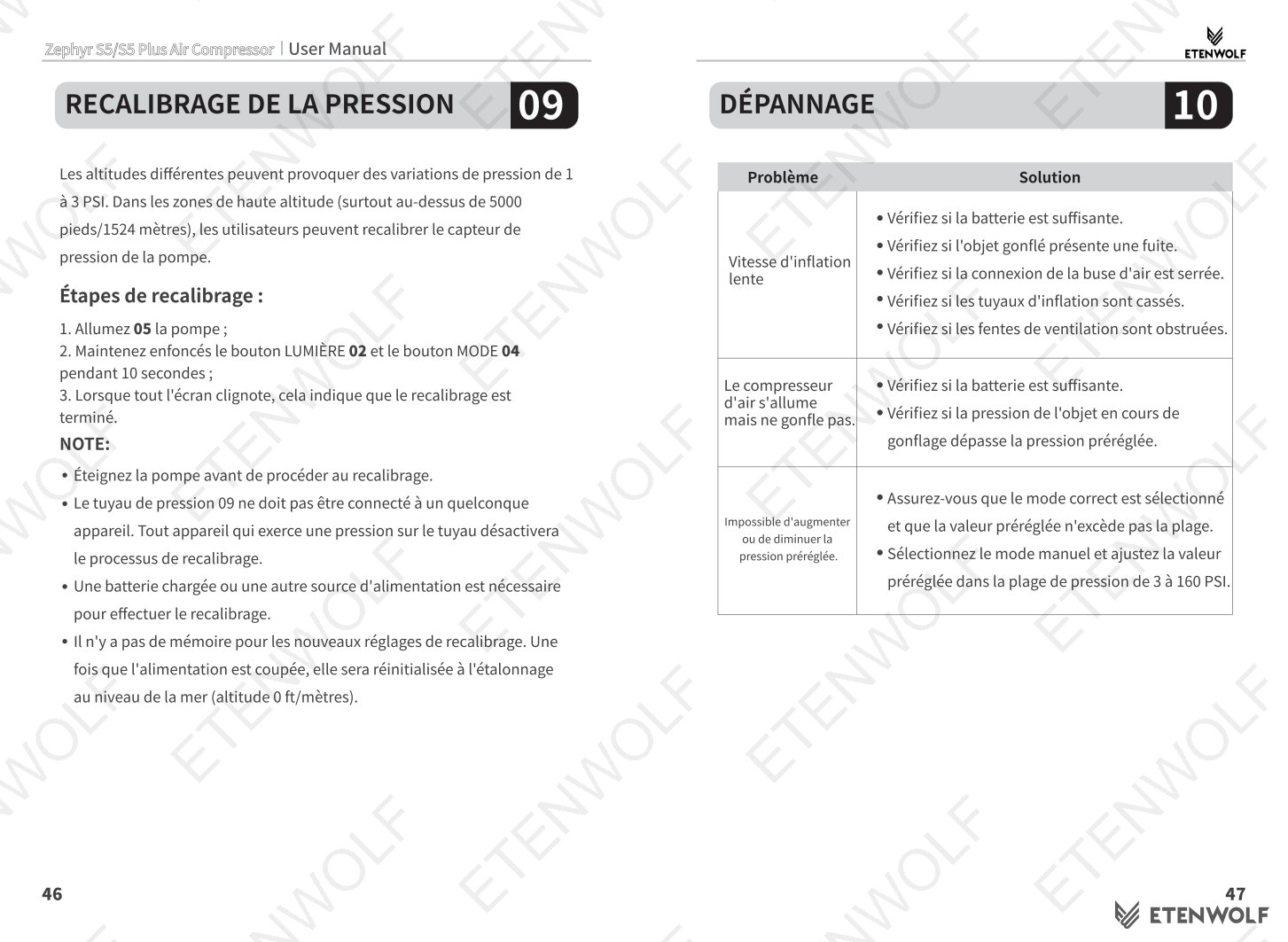
- Q: Why might the pressure reading be 1–3 PSI different at high altitude?
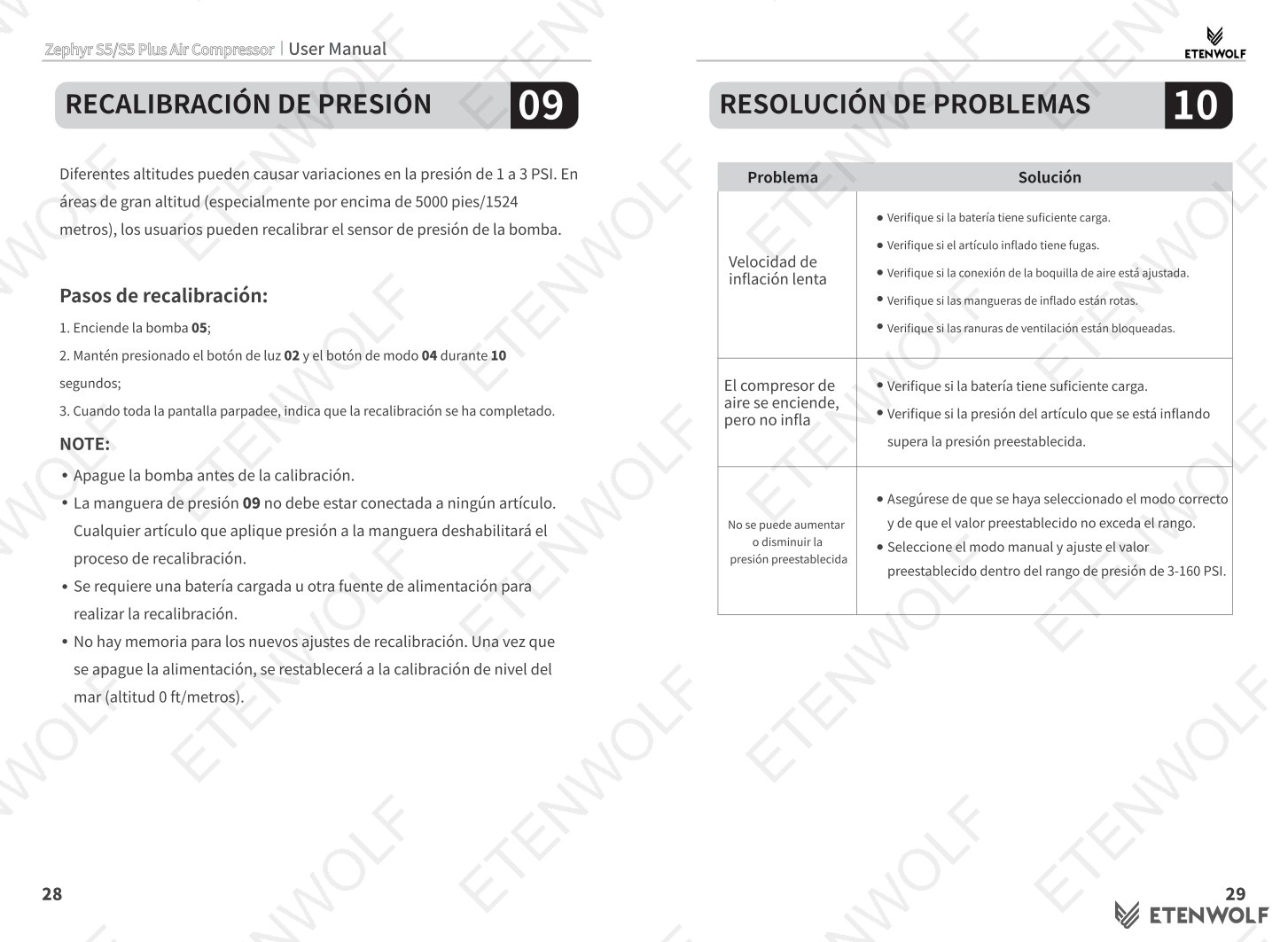
- Atmospheric pressure varies with altitude. At higher elevations, this can cause a variance of 1–3 PSI in the inflator’s pressure readings. The Zephyr S5 includes a Pressure Recalibration function (Section 9 of the manual) to correct for altitude-related differences and ensure accurate readings.
Related Documents
The following certification and compliance document types are typically associated with portable air compressor products like the ETENWOLF Zephyr S5. These documents verify product safety, quality, and market eligibility across different regions:
- FCC Declaration of Conformity — required for electronic devices sold in the United States, confirming electromagnetic compatibility and radio frequency compliance.
- CE Declaration of Conformity — required for products distributed in the European Economic Area, covering LVD and EMC directives.
- UN38.3 Battery Test Report — confirms the built-in lithium-ion battery meets international transport safety requirements for air and sea freight.
- RoHS Compliance Certificate — confirms the product and its components are free from restricted hazardous substances including lead, mercury, and cadmium.
- REACH Compliance Statement — confirms materials used in the product comply with EU chemical safety regulations.
- KC Certification — required for products sold in the South Korean market, covering electrical safety and EMC standards.
- Product Liability & Safety Data Sheet (SDS) — documents safe handling, storage, and disposal of the lithium battery and related components.
Document Pages