Document Overview
Document Overview This article is based on the official product user manual for the ETENWOLF Zephyr S3 / S3 Plus Air Compressor, document filename S3_manual_EN_20250316.pdf, issued by ETENWOLF and dated March 16, 2025. The manual covers safe operation, inflation procedures, LED work light functions, power…
- Document type
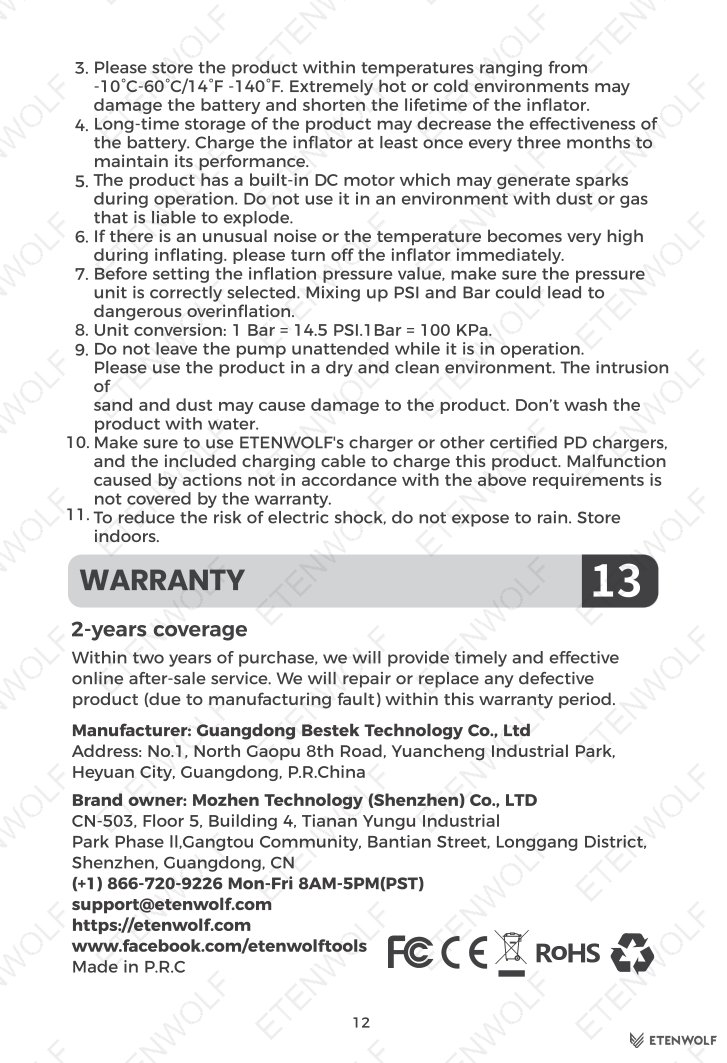
- User Manual
- Prepared by
- Daniel Wright
- Published
- Last reviewed
- Topics
- User Manual
Document Overview
This article is based on the official product user manual for the ETENWOLF Zephyr S3 / S3 Plus Air Compressor, document filename S3_manual_EN_20250316.pdf, issued by ETENWOLF and dated March 16, 2025. The manual covers safe operation, inflation procedures, LED work light functions, power bank usage, battery charging, pressure recalibration, preset pressure values, and troubleshooting guidance for end users worldwide. The document is written for consumers who own or intend to purchase the Zephyr S3 or S3 Plus portable cordless tire inflator.
For product support, ETENWOLF can be reached at (+1) 866-720-9226, Monday through Friday, 8 AM – 5 PM PST, or by email at [email protected]. Users may also register at https://etenwolf.com to activate a one-year extended warranty.
Product Information
The ETENWOLF Zephyr S3 / S3 Plus is a portable, cordless air compressor designed to inflate a wide range of tires and inflatable items, making it a versatile companion for outdoor adventures, road trips, cycling, and sport activities.
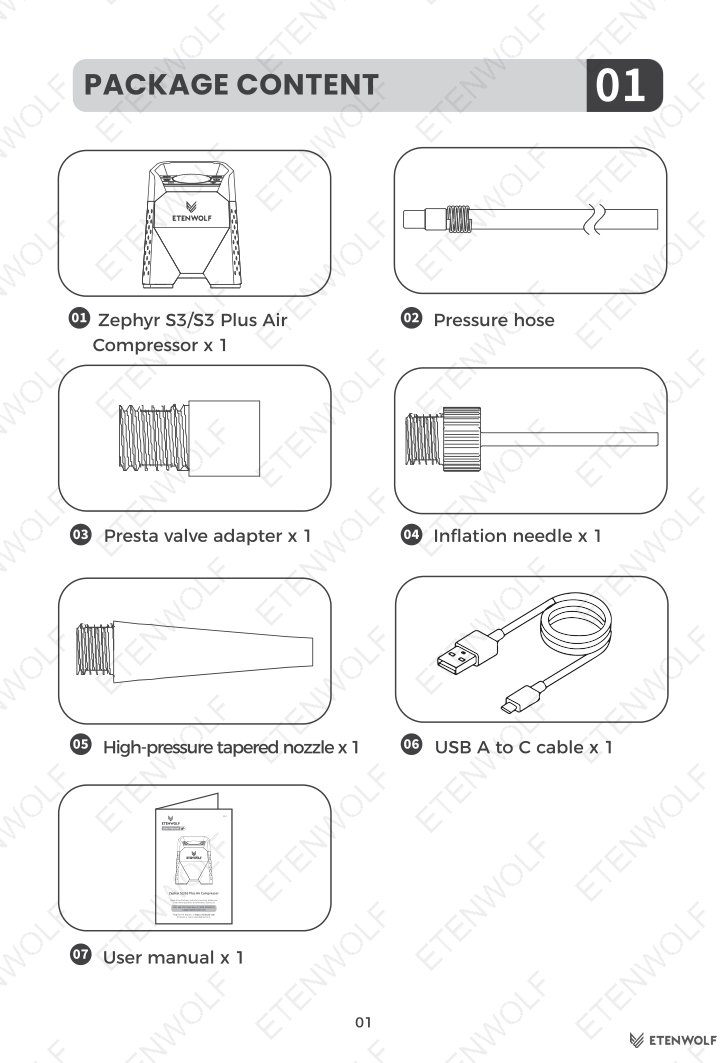
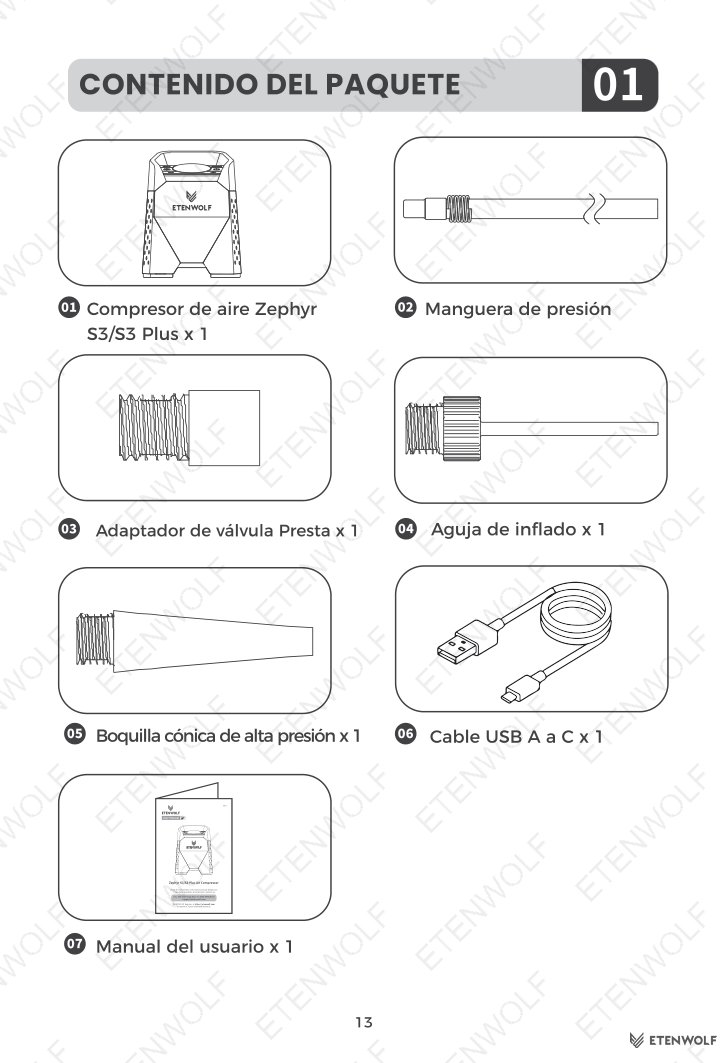
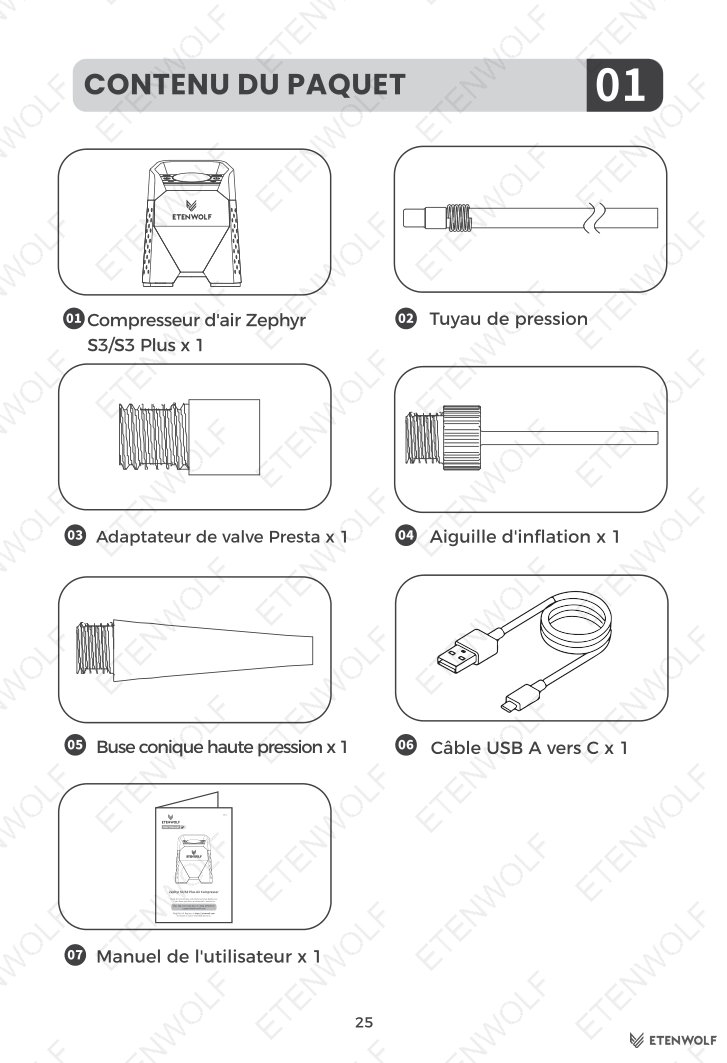
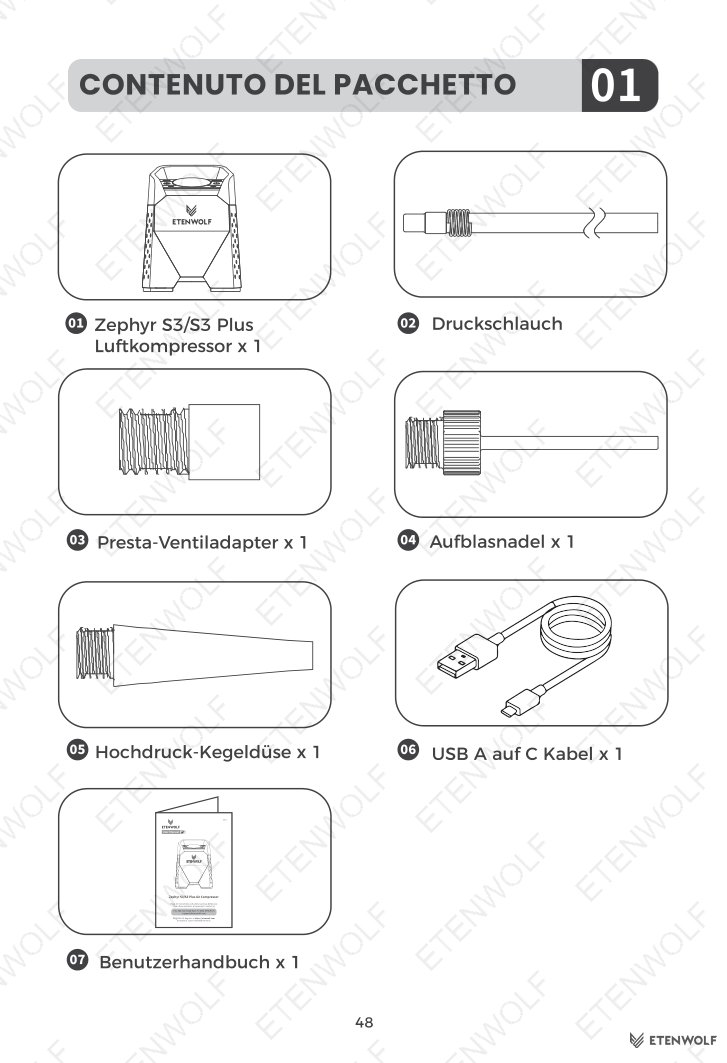
Package Contents
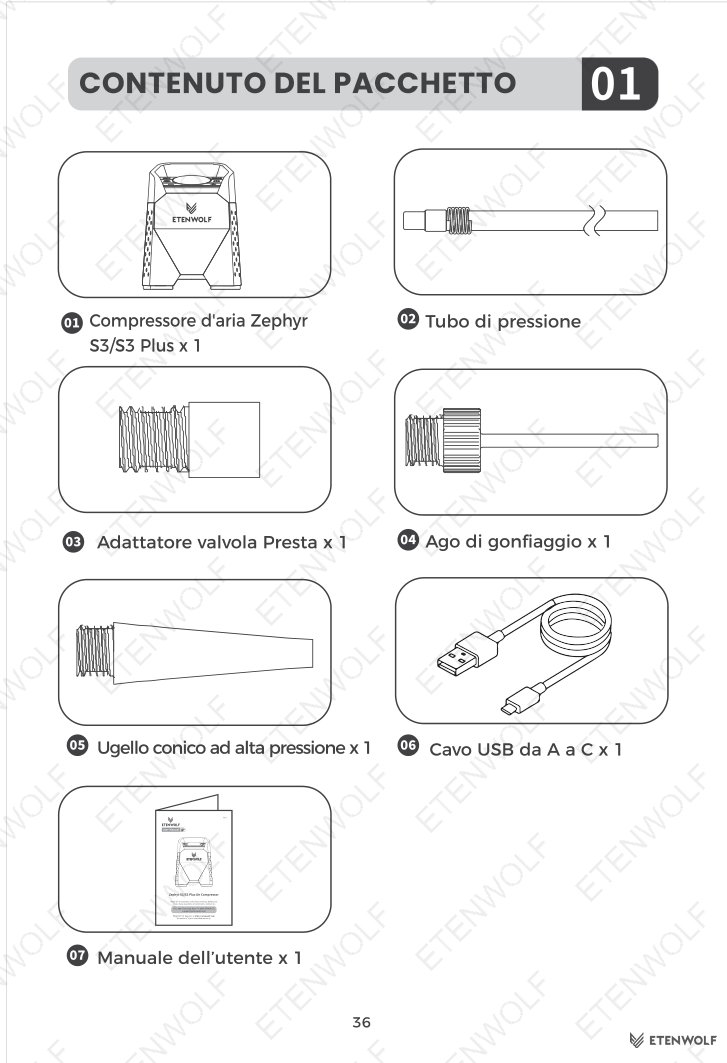
- Zephyr S3 / S3 Plus Air Compressor × 1
- Pressure hose × 1
- Presta valve adapter × 1
- Inflation needle × 1
- High-pressure tapered nozzle × 1
- USB-A to USB-C charging cable × 1
- User manual × 1
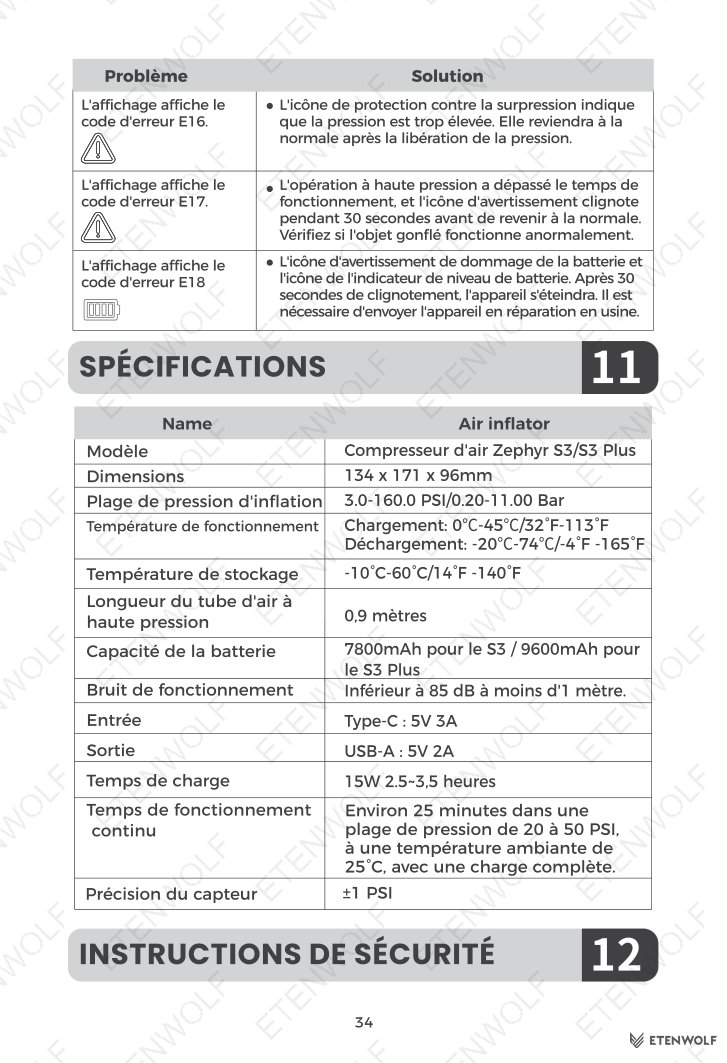
Key Specifications
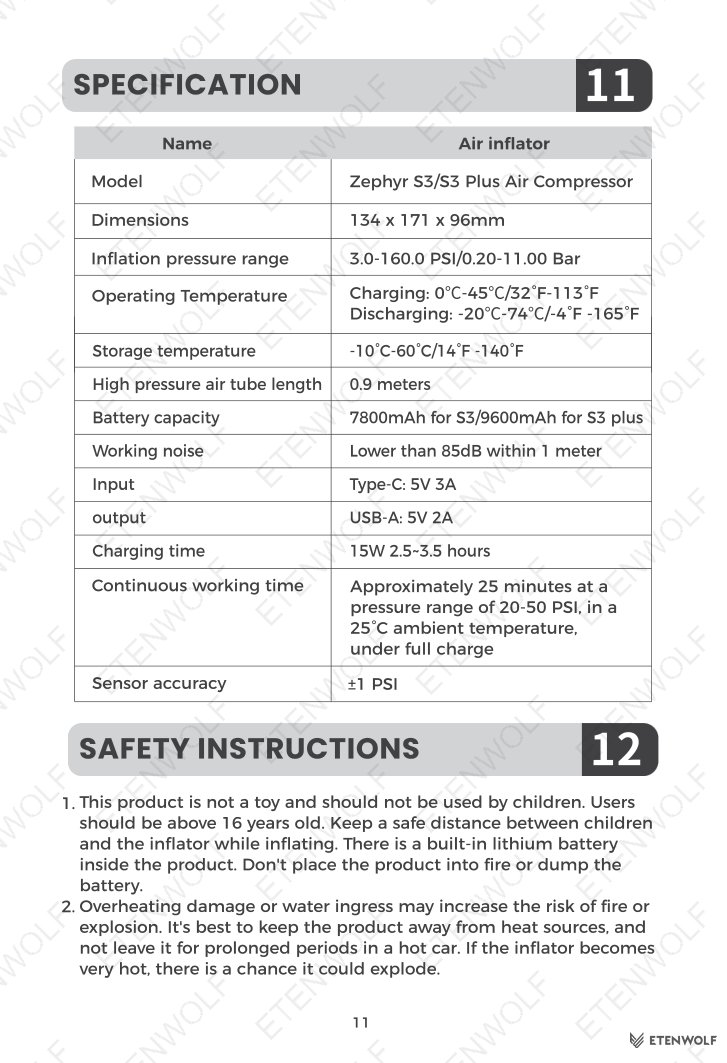
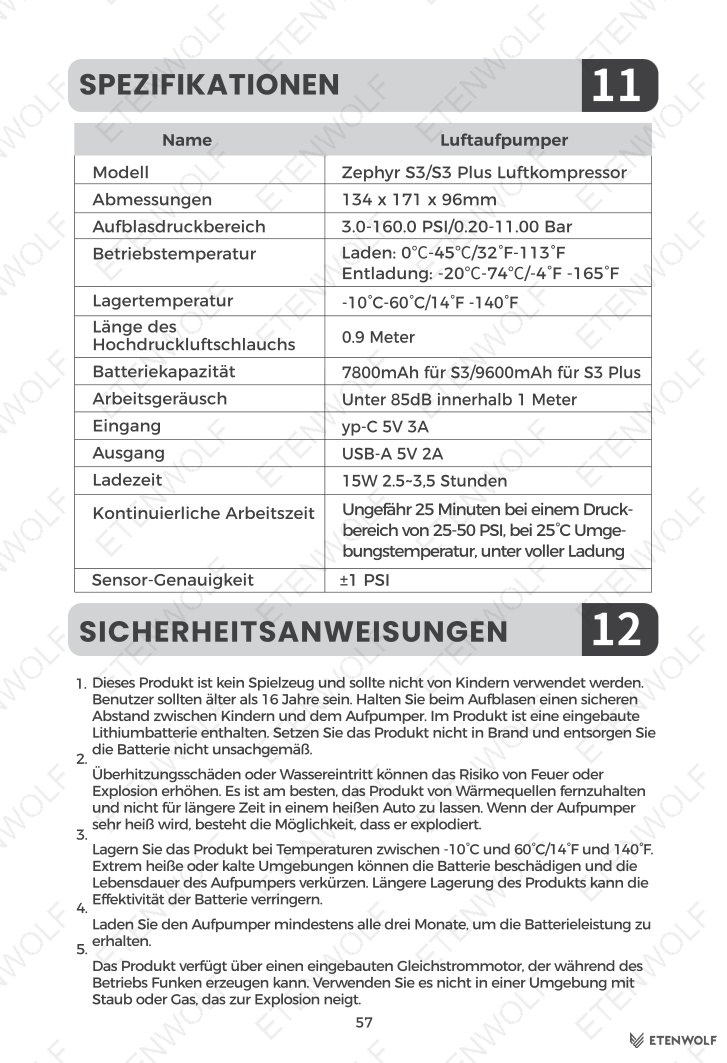
| Parameter | Detail |
|---|---|
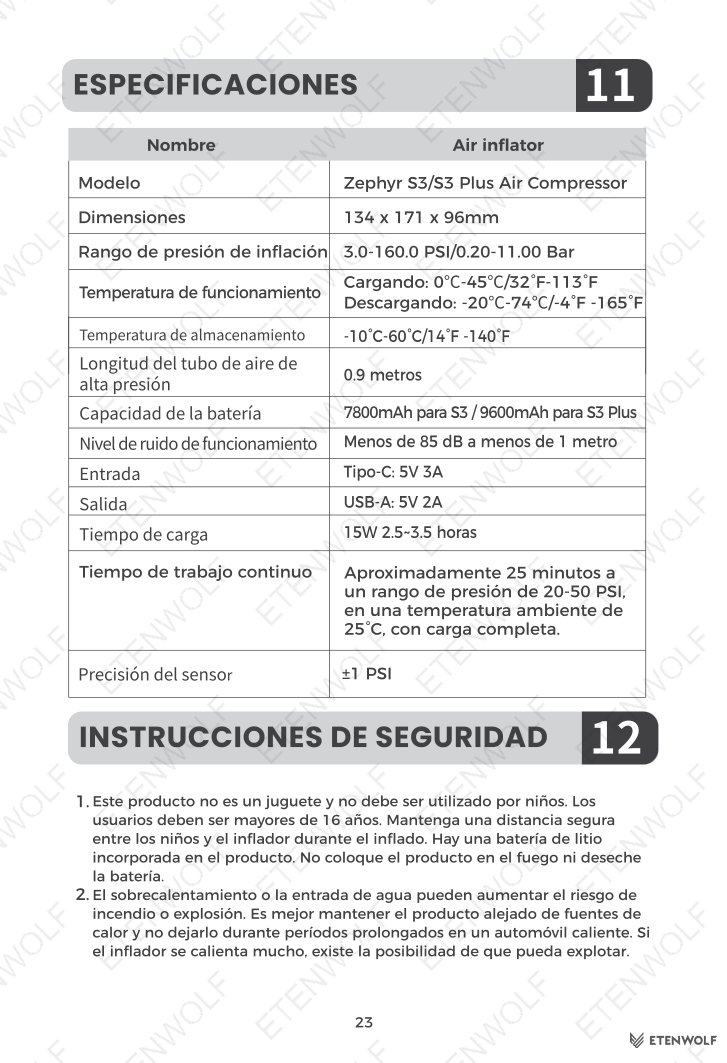
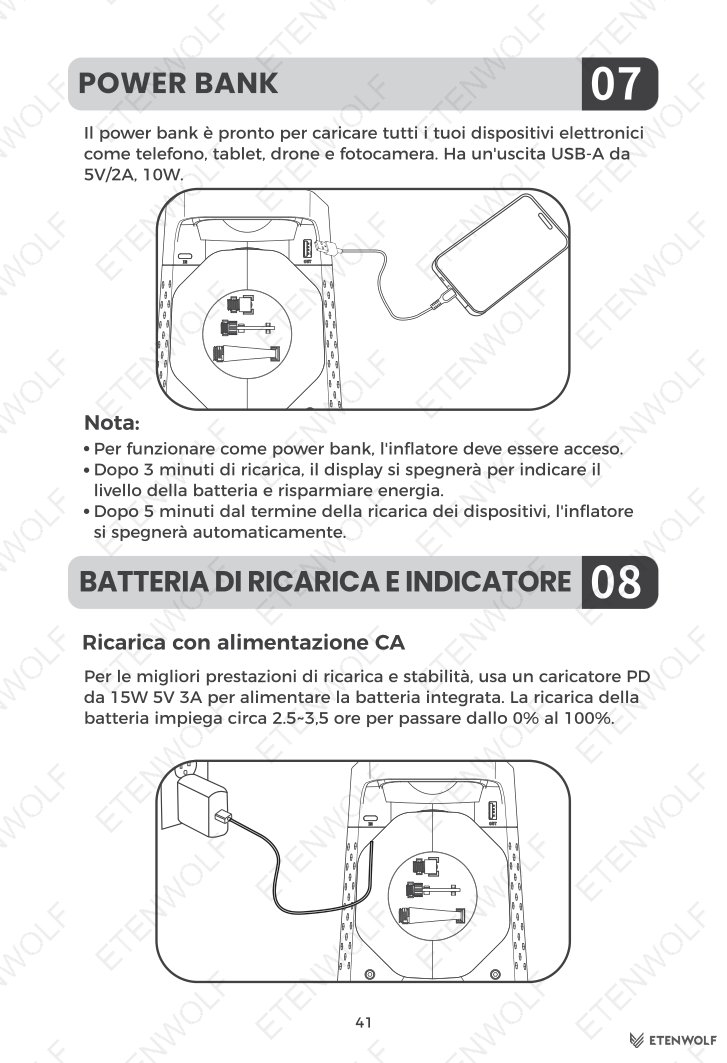
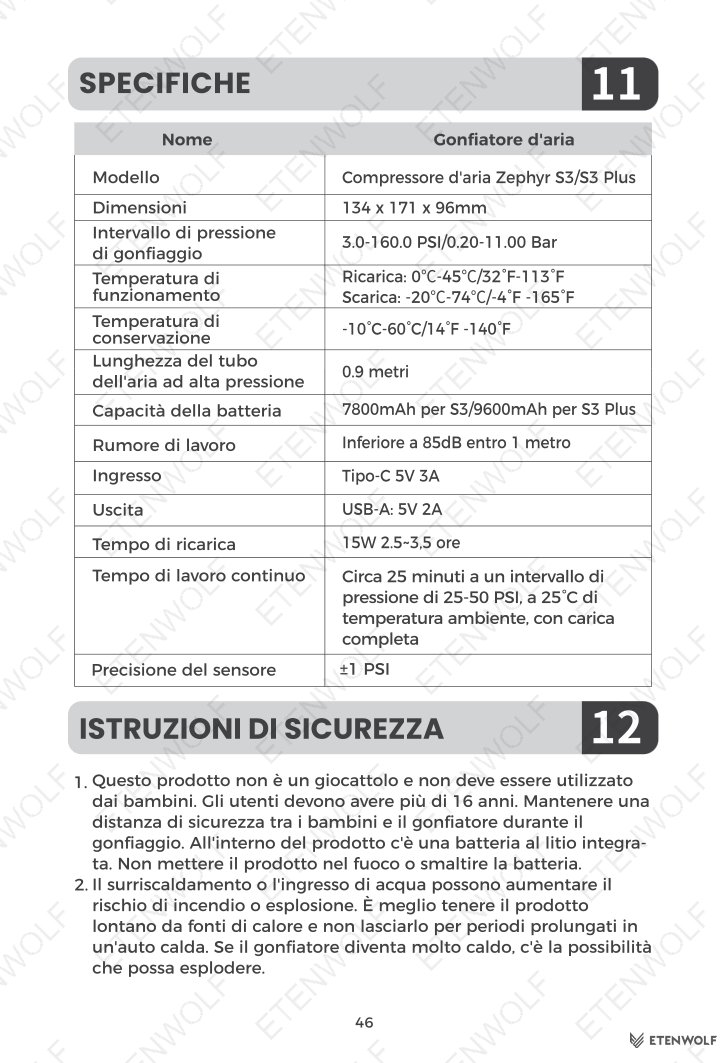
| Charging input | 5V 3A / 15W PD (USB-C) |
| Power bank output | USB-A 5V 2A, 10W |
| Full charge time | Approximately 2.5 – 3.5 hours (0% to 100%) |
| Pressure units supported | PSI, KPa, Bar |
| Maximum pressure (Manual mode) | 160.0 PSI |
| Auto shut-off (inactivity) | 3 minutes |
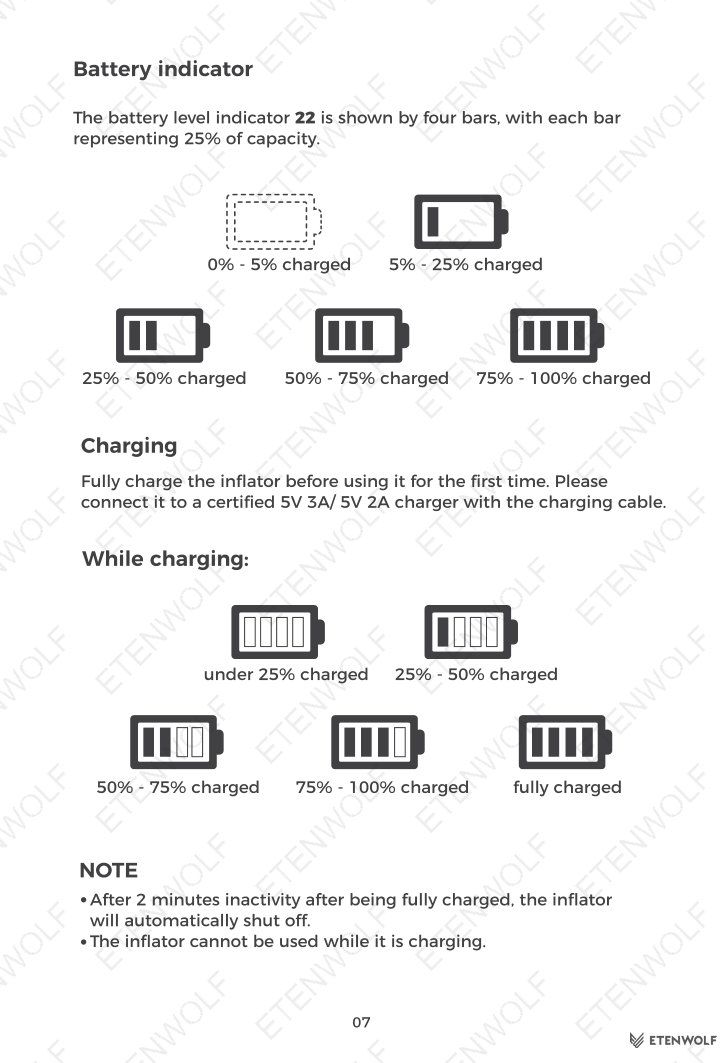
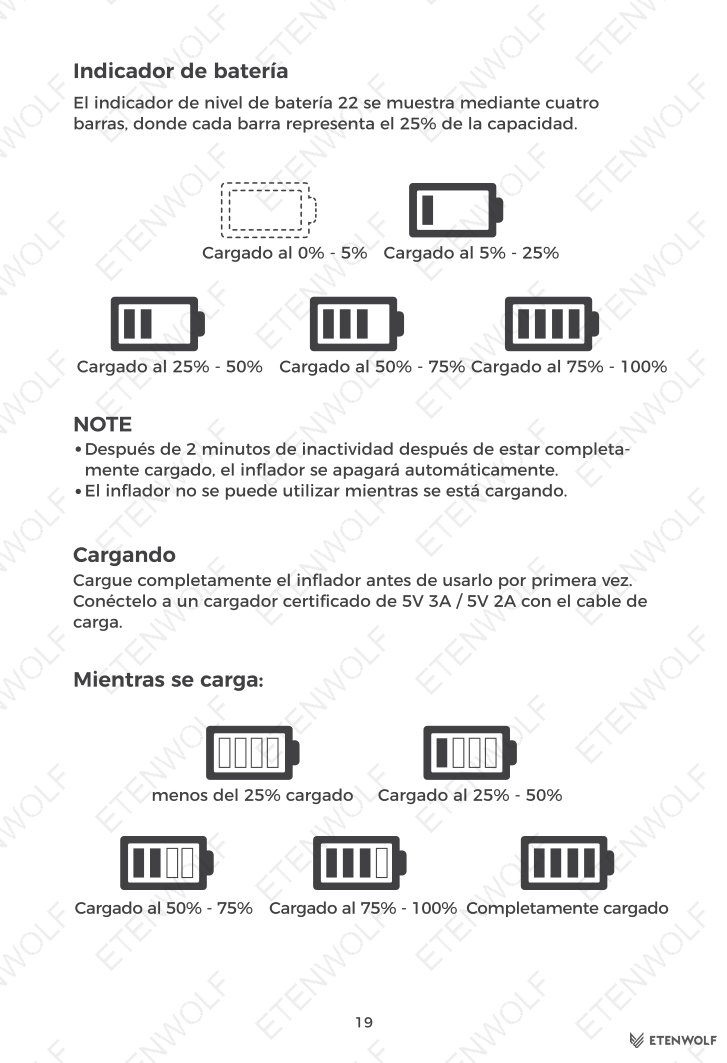
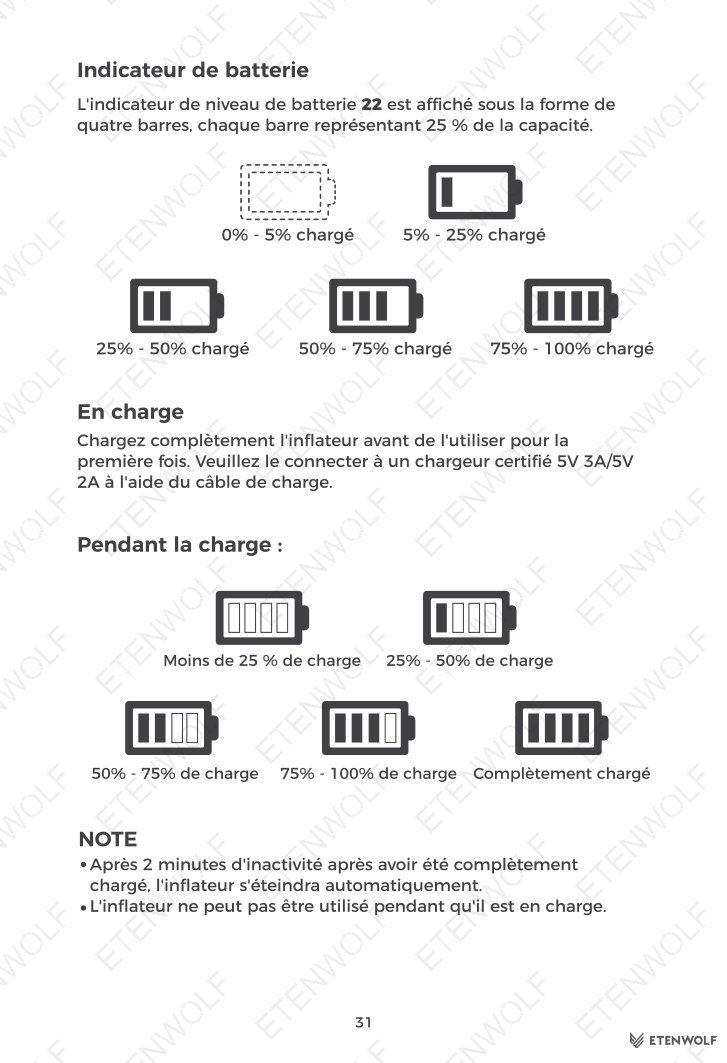
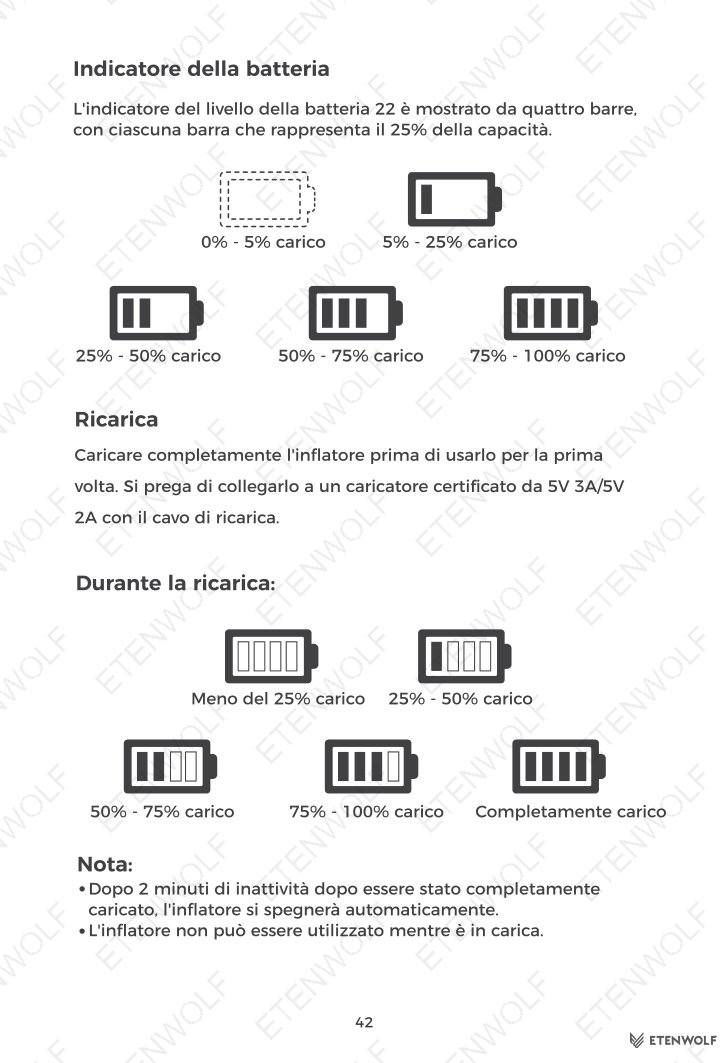
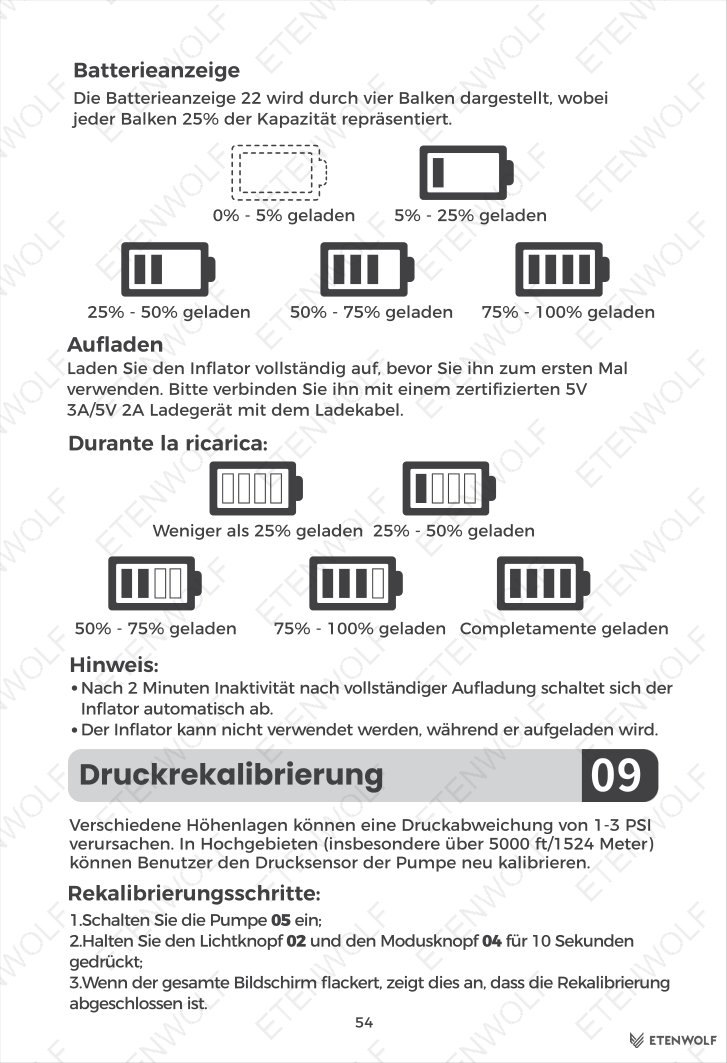
| Battery indicator | 4-bar display (each bar = 25% capacity) |
Product Controls & Display
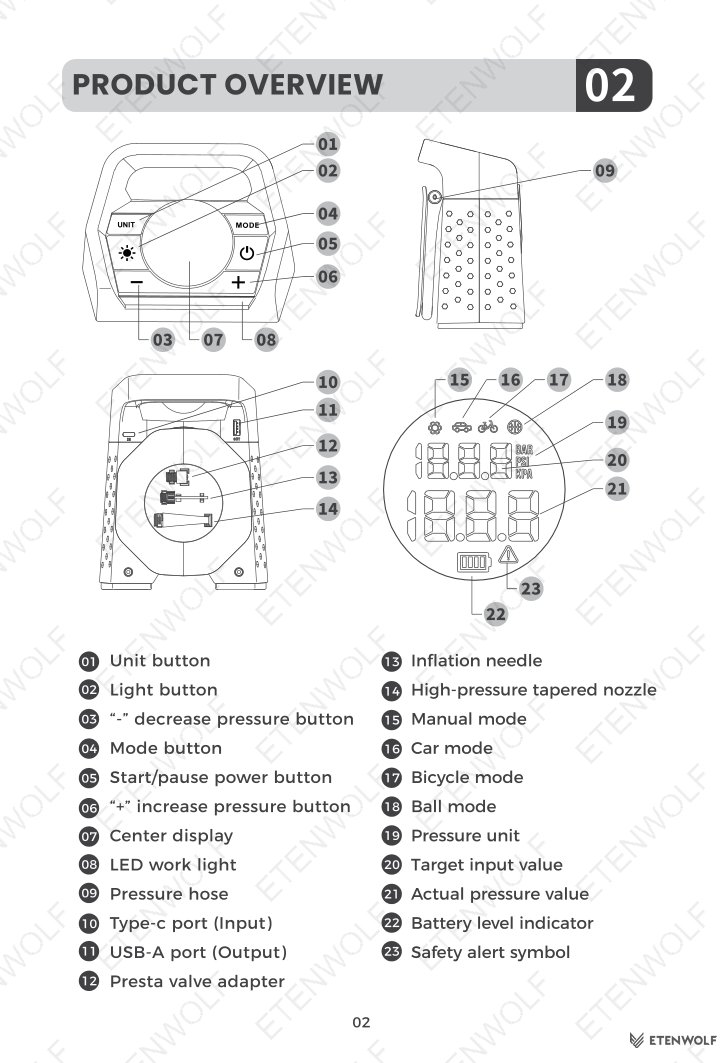
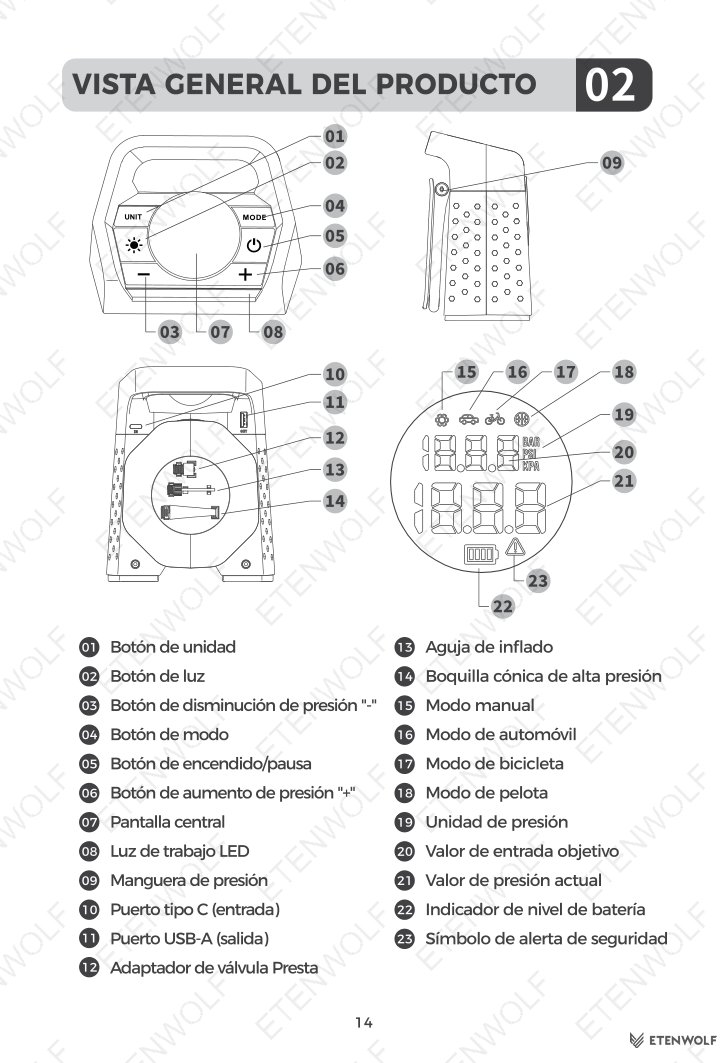
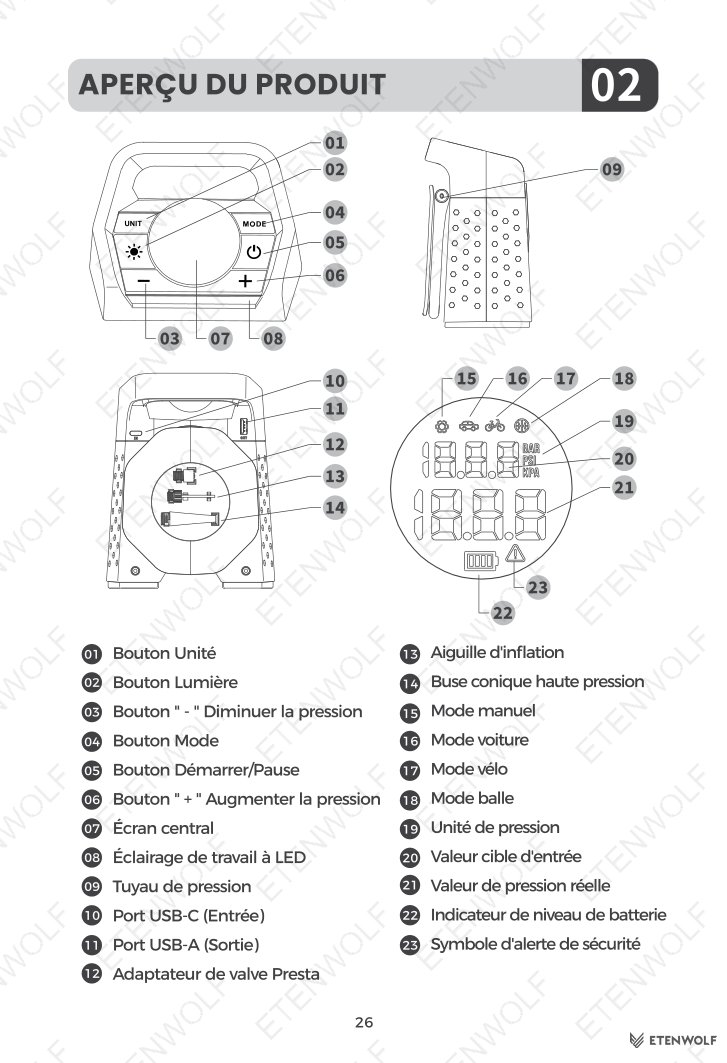
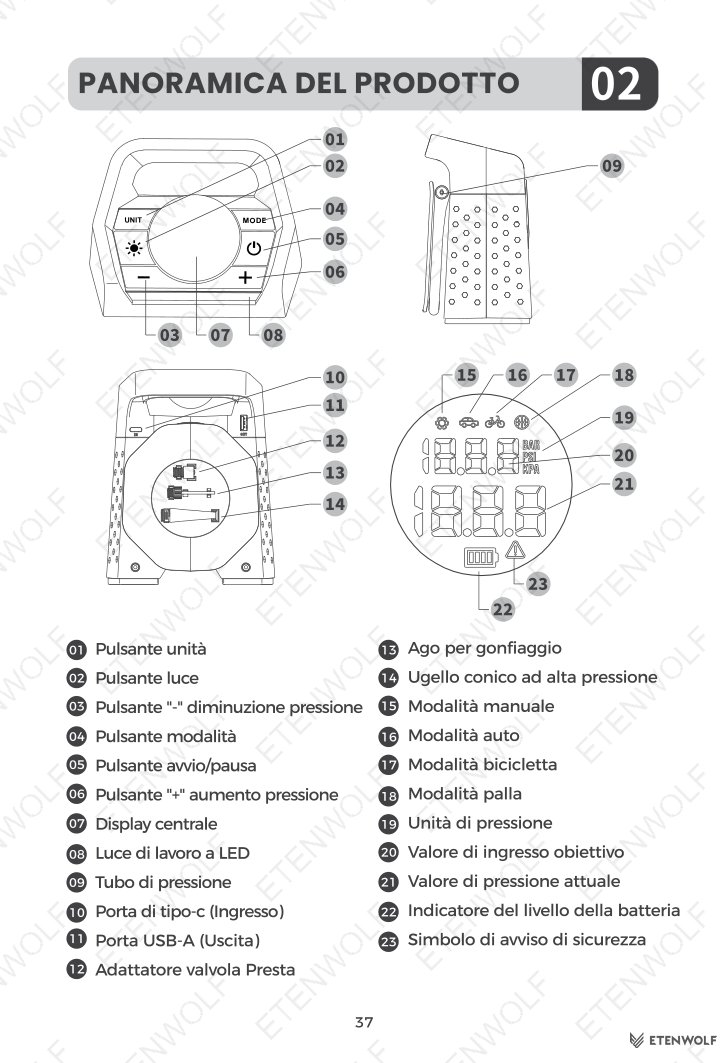
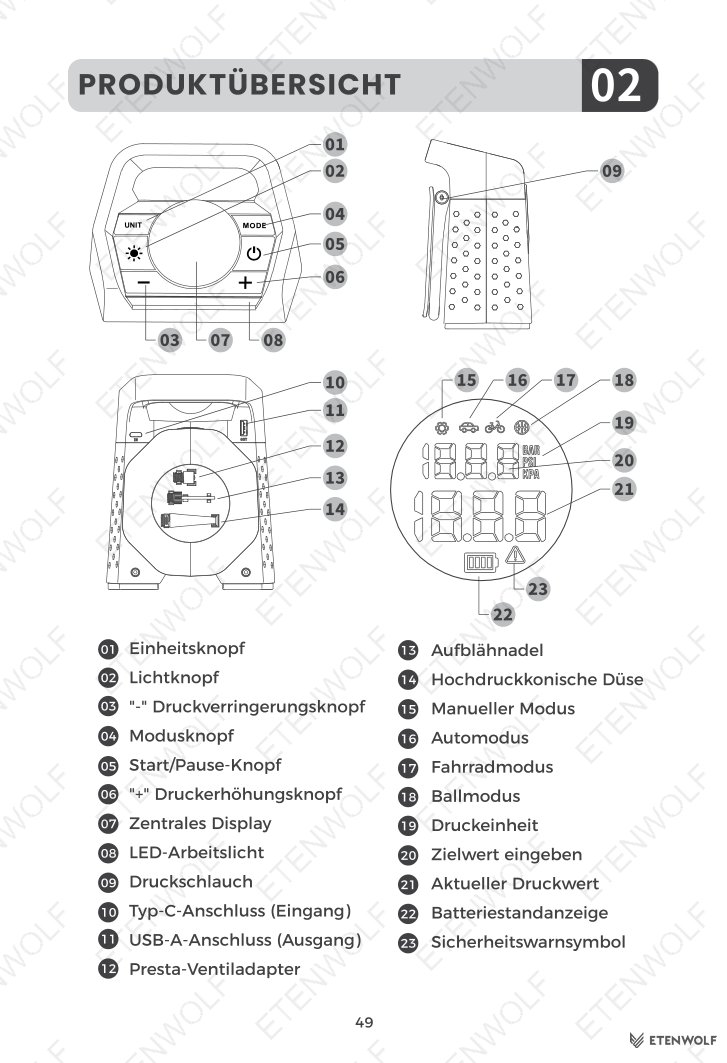
The unit features eleven physical controls and indicators: Unit button, Light button, Decrease pressure button (−), Mode button, Start/pause power button, Increase pressure button (+), center display, LED work light, pressure hose port, USB-C input port, and USB-A output port. The center display shows the target input value (smaller, top), actual pressure value (larger, bottom), battery level indicator, pressure unit, and safety alert symbol.
Key Details
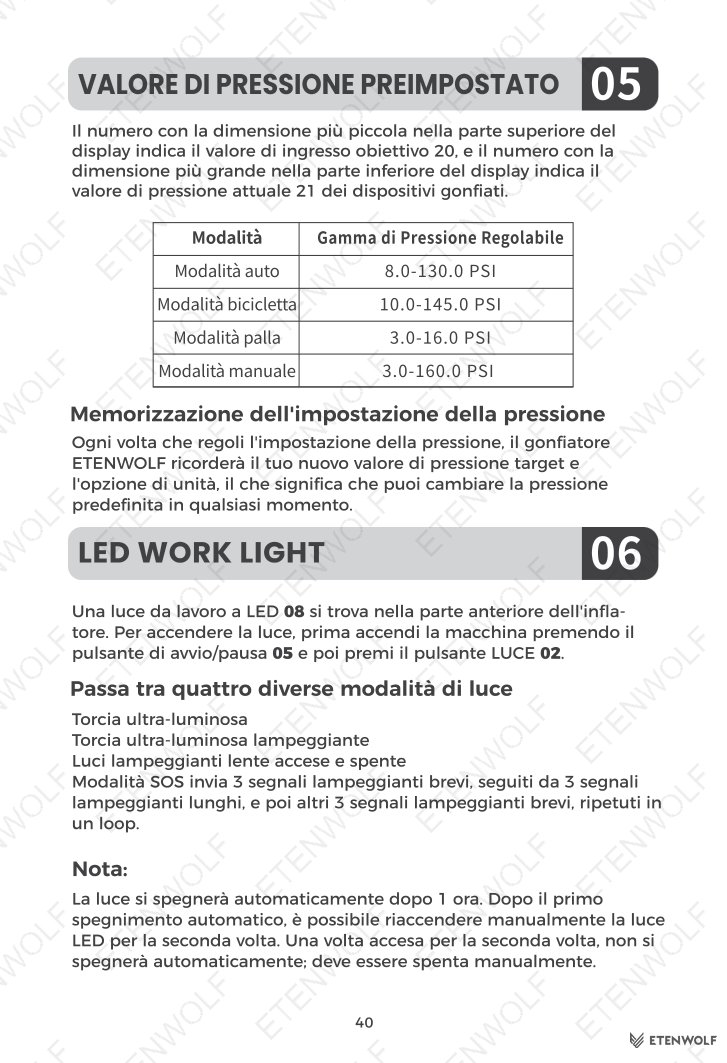
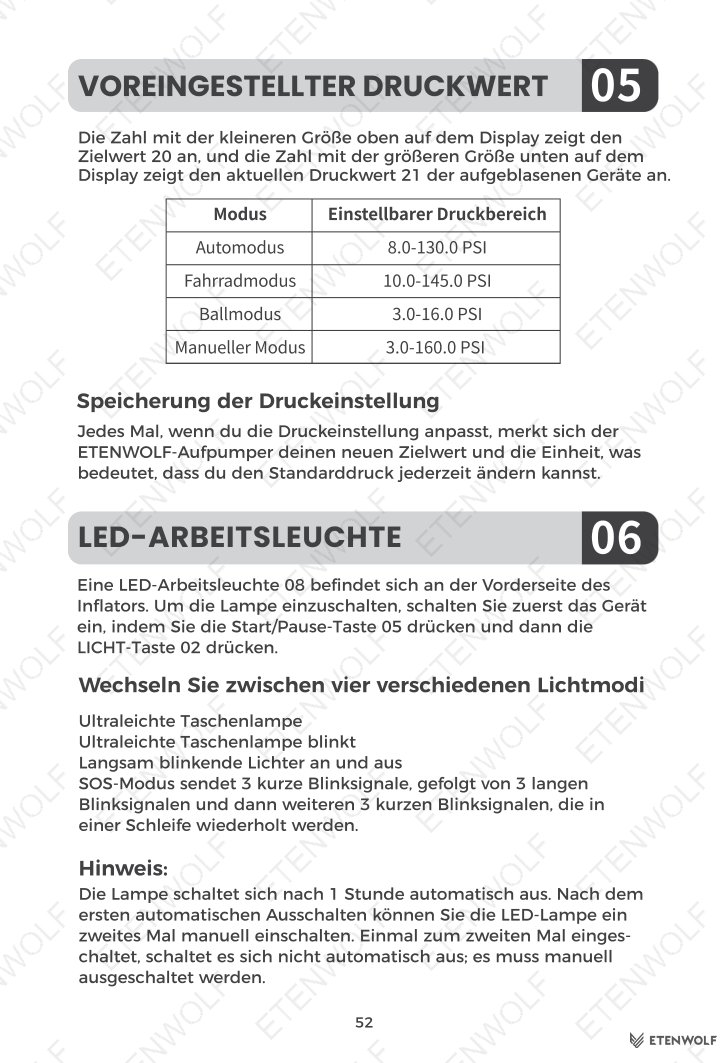
Inflation Modes and Adjustable Pressure Ranges
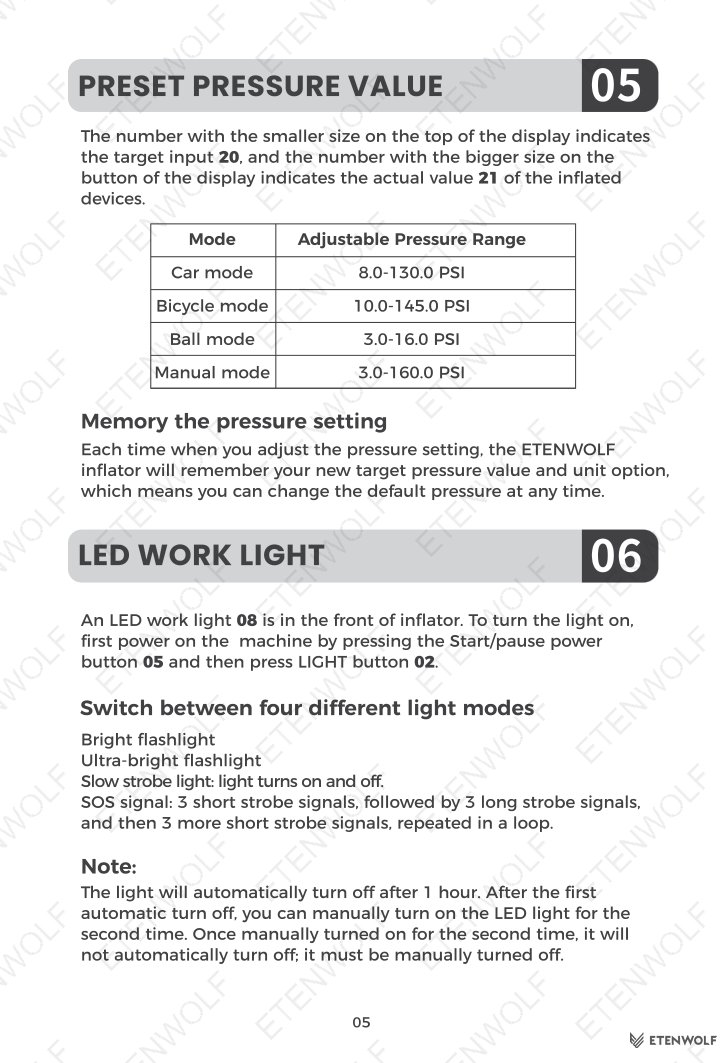
| Mode | Adjustable Pressure Range |
|---|---|
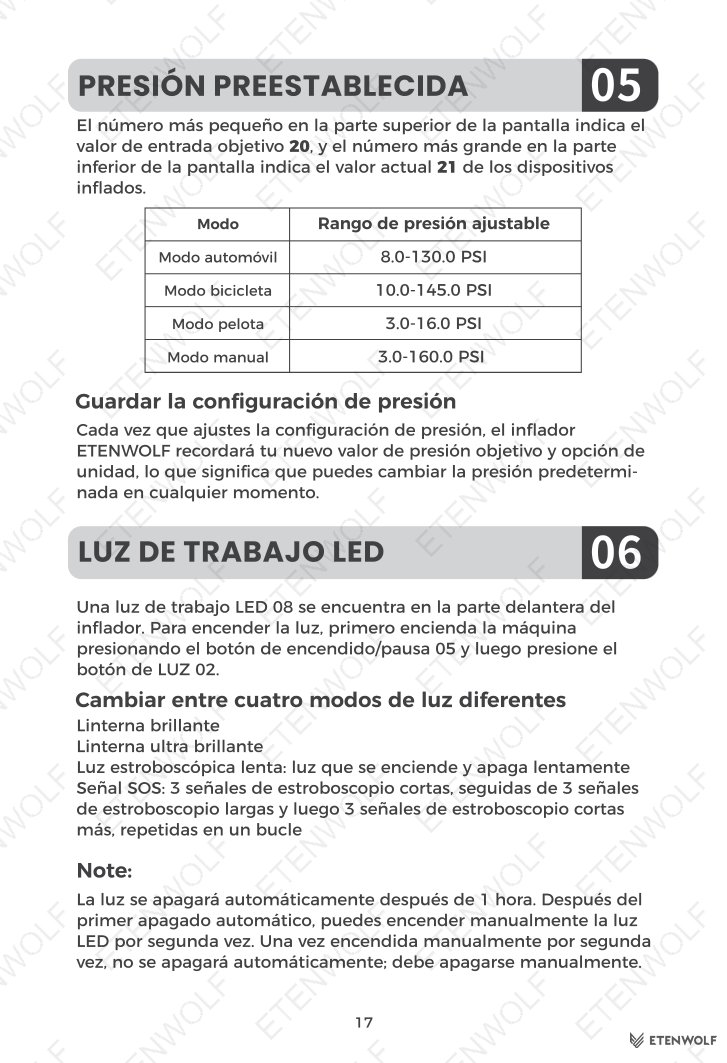
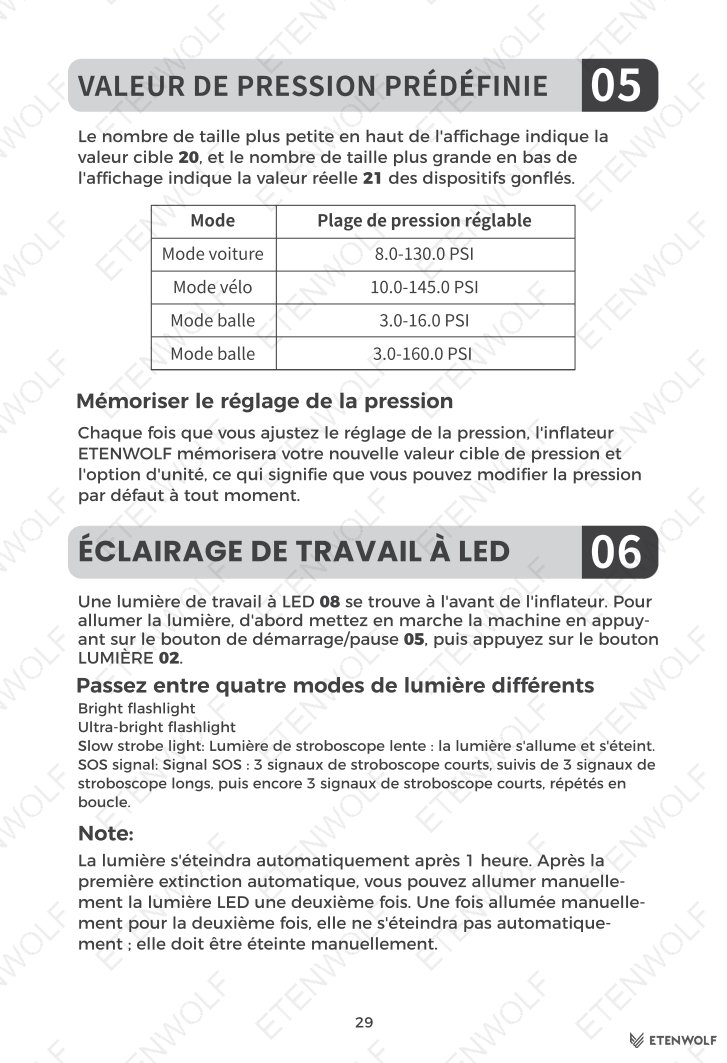
| Car mode | 8.0 – 130.0 PSI |
| Bicycle mode | 10.0 – 145.0 PSI |
| Ball mode | 3.0 – 16.0 PSI |
| Manual mode | 3.0 – 160.0 PSI |
Step-by-Step Inflation Guide
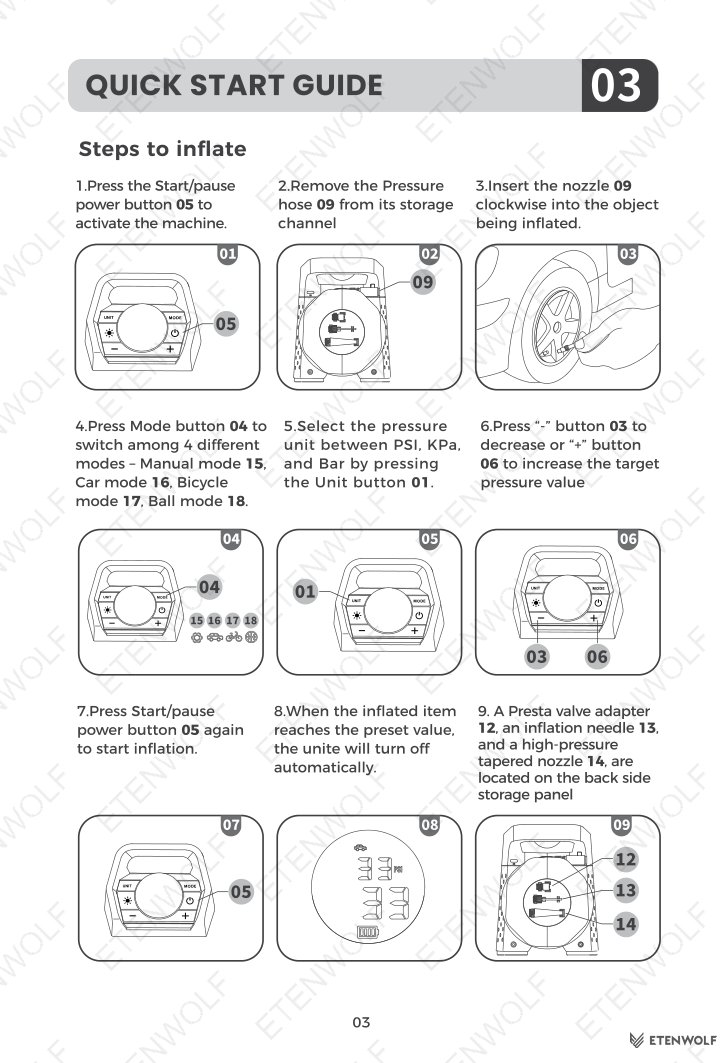
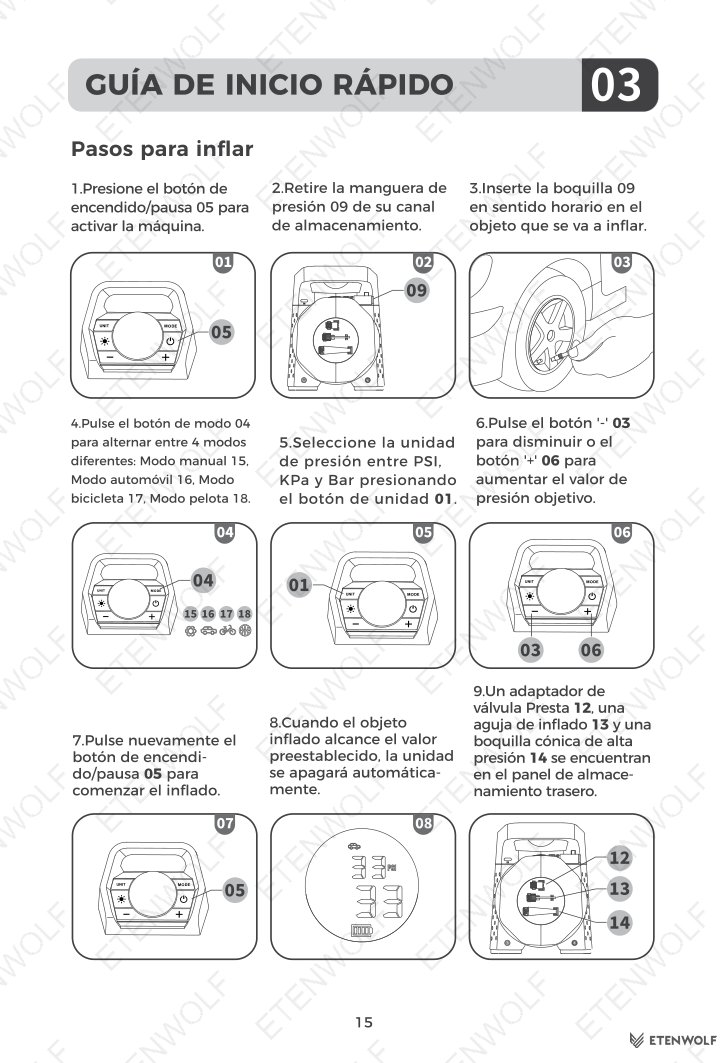
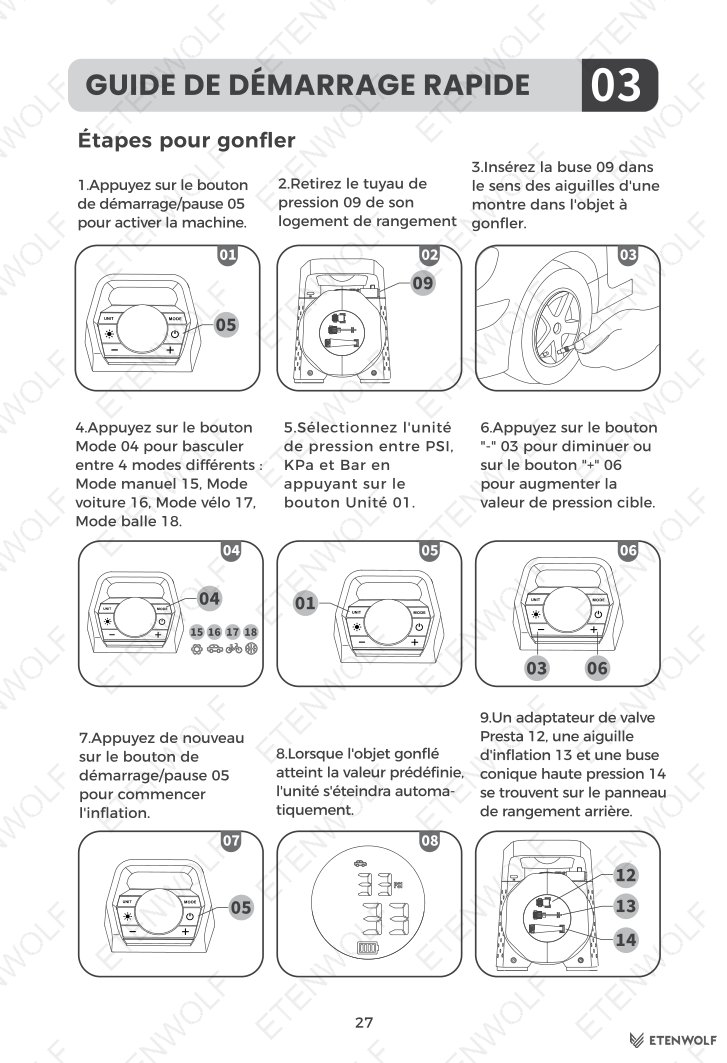
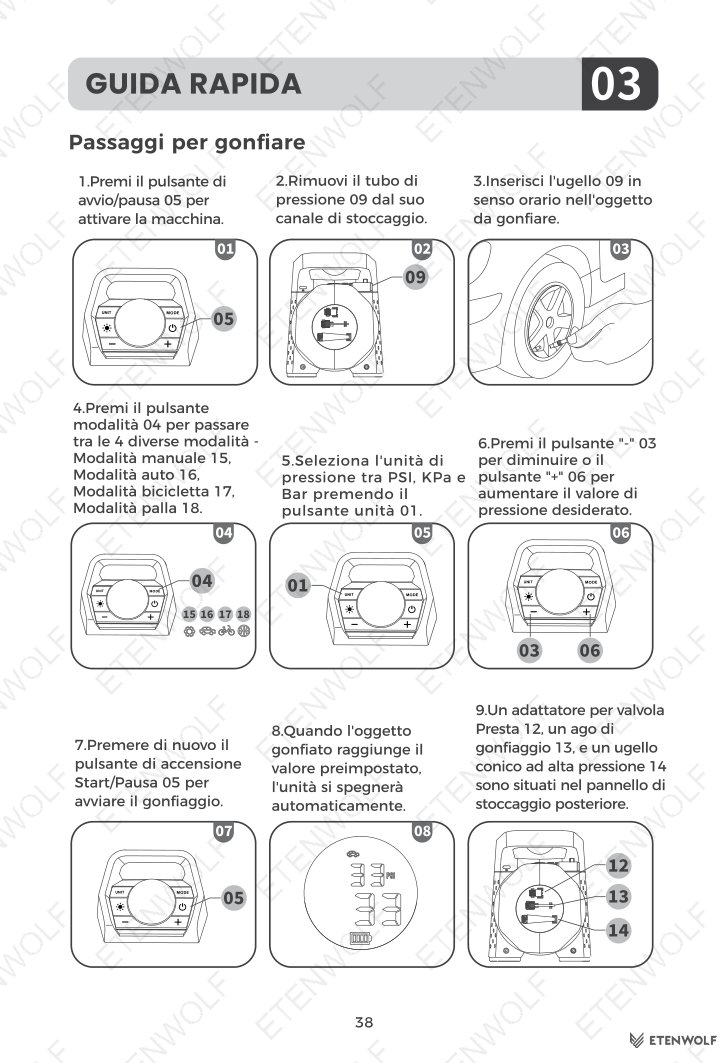
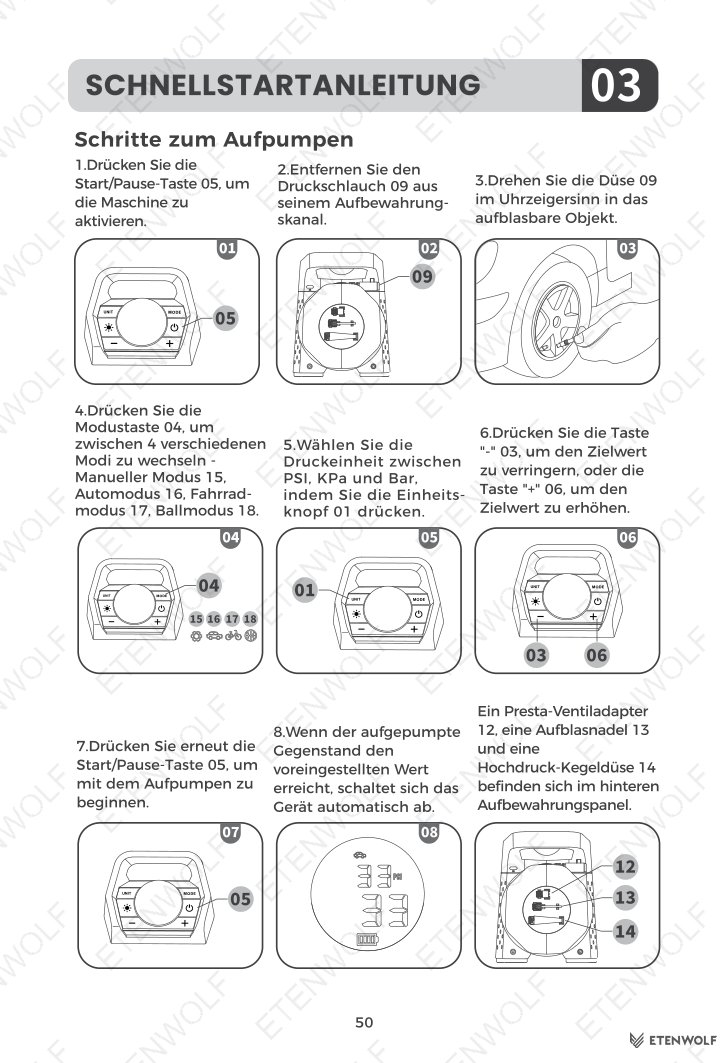
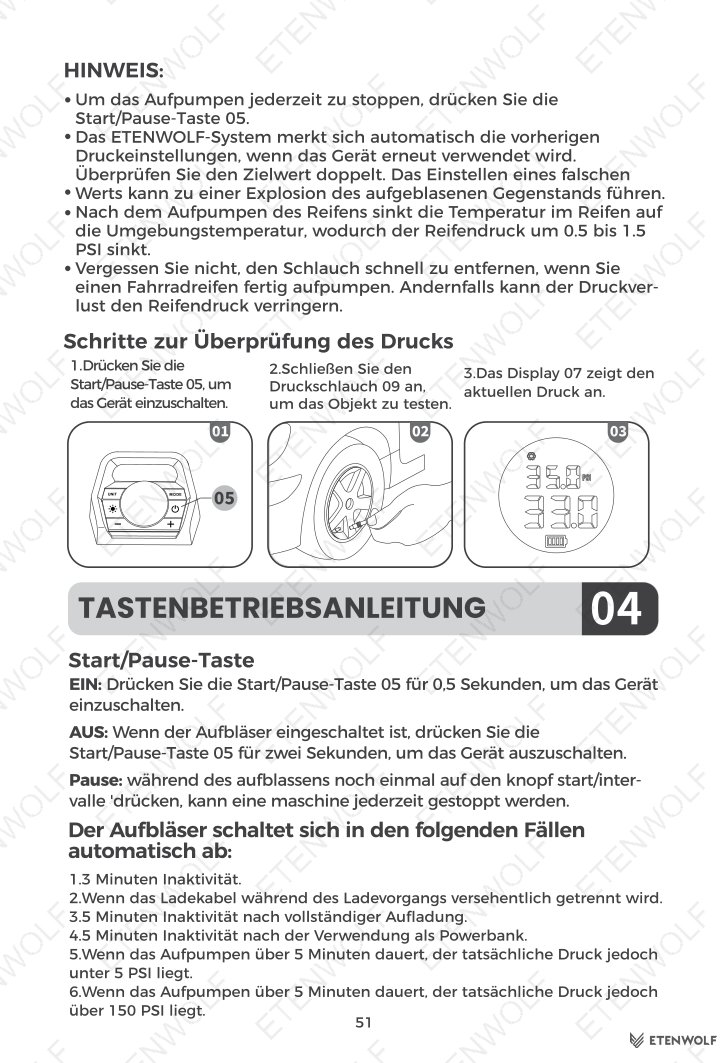
- Long-press the Start/pause power button (0.5 seconds) to power on the unit.
- Remove the pressure hose from its storage channel.
- Insert the nozzle clockwise into the valve of the item being inflated.
- Press the Mode button to cycle through Car, Bicycle, Ball, and Manual modes.
- Select the desired pressure unit (PSI, KPa, or Bar) using the Unit button.
- Use the − and + buttons to set your target pressure value.
- Press the Start/pause power button again to begin inflation.
- The unit will stop automatically when the preset pressure is reached.
- Accessory nozzles (Presta valve adapter, inflation needle, high-pressure tapered nozzle) are stored on the back panel.
Important Inflation Notes
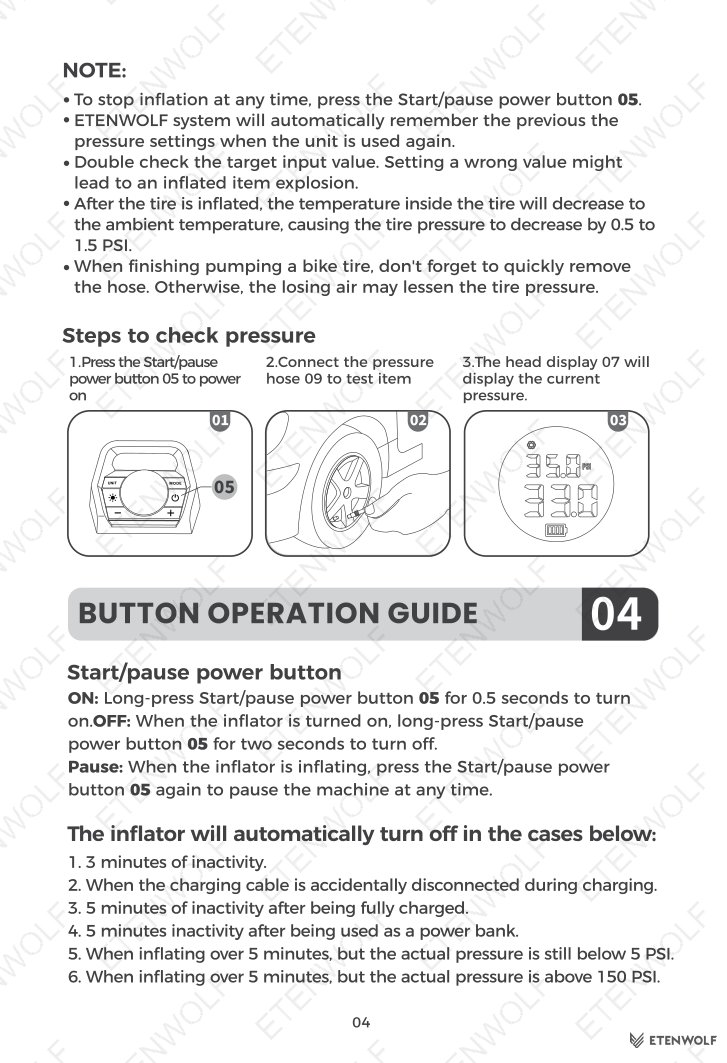
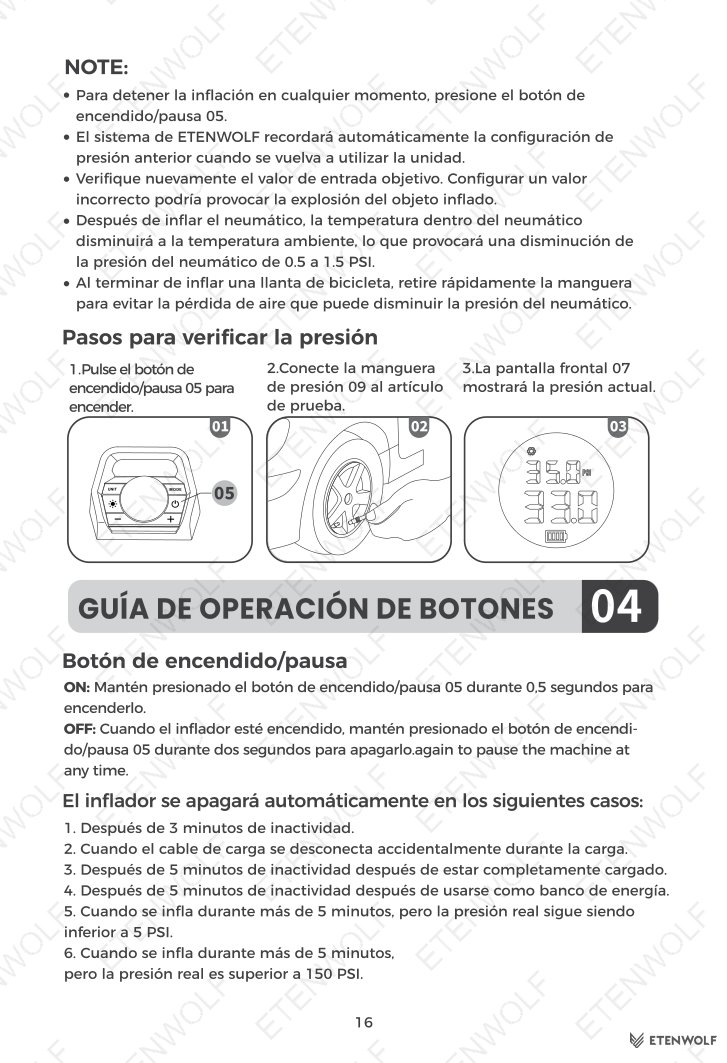
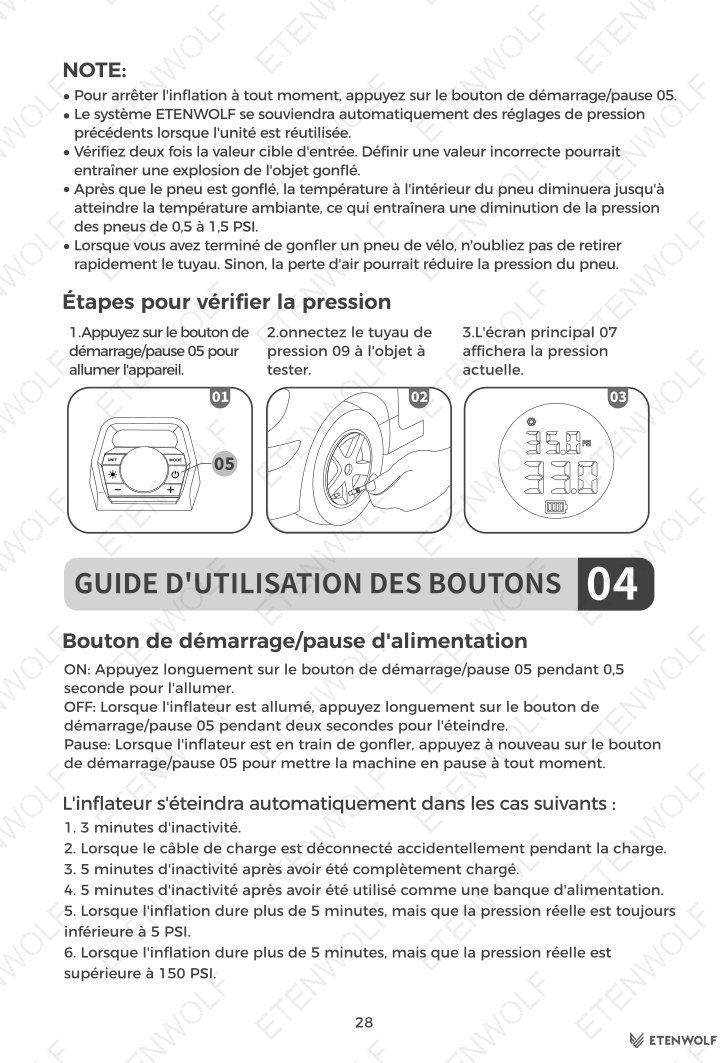
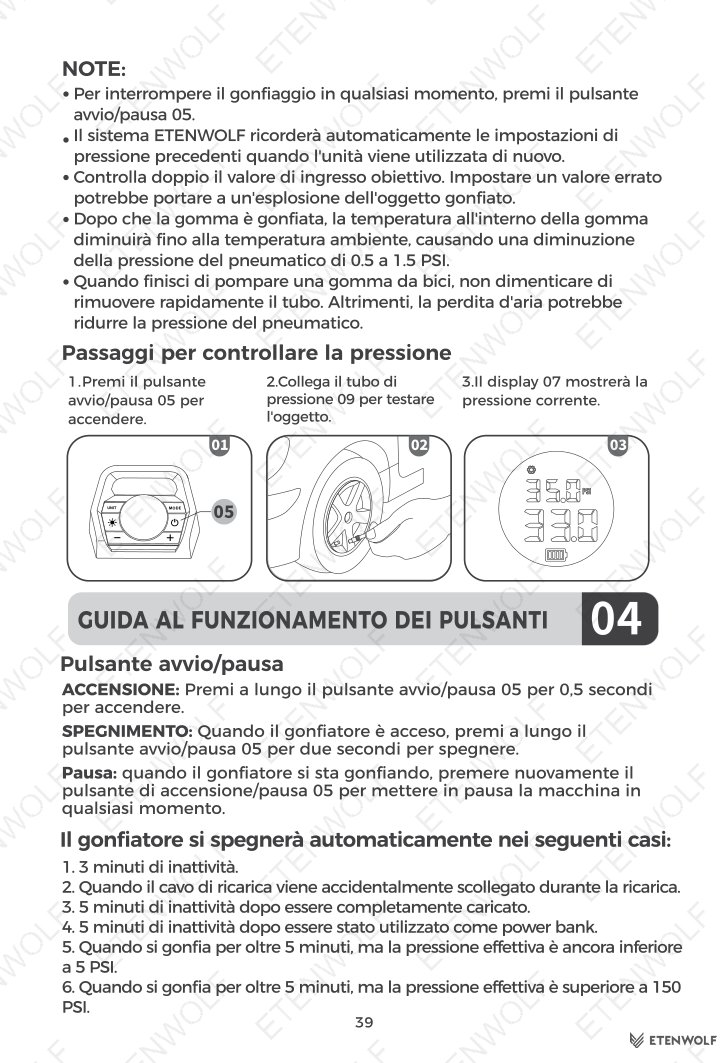
- Press the Start/pause button at any time to pause inflation.
- The unit remembers the last pressure setting and unit selection for next use.
- Always double-check the target input value — an incorrect value may cause an inflated item to burst.
- After inflation, tire pressure may drop 0.5 – 1.5 PSI as the tire temperature cools to ambient temperature. This is normal.
- When finishing a bicycle tire, remove the hose quickly to avoid pressure loss.
Automatic Shut-Off Conditions
- 3 minutes of inactivity.
- Charging cable accidentally disconnected during charging.
- 5 minutes of inactivity after reaching full charge.
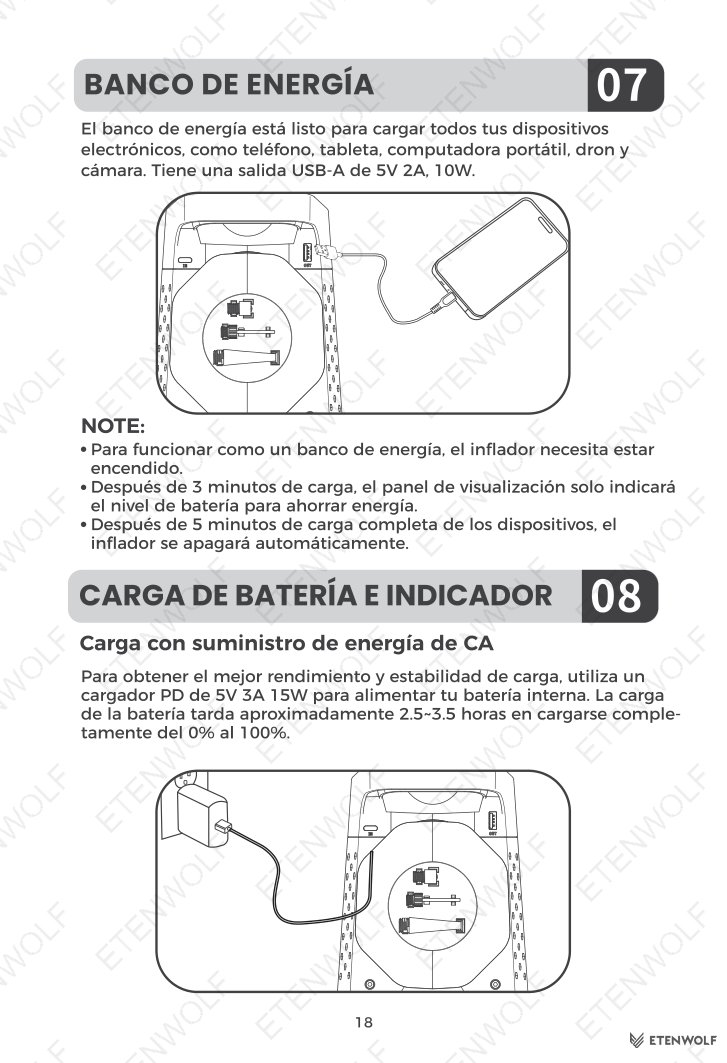
- 5 minutes of inactivity while being used as a power bank.
- Inflating for over 5 minutes while actual pressure remains below 5 PSI.
- Inflating for over 5 minutes while actual pressure is above 150 PSI.
LED Work Light Modes
Press the Light button after powering on to cycle through four modes:
- Bright flashlight
- Ultra-bright flashlight
- Slow strobe (light blinks on and off)
- SOS signal (3 short flashes, 3 long flashes, 3 short flashes, repeated)
The LED light automatically turns off after 1 hour. It can be manually reactivated a second time, after which it will not auto-off and must be turned off manually.
Power Bank Function
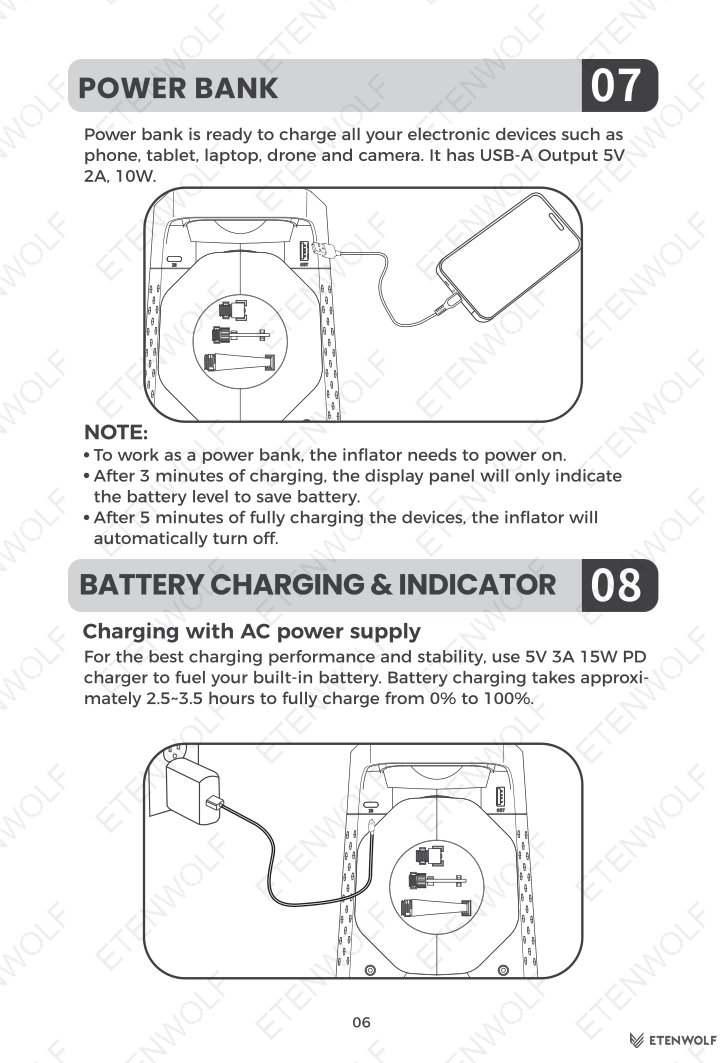
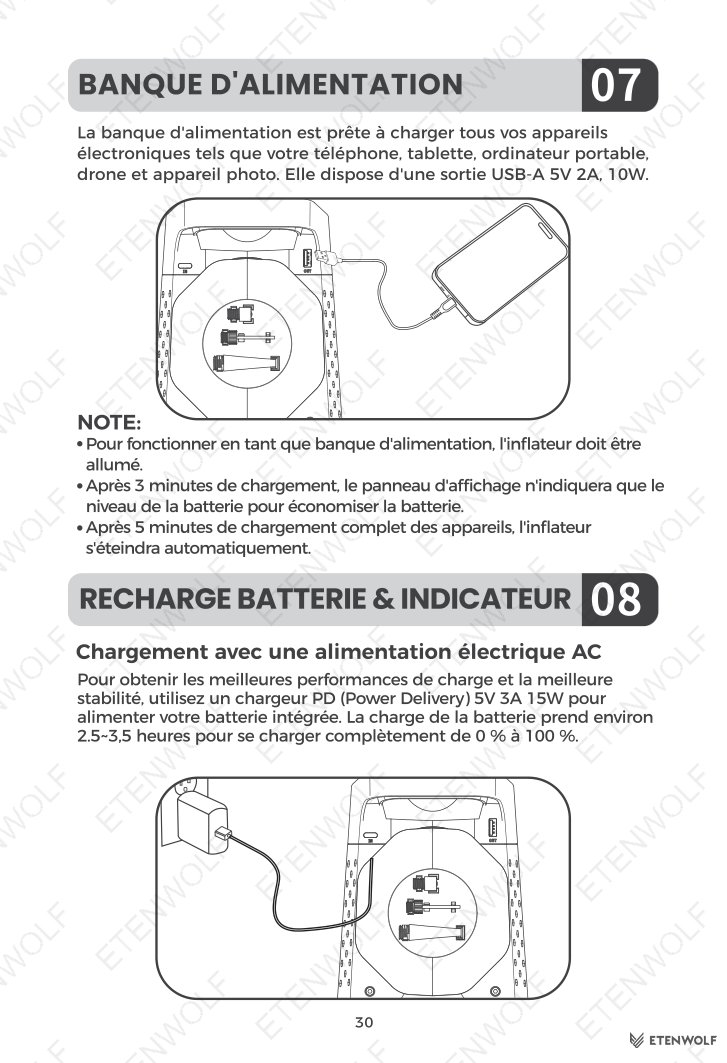
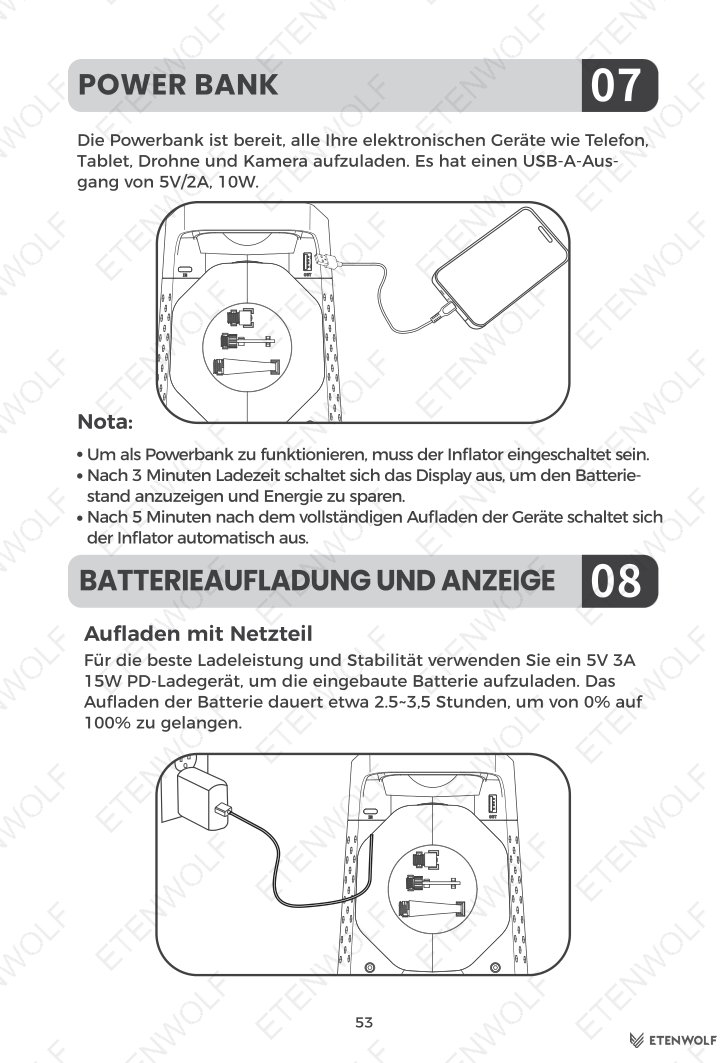
The ETENWOLF S3 doubles as a power bank via its USB-A output (5V 2A, 10W), compatible with phones, tablets, laptops, drones, and cameras. The unit must be powered on to use this function. The display will show only the battery level after 3 minutes of charging activity to conserve power. The unit auto-shuts off 5 minutes after the connected device reaches full charge.
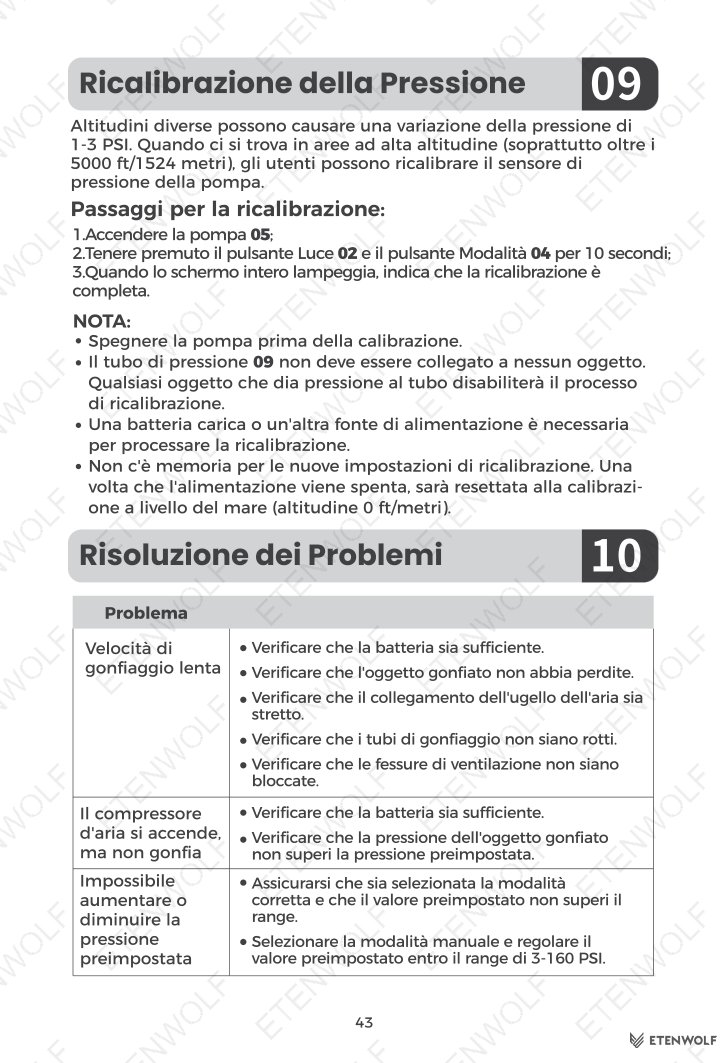
Pressure Recalibration
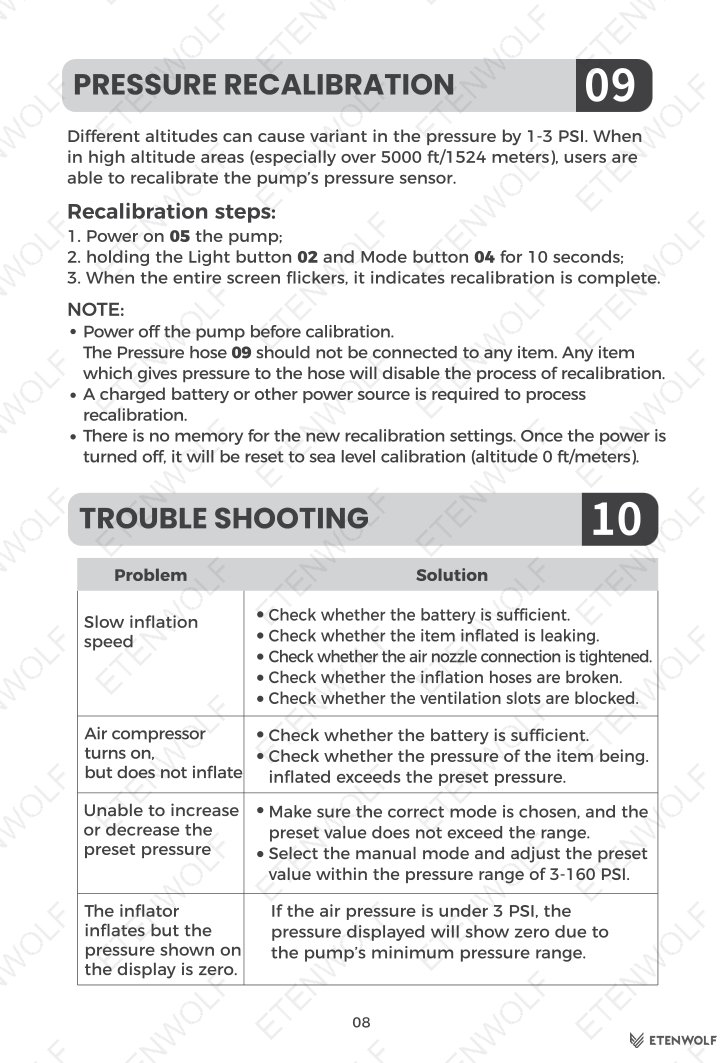
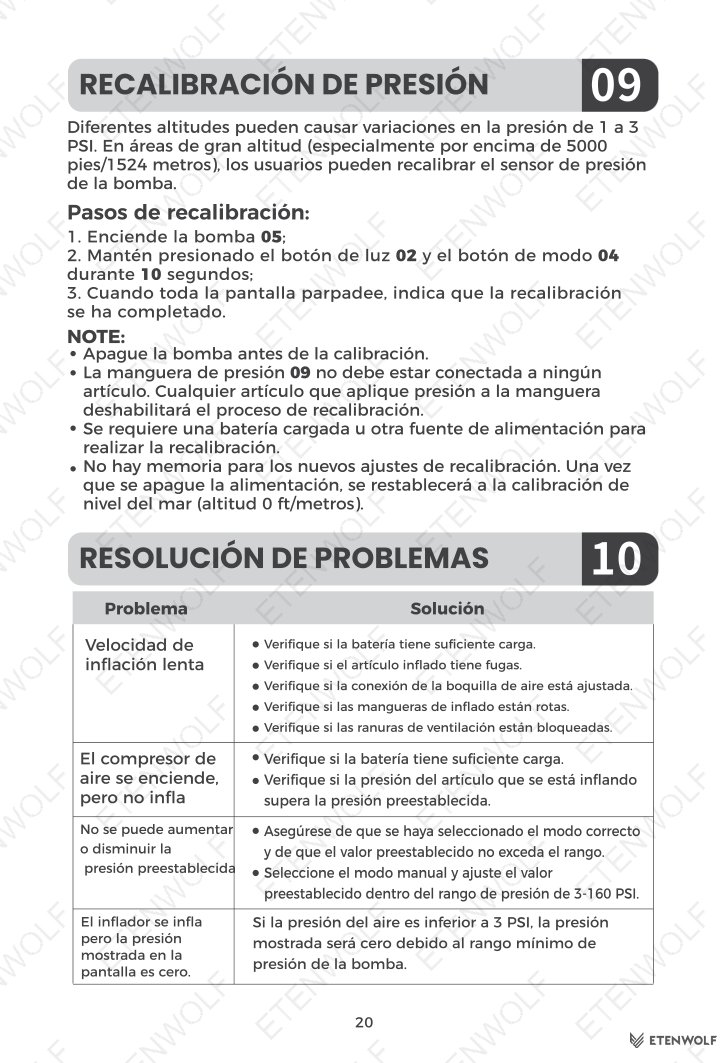
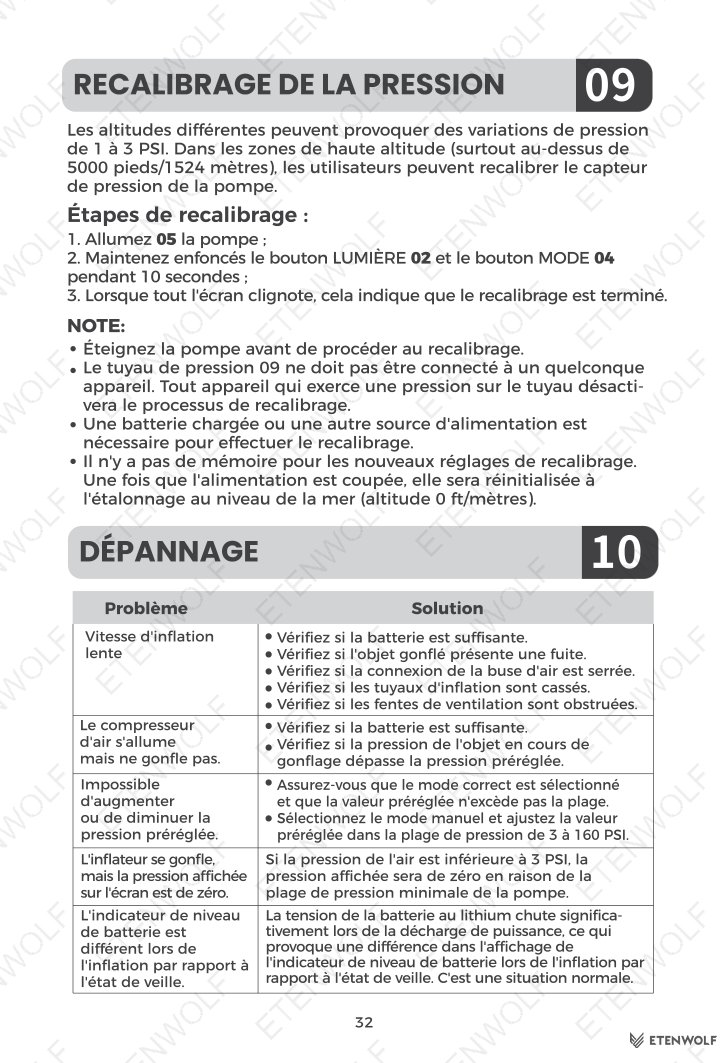
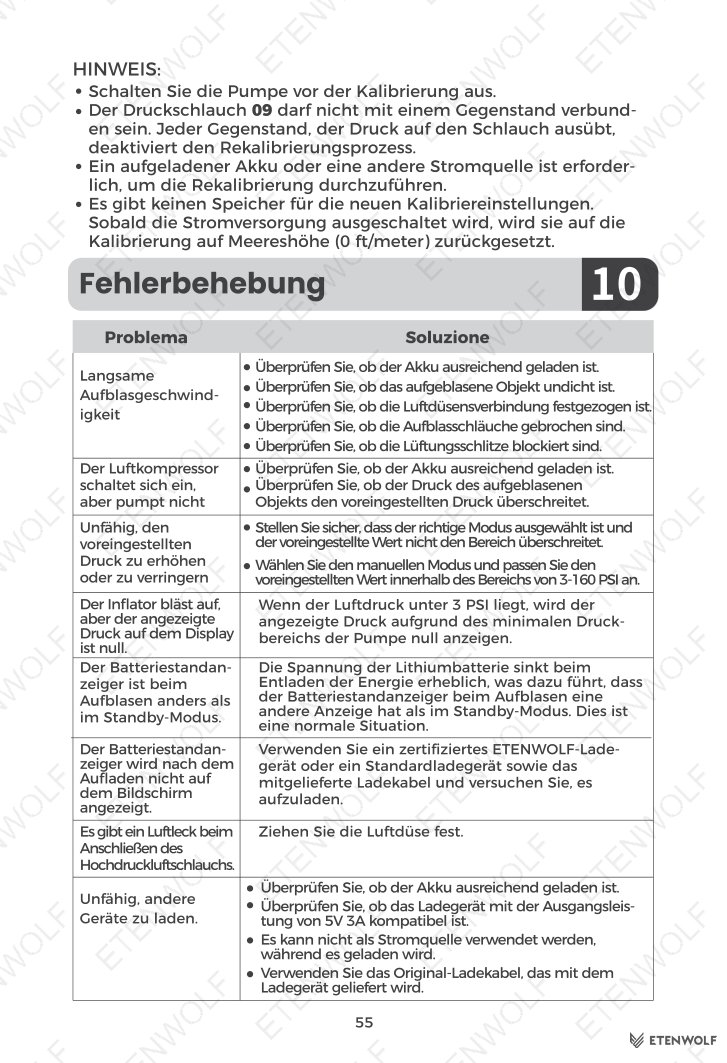
At altitudes above 5,000 ft (1,524 m), ambient pressure variation of 1–3 PSI may occur. To recalibrate the pressure sensor:
- Power on the pump.
- Hold the Light button and Mode button simultaneously for 10 seconds.
- When the entire screen flickers, recalibration is complete.
Note: The pressure hose must not be connected to any item during recalibration.
Standards & Compliance
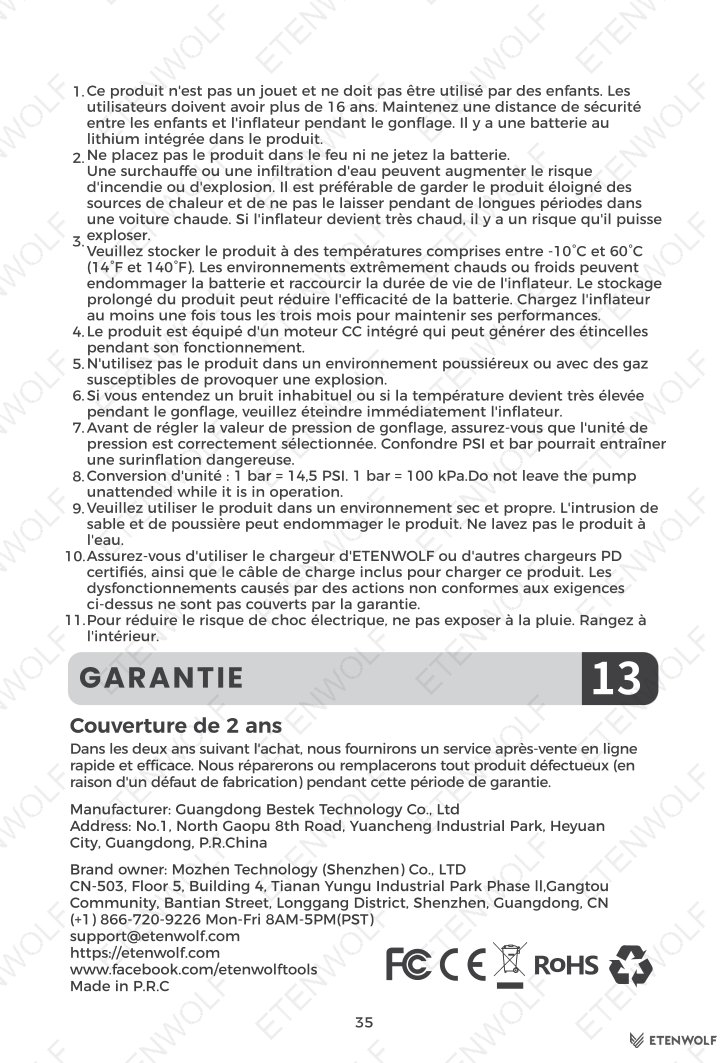
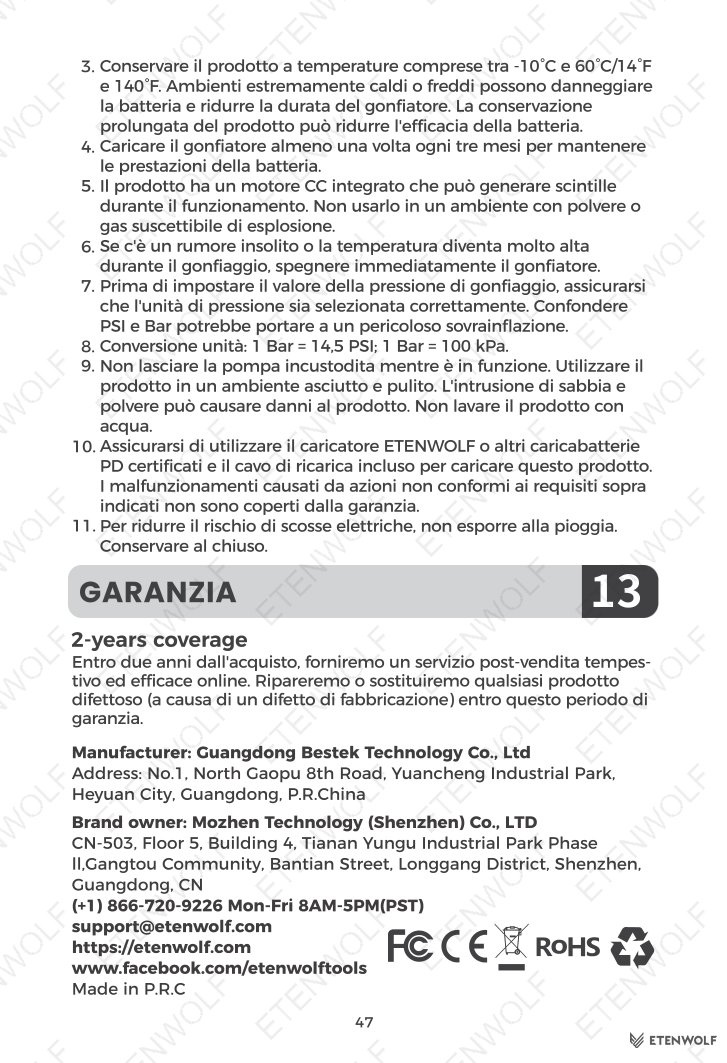
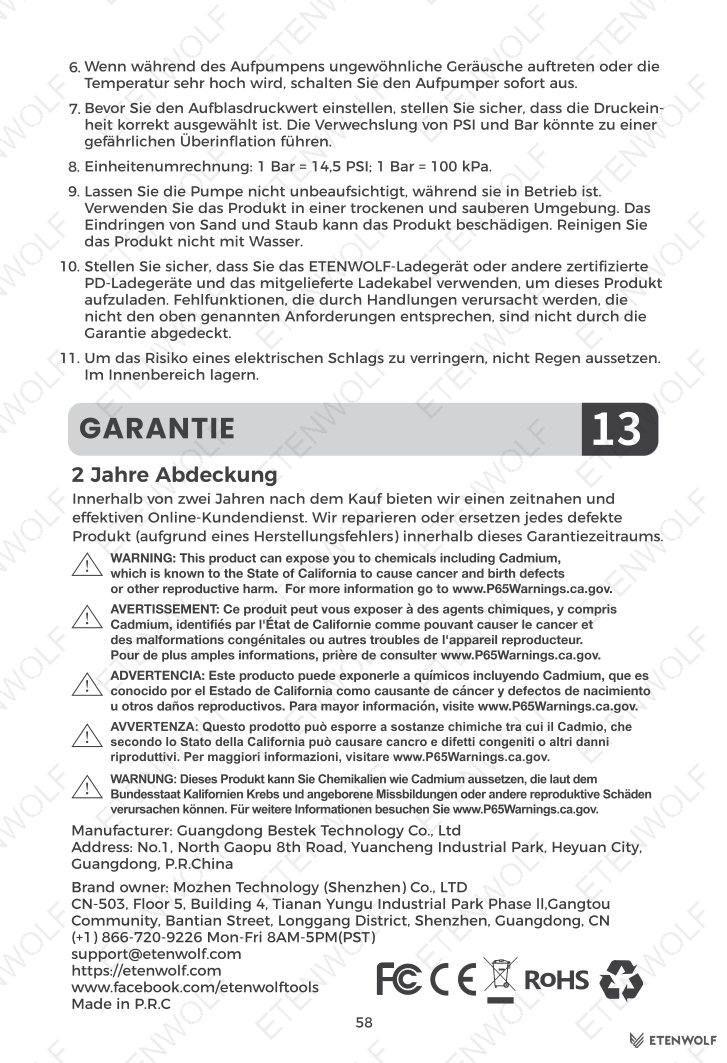
The ETENWOLF Zephyr S3 / S3 Plus is a consumer portable inflation device. As a battery-powered product sold globally, it is subject to the following applicable regulatory frameworks and safety standards:
- IEC standards for portable electrical safety and lithium battery cells.
- ISO standards for pressure measurement and portable tools.
- CE Marking requirements for products sold in the European Economic Area.
- FCC regulations for electronic devices sold in the United States.
- UN38.3 transport testing requirements applicable to the integrated lithium-ion battery.
- RoHS directive restricting hazardous substances in electrical and electronic equipment.
- REACH regulation concerning registration, evaluation, and restriction of chemicals.
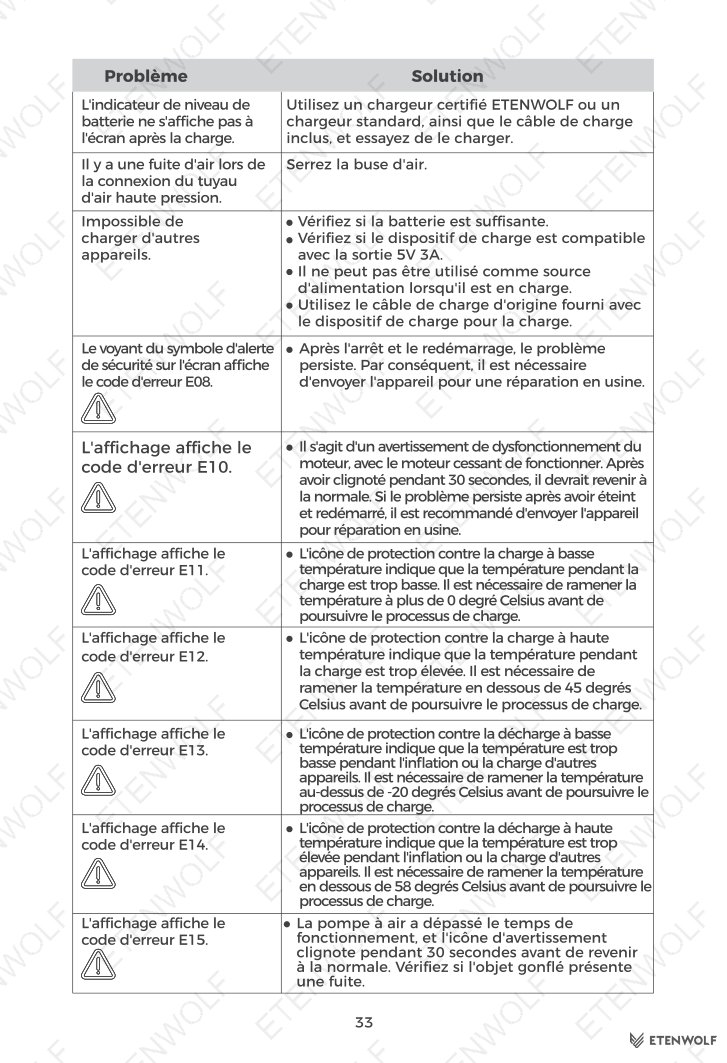
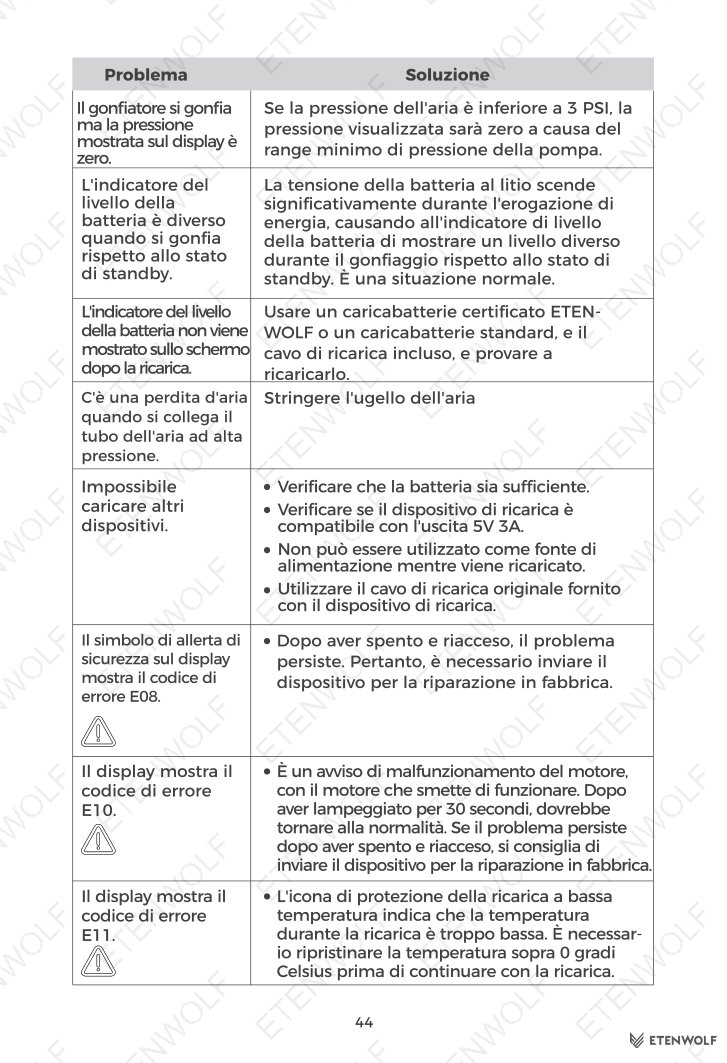
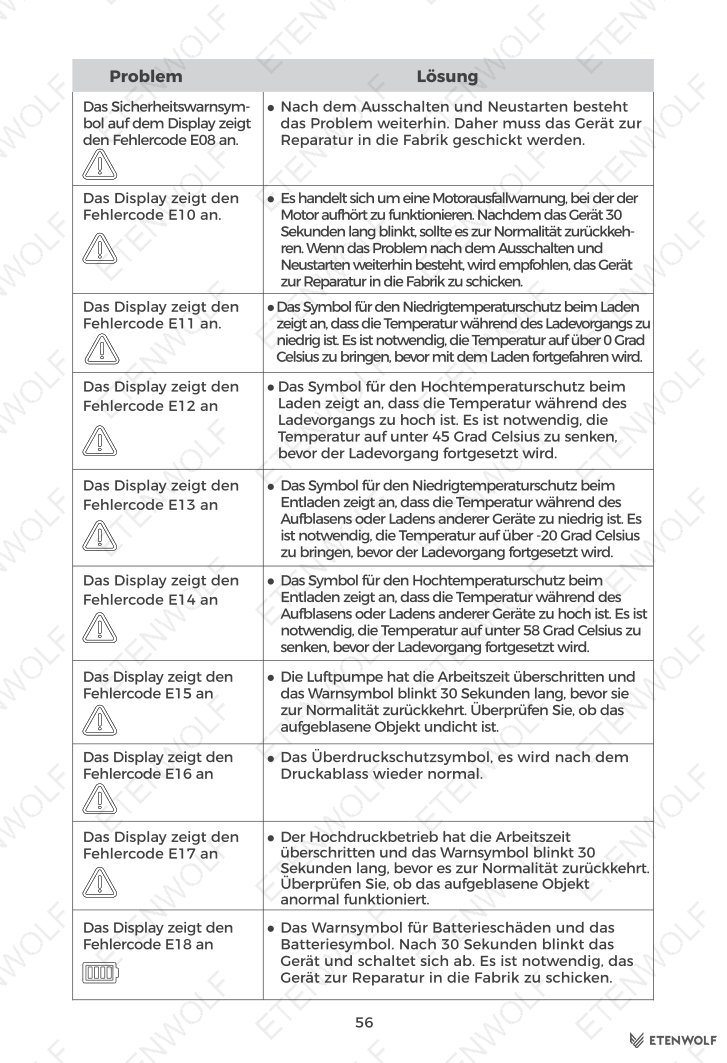
Users should ensure the product is charged using a certified 5V 3A / 15W PD charger to maintain safe operation within design parameters. The unit includes a built-in safety alert symbol on the display to warn of abnormal pressure conditions.
Validity & Certification Body
This user manual (filename: S3_manual_EN_20250316.pdf) was issued by ETENWOLF and is effective as of March 16, 2025. It applies to the ETENWOLF Zephyr S3 and S3 Plus models as shipped from that date forward.
The document is published and maintained by ETENWOLF, a global inflation tools and lighting gear brand. Warranty registration extends product coverage by one year and is available at https://etenwolf.com. For ongoing support, ETENWOLF’s customer service team is available Monday through Friday, 8 AM – 5 PM PST, at (+1) 866-720-9226 or [email protected].
No third-party certification laboratory number or external test report number is cited within this user manual document. Applicable regulatory certifications (CE, FCC, RoHS, REACH, UN38.3) are maintained by ETENWOLF’s compliance team and may be requested through official support channels.
Frequently Asked Questions
- Q: Can I use the ETENWOLF S3 while it is charging?
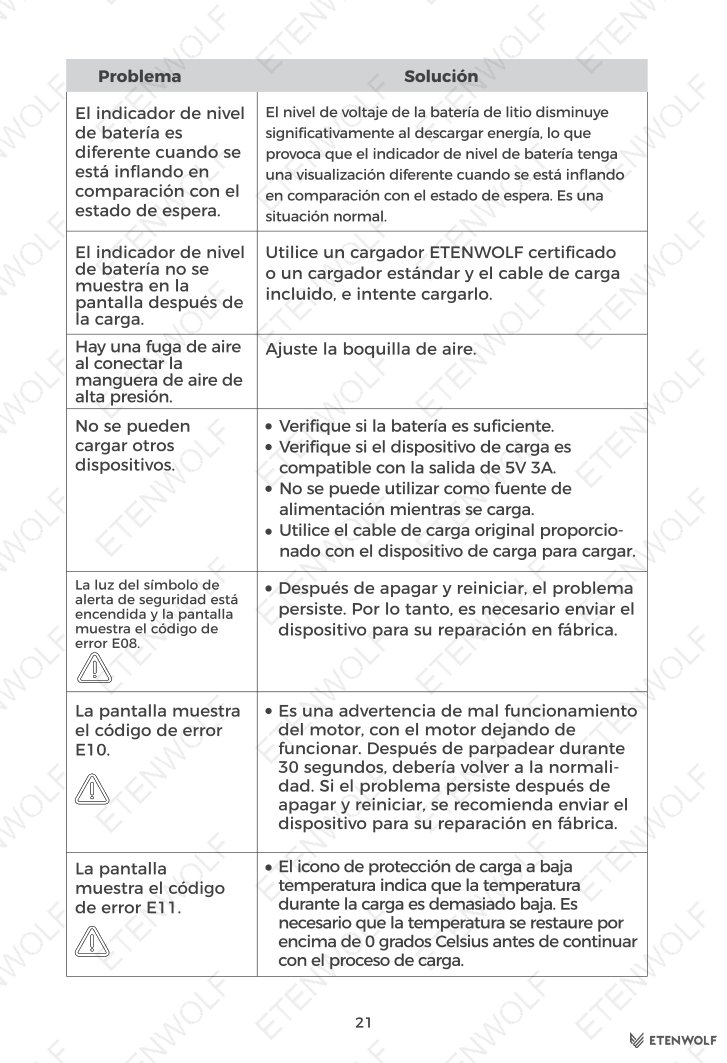
- No. The inflator cannot be used while it is connected to a charger. Disconnect the charging cable before operating the pump.
- Q: Why does my tire pressure read lower after inflation than the target I set?
- This is normal. After inflation, the temperature inside the tire gradually cools to ambient temperature, which causes tire pressure to decrease by approximately 0.5 to 1.5 PSI. It is recommended to account for this drop when setting your target pressure.
- Q: How do I recalibrate the pressure sensor at high altitude?
- Power on the unit, then hold the Light button and Mode button simultaneously for 10 seconds. When the full screen flickers, recalibration is complete. Make sure the pressure hose is not connected to any item before recalibrating. This is especially useful at altitudes above 5,000 ft (1,524 m) where ambient pressure can cause readings to vary by 1–3 PSI.
- Q: What charger should I use for the best charging performance?
- ETENWOLF recommends using a certified 5V 3A 15W PD charger connected via the USB-C input port. A full charge from 0% to 100% takes approximately 2.5 to 3.5 hours. Using a lower-rated charger may result in slower or unstable charging.
Related Documents
The following certification and compliance document types are relevant to the ETENWOLF Zephyr S3 / S3 Plus and may be available upon request from ETENWOLF’s compliance team:
- CE Declaration of Conformity — confirms compliance with EU directives for electrical safety and electromagnetic compatibility for European market distribution.
- FCC ID Certificate — confirms compliance with US Federal Communications Commission regulations for electronic device emissions.
- UN38.3 Battery Test Report — documents transport safety testing for the integrated lithium-ion battery pack.
- RoHS Compliance Certificate — confirms that the product and its components comply with restrictions on hazardous substances under EU RoHS directives.
- REACH Compliance Statement — confirms that no substances of very high concern (SVHC) above threshold levels are present in the product.
- KC Certification — applicable for products distributed in the Republic of Korea, confirming conformity with Korean safety standards.
- Product Safety Data Sheet (SDS) — provides detailed safety handling information for the integrated lithium-ion battery.
Document Pages