Document Overview
Document Overview This article is based on the official user manual for the ETENWOLF Helios J1 Jump Starter, document version V2.0, filename J1_manual_EN_20251114.pdf, issued by ETENWOLF and dated November 14, 2025. The manual covers safe operation, quick-start procedures, button functions, power bank usage, battery charging,…
- Document type
- User Manual
- Prepared by
- Daniel Wright
- Published
- Last reviewed
- Topics
- User Manual
Document Overview
This article is based on the official user manual for the ETENWOLF Helios J1 Jump Starter, document version V2.0, filename J1_manual_EN_20251114.pdf, issued by ETENWOLF and dated November 14, 2025. The manual covers safe operation, quick-start procedures, button functions, power bank usage, battery charging, troubleshooting, technical specifications, safety instructions, and warranty terms for the Helios J1 portable jump starter. It is intended for end users operating 12V lead-acid vehicle battery systems.
Product Information
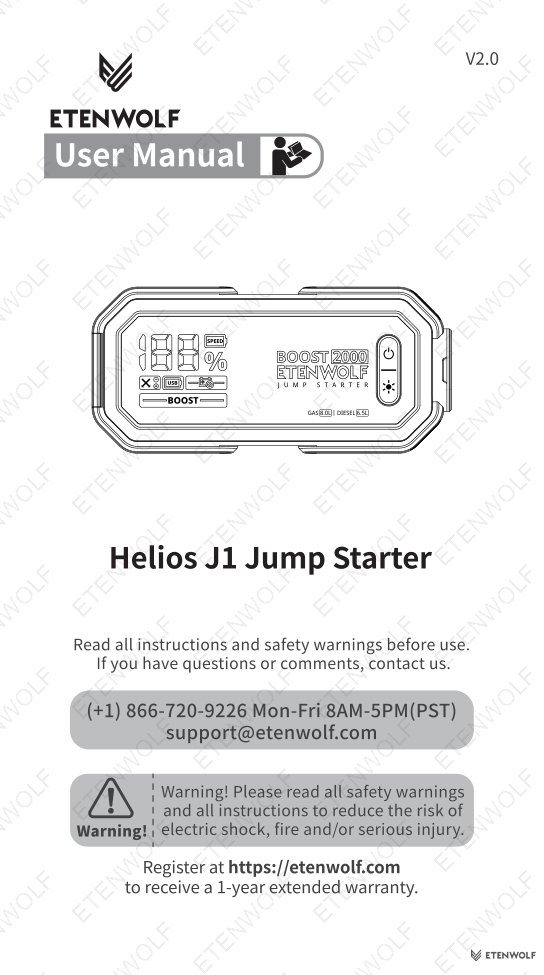
The ETENWOLF Helios J1 Jump Starter is a compact, multi-function portable jump starter designed for 12V lead-acid batteries. It combines emergency vehicle jump-start capability with a 16000mAh power bank and a multi-mode LED work light.
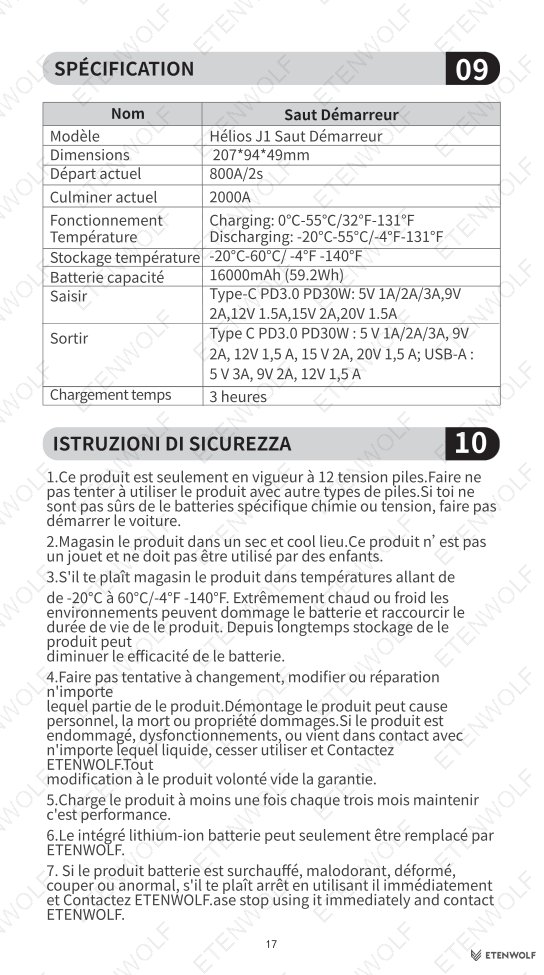
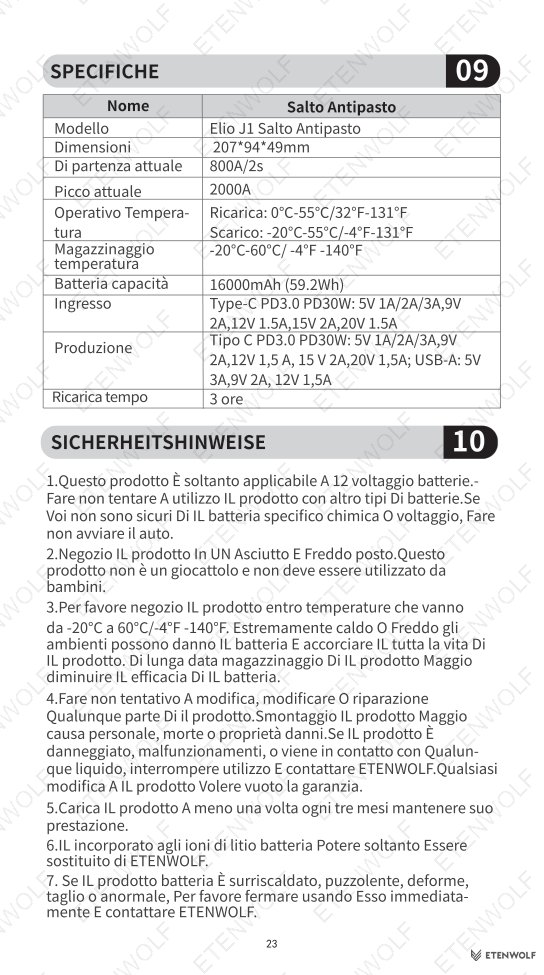
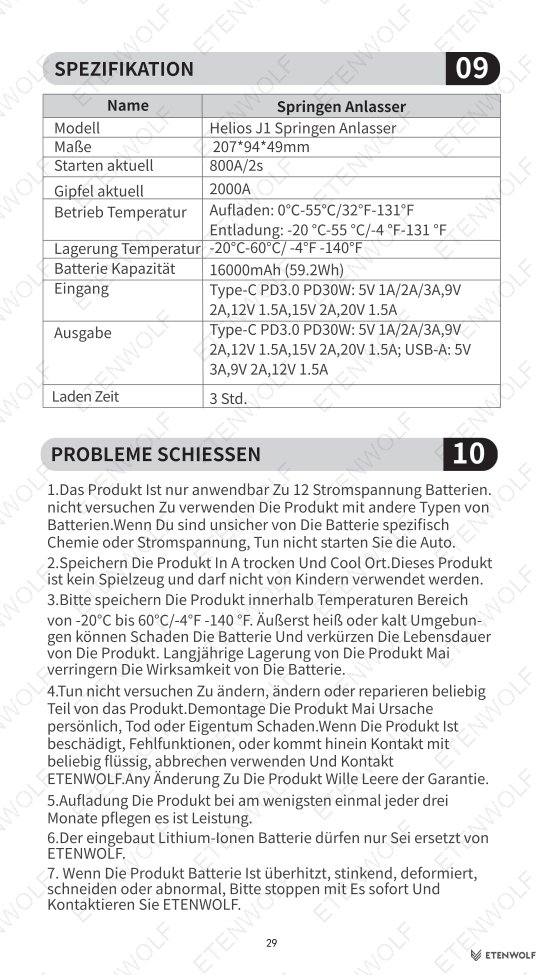
| Attribute | Value |
|---|---|
| Product Name | Jump Starter |
| Model | Helios J1 Jump Starter |
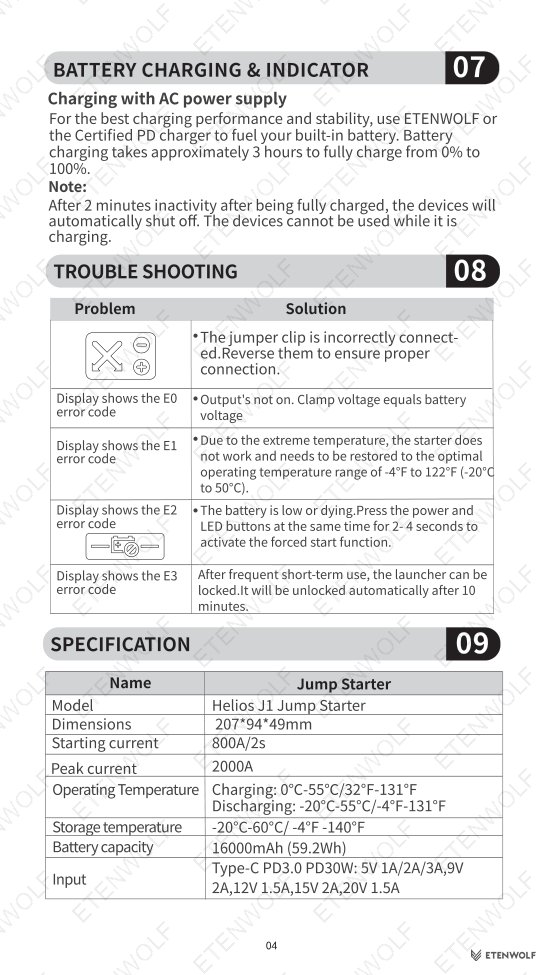
| Dimensions | 207 × 94 × 49 mm |
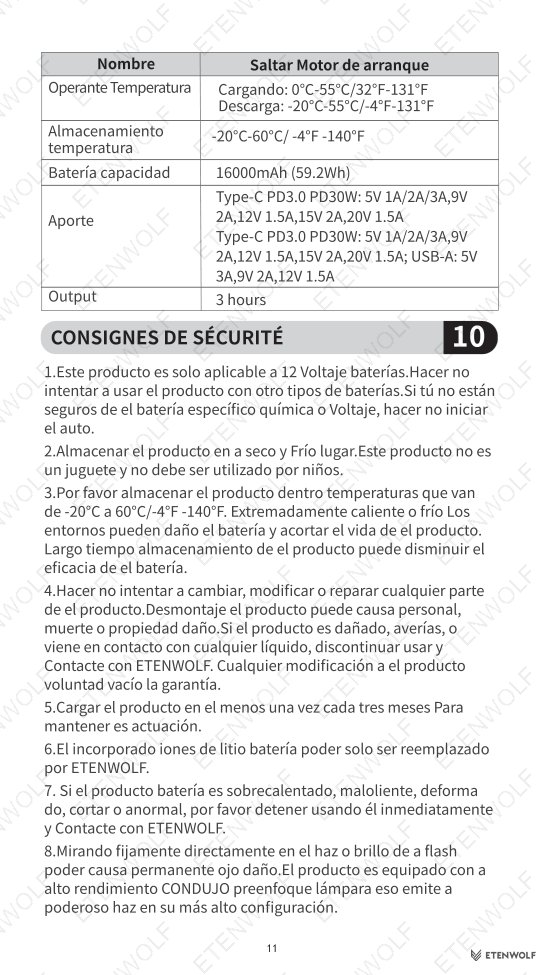
| Battery Capacity | 16000mAh (59.2Wh) |
| Starting Current | 800A / 2s |
| Peak Current | 2000A |
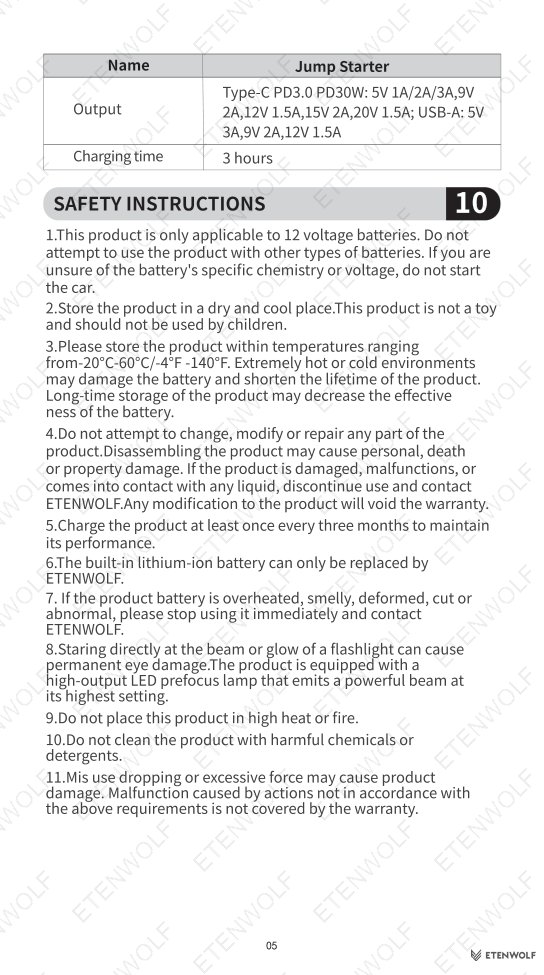
| Charging Time | Approximately 3 hours (0% to 100%) |
| Input | Type-C PD3.0 PD30W: 5V 1A/2A/3A, 9V 2A, 12V 1.5A, 15V 2A, 20V 1.5A |
| Output (Type-C) | PD3.0 PD30W: 5V 1A/2A/3A, 9V 2A, 12V 1.5A, 15V 2A, 20V 1.5A |
| Output (USB-A) | 5V 3A, 9V 2A, 12V 1.5A |
| Operating Temp (Charging) | 0°C to 55°C / 32°F to 131°F |
| Operating Temp (Discharging) | -20°C to 55°C / -4°F to 131°F |
| Storage Temperature | -20°C to 60°C / -4°F to 140°F |
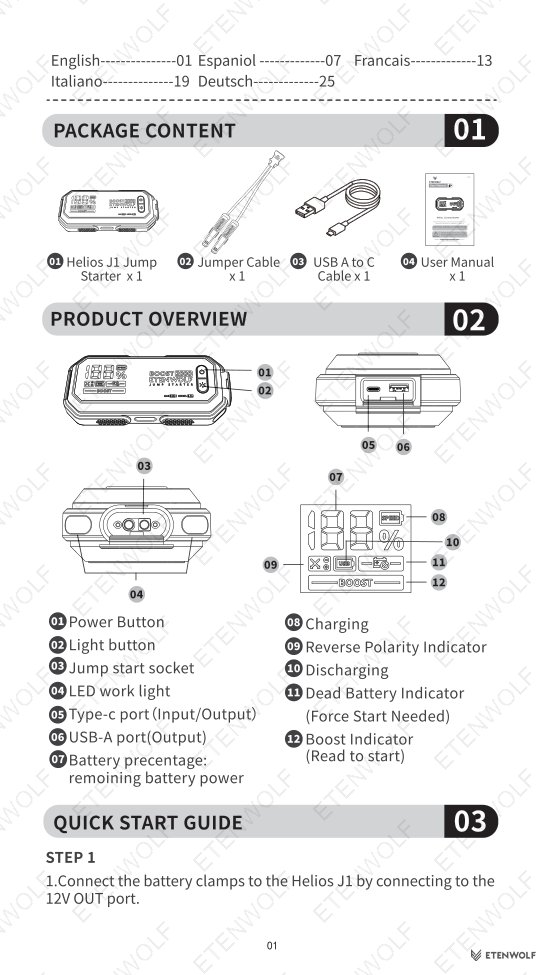
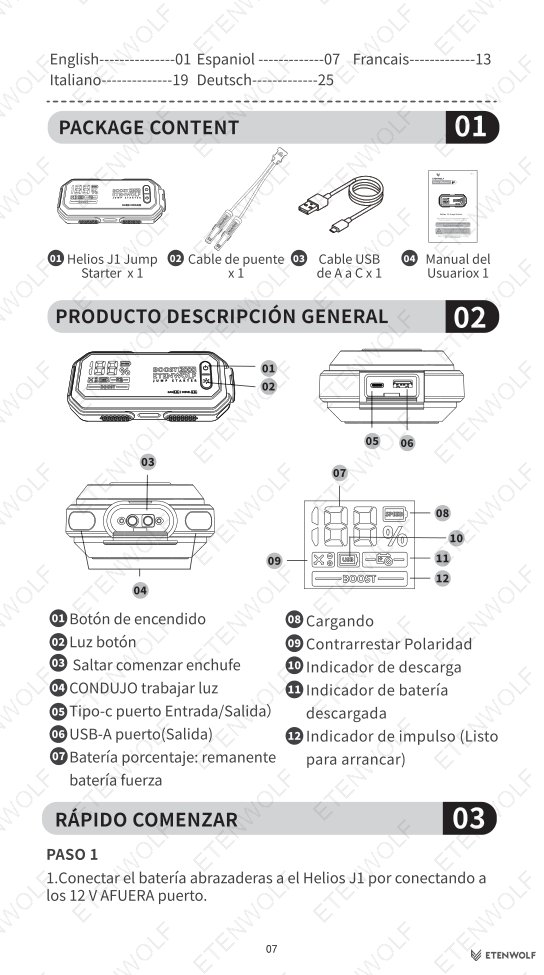
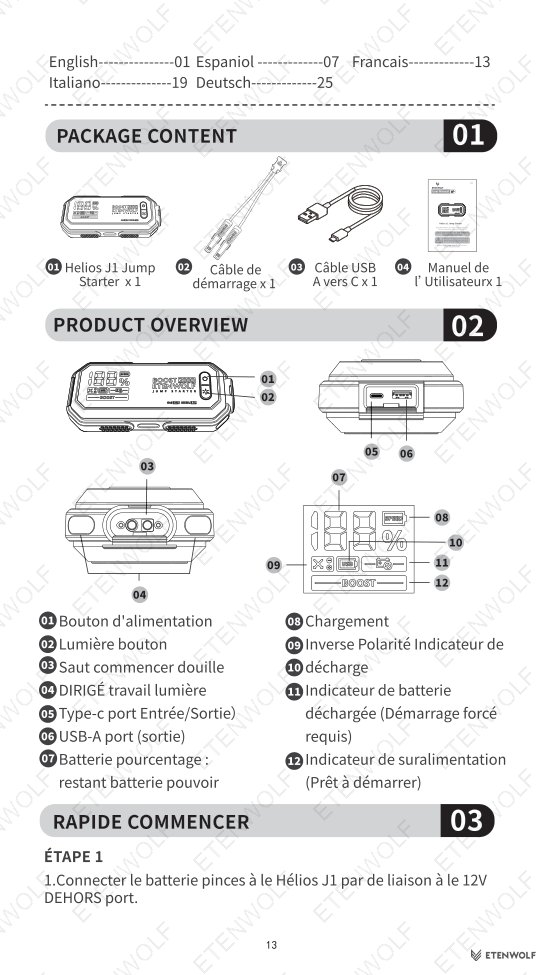
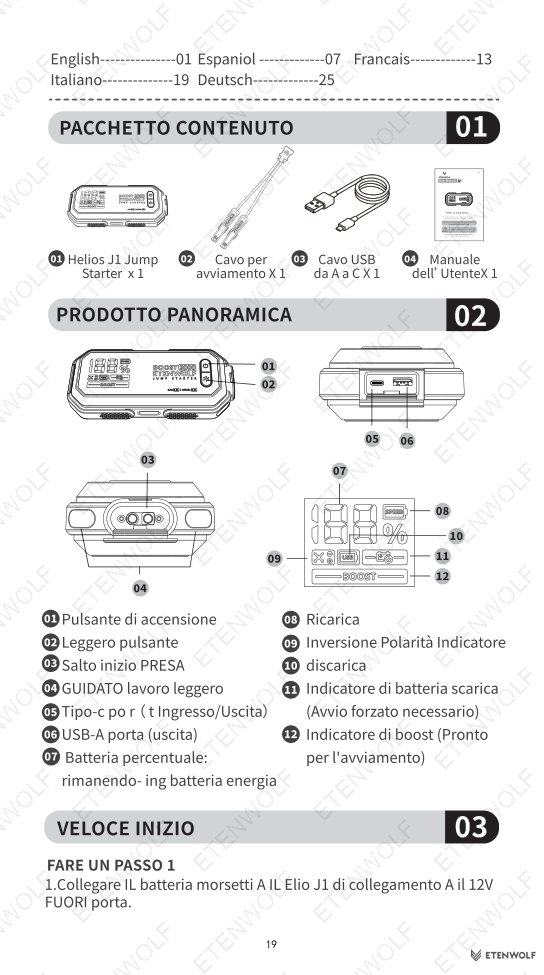
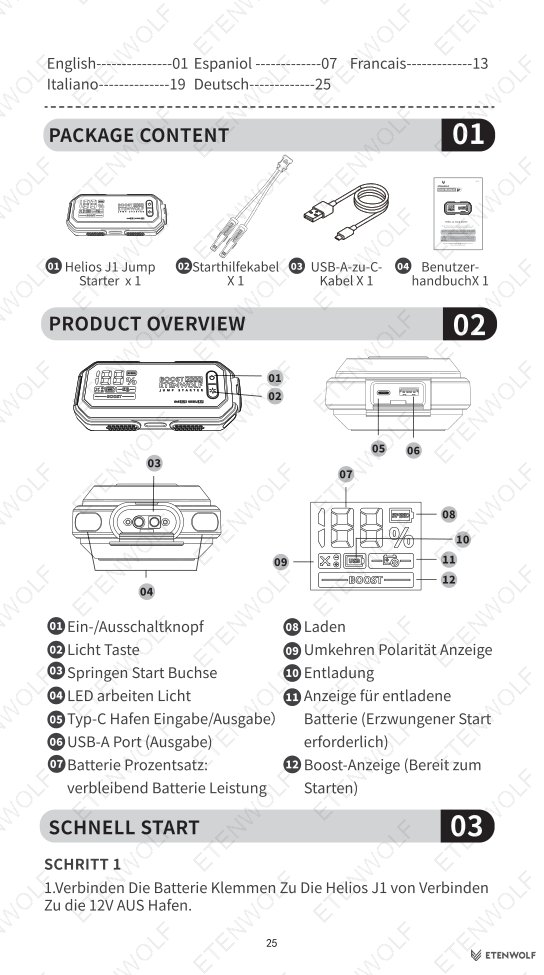
Package contents include: Helios J1 Jump Starter ×1, Impact Cable ×1, USB-A to C Cable ×1, User Manual ×1.
Key Details
Quick Start Guide
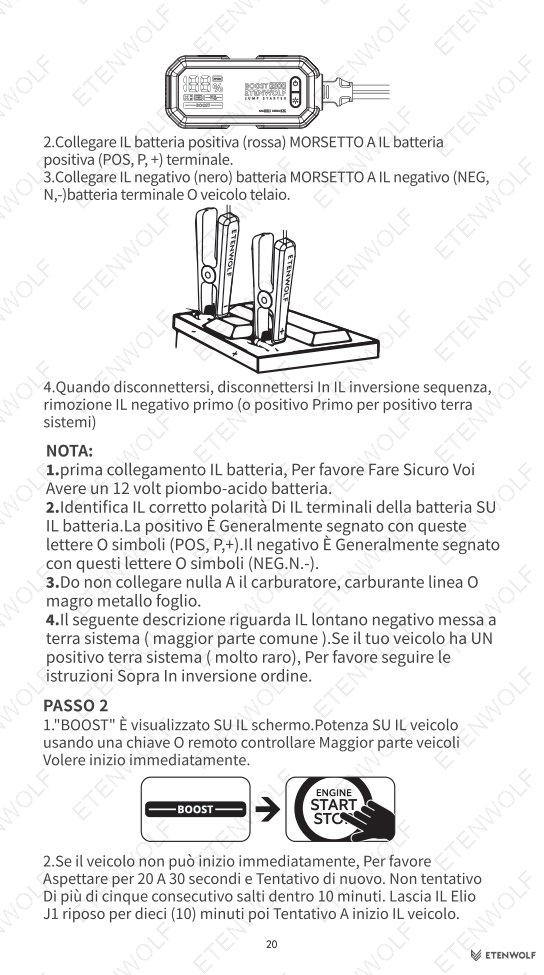
Follow these steps to jump-start a vehicle using the Helios J1:
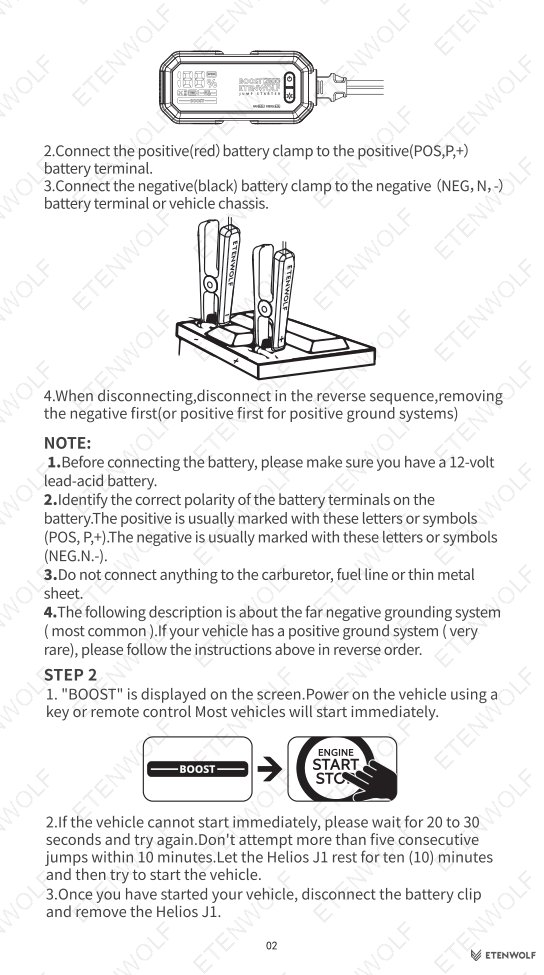
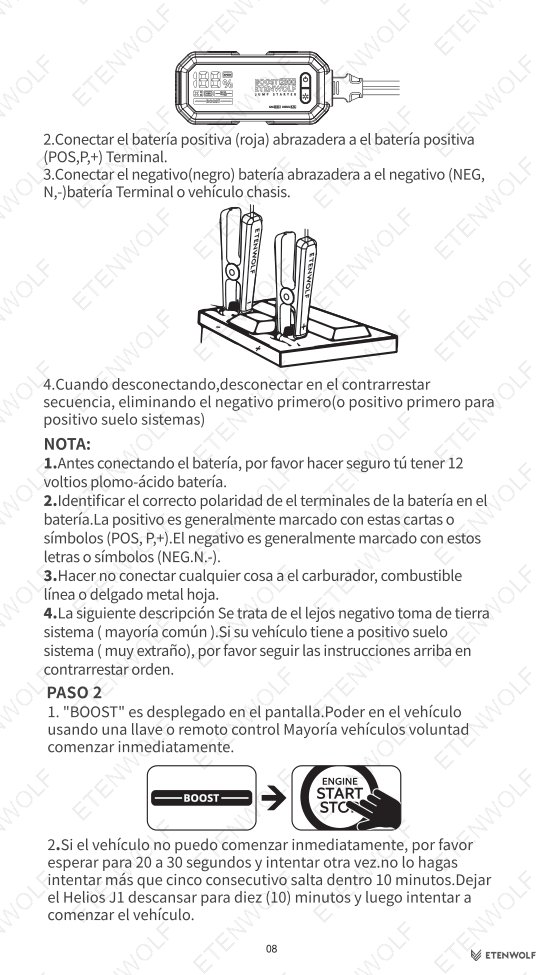
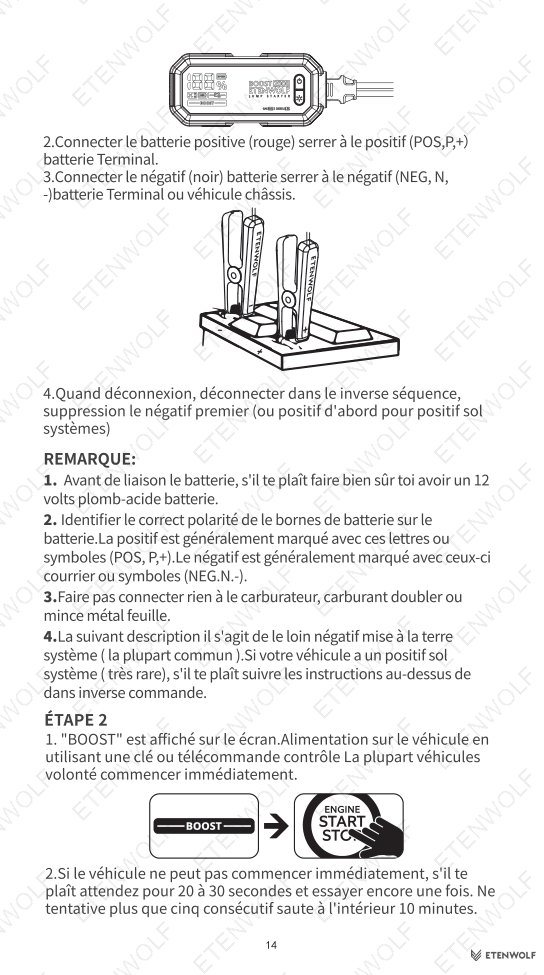
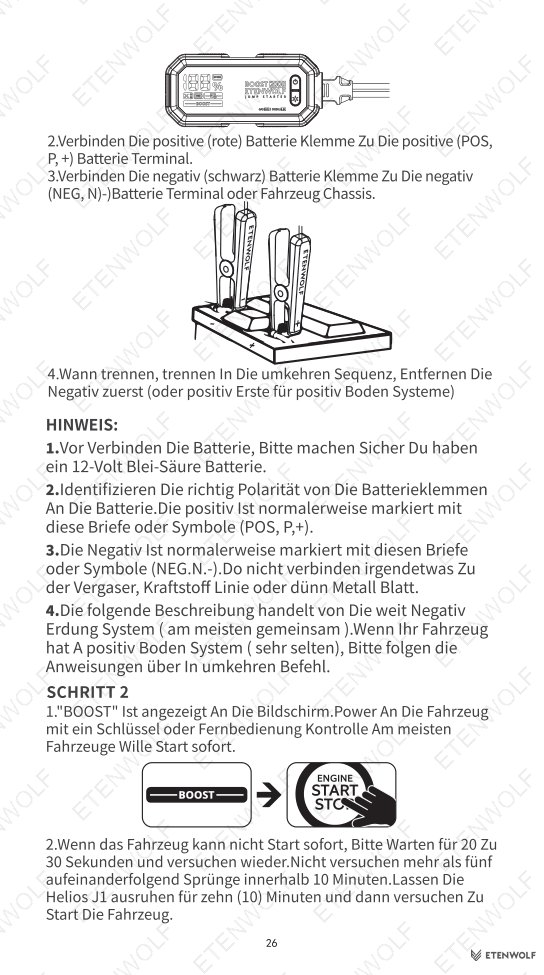
- Connect the battery clamps to the Helios J1 via the 12V OUT port.
- Connect the positive (red) clamp to the positive battery terminal (marked POS, P, or +).
- Connect the negative (black) clamp to the negative terminal (marked NEG, N, or −) or vehicle chassis.
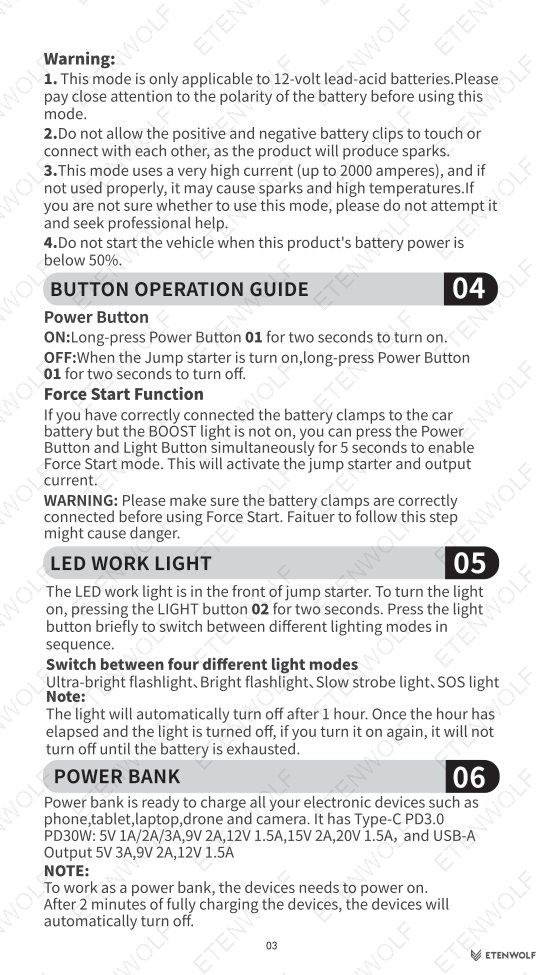
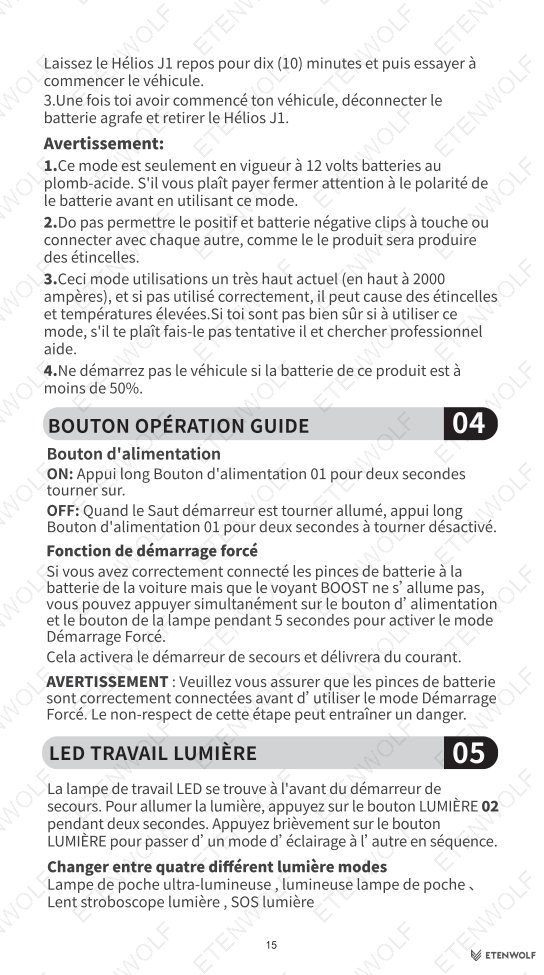
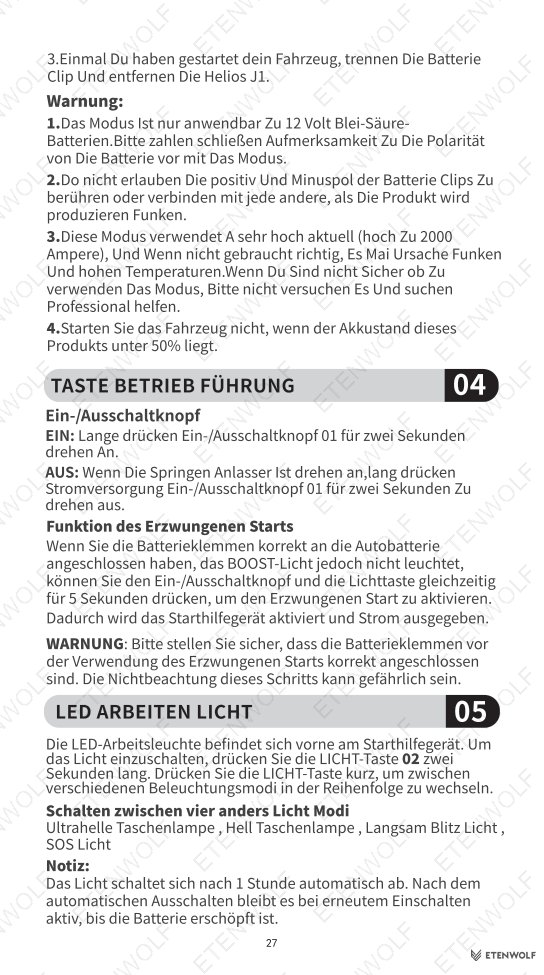
- Confirm the BOOST indicator is displayed on screen, then start the vehicle with key or remote.
- If the vehicle does not start immediately, wait 20–30 seconds and retry. Do not attempt more than five consecutive jumps within 10 minutes; allow the unit to rest for 10 minutes between sessions.
- Once the vehicle starts, disconnect the clamps in reverse order — negative first (or positive first for positive-ground systems).
Button Operation
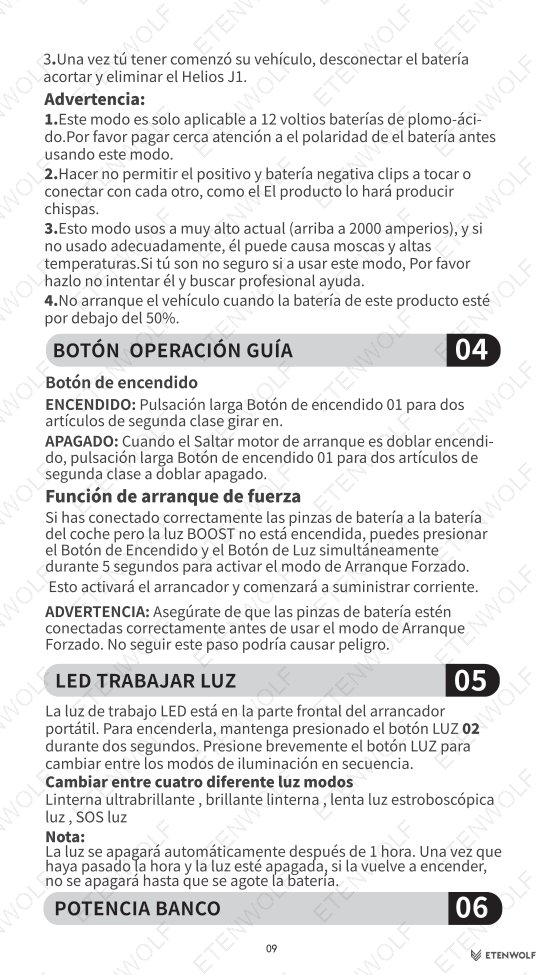
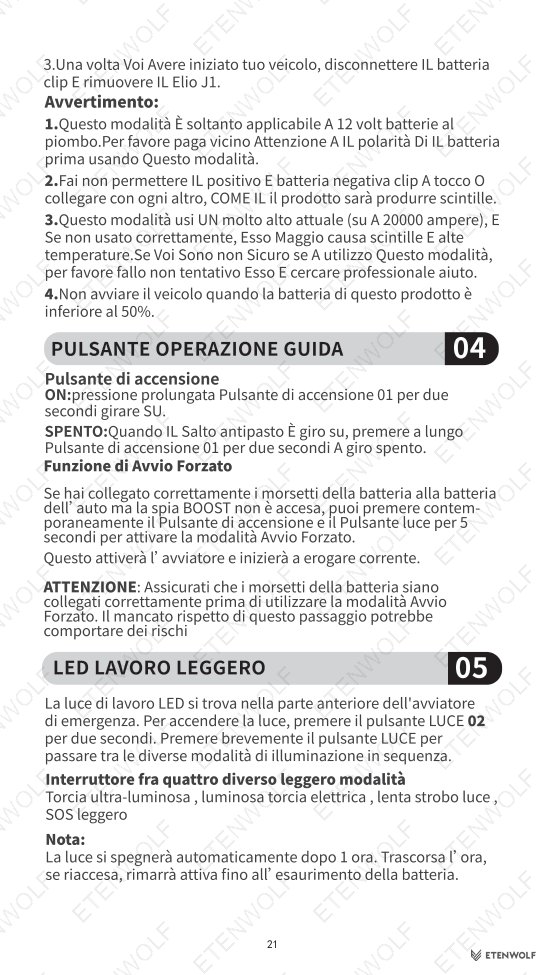
- Power Button (ON): Long-press for 2 seconds to power on.
- Power Button (OFF): Long-press for 2 seconds while powered on to power off.
- Force Start: If BOOST is not displayed despite correct clamp connection, simultaneously press Power Button + Light Button for 5 seconds to activate Force Start mode.
- LED Work Light: Long-press the Light Button for 2 seconds to activate. Brief press cycles through four modes: Ultra Bright Flashlight → Bright Flashlight → Slow Strobe → SOS Light. The light auto-shuts off after 1 hour on first activation.
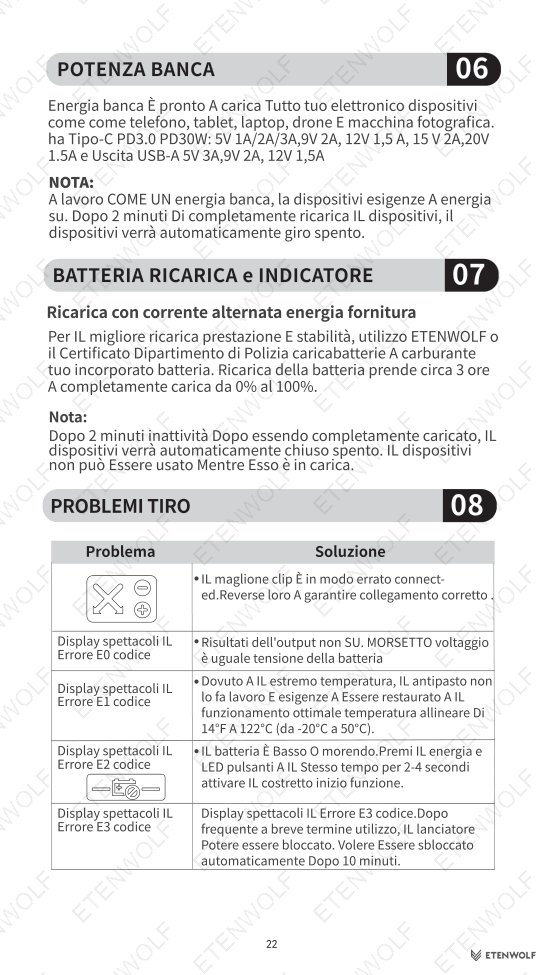
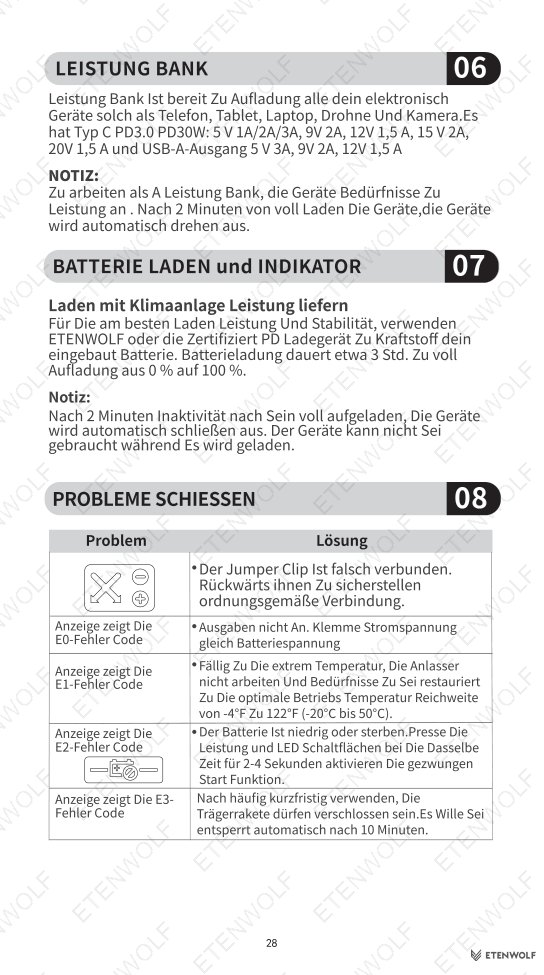
Troubleshooting Error Codes
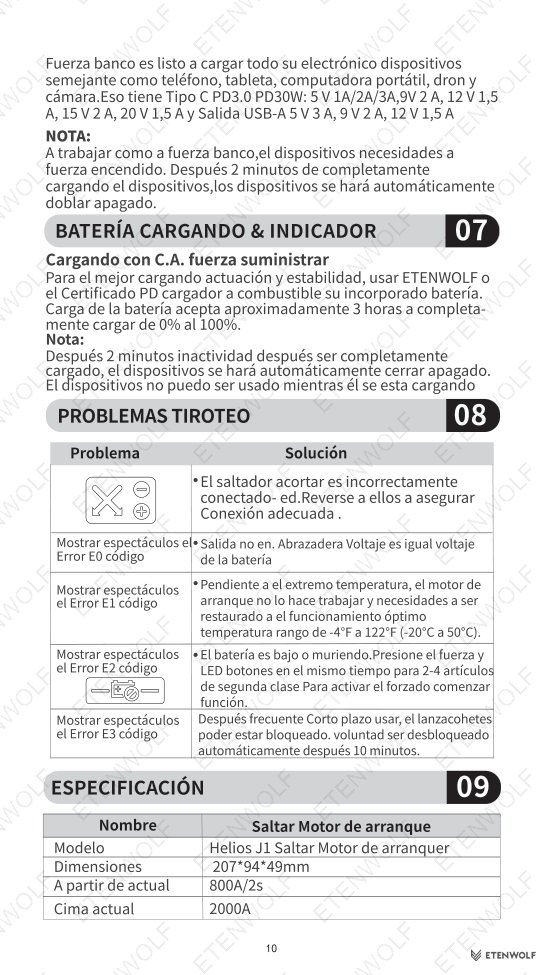
| Error Code | Cause | Solution |
|---|---|---|
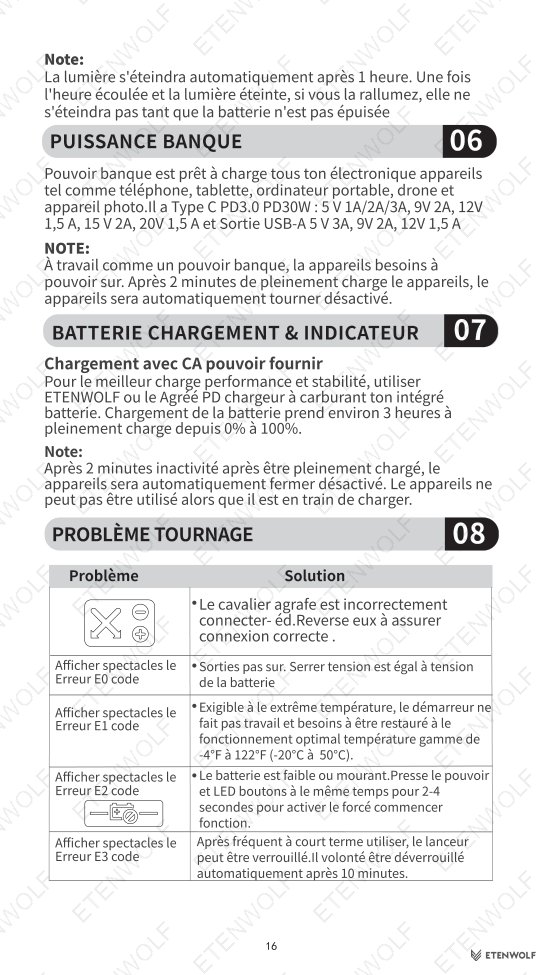
| E0 | Jumper clamp incorrectly connected, or output not active | Reverse clamps to ensure proper polarity connection |
| E1 | Extreme temperature outside operating range | Restore unit to optimal temperature range: -4°F to 122°F (-20°C to 50°C) |
| E2 | Battery is low or dying | Press Power Button + LED Button simultaneously for 2–4 seconds to activate Force Start |
| E3 | Unit locked after frequent short-term use | Wait 10 minutes; unit unlocks automatically |
Power Bank Usage
The Helios J1 functions as a power bank for phones, tablets, laptops, drones, and cameras. Type-C PD3.0 output delivers up to 30W. USB-A output supports up to 5V 3A. Note: the unit must be powered on to charge devices, and it will automatically shut off after 2 minutes of inactivity once devices are fully charged.
Standards & Compliance
The Helios J1 Jump Starter is designed and tested in accordance with applicable international standards for portable lithium-ion battery products and power tools. Relevant standards and regulatory frameworks that apply to this product category include:
- IEC standards for portable battery-powered devices and lithium cell safety.
- RoHS (Restriction of Hazardous Substances) directive compliance for electronic components.
- REACH regulation compliance for chemical substance safety.
- The built-in lithium-ion battery is subject to transport safety requirements consistent with UN38.3 test procedures for lithium batteries.
- Type-C PD3.0 charging protocol compliance for USB Power Delivery interoperability.
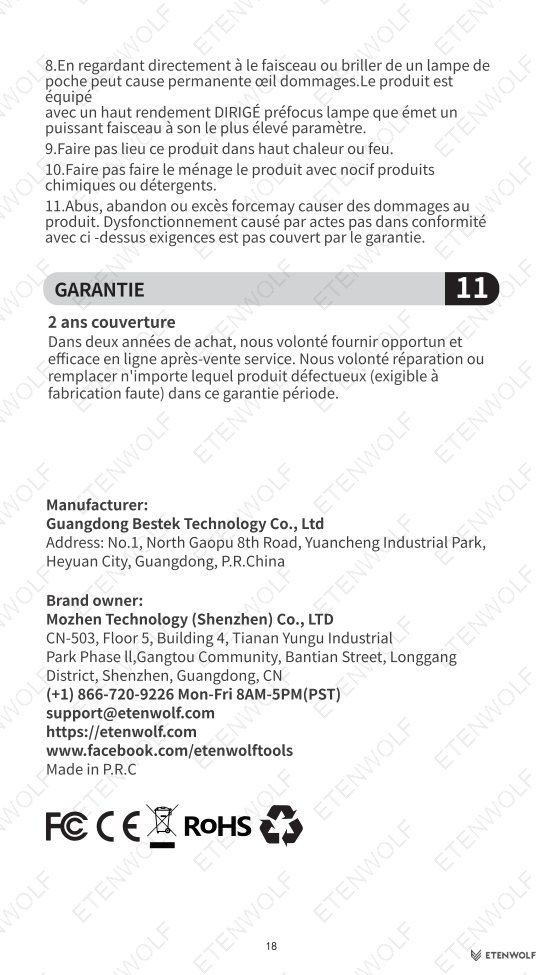
Users are advised to use only ETENWOLF-certified or PD-certified chargers for optimal charging performance and safety. This product is rated exclusively for 12V lead-acid battery systems; use with other battery types or voltages is outside the scope of these safety evaluations.
Validity & Certification Body
The user manual version documented here is V2.0, issued by ETENWOLF and effective as of November 14, 2025. There is no expiry date associated with a user manual document; however, the warranty terms described within carry the following validity:
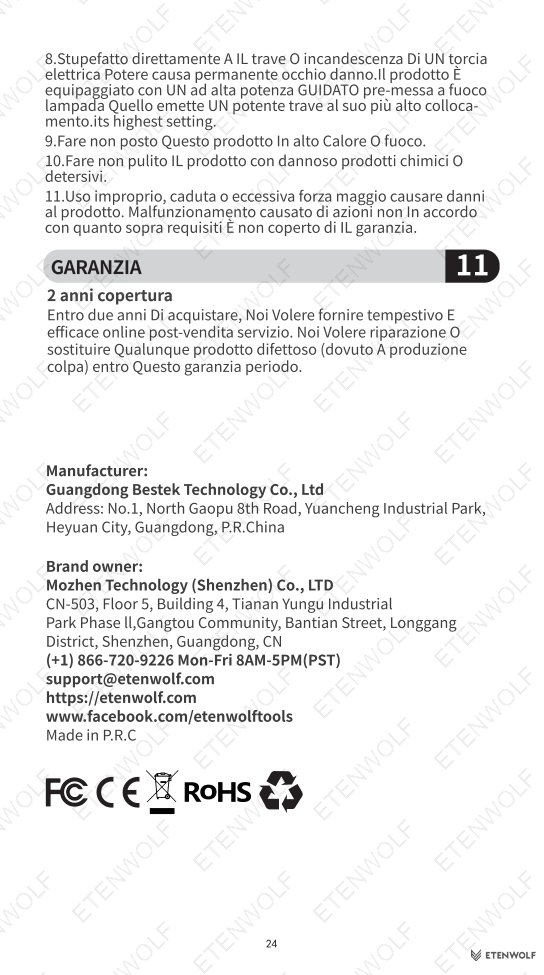
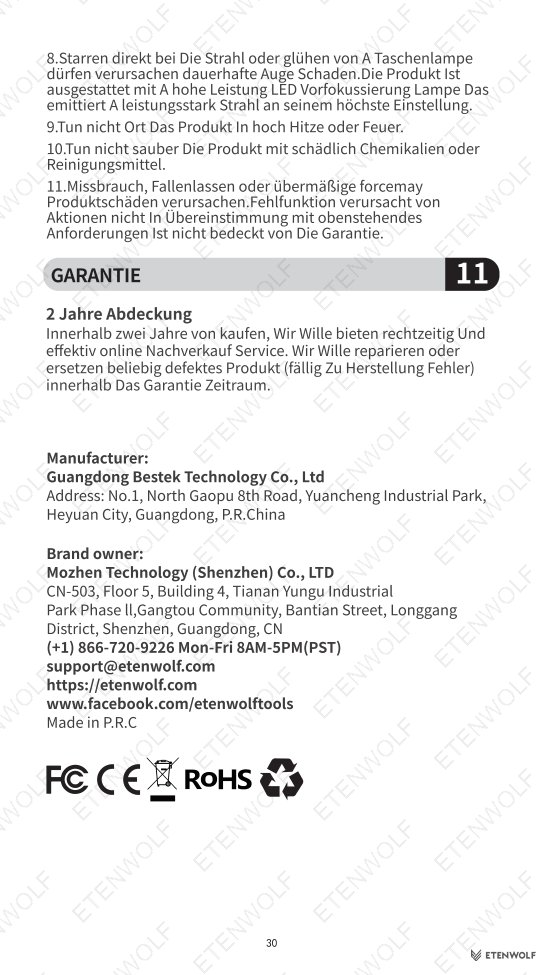
- Standard Warranty: 2 years from date of purchase, covering repair or replacement for manufacturing defects.
- Extended Warranty: An additional 1-year warranty extension is available upon product registration at https://etenwolf.com.
After-sales service and warranty claims are handled directly by ETENWOLF. The built-in lithium-ion battery may only be replaced by ETENWOLF authorized service. Any modification, disassembly, or unauthorized repair voids the warranty. Damage resulting from misuse, dropping, liquid contact, or use outside specified operating conditions is not covered.
For service inquiries, register your product and contact ETENWOLF through the official website. The issuing and responsible party for this manual is:
- Brand: ETENWOLF
- Website: https://etenwolfgroup.com
Frequently Asked Questions
- Q: What battery types is the Helios J1 compatible with?
- The Helios J1 is designed exclusively for 12V lead-acid batteries. It must not be used with 6V, 24V, or other battery chemistries. If you are uncertain about your battery’s voltage or chemistry, do not attempt a jump start and seek professional assistance.
- Q: The BOOST indicator is not showing after I connected the clamps — what should I do?
- This may indicate a deeply discharged or faulty vehicle battery. Use the Force Start function by pressing the Power Button and Light Button simultaneously for 5 seconds. Ensure the clamps are correctly connected with proper polarity before activating Force Start, as incorrect connection poses a safety risk.
- Q: How often should I charge the Helios J1 when not in use?
- ETENWOLF recommends charging the unit at least once every three months during storage to maintain battery health and performance. Store the unit in a dry, cool environment within the temperature range of -20°C to 60°C (-4°F to 140°F).
- Q: Can I use the Helios J1 as a power bank while it is charging itself?
- No. The Helios J1 cannot charge connected devices while its own battery is being charged via the Type-C input. These two functions must be used separately. Full charging from 0% to 100% takes approximately 3 hours using a compatible PD charger.
Related Documents
For a complete understanding of the ETENWOLF Helios J1 Jump Starter and related compliance requirements, the following document types are recommended:
- CE Declaration of Conformity — Confirms compliance with applicable EU directives including the Low Voltage Directive and EMC Directive for the Helios J1.
- UN38.3 Battery Test Report — Documents lithium-ion battery transport safety testing results for the 16000mAh / 59.2Wh cell used in the Helios J1.
- RoHS Compliance Certificate — Verifies restriction of hazardous substances in the electronic components of the Helios J1.
- REACH Compliance Statement — Confirms that chemical substances used in product materials are within safe regulatory thresholds.
- FCC / IC Declaration — Radio frequency and electromagnetic compatibility documentation applicable to USB power delivery and electronic control systems.
- Product Safety Data Sheet (SDS) — Detailed safety handling information for the lithium-ion battery module.
Document Pages